dbForge Data Generator for MySQL: Realistic Test Data for Every Table, in a Few Clicks
dbForge Data Generator for MySQL is Devart's Windows tool for filling MySQL and MariaDB databases with realistic test data: names, emails, addresses, dates, product codes and over 200 other kinds, with foreign keys kept consistent across tables. It costs $84.95 a year or $169.95 for a perpetual license, and it's for developers and QA teams who need thousands or millions of believable rows without copying production data.
Your app runs fine on a test database with twelve customers and falls over in production with two million. Data Generator lets you fill a copy of the schema with a production-sized load of plausible data, so the slow queries and broken pagination show up before your users find them.
Quick facts
- Version: 2026.2.96, released November 9, 2026
- Developer: Devart
- Platform: Windows 7 to 11 and Windows Server 2008 to 2025, with .NET Framework 4.7.2; macOS and Linux through CodeWeavers CrossOver
- Databases: MySQL 5.5 to 26.7, MariaDB 5.5 to 13, Percona 5.5 to 8.4; Amazon RDS and Aurora and other MySQL cloud services
- Generators: 20+ basic and 200+ meaningful, plus your own
- Download: 57.97 MB
- Price: $84.95 for a 1-year subscription or $169.95 perpetual; one edition
- Trial: free for 30 days (the download asks you to sign in with a free Devart account)
- What we checked: version 2026.2.96 and its November 9, 2026 date on Devart's download page and revision history, the 57.97 MB download size listed there, and the order page price of $84.95 for the default 1-year subscription on November 13, 2026. We didn't generate data into our own database.
Before you buy
- Point it at a test database. Population writes real rows, and with the "Truncate data from table before generation" option it deletes the existing ones first, so never aim it at production.
- dbForge Studio for MySQL Enterprise includes the same generator, plus documentation, source control and compare tools.
- A subscription stops working when it ends; the $169.95 perpetual license keeps working, with a year of updates.
Download Free TrialBuy Now
Overview
You start a data generation project by picking a connection and database. Data Generator reads every table, assigns a generator to each column based on its name and type (a column called email gets the Email generator, a foreign key gets values from its parent table), and shows a preview of the first rows. You adjust what you want (row counts, uniqueness, the share of NULLs and empty values, a random seed for repeatable results), then populate the database directly or save the INSERT script.
Devart releases it alongside dbForge Studio for MySQL. The September 2026 build added MySQL 26.7 and MariaDB 13 support and quick data generation for selected tables straight from Database Explorer.
Features
200+ generators that produce believable values
dbForge Data Generator for MySQL groups its meaningful generators by subject: Business, Health, IT, Location, Payment, Personal and Product. You'll find first and last names, birth dates, postal codes, phone numbers, countries, credit card numbers, social insurance numbers, ISBNs, EANs, IMEIs, language codes, departments and more. For the basics there are 20+ configurable generators: Constant, Datetime, Foreign Key, JSON, Lorem Ipsum, Regular Expression, Shuffled Text, SQL Query, String, Table or View, Text File and Weighted List.
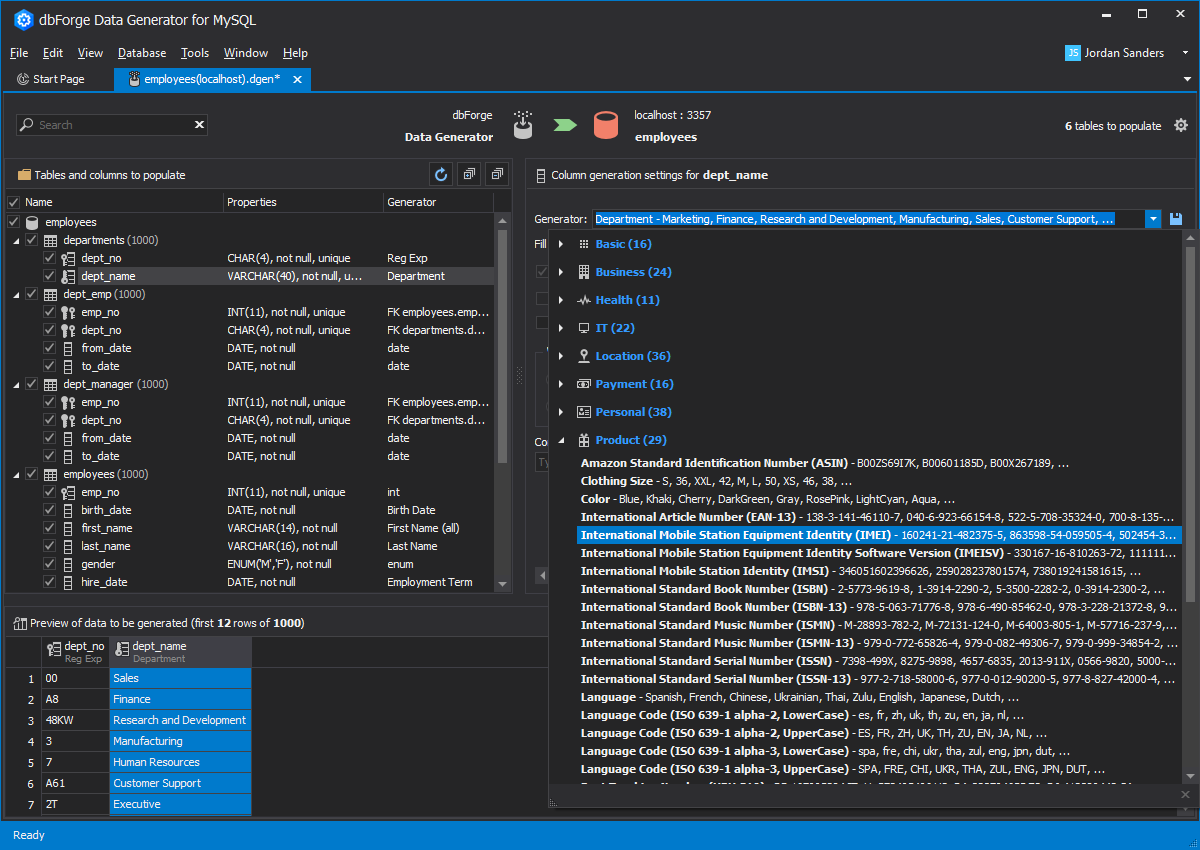
Picking a generator for dept_name in the employees database: the categories with their counts, the Product group expanded, and a preview of generated departments below.
Consistent data across related tables
dbForge Data Generator for MySQL fills foreign key columns with values that exist in the parent tables, so joins return sensible results, and it preserves dependencies between columns in the same row. A dedicated Check Constraint generator is assigned automatically to columns with a CHECK constraint and keeps values inside its range. It supports all MySQL and MariaDB data types.
Preview every change before writing a row
dbForge Data Generator for MySQL updates a preview grid as you change a column's settings, so you see exactly what the first rows will look like. For each column you can require unique values, set a percentage of NULLs or empty values, and choose random distribution by timestamp or by a fixed seed, which gives the same data on every run.
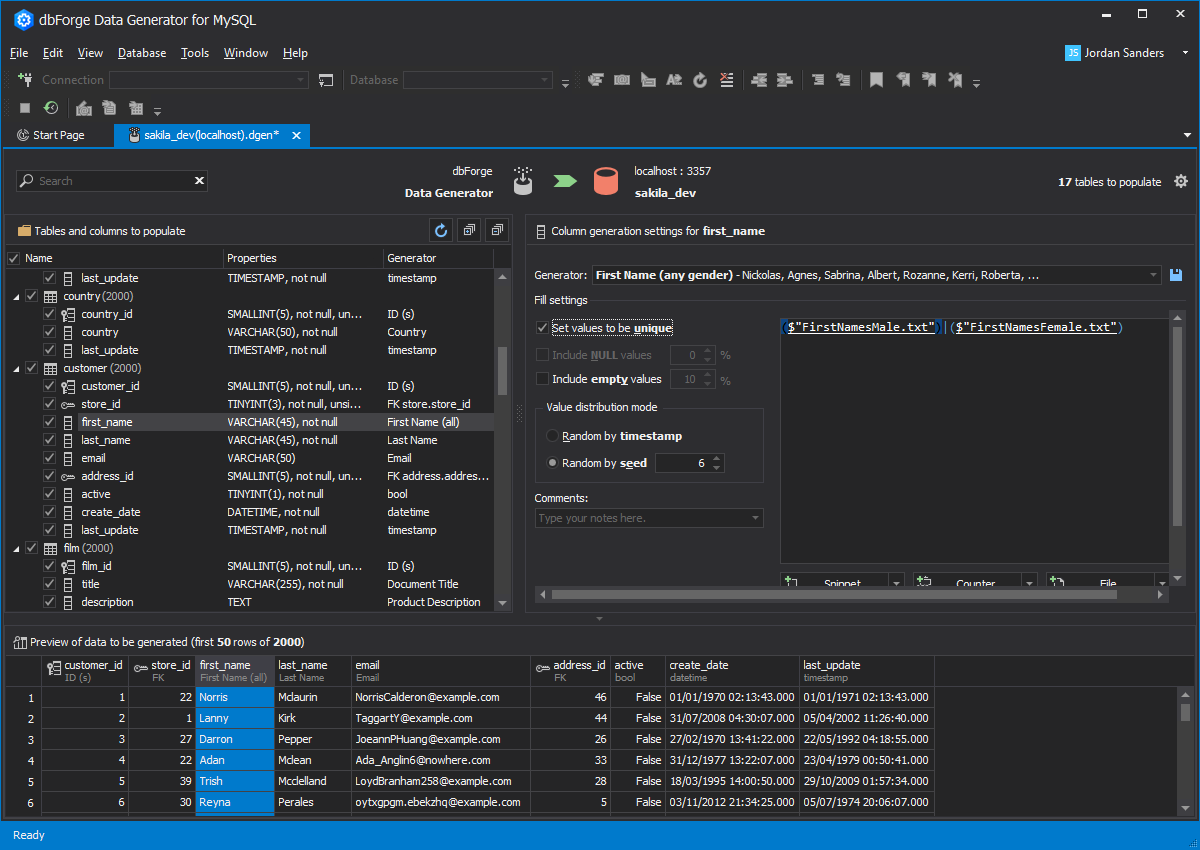
Settings for customer.first_name on sakila_dev (unique values, random by seed 6) and a preview of the first 50 of 2,000 generated customers with names, emails and dates.
Your own generators, saved and shared
dbForge Data Generator for MySQL stores generators as XML files, so you can save a configured generator, write a new one (including Python-based generators), and share the files with your team.
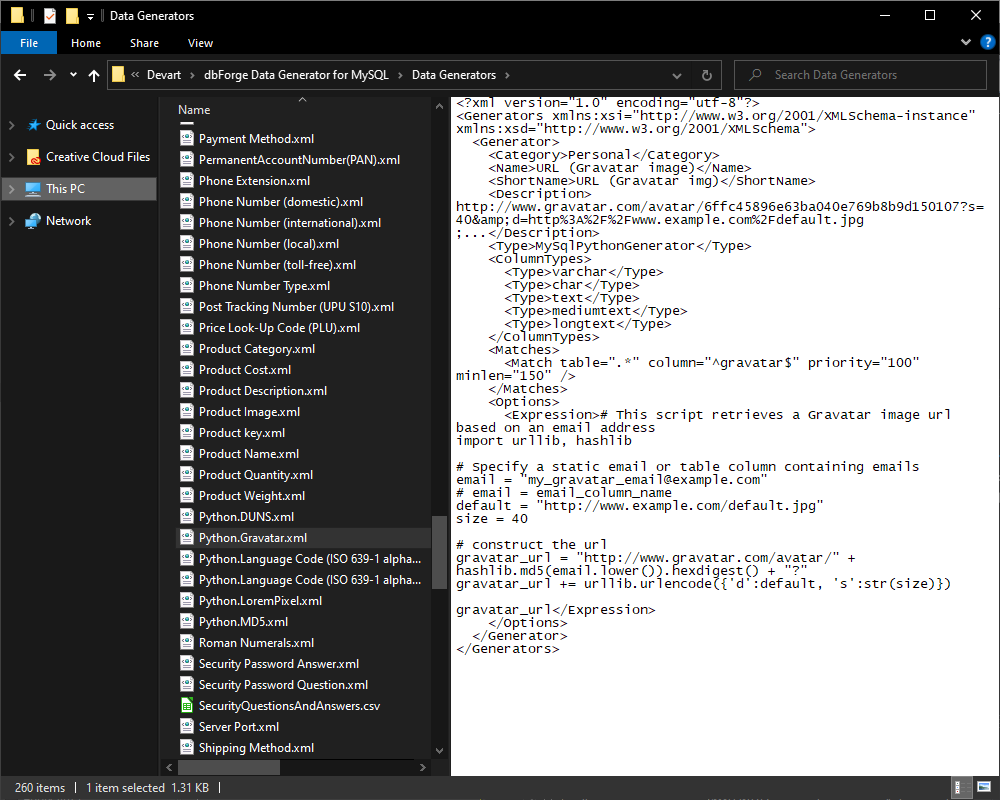
The Data Generators folder (260 items) with the Python.Gravatar generator's XML open, a Python script that builds Gravatar image URLs from emails.
Command-line and scheduled runs
dbForge Data Generator for MySQL saves each setup as a reusable project (.dgen) and can write a .bat file that runs it from the command line, ready for Windows Task Scheduler or a CI step. The console log shows rows inserted per table and the indexes, constraints and triggers it re-enabled afterwards.
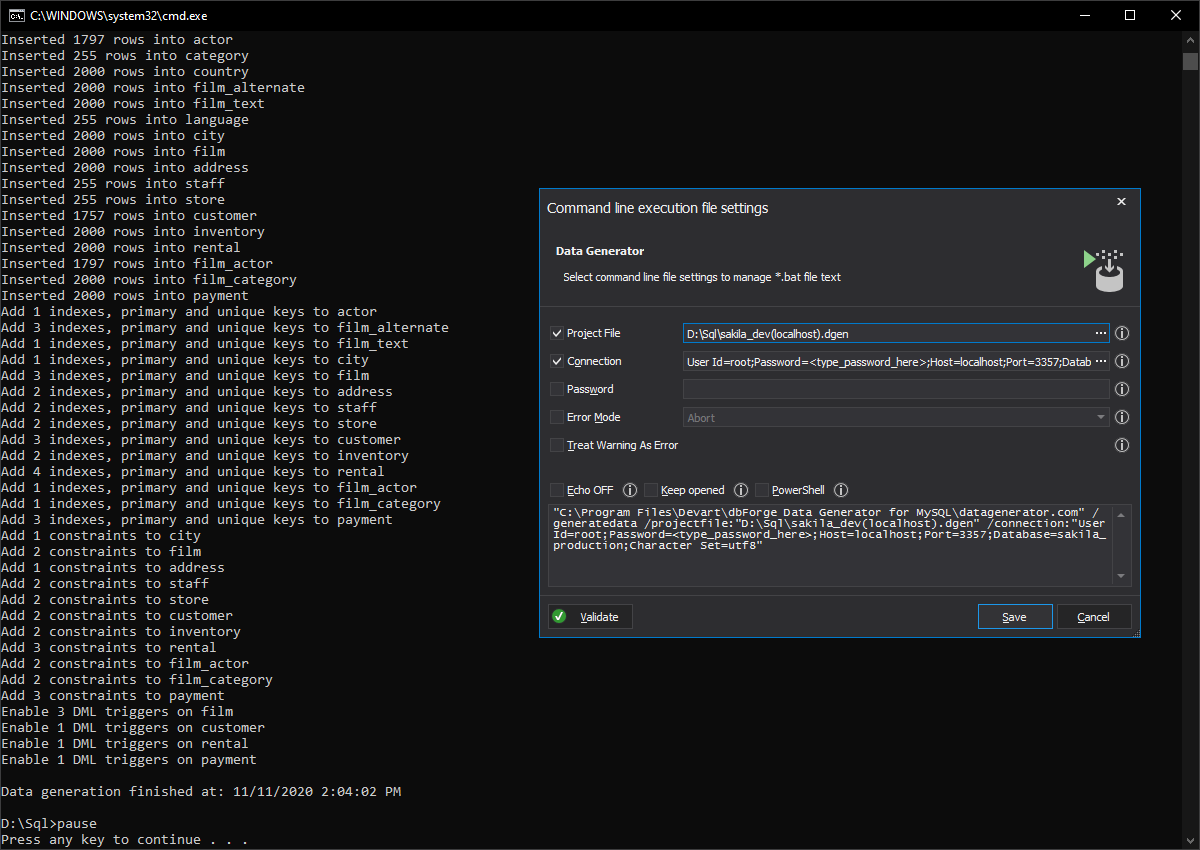
A command-line run inserting up to 2,000 rows into each sakila table, beside the dialog that builds the .bat file from a project and connection.
Benefits
- No personal data in test environments. Realistic fake data replaces the temptation to copy production, which is a privacy and compliance risk.
- Performance problems found early. Load tests on millions of rows show slow queries and missing indexes before release.
- Repeatable test runs. A fixed seed and a saved project give every tester and every CI build the same data.
- Better demos. Screens full of real-looking names and products beat "test1, test2".
Real-World Uses
- Load testing: fill a staging database with a production-sized volume and run your benchmarks.
- Automated tests: run a saved project from the build server so every test run starts with the same data.
- New developer setup: give each developer a local database populated in minutes instead of a sanitized production dump.
- Sales demos and training: generate a believable customer and order history for a demo environment.
Who It's For, and Who Should Skip It
Buy it if you develop or test MySQL or MariaDB applications and regularly need large, realistic, consistent data sets, especially across many related tables.
Skip it if you only need a few hundred rows once (a free online generator or a hand-written script will do); if you already own dbForge Studio for MySQL Enterprise, which includes it; or if your test data must be a masked copy of production rather than synthetic data.
Usage Guide
- Download and install Data Generator from Devart's download page (sign in with a free Devart account) and start the 30-day trial.
- Create a new data generation project and connect to your test MySQL or MariaDB database.
- Tick the tables to populate and set the number of rows for each.
- Check each column's generator in the settings pane and adjust uniqueness, NULLs and the seed while you watch the preview.
- Populate. Write the data directly into the database or save it as a script.
- Save the project and, if you want, a command-line file for scheduled or CI runs.
Where It Falls Short
- A learning curve. G2 reviewers mention that the many options take time to learn.
- Big jobs take time. Generating millions of rows is limited by your server's CPU, memory and disk, and some reviewers report slow generation on large sets.
- Synthetic only. It doesn't mask or subset real production data.
- No native Mac or Linux build. CrossOver is a separate license.
What Users Say
Data Generator for MySQL has a small set of reviews. On G2 it averages about 4.3 out of 5 from seven reviews, with praise for data-type coverage and easy setup and complaints about the learning curve and speed on large jobs. Devart quotes several reviewers on its product page.
Reviewers quoted on Devart's product page
Yousuf N., Cybersecurity Researcher: "The most helpful about dbForge Data Generator is how quickly and accurately it can create a large sets of data. This makes it great for testing how application handle different situation and large amount of data."
Verified User in Information Technology and Services: "The great thing I find about dbForge Data Generator for MySQL is that it supports all data types and we can make use of multiple generators for different data types. Also, it provides enough customization options to create and save user-defined generators."
Vinicius L.: "dbForge Data Generator for MySQL is a great tool to populate databases with test data. You can select desired tables and columns and personalize the data by regex or by using predefined templates. It is a very useful tool with great usability to setup and to use."
Ajith K., ITCG Solutions Pvt Ltd: "dbForge Data Generator for MySQL is a must-have tool for MySQL database developers and testers. Saves time by automating data generation for large datasets. Highly customizable, allowing fine-tuning to meet project requirements."
A customer story
Swen Röthlisberger, CEO and Founder of Floowedit: "We couldn't test our software so thoroughly because it took too much time to generate test data in quantities. Now, with dbForge Data Generator for MySQL, our software has become more reliable because we can better anticipate possible bugs by inserting a large volume of data, which was not always the case before."
The recurring themes: broad data-type support, custom generators, and real time saved on large test sets. The criticism is about the learning curve and speed, not about the data it produces.
Comparisons
Data Generator vs dbForge Studio for MySQL Enterprise
dbForge Studio for MySQL Enterprise ($229.95 a year at checkout) includes test data generation together with documentation, source control, schema and data compare and a full IDE. Data Generator alone at $84.95 is the right buy when test data is the only gap.
Data Generator vs online generators and scripts
Web-based generators produce CSV or SQL files for one table at a time, and hand-written scripts need maintaining. Data Generator connects to the database, reads the schema, keeps foreign keys consistent across all tables, and reruns the same project on demand.
Editions and Pricing
dbForge Data Generator for MySQL has a single Standard edition. The order page opens on the 1-year subscription; the perpetual license, 2- or 3-year terms and priority support are options you choose there.
| License | Price | What you get |
|---|
| Standard, 1-year subscription | $84.95 | Use and updates for a year, renews yearly |
| Standard, perpetual | $169.95 | Use forever, 1 year of updates included |
Devart takes 5% off for 5 to 9 licenses, 10% for 10 to 19 and 15% for 20 or more.
FAQs
Does dbForge Data Generator for MySQL work with MariaDB?
Yes. dbForge Data Generator for MySQL supports MariaDB 5.5 to 13 and Percona Server 5.5 to 8.4 as well as MySQL 5.5 to 26.7.
Can it generate the same data every time?
Yes. dbForge Data Generator for MySQL can distribute values by a fixed random seed, so a saved project produces identical data on every run.
Can I save the data as a script instead of inserting it?
Yes. The dbForge Data Generator for MySQL Data Population Wizard can open the script in the editor, save it to a file (with a timestamp in the name if you like), or run it against the database immediately.
How long does it take to generate a million rows?
It depends on your hardware. Devart says dbForge Data Generator for MySQL's speed is governed by the server's CPU, memory and disk I/O, so try your target volume during the trial.
What happens when my subscription ends?
A dbForge Data Generator for MySQL subscription stops working when it ends, until you renew. Data already generated stays in your database, and a perpetual license keeps working.
Does it run on a Mac?
Only through CodeWeavers CrossOver. dbForge Data Generator for MySQL is a Windows program; Devart supports running it on macOS and on Ubuntu, Debian, Fedora and RHEL with CrossOver installed.
System Requirements
- Windows 7, 8, 8.1, 10 or 11, or Windows Server 2008, 2012, 2016, 2019, 2022 or 2025
- .NET Framework 4.7.2 or later
- macOS or Linux (Ubuntu, Debian, Fedora, RHEL): CodeWeavers CrossOver
- MySQL 5.5 to 26.7, MariaDB 5.5 to 13, Percona 5.5 to 8.4
- About 58 MB for the installer download
Conclusion
dbForge Data Generator for MySQL is worth $84.95 a year for any team that tests MySQL or MariaDB applications against more than a handful of rows: it reads your schema, fills every table with believable, consistent data, and reruns the job identically from the command line. The main reason not to buy it alone is that dbForge Studio for MySQL Enterprise includes it, so price the Studio if you'd use its other tools. Try it free for 30 days on a copy of your schema.
Download Free TrialBuy Now