Stellar Repair for Photo for Mac: Fix Corrupt JPEG, HEIC and RAW Photos on Your Mac
Stellar Repair for Photo for Mac is a $39.99-a-year Mac app that repairs photos that won't open, open half grey, or come out distorted: JPEG, HEIC and camera RAW files from a Mac drive, a memory card or an iPhone. It's for photographers and anyone whose pictures were damaged by a failing card, an interrupted copy or a recovery tool that brought them back broken.
You know the symptom: the thumbnail looks fine, but the photo itself won't open in Preview or Photos, or shows only the top half. The image data is often still mostly there. This app rebuilds the file around it, shows you the result, and saves a working JPG.
Quick facts
- Version: 8.9.0.1, released June 2026
- Developer: Stellar, a data recovery company founded in 1993. Older versions were called Stellar Phoenix JPEG Repair
- Platform: macOS High Sierra 10.13 and later, 64-bit
- Repairs: JPEG, JPG and HEIC, plus RAW formats including CR2, CRW, NEF, NRW, ARW, SR2, SRF, DNG, ORF, RAF, RW2, PEF, ERF, MRW, SRW and TIFF
- Saves as: JPG, whatever the original format
- Price: $39.99 a year at checkout (Standard)
- Free trial: repairs and previews your photos; saving needs a license
- What we checked: the trial download (41 MB disk image, dated July 15, 2026) from the vendor, and checkout prices of $39.99 (Standard), $59.99 (Professional) and $69.99 (Premium), all renewing every 12 months, on November 17, 2026. We didn't repair damaged photos ourselves.
Before you buy
Add your damaged photos to the free trial and look at the previews. If the photo comes back whole in the preview, the license gets you the saved file; if it doesn't, buying won't help. Stellar's refund policy gives 30 days on a first purchase, but not if you skipped the trial, and not on renewals.
Two things to know: repaired photos are always saved as JPG, even when the original was RAW or HEIC, and the license renews yearly unless you turn it off. If your photos were deleted rather than damaged, the Professional or Premium edition (which add photo recovery) is the one to look at.
Download Free TrialBuy StandardBuy ProfessionalBuy Premium
Overview
The app is built around three screens. Add Photos (drag files in or browse), Repair (a list with each file's size and dates), and the results screen, where each repaired photo, and any thumbnails found inside it, can be previewed before you click Save Repaired Files.
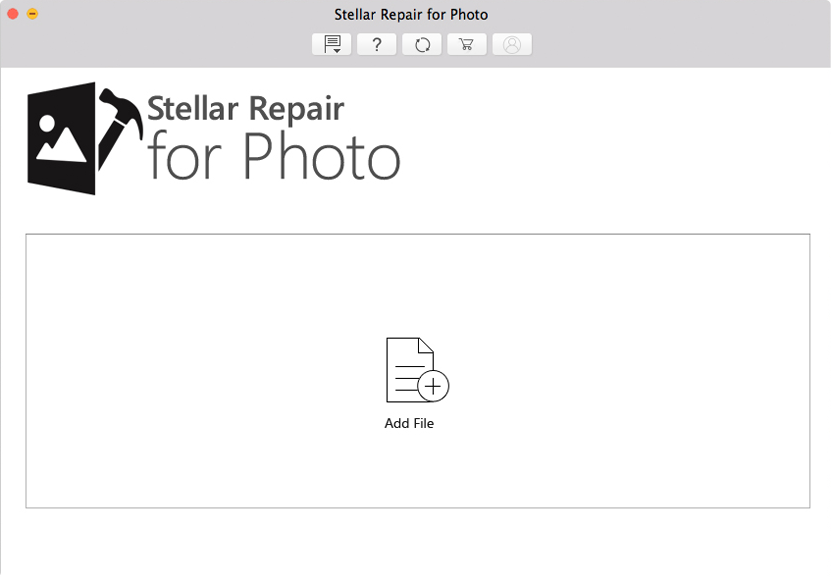
The start screen: add the damaged photos, or a whole folder of them.
It works on photos stored anywhere the Mac can read: the internal drive, external SSDs and hard drives, Time Machine, USB sticks, memory cards, and iPhone or iPad photos copied over.
Features
Repairs damaged JPEG and HEIC photos
Stellar Repair for Photo for Mac fixes a corrupt header, invalid file structure and damaged image data in JPEG, JPG and HEIC files, the usual causes of photos that won't open, show grey blocks or look scrambled. It keeps the original resolution of what it repairs.
Works with camera RAW files
Stellar Repair for Photo for Mac accepts RAW files from Canon, Nikon, Sony, Fujifilm, Olympus, Panasonic, Pentax and others (CR2, NEF, ARW, DNG, RAF, ORF, RW2 and more). The repaired result is saved as a JPG, so it's a way to rescue the picture, not the editable RAW data.
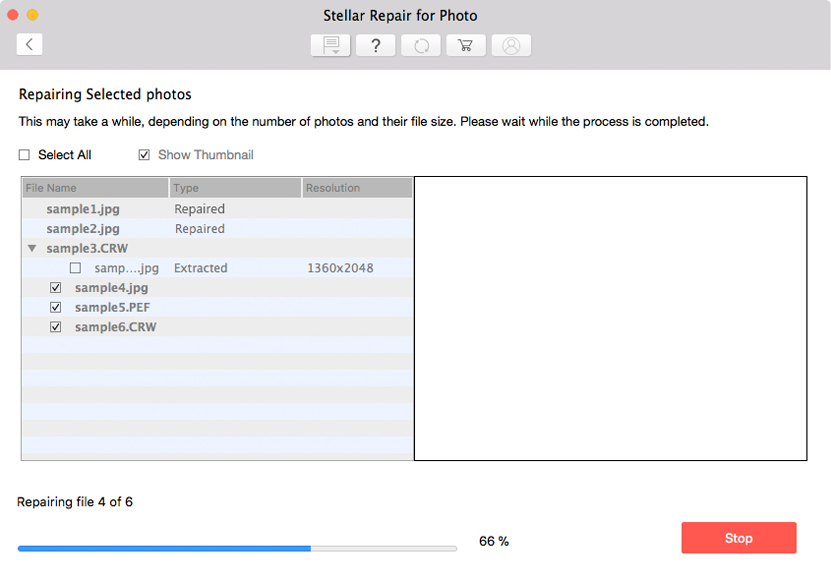
The repair list: tick the photos to fix and click Repair. Size and dates help you spot the right files.
Advance Repair with a sample photo
Stellar Repair for Photo for Mac has an Advance Repair for badly damaged JPEG and HEIC files: you add a healthy photo taken with the same camera, and the app uses its structure to rebuild the broken one. One sample can be applied to every JPEG of the same format in the list.
Thumbnail extraction
Stellar Repair for Photo for Mac pulls out the small preview images embedded in a photo. When the full picture is beyond repair, a thumbnail at least shows what it was, and it can be saved on its own.
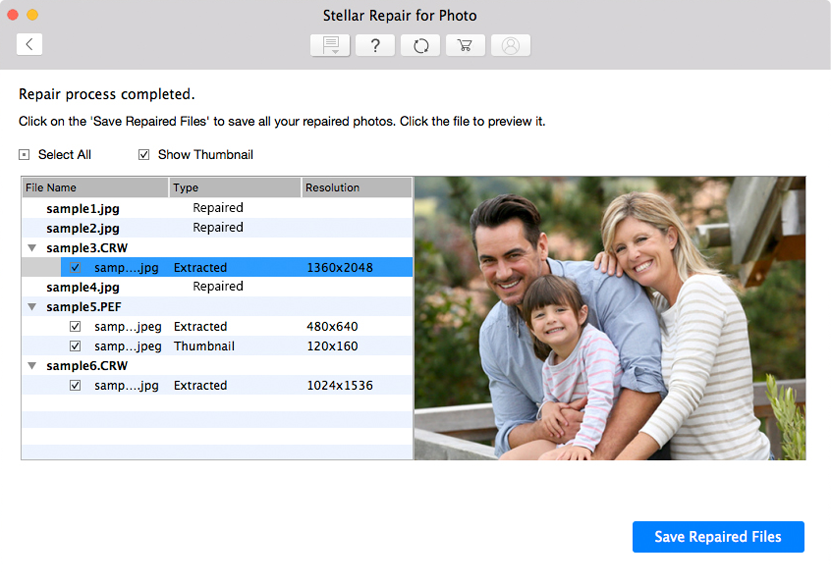
Results: each repaired photo with its resolution, any embedded thumbnails, and a large preview before saving.
Batch repair and preview
Stellar Repair for Photo for Mac repairs many photos in one run, or a whole folder, then lists each one with its type and resolution so you can preview and save only the ones you want.
Benefits
- You see the result before paying. The trial shows each repaired photo in full.
- Photos stay on your Mac. Nothing is uploaded, which matters for family and client pictures.
- A whole folder at once. A card full of damaged shots goes through in one batch.
- Something even from hopeless files. Thumbnail extraction gives you a small copy when the full image is gone.
Real-World Uses
- A memory card that misbehaved. The holiday shots copy over, but half won't open. Add the folder, repair, and save the ones that come back.
- Photos brought back by a recovery tool. Undeleted files often have damaged headers. This is the next step after recovery.
- A wedding shoot in RAW. A few NEF files from the second card are corrupt; repair gets you usable JPGs of those frames.
- An interrupted AirDrop or copy from an iPhone. HEIC files that stop halfway can be rebuilt with a sample photo from the same phone.
Who It's For, and Who Should Skip It
It suits Mac users with damaged photos, from hobbyists with one ruined card to photographers who need a rescue tool on hand.
Skip it if:
- Your photos were deleted, not damaged. You need photo recovery first: that's what the Professional and Premium editions add.
- You need the RAW data back for editing. The repaired output is a JPG.
- You're on Windows. Stellar sells a separate Windows version.
- The file shows "Invalid Image". Stellar says a file whose container is destroyed can't be repaired at all.
Usage Guide
- Install. Unzip the download, open the disk image, drag Stellar Repair for Photo to Applications and launch it. Accept the license agreement.
- Add photos. Click Add Photos and pick the damaged files or a folder.
- Repair. Tick the files and click Repair.
- Badly damaged files: click the Advance Repair link next to them, add a healthy sample photo from the same camera, and repair again.
- Preview. Click each result to see it; tick Show Thumbnail to see embedded thumbnails too.
- Activate and save. Enter your activation key, click Save Repaired Files and choose a folder. A Repaired Files folder is created there.
Where it falls short
- Everything comes out as JPG. RAW and HEIC originals are saved as JPG copies.
- No HEIC preview. The app can't preview HEIC files, so you judge those after saving.
- Some files are beyond it. Compressed JPEGs aren't supported, and a photo missing its "important marker" or with a destroyed container can't be repaired.
- Advance Repair needs a sample. Without a healthy photo from the same camera, badly damaged files may only give a thumbnail.
- A yearly license. Turn off the renewal after a one-time rescue if you don't want to pay again.
What Users Say
Independent reviews of the Mac edition are few; most write-ups cover Stellar's photo repair in general, which shares its engine with the Windows version.
Techweez (September 2026)
Techweez liked the safety net of the preview: "The useful thing about Stellar is that you can preview the repair before saving the repaired image." It also kept expectations realistic: "no software can recreate the exact pixels that no longer exist." Its verdict was practical: "If the result brings back an image you thought was gone, then you have your answer."
Trustpilot (Stellar as a company)
Stellar scores 4.8 out of 5 on Trustpilot from about 5,600 reviews across all its products (November 17, 2026), with 4% one-star reviews. Many of the low ratings are photo recovery or repair attempts that didn't work, for example "I fortunately when try to recover my photos didn't get any photo" (ahmad, November 2026).
The recurring themes: easy to use, the preview is the deciding feature, and results depend on how much of the photo survived. Run the trial before buying.
Comparisons
Stellar Repair for Photo for Mac vs Preview and Photos
macOS has no photo repair tool. Preview and Photos either open a file or refuse it. This app is for the files they refuse.
Standard vs Professional vs Premium
Standard only repairs photos. Professional adds recovery of deleted photos and videos from Mac drives and cards, and Premium also repairs corrupt videos. At checkout the two higher editions are named Stellar Photo Recovery Professional and Premium for Mac.
Editions and Pricing
| Edition | Price at checkout | What it does | Buy |
|---|
| Standard | $39.99 a year | Repairs corrupt photos, extracts thumbnails | Buy Standard |
| Professional | $59.99 a year | Standard plus recovery of deleted photos and videos | Buy Professional |
| Premium | $69.99 a year | Professional plus repair of corrupt videos | Buy Premium |
Prices checked on November 17, 2026. Each license covers one Mac for one year.
FAQs
Does Stellar Repair for Photo for Mac run on Apple silicon Macs?
Stellar Repair for Photo for Mac lists an Intel processor in its spec sheet and macOS High Sierra 10.13 or later. On an M-series Mac, run the free trial first to make sure it starts and repairs your files.
Can Stellar Repair for Photo for Mac repair iPhone HEIC photos?
Yes. Stellar Repair for Photo for Mac repairs HEIC files, including with Advance Repair using a sample photo from the same iPhone, but it can't preview HEIC files and saves the result as JPG.
Will Stellar Repair for Photo for Mac keep my RAW file as RAW?
No. Stellar Repair for Photo for Mac saves every repaired photo as a JPG. Keep your original RAW file in case you want to try another tool later.
What does the Stellar Repair for Photo for Mac trial do?
The Stellar Repair for Photo for Mac trial repairs your photos and shows previews. Saving the repaired photos needs a license.
Can Stellar Repair for Photo for Mac fix a photo that shows "Invalid Image"?
Usually not. Stellar Repair for Photo for Mac shows "Invalid Image" when the file's container is destroyed, and Stellar says such files are corrupt beyond repair. Try extracting the thumbnail instead.
Does Stellar Repair for Photo for Mac recover deleted photos?
The Standard edition doesn't. Stellar Repair for Photo for Mac Standard only repairs photos you still have; the Professional and Premium editions add recovery of deleted photos and videos.
System Requirements
- macOS High Sierra 10.13 or later, 64-bit
- Intel processor (per Stellar's spec sheet)
- 2 GB RAM minimum, 4 GB recommended
- 250 MB of free disk space, plus room for the repaired photos
Conclusion
Stellar Repair for Photo for Mac is worth $39.99 when photos you care about won't open and you have no other copy. The one reason to buy it: the trial previews every repaired photo, so you only pay once you've seen your pictures come back.
The main reason not to: it's a yearly license that saves only JPG, so RAW shooters lose their editing data and one-time users should cancel the renewal. Repair your photos in the trial and buy the edition that matches the damage: Standard for broken files, Professional or Premium if some were deleted too.
Download Free TrialBuy StandardBuy ProfessionalBuy Premium