Bandicam Screen Recorder: Record Your Screen, Games and Webcam on Windows
Bandicam is a Windows screen recorder for tutorials, meetings and gameplay, with webcam overlay, real-time drawing and AI transcripts. It suits teachers, gamers and office users who want a light recorder. The Personal perpetual license costs $44.95 once on the order page and covers Bandicam 2027.
Bandicam has been a favorite among gamers for years because it stays out of the way. Press F12, and it records. You get an unwatermarked video, and the free version lets you try all that first, up to 5 minutes at a time.
Quick facts
- Version: Bandicam 2027, 27.0.7.2687, released October 15, 2026
- Developer: Bandicam Company
- Platform: Windows 11, 10, 8 and 7. Bandicam for macOS is a separate product.
- Records: full screen, a window or an area, DirectX, OpenGL and Vulkan games, webcams, audio only
- Price: $44.95 on the order page, $49.95 less a $5.00 discount, for the Personal perpetual license on 1 PC
- Free version: 5 minutes per recording, no watermark on recordings. Exports you trim in the free version do get one.
- Use: Personal licenses are for non-commercial use. Organizations need the Business License.
- What we checked: the 60.5 MB installer from Bandicam, file version 27.0.7.2687, signed by Bandicam Company Corp., and the order page, which charged $44.95 for the Personal, Lifetime license on November 6, 2026. We didn't record with it.
Before you buy
"Lifetime" here means that version, for good. The order page calls this license Lifetime. Bandicam's own store calls it perpetual: "Perpetual access to Bandicam 2027", with one year of technical support. Bandicam keeps separate downloads for 2025 and 2024 perpetual holders, so a later yearly version can require a new purchase. Several Trustpilot reviewers are angry about exactly this.
One license, one PC. A second computer needs a second license.
Download Free TrialBuy Now
Overview
Bandicam opens as a compact dark window. Along the top are mode buttons for screen, device, audio and game recording and a red REC button. The Get Started page offers Rectangle area, Fullscreen, Specific window and Game recording. There are few steps between opening it and recording, and that's the program's main appeal.
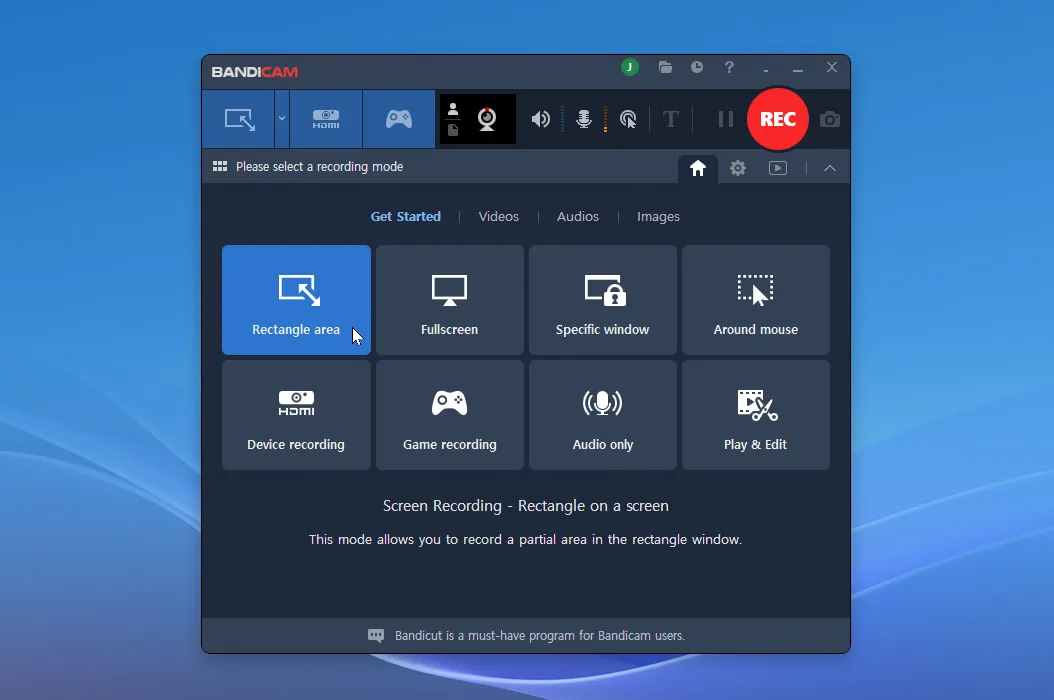
The Bandicam 2027 main window on the Get Started page, showing the recording modes.
Features
Record any part of the screen
Bandicam records the full screen, a dragged rectangle or one specific window, including just that window's audio. That last option helps when you don't want notifications or another app's sound in the recording.
Game recording for DirectX, OpenGL and Vulkan
Bandicam has a game mode that detects the running game, shows an FPS counter, and records gameplay plus your voice and game sound at once. A webcam overlay puts your face over the footage for commentary videos.
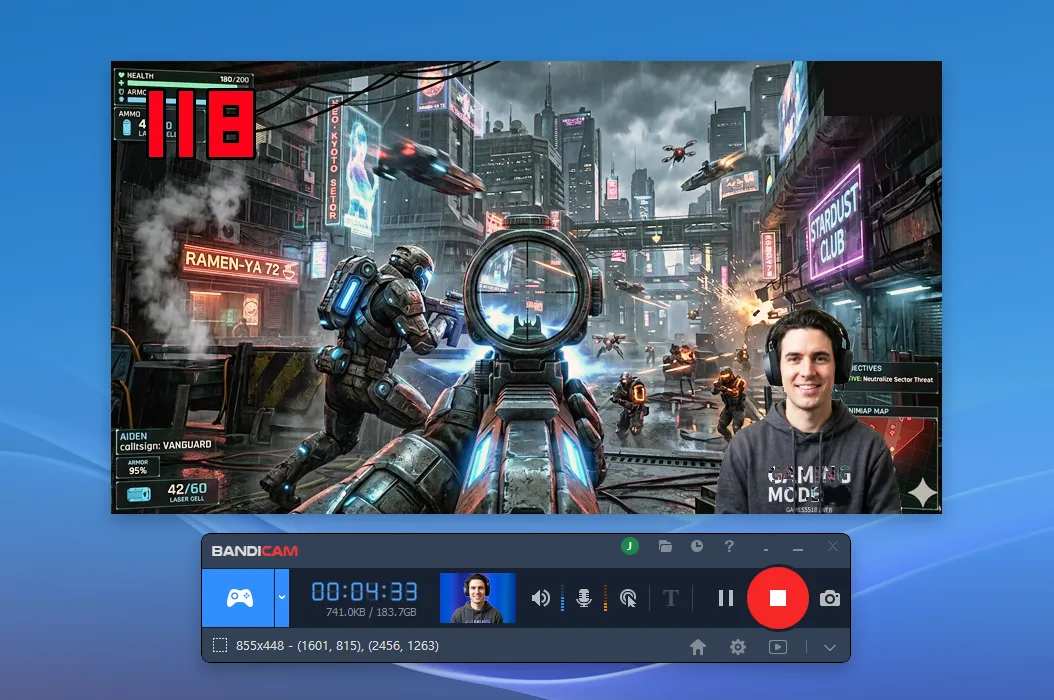
A game recording in progress, with an FPS counter at top left, a webcam overlay and the recording bar below.
Draw on the screen while you record
Bandicam lets you add pen strokes, arrows, shapes and text during a recording, and mouse effects highlight clicks and cursor movements. For a tutorial or a demo, it saves a lot of editing afterward.
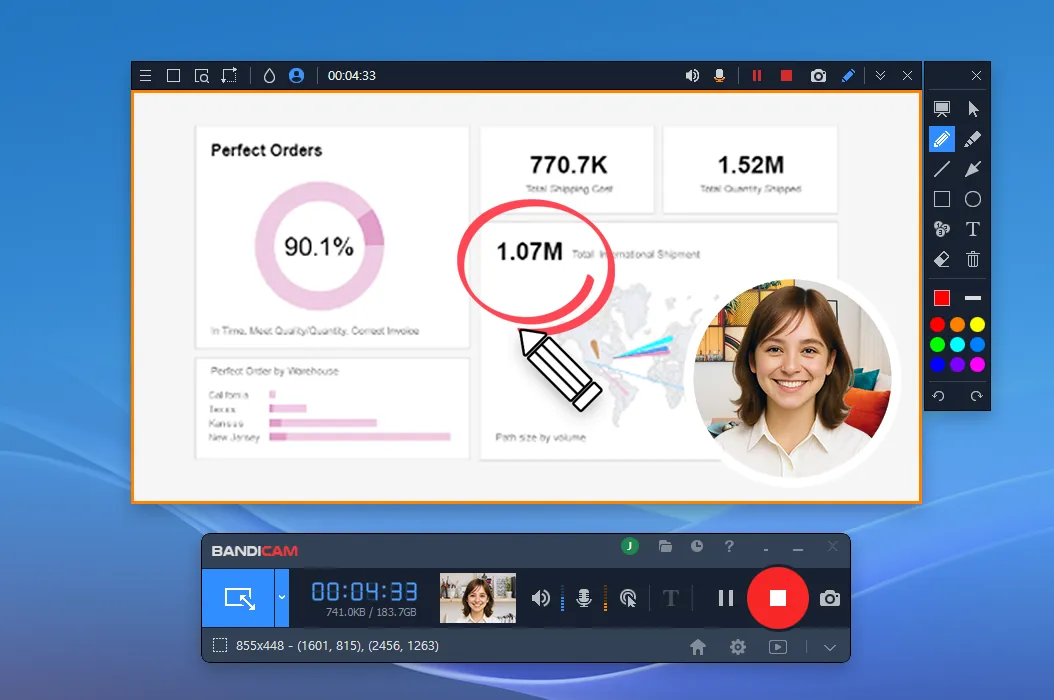
Drawing tools in use over a dashboard, with a circled figure, a pen and a round webcam overlay.
Trim and transcribe after recording
Bandicam includes a built-in editor for cutting recordings without opening another program. AI transcription turns speech into TXT transcripts or SRT subtitles, and subtitles can be burned into the exported video. Smart Zoom and webcam background removal round out the AI tools.
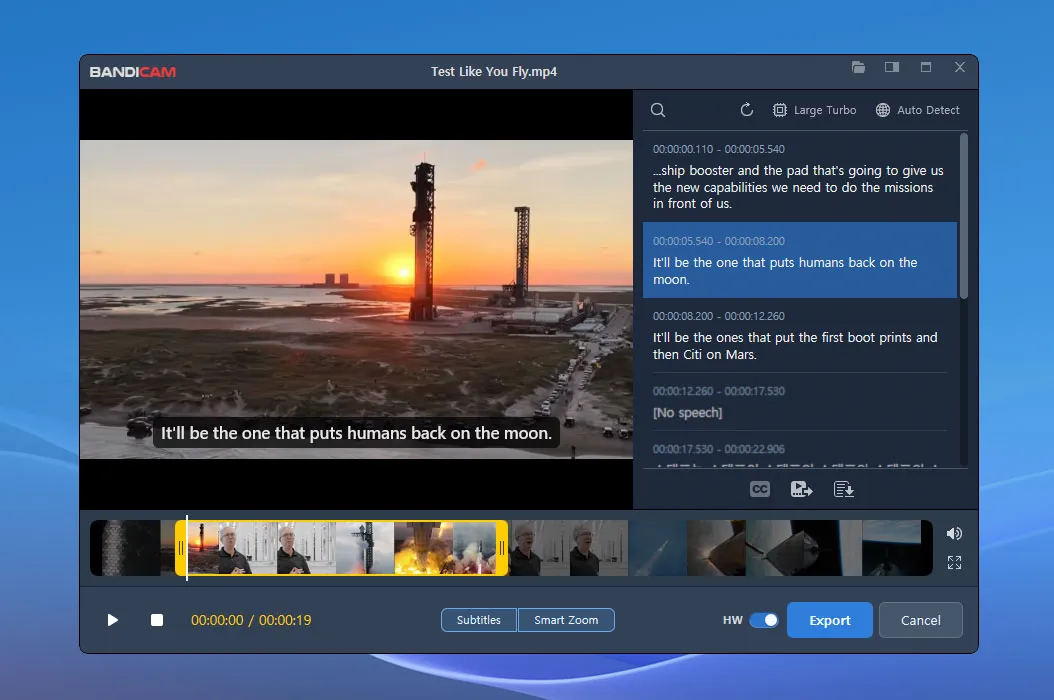
The built-in editor with a transcript panel, a trim timeline and Subtitles and Smart Zoom buttons.
Scheduled and device recording
Bandicam starts a recording at a set time, so a webinar can be captured while you're away. Device mode records from webcams and capture cards, and audio-only mode works as a plain voice or sound recorder.
Benefits
- Short path to a recording. One hotkey starts and stops it.
- Light on the PC. Users on review sites regularly mention how little it demands from the machine, which is the whole point when you're gaming.
- Clean files. Paid recordings have no watermark or time limit.
Real-World Uses
- A software tutorial. Record a window, draw arrows on the fly and trim the mistakes.
- Gameplay commentary. Capture a game with face cam and microphone.
- Missing a meeting. Schedule a recording and transcribe it later.
- Online classes. Save a lecture and turn it into text notes.
Who It's For, and Who Should Skip It
Bandicam fits Windows users who record often and want something simple and dependable.
Skip it if you only need a short clip now and then: the free version or the Game Bar built into Windows may be enough. Streamers who need scenes and live output are better off with the free OBS Studio. Companies must buy Business licenses, and anyone who expects a lifetime of free major upgrades should look at the yearly plan or elsewhere.
Usage Guide
- Download and install Bandicam, then open it.
- Choose a mode: Rectangle area, Fullscreen, Specific window or Game recording.
- Select your microphone and webcam if you want them.
- Click REC or press F12 to start, and again to stop.
- Open the file under Videos to trim it, transcribe it or export it.
- To activate the paid version, enter the serial number you receive after purchase.
Where it falls short
- Reviewers on Capterra and Software Advice mention large file sizes and audio that occasionally drifts out of sync.
- Some Trustpilot reviewers say a new version stopped their older license or registration from working. Keep your serial number and your order email.
- Licenses are per PC, and one reviewer wanted a two-PC option for non-simultaneous use.
- The built-in editor is for trimming. Multi-track editing needs Bandicut or a full video editor.
What Users Say
Trustpilot: positive reviews (4.2 out of 5, 212 reviews)
Dan Peterson (November 4, 2026): "I have been a user and a fan for many years and plan to upgrade soon."
Michael Parnis (October 31, 2026): "I have been using the software for a couple of years now and find it both useful and very simple to use."
Julie Brown (May 25, 2026): "This Software Is Really easy and intuitive to use."
Trustpilot: negative reviews, mostly about licenses
Egor Lysenko (December 1, 2025): "My lifetime license isn't that lifetime anymore -- they want me to pay more for the updates now."
Legitti (December 9, 2025): "Lifetime, that's not lifetime. They released a new version and the old license is no good."
Douglas Sheft (October 2, 2026): "I was prevented from opening the new version and I can no longer use my legacy version."
pitups (October 16, 2026): "I paid my subcription for one year just last month. And now I cannot access it."
David Hillary (September 15, 2026): "the app should state clearly that it costs £40.00 to buy from the outset."
Capterra and Software Advice
Capterra lists Bandicam with 126 user reviews, 90% positive, 8% neutral and 2% negative by its own sentiment summary. Software Advice shows 4.4 overall, 4.6 for ease of use and 4.2 for value for money. Ease of use and low system load are the most repeated praise. Complaints cover price, per-PC licensing, the free version's limits and occasional sync problems.
What the reviews add up to
The recorder itself is well liked. The anger is about the business model: buyers of older perpetual licenses found a new version needs new money. If you read the license as "this version", not "every future version", the reviews are mostly good news.
Comparisons
Bandicam vs OBS Studio
OBS Studio is free, open source and built for live streaming with scenes and sources, but takes longer to learn. Bandicam is paid and has a simpler window, plus drawing, trimming and transcription built in. Pick OBS to stream and Bandicam to record quickly.
Bandicam vs Windows Game Bar
Game Bar comes with Windows and is free, but it records one app window at a time and has no drawing tools. Bandicam is for people who record often.
Editions and Pricing
| License | Where | Price | Term | PCs |
|---|
| Personal, Lifetime (our Buy Now button) | Order page | $44.95 | Perpetual, Bandicam 2027 | 1 |
| Personal, 1-year | Order page | $33.25 | 1 year | 1 |
| Personal, Perpetual | Bandicam store | $53.90 (list $77.00) | Perpetual, Bandicam 2027 | 1 |
| Bandicam + Bandicut | Bandicam store | $49.97 (list $64.90) | 1 year | 1 |
| Business, Annual 1-PC | Bandicam store | $49.46 (list $65.95) | 1 year | 1 |
Prices were checked on November 6, 2026, and Bandicam runs frequent promotions. The perpetual license pays for itself against the yearly plan in under two years, and the yearly plan is the one to pick if you always want the latest version with support.
FAQs
Does Bandicam add a watermark to recordings?
No. Bandicam 2027 says recordings from the free version have no watermark, but each is limited to 5 minutes. Videos you trim and export in the free version do get a watermark.
Is the Bandicam lifetime license really lifetime?
It lasts forever for one version. Bandicam describes it as perpetual access to Bandicam 2027 with one year of technical support, so it doesn't promise every future yearly version.
Can I use a Bandicam Personal license at work?
No. Bandicam says the Personal License is for non-commercial use, and organizations must buy the Business License.
Can I use one Bandicam license on two PCs?
No. The Personal license on our order page is for one PC, so a second computer needs its own license.
Does Bandicam work on a Mac?
Yes, as a separate product. Bandicam for macOS has its own download, and this Windows license isn't for it.
Can Bandicam record Zoom meetings?
Yes. Bandicam records any window on your screen, including a meeting app. Check your local rules and tell other participants when you record.
System Requirements
- Windows 11, 10, 8 or 7
- About 60 MB for the installer
- A webcam, microphone or capture card for those recording modes
Conclusion
A strong buy for Windows users who record regularly, as long as you understand what the license covers. The one reason to buy is how fast it gets you from idea to clean recording, with drawing and transcripts built in. The main reason not to is the "lifetime" label: it covers Bandicam 2027, not everything to come. At $44.95, below the vendor's own $53.90, it's a fair deal for what you get.
Download Free TrialBuy Now