You need to show a coworker how to do something on your PC, and typing out ten steps with screenshots isn't working. A short movie of your screen, with your voice over it, would explain it in a minute. ACA Screen Recorder records your Windows screen and saves it as a standard AVI file.
Quick facts
- Version: 5.30
- Platforms: Windows 7, Vista, 2003, XP and 2000
- Price: $29.95 USD
- Trial: 14-day free trial, which includes all the functionality of the registered version
- Output format: AVI
Key features
Record to a standard AVI file you can edit
Recordings are saved as AVI (Audio-Video Interleaved) movies. They play in Windows and on the Internet, and you can edit them. You don't need a special viewer.
Start, pause and stop from anywhere with hot keys
The system-wide hot keys control recording while another program is in front. You can define your own keys, including one for pausing.
Pick exactly the area or window you want
You choose the screen area or window visually. A flashing rectangle shows while you record or when you pause. You can capture in any screen color depth.
Add sound at the quality you choose
Sound from your microphone or a media player can be recorded. The sound is optional, and you can choose the recording quality and the audio compressor.
Control file size with compressor and frame rate choices
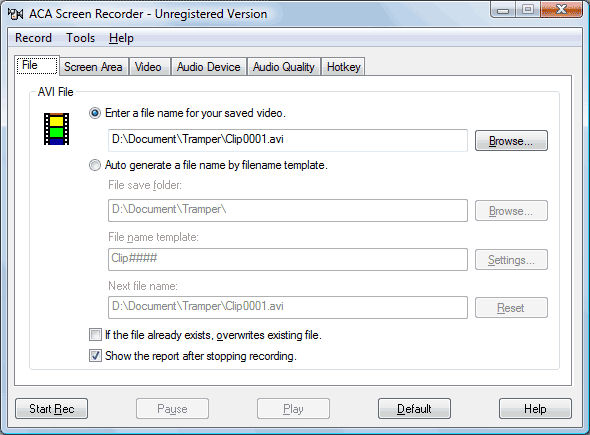
You can pick the video compressor, configure it, and set the frame rate. The mouse cursor can be recorded or hidden, and when it is recorded its true shape is captured. File names increment automatically from a filename template.
Who it's for
It suits you if you make video tutorials and demos and want a simple tool for them. The vendor says you don't need programming or multimedia skills.
Pros and cons
Pros
- Standard AVI output that is easy to edit
- Hot keys for start, pause and stop
- Choices of video and audio compressors
- Free trial with full functionality
Cons
- AVI only
- It isn't meant for re-recording other video clips from the screen
- The vendor lists Windows only, with versions up to Windows 7
What users say
Softonic's editor called it "a highly useful and comprehensive screen capture tool."
FAQs
Does it record sound?
Yes. It records sound from your system microphone or another media player, and the sound is optional.
Can I try it first?
Yes. The trial runs 14 days and includes all the functionality of the registered version.
Which Windows versions does it run on?
The vendor lists Windows 7, Vista, 2003, XP and 2000.
Can I record the mouse cursor?
Yes. Cursor recording can be turned on or off, and the true cursor shape is recorded.
System requirements
- Windows 7, Vista, 2003, XP or 2000
- 1 GHz CPU
- 256 MB RAM
- 10 MB of hard-disk space