RS Browser Forensics: Recover and Read Browser Activity From a Disk
RS Browser Forensics is a $97.95 one-time forensic tool that recovers browsing history, bookmarks, downloads, sessions and saved passwords from Chrome, Firefox, Edge, Opera, Safari and other browsers, including records that were deleted. It's for investigators, IT staff and people recovering their own lost data, and the free download analyzes and previews before you buy.
Deleted history isn't always gone. Browsers keep their records in small database files, and when those are cleared, the remains can stay on the disk until something overwrites them.
Use it only where you have the right to
RS Browser Forensics exposes stored passwords, messages and browsing records. Use it on your own devices, or with the owner's consent or legal authority. Reading another adult's accounts or activity without permission can be illegal, and workplace monitoring usually has rules of its own.
Quick facts
- Version: 4.4
- Developer: Recovery Software (RecoverHDD), Cherkasy, Ukraine
- Platforms: Windows XP to 11 and Server 2003/2008, with macOS and Linux builds on the vendor's download page
- Browsers: Chrome, Firefox, Edge, Internet Explorer, Opera, Safari, Vivaldi, Yandex, SeaMonkey, Comodo Dragon and more
- Price: $97.95 for the Home Edition, one-time, with lifetime free upgrades
- Trial: free analysis and preview; saving needs a license key
- Guarantee: 30 days, with conditions
- What we checked: installer version 4.4 (39.1 MB), digitally signed by Recovery Software, dated October 9, 2026 and downloaded from the vendor; order page price of $97.95 with Home Edition selected, on November 7, 2026. We didn't run it against a real case.
Download Free TrialBuy Now
Overview
You press System analysis, pick a user account, then click a browser. RS Browser Forensics then opens a single dashboard with history, passwords, sessions, top sites, bookmarks and downloads down the left side. It reads both what the browser still holds and what a low-level disk scan can dig up after a clear-out.
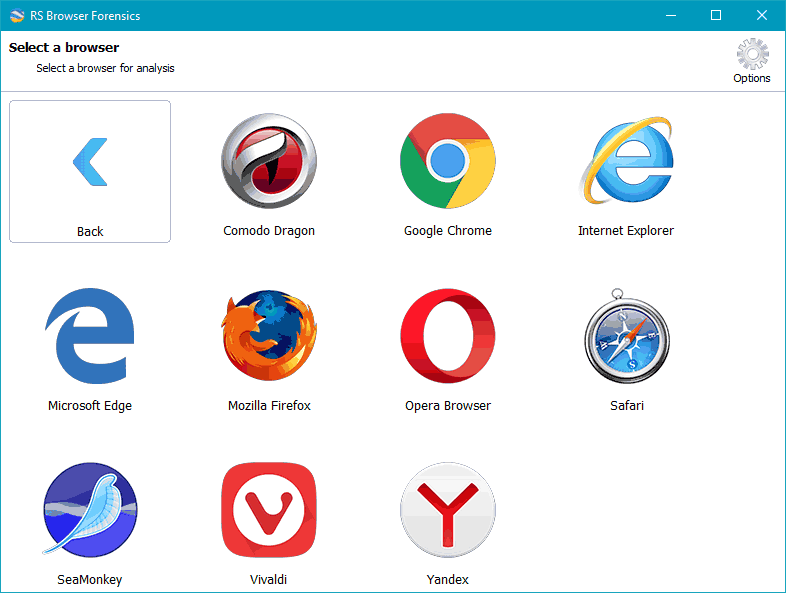
The browser selection step, showing each browser found on the computer.
Features
History, split by activity type
RS Browser Forensics sorts visits into Visits, Search, Social media and Mail tabs, with URL, title, visit count, timestamps, how you got to the page, and whether the record had been deleted from history.
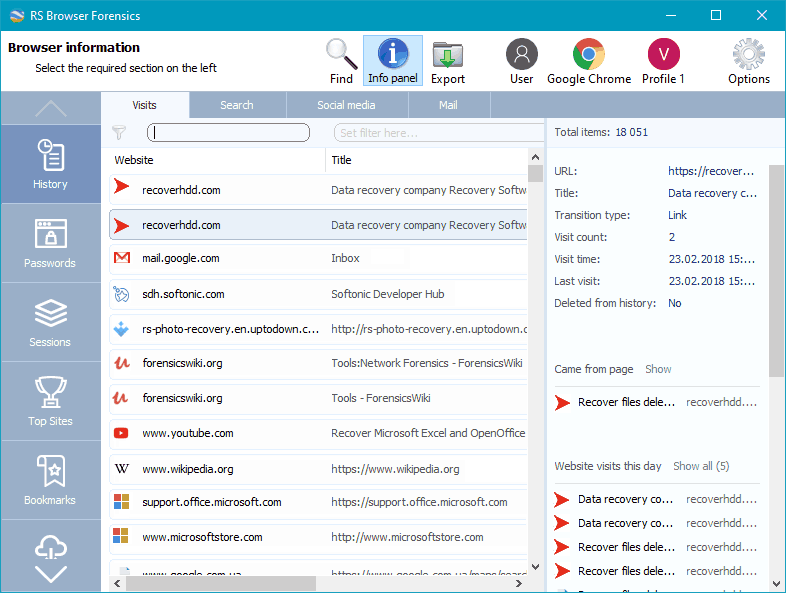
The History section: a visit list on the left and the details of the selected visit on the right.
Deleted-data recovery from the disk
RS Browser Forensics scans the drive at a low level to pull out records after the cache or history was cleared, and it finds browsers that were used earlier and later removed.
Traces of private sessions
RS Browser Forensics looks for bits left behind by Incognito and InPrivate sessions. The vendor says plainly that this depends on the browser: some private sessions leave visible traces, others may not.
Saved logins and form data
RS Browser Forensics lists stored user names, passwords, addresses and form entries, and shows how often each login was used and when it was created. For someone who lost a password after a reinstall, this is the most useful screen in the program.
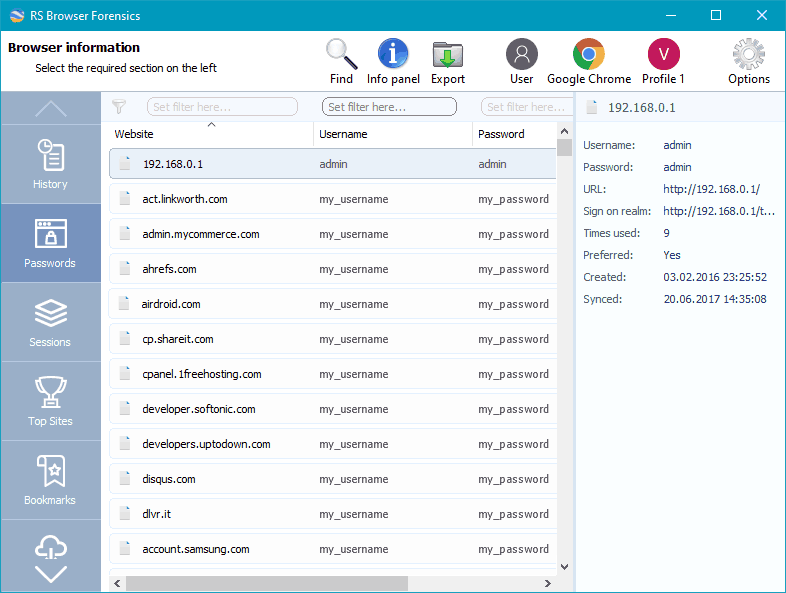
The Passwords section, with sample logins in the vendor's screenshot.
One timeline across browsers
RS Browser Forensics merges searches, opened pages, sign-ins and messages from every supported browser into a single timeline, so you can see what happened during a set period.
Sessions, top sites and export
RS Browser Forensics also shows previous sessions and closed tabs, most-visited sites, bookmarks, downloads and images from visited pages, and exports results to other file formats.
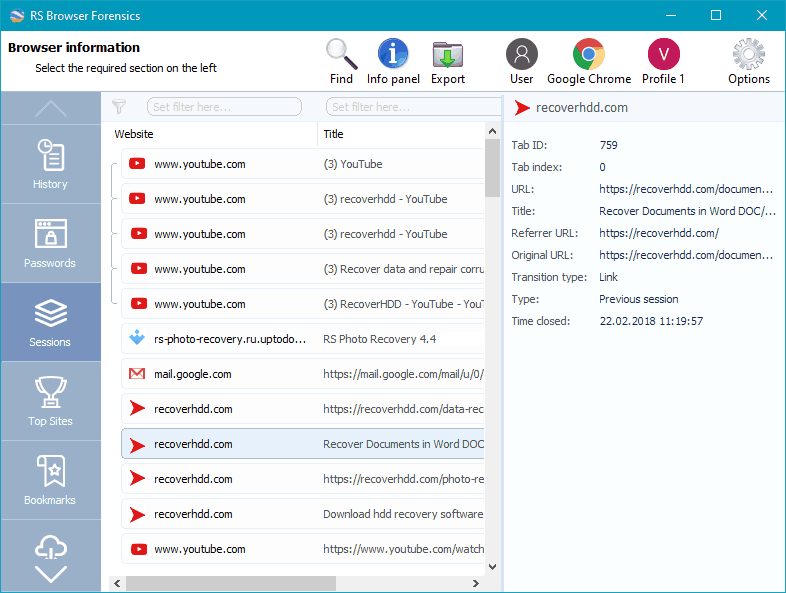
The Sessions section, listing tabs from a previous session with their referrer and closing time.
Benefits
The value is the single view. Rebuilding a browsing timeline by hand means pulling apart several database formats per browser. Here that's a few clicks, in a program a non-specialist can follow. It also serves an ordinary purpose: getting back bookmarks and passwords after a reinstall or disk trouble.
Real-World Uses
- An IT department reviewing a company PC after a security incident, within its acceptable-use policy
- A forensic examiner building a timeline from a seized computer under proper authority
- A user restoring bookmarks and logins after a browser reinstall wiped them
- A parent checking a young child's computer for contact with harmful sites
Who It's For, and Who Should Skip It
RS Browser Forensics suits IT staff, small forensic practices and users with lost browser data, particularly anyone who wants a simple front end and doesn't need a full lab suite.
Skip it if you need court-grade tooling with chain-of-custody reporting, which belongs to full forensic suites. Skip it if you just want to find a recent page, since your browser's own history and account sync are free. And skip it if your plan is to watch another adult's activity: this page isn't for that, and neither is the law. Parents wanting ongoing supervision are better served by a parental control product.
Usage Guide
- Install the program, on a different drive from the one you're examining if deleted data matters.
- Click System analysis on the welcome screen.
- Select the user account, then the browser.
- Work through History, Passwords, Sessions, Top Sites and Bookmarks in the left panel.
- Use Find and the filters to narrow results, and the timeline for a specific period.
- Register and export what you need.
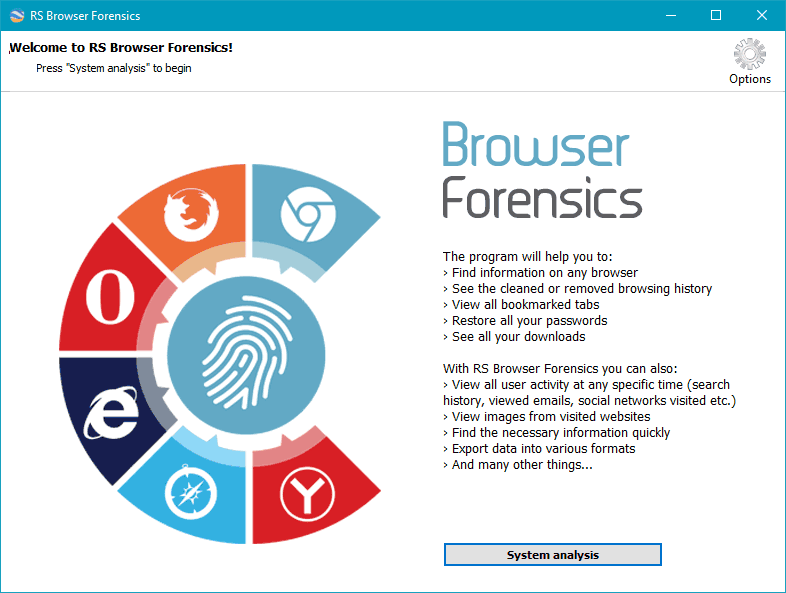
The welcome screen, with the System analysis button that starts the process.
Where it falls short
- Recovery isn't guaranteed. Private sessions and overwritten records may leave nothing to find, and the program can't show what isn't on the disk.
- The refund terms are narrow. A change of mind isn't covered. The free version shows you what it finds, so use it first.
- Home Edition covers one PC. Working on client machines takes the Commercial edition at $397.95.
- Its documentation lags. The vendor's text names Windows 7, 8 and 10, while its other pages and installers are current.
What Users Say
We found no written user reviews of RS Browser Forensics itself. Softpedia lists it and sums it up as a way to "Keep an eye on your browsing history, downloads, most visited websites, passwords, and other details, with the help of this app that can bypass the incognito mode."
Capterra
Capterra shows 4.4 out of 5 from 5 reviews, listed under the vendor's RS Data Recovery bundle, which includes this program. Reviewers like the simple interface and note the limits of the trial, and one reports the program closing during a large export: "When I was using it sometimes in export process of big size data I saw unexpected close of program."
Trustpilot
Trustpilot shows a TrustScore of 3.2 from just 2 reviews for recoverhdd.com, both from 2022. One is a 1-star complaint about a refund on a different recovery job. The other is 5 stars for the vendor's RAID tool. Neither mentions this program.
With this little evidence, judge it by what the free analysis shows on your own disk.
Comparisons
RS Browser Forensics vs free history viewers
Free viewers read the history files a browser still holds. RS Browser Forensics adds deleted-record recovery from the disk, a cross-browser timeline, and saved password listing, which is what the price buys.
RS Browser Forensics vs RS File Recovery
RS File Recovery ($37.95) brings back files. RS Browser Forensics interprets browser data. If you want a downloaded file back, you need the first. If you want to know what a browser did, you need the second.
Editions and Pricing
| Edition | Price | License | Notes |
|---|
| Home | $97.95 | One PC or server, lifetime upgrades | Free tech support |
| Office | $237.95 | Listed on the order page | Pick it in the edition drop-down |
| Commercial | $397.95 | Unlimited PCs or servers | Adds services to third parties, virtual machines, forensic images and encrypted drives |
All three are one-time prices from the order page, November 7, 2026, and the page opens on Home Edition. There's no auto-renewal.
FAQs
Can RS Browser Forensics see Incognito history?
RS Browser Forensics can sometimes find traces of Incognito or InPrivate sessions, depending on the browser and on whether the disk data survives. It isn't a guarantee.
Which browsers does RS Browser Forensics support?
RS Browser Forensics supports Chrome, Firefox, Edge, Internet Explorer, Opera, Safari, Vivaldi, Yandex, SeaMonkey, Comodo Dragon, UC Browser and others, and it detects those installed or used earlier.
Can RS Browser Forensics analyze a forensic disk image?
RS Browser Forensics works with forensic images in the Commercial edition, which the vendor lists as adding forensic drive images, virtual machines and encrypted drives.
Does RS Browser Forensics show social media activity?
RS Browser Forensics has a social media tab in History and lists visits to services such as Facebook, Instagram and Twitter from the browser's records.
Does RS Browser Forensics need a subscription?
No. RS Browser Forensics is a one-time purchase with lifetime free upgrades, and your code still works after you change computers.
Is RS Browser Forensics available for education or non-profit use?
The RS Browser Forensics vendor gives discounts to non-profits, schools, the army, welfare institutions and disabled customers, on request by email.
System Requirements
- Windows XP, Vista, 7, 8, 10 and 11, Windows Server 2003 and 2008 (32-bit and 64-bit)
- macOS and Linux builds on the vendor's download page
Conclusion
RS Browser Forensics is worth the price for IT staff and small investigators who need a browser timeline without the cost of a full forensic suite, and for anyone rebuilding their own lost bookmarks and logins. The reason to buy is that one-window view with deleted-data recovery. The reason not to is that it can't promise results on private sessions, and it should stay on machines you have the right to examine.
Download Free TrialBuy Now