WYSIWYG Web Builder Plus: Drag-and-Drop Website Design for Windows, With the Extension Packs Included
WYSIWYG Web Builder Plus is a $66.64 one-time purchase for Windows that combines a drag-and-drop website designer with 16 paid extension packs, for anyone who wants to build and publish full websites without writing HTML. Its regular price is $99.95, and the current price comes from an Autumn discount.
If you want your site as a project file on your own PC, with no monthly builder fee and any hosting company you like, this is that kind of tool. You draw the page, and the program writes the code.
Quick facts
- Version: 21.2.4, released October 15, 2026
- Developer: Pablo Software Solutions
- Platform: Windows 11, 10 and 8, with 64-bit and 32-bit builds. No Mac or Linux version
- Price: $66.64 at checkout, $99.95 regular
- License: one user, up to three computers, valid without time limit for the version you buy
- Trial: 30 days, core builder fully functional
- Refunds: only before you activate the license
What we checked: installer download 33.5 MB (version 21.2.4, dated October 15, 2026, on the vendor's server), one-time license with a $33.31 Autumn discount, $66.64 at checkout on November 5, 2026. We didn't build or publish a site with it.
Download Free TrialBuy Now
Overview
WYSIWYG Web Builder is a desktop program, not a hosted service. You work in a ribbon-style interface much like an office suite: a Toolbox of objects on the left, your page in the middle, a Site Manager and Property Inspector on the right. Objects can sit anywhere on the page, and the program generates the HTML and related files when you publish.
The Plus part matters because the base program sells separately. Plus adds seven Navigation packs, five Data packs, three Gallery packs and one Audio pack, which the vendor counts as more than 150 paid extensions. Bought one by one, the vendor prices the whole set at $380.
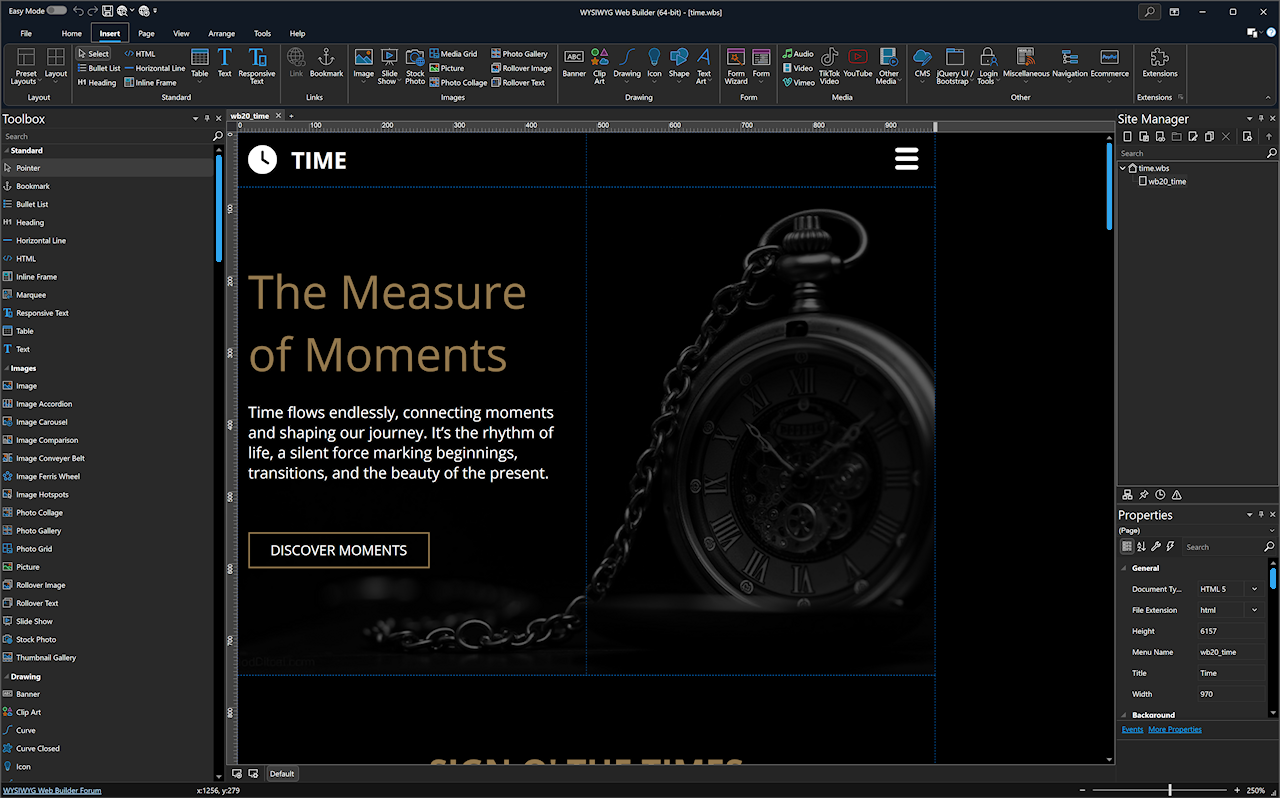
The main window with a responsive yoga studio template open: Toolbox on the left, Properties and Site Manager on the right.
Features
Layouts you control, fixed or responsive
WYSIWYG Web Builder supports layout grids, flexbox, CSS grid and fixed layouts with breakpoints. Version 21 adds Easy Breakpoints, which change one object's visibility, font size, margin, padding or alignment on small screens without building a full-page breakpoint.
More than 250 pre-made blocks
WYSIWYG Web Builder ships with ready-made page sections such as headers, footers, galleries and contact forms. Drop one in and edit it like any other object. Blocks can also insert Smart Content, meaning images and text that match your site's category instead of placeholders.
Sixteen paid extension packs in the box
WYSIWYG Web Builder Plus includes menu packs (mega menus, overlay, radial, sidebar and image menus), galleries and slideshows, audio players, and data tools such as chart.js, Google Charts, DataTables, MySQL and CSV create-update-delete tables, and calendars. This is what you pay the extra for.
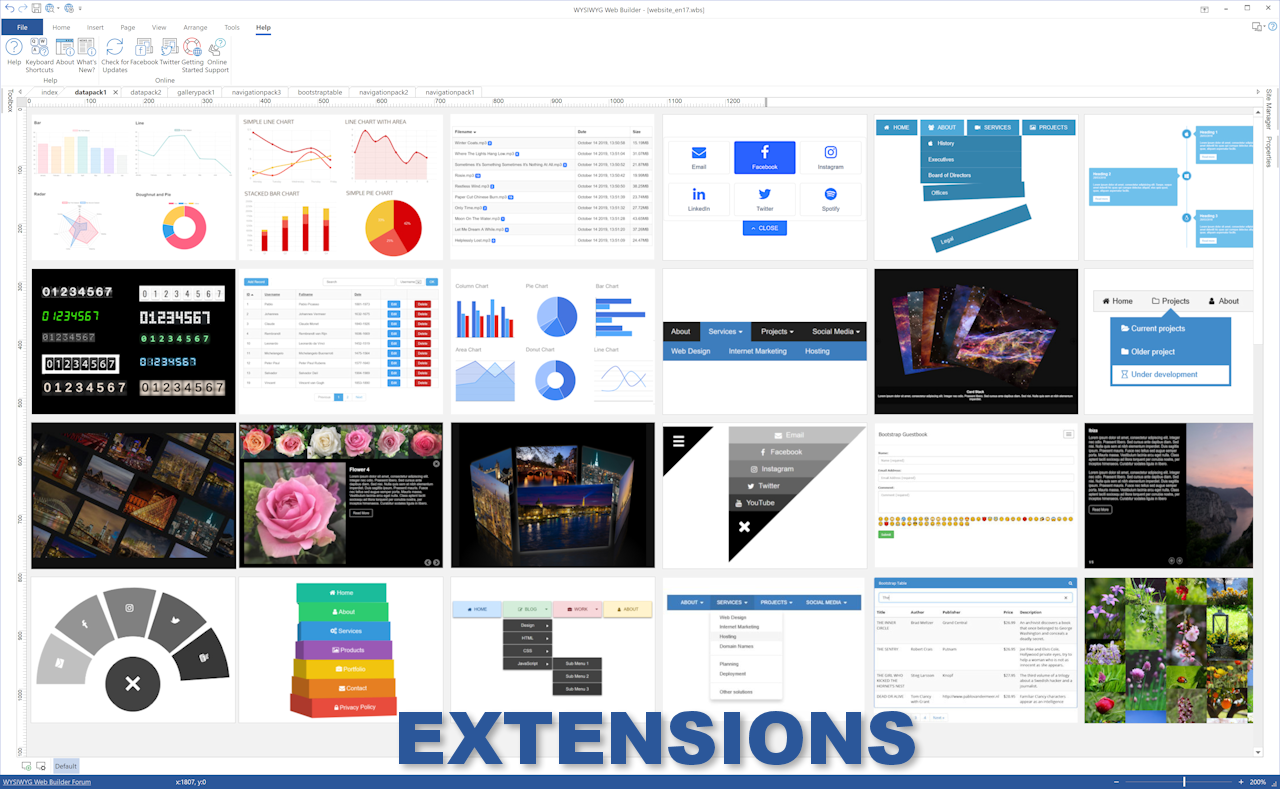
The vendor's collage of extension objects: charts, counters, menus, galleries and data tables.
Forms, logins and a CMS without writing PHP
WYSIWYG Web Builder has form tools that send email, upload files, store data in MySQL or CSV, and validate input. It also includes multi-user login tools with sign-up and password recovery, plus a PHP-based content management system so you or a client can edit content online.
One-click publishing to any host
WYSIWYG Web Builder publishes straight from the program over Secure FTP, FTPS or FTP, so you don't need a separate FTP client or special hosting. A Google-compatible sitemap and robots.txt generator and an SEO Assistant are built in.
Ecommerce through outside services
WYSIWYG Web Builder connects to third-party shops and payment tools, including PayPal, Stripe, Ecwid, Snipcart, Paddle and Gumroad. The checkout runs on the service you choose.
AI site generation, with your own account
WYSIWYG Web Builder 21 can generate a site from a text description or a reference image. You need a third-party OpenAI account for this, which may cost extra.

A dark portfolio design using hexagon image shapes, with the shape picker open.
Benefits
- You keep the working copy. Your site is a project file on your PC, and the output is web files you can host anywhere.
- No monthly builder fee. You pay once per major version, and your hosting stays a separate choice.
- Less hunting for add-ons. With Plus, most of the paid objects you might want are already in the Toolbox.
Real-World Uses
- A yoga studio or local shop site with a schedule calendar, a contact form and a gallery.
- A musician's site with a playlist player and an image-led portfolio.
- A club members area with sign-up, login and a file listing.
- A small data site that shows a searchable MySQL or CSV table with charts.
- A freelancer building client sites, then handing over content editing through the CMS.
Who It's For, and Who Should Skip It
WYSIWYG Web Builder Plus suits Windows users who want a site they fully control, know they'll use several paid extensions, and are happy to learn a detailed interface.
Skip it if you use a Mac or Linux, since it doesn't run there. Skip Plus if a simple brochure site is the goal: the base program is cheaper and has over 200 free extensions available. And if you'd rather not think about hosting, publishing or upgrades at all, a hosted builder with a monthly fee fits better.
Usage Guide
- Download the 64-bit build, or the 32-bit build for an older PC, and install it. If the 64-bit version won't start, install the Visual C++ Redistributable.
- Start a new site or open a template, then manage pages in the Site Manager. The home page should stay named "index".
- Drag objects or blocks from the Toolbox onto the workspace, and double-click an object to edit its properties.
- Add breakpoints for phone layouts and check the result.
- Enter your host's details and publish.
Before you buy
- The 30-day trial covers the core builder. Extensions are available only to registered users of actively supported versions, so don't count on testing the Plus packs first.
- Refunds apply only before you activate the license, and the key usually arrives within minutes of ordering. Use the whole trial first.
- Updates are free only within your major version. Version 21 gets 21.x, and moving to the next major version is a paid upgrade (currently advertised at 40% off).
- The $66.64 price is an Autumn offer. The regular price is $99.95.
Where it falls short
- Busy interface. The ribbon and many panels take time to learn, and that's the most common complaint from new users.
- Extensions depend on supported versions. The vendor warns that extensions may not work on an older, unsupported copy, and it provides them as is.
- Plus isn't every pack. Audio Extensions Pack 2 is sold on the vendor's site but isn't in the Plus list.
- Imported HTML can be messy. One long-time buyer found that imported pages lost positioning and formatting after publishing.
What Users Say
Opinion is split in a useful way: people who settle into it praise the depth and price, while the sharpest criticism is about the interface and how upgrades are priced. Sample sizes are small on every site, and older reviews cover older versions.
Trustpilot: praise
Trustpilot shows 2.5 out of 5 from 10 reviews, rated "Poor". The five-star reviews are older, from 2020 to 2022.
"It can do ANYTHING anyone could want or need when developing websites." Michael Lloyd, 5 stars, December 15, 2021
"By far the best offline software for developing complete websites." Humberto Rodrigues, 5 stars, September 10, 2021
"I wish I had started using it years earlier." Wilfred, 5 stars, November 5, 2022
"The support from the developer is better than any software I use." onlye, 5 stars, July 14, 2020
Trustpilot: criticism
The three most recent reviews are the critical ones. The first complains of a clunky interface and hostile treatment on the support forum, and the third of paying again for each major version.
"Using WYSIWYG Web Builder 21 feels like being stuck in the early 90s." Milla, 1 star, March 8, 2026
"I wasted more time on getting around the user interface bugs than on the design." Duro Rajak, 3 stars, January 19, 2026
"Nice program but everytime a update and first is free but the next you must pay." Ronny, 1 star, February 5, 2025
SnapFiles
SnapFiles shows 10 user reviews, nine of them five stars and one three stars. All date from 2006 to 2013, so treat them as history. They do show how long the program has been around.
"I've used WYSIWYG Web Builder for several months now. During that time I've designed and uploaded three web pages with this program. I can't say enough good things about it." Sam_the_Man, February 22, 2011
"WYSIWYG Web Builder is not just better it is stunning. It is just like a word processor - just as easy plus every sort of add on you need" RRSLondon, August 10, 2009
"However, importing anything is bad news." Skeptic, 3 stars, May 20, 2013
Capterra and other rating sites
Capterra shows 4.3 out of 5 from 20 reviews, with value for money at 4.4 and customer service at 3.8. One reviewer there says the interface is comprehensive but "can be a little daunting for new users". SoftwareReview.com lists 4.2 out of 5 from 18 ratings, with no written reviews.
The pattern: people like the feature depth and the one-time price. They complain about the learning curve, interface quirks, paid major upgrades and, in a few cases, the tone on the support forum. Support is the most divided topic, with praise and complaints from different years.
Comparisons
WYSIWYG Web Builder Plus vs the standard edition
The standard edition has the same designer and costs $39.95 during the Autumn offer ($59.95 regular). Plus adds 16 paid packs for about $27 more. If you'd buy three or more packs anyway, Plus is the better deal. If the free extensions cover your needs, stay with standard.
WYSIWYG Web Builder vs Quick 'n Easy Web Builder
Quick 'n Easy Web Builder comes from the same vendor's site and is the option for Mac and Linux. The vendor is clear that it's a different product.
Editions and Pricing
| Edition | Regular price | Autumn price | What you get |
|---|
| WYSIWYG Web Builder | $59.95 | $39.95 | Core program and free extensions |
| WYSIWYG Web Builder Plus | $99.95 | $66.64 at checkout | Core program plus 16 paid extension packs |
| Upgrade from an older version | Varies | 40% off | New major version for existing owners |
The vendor's page shows $66.95 for Plus, while the order page came to $66.64 on November 5, 2026. VAT depends on your country and appears before you pay.
FAQs
Can I use WYSIWYG Web Builder Plus for client websites?
Yes. WYSIWYG Web Builder licenses allow unlimited projects, including commercial ones. The license covers one user and can't be shared.
Does WYSIWYG Web Builder Plus put a logo on my site?
No, once it's activated. The "Built with WYSIWYG Web Builder" logo can be removed from your pages with a registered copy.
Do my websites stop working if I don't upgrade WYSIWYG Web Builder?
No. WYSIWYG Web Builder publishes web files to your host, and your license stays valid for the version you bought. You just won't get the next major version, and extensions may stop working once your version is unsupported.
Does WYSIWYG Web Builder need special hosting?
No. WYSIWYG Web Builder works with any hosting service, although PHP-based tools such as the CMS and the MySQL features need a host that offers them.
Does the AI feature in WYSIWYG Web Builder cost extra?
It can. The AI tools in WYSIWYG Web Builder need your own third-party OpenAI account, and any usage is charged by that provider.
Is WYSIWYG Web Builder available in other languages?
Yes. WYSIWYG Web Builder offers language modules on the vendor's site, and they can be installed directly from the menu.
System Requirements
- Windows 11, Windows 10 or Windows 8
- 64-bit build (33.5 MB download), or a 32-bit build for older computers
- Visual C++ Redistributable, if the 64-bit build won't start
- A web host with FTP, FTPS or Secure FTP access to publish
Conclusion
WYSIWYG Web Builder Plus is worth buying at $66.64 if you're on Windows, want a deep, self-hosted website tool, and will use the extras. The best reason to buy is value: one low payment for a program and 16 packs, with no monthly fee.
The main reason not to is the interface, which is detailed and can feel dated, followed by paying again for each major version. Use the 30-day trial before you buy, because the refund window closes at activation.
Download Free TrialBuy Now