WYSIWYG Web Builder: A One-Time-Purchase Website Designer for Windows
WYSIWYG Web Builder is a $39.97 one-time purchase for Windows (regular price $59.95) that lets you design and publish full websites by dragging objects onto a page, without writing HTML. It suits people who want a site they control on their own PC, with no monthly builder fee, and who are willing to learn a detailed program.
You own the license and choose your own hosting. The trade-off is that you're the one doing the design, the publishing and, every so often, a paid upgrade.
Quick facts
- Version: 21.2.4, released October 15, 2026
- Developer: Pablo Software Solutions
- Platform: Windows 11, 10 and 8, in 64-bit and 32-bit builds. No Mac or Linux version.
- Price: $39.97 at checkout with an Autumn discount, $59.95 regular
- License: one user, up to three computers, unlimited commercial projects, no time limit on the version you buy
- Extras: 200+ free extensions for registered users
- Trial: 30 days, fully functional
What we checked: $59.95 less a $19.98 Autumn discount, $39.97 on the order page, the 33.5 MB 64-bit download dated October 15, 2026 on the vendor's server, and the license terms on the vendor's purchase page, all on November 6, 2026. We didn't build or publish a site with it.
Before you buy
- Use the trial first. Refunds apply only before you activate the license, and the key usually arrives within minutes of ordering.
- Updates stop at your major version. Version 21 gets every 21.x release for free. The next major version is a discounted paid upgrade.
- Extensions need a registered copy of an actively supported version, so you can't test them during the trial. On an old, unsupported copy they may stop working.
Download Free TrialBuy Now
Overview
The name is the idea: what you see is what you get. You work in a ribbon-style program with a Toolbox on the left and your page in the middle, and you place text, images, menus and forms on the page. When you publish, the program writes the HTML and related files and uploads them to your host. A site made with it is a project file on your PC plus ordinary web files online, so there's no account with a builder company to keep paying.
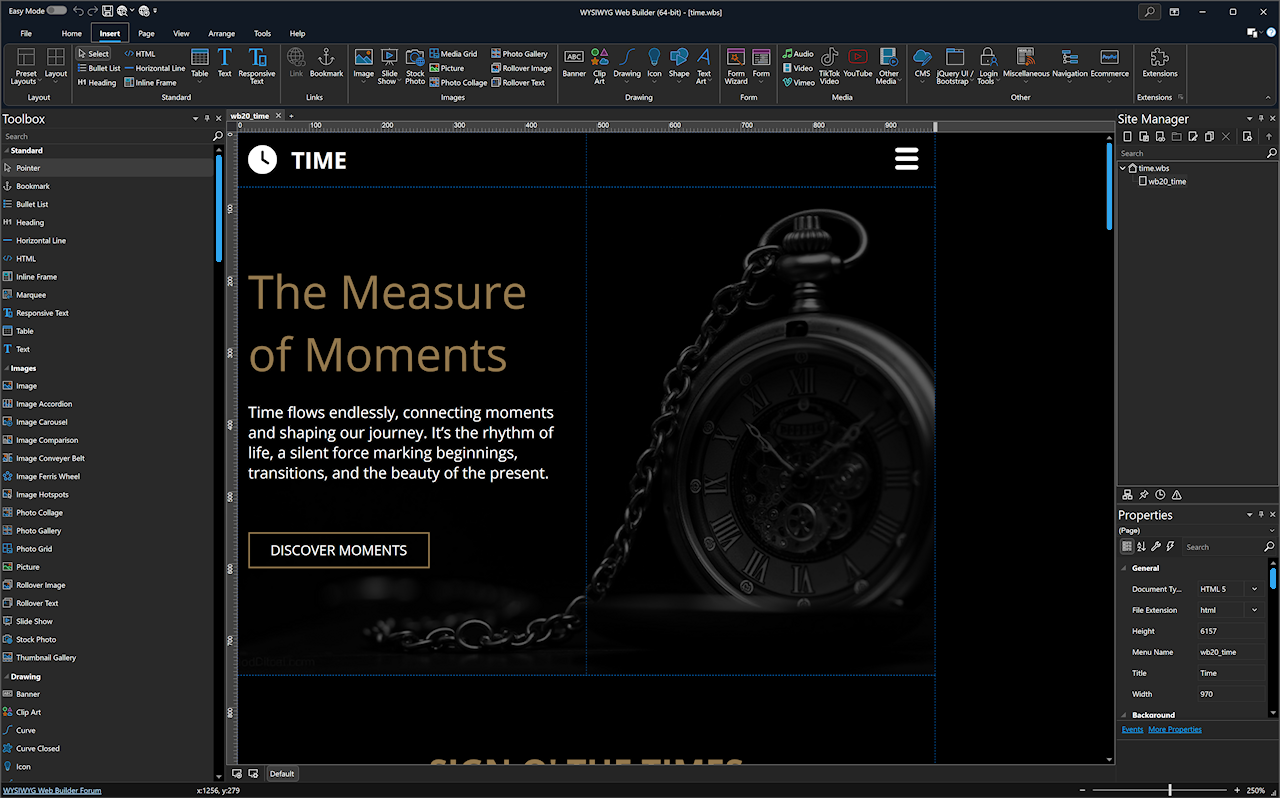
The main window with a responsive yoga studio template open.
Features
Fixed or responsive pages
WYSIWYG Web Builder lets you place objects freely or build flexible pages with layout grid, flexbox and CSS grid, plus breakpoints for smaller screens. Many web design tools make you choose one approach, and here you can have both.
More than 250 blocks, and extra packs for free
WYSIWYG Web Builder comes with ready-made sections such as headers, footers, galleries and contact forms. The vendor's free extras page adds seven more Blocks packs (cards, team, testimonials, FAQ, price tables), 400 navigation bar buttons and a PDF user guide.
200+ free extensions
Registered WYSIWYG Web Builder users can download more than 200 free extensions, such as accessibility tools, which appear in the Toolbox like built-in objects. These free ones are provided as is, without official support. The vendor also sells paid packs for about $10 each and single extensions for about $5, so you can buy only the piece you need.
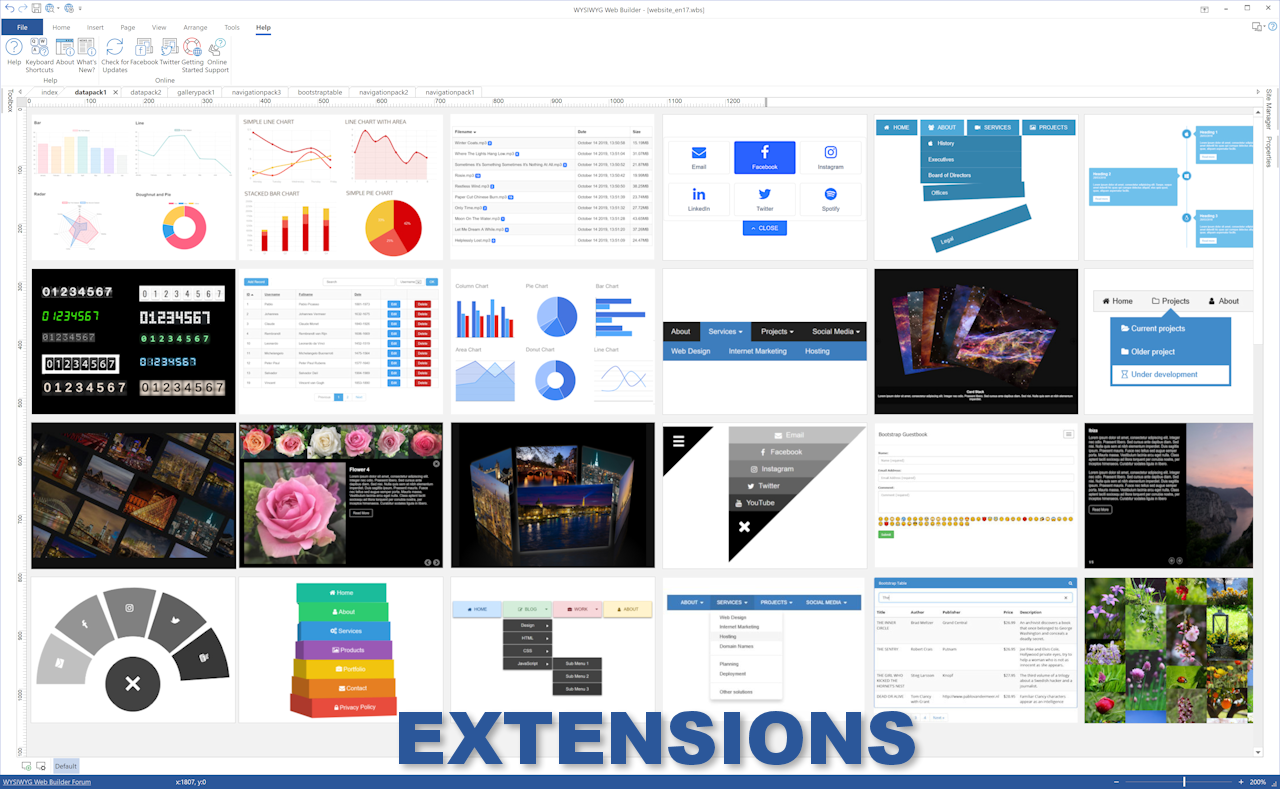
The vendor's collage of extension objects: charts, counters, menus, galleries and data tables. Some of these are paid extensions.
Forms, logins and a CMS without PHP coding
WYSIWYG Web Builder includes form tools that send email, upload files and store data in MySQL or CSV. There are multi-user login tools with sign-up and password recovery, plus a PHP-based CMS so someone else can edit the content online.
Publishing from inside the program
WYSIWYG Web Builder publishes over Secure FTP, FTPS or FTP, so you don't need a separate FTP client. An SEO Assistant and a sitemap and robots.txt generator are built in.
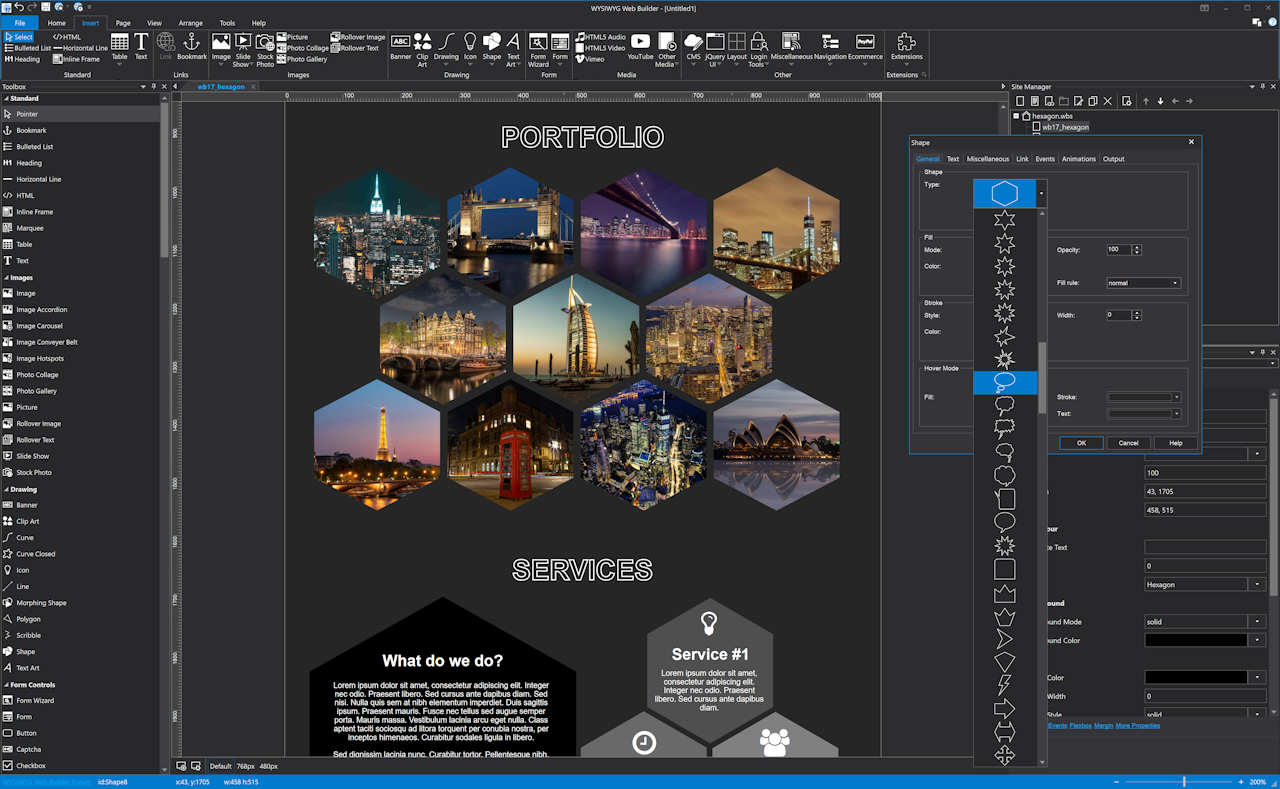
A dark portfolio design using hexagon image shapes, with the shape picker open.
Benefits
- A low one-time cost. One payment is less than a few months of most hosted builders, and your hosting stays a separate choice.
- Full ownership. Your project sits on your PC and the output can go on any host.
- Room to grow. You can start with a few pages and add login tools, a CMS or database pages later.
Real-World Uses
- A local shop or tradesperson builds a five-page site with a contact form.
- A club sets up a members area with sign-up and login.
- A freelancer designs client sites, then hands over editing through the CMS. The license allows commercial projects.
- Someone with an old hand-coded site rebuilds it with a responsive layout.
Who It's For, and Who Should Skip It
WYSIWYG Web Builder suits Windows users who want control, want to pay once, and don't mind spending time learning a program with many panels.
Skip it if you use a Mac or Linux, since it doesn't run there. The same vendor sells Quick 'n Easy Web Builder for those systems, and it's a different product. If you'd rather not deal with hosting and publishing at all, a hosted builder with a monthly fee fits better. And if you already know you want many of the paid packs, WYSIWYG Web Builder Plus is the better buy.
Usage Guide
- Download the 64-bit build, or the 32-bit build for an older PC. If the 64-bit build won't start, install the Visual C++ Redistributable.
- Start a new site or open a template, and manage pages in the Site Manager. The home page should stay named "index".
- Drag objects or blocks from the Toolbox onto the page, and double-click an object to edit it.
- Add breakpoints for phone layouts and preview the result.
- Enter your host's details and publish.
- After buying, enter your key to remove the "Built with WYSIWYG Web Builder" logo and get access to the extensions.
Where it falls short
- A busy interface. The ribbon and panels take time to learn, and that's the most common complaint from new users.
- Importing is weak. It's built for making new pages. One long-time buyer found imported pages lost their formatting.
- No shop of its own. Selling online goes through outside services such as PayPal, Stripe or Ecwid.
- AI isn't included. The AI tools need your own OpenAI account, which may cost extra.
What Users Say
People who settle into the program praise its depth and price. The sharpest criticism is about the interface and paying for each major version. Samples are small on every site, and older reviews cover older versions.
Trustpilot: 2.5 out of 5 from 10 reviews
Praise, all from 2020 to 2022:
- "It can do ANYTHING anyone could want or need when developing websites." Michael Lloyd, 5 stars, December 15, 2021
- "By far the best offline software for developing complete websites." Humberto Rodrigues, 5 stars, September 10, 2021
- "I wish I had started using it years earlier." Wilfred, 5 stars, November 5, 2022
- "The support from the developer is better than any software I use." onlye, 5 stars, July 14, 2020
Criticism, from the most recent reviews:
- "Using WYSIWYG Web Builder 21 feels like being stuck in the early 90s." Milla, 1 star, March 8, 2026
- "I wasted more time on getting around the user interface bugs than on the design." Duro Rajak, 3 stars, January 19, 2026
- "Nice program but everytime a update and first is free but the next you must pay." Ronny, 1 star, February 5, 2025
SnapFiles
SnapFiles shows 10 user reviews from 2006 to 2013, nine with five stars and one with three, so treat them as history.
- "WYSIWYG Web Builder is not just better it is stunning. It is just like a word processor - just as easy plus every sort of add on you need" RRSLondon, August 10, 2009
- "However, importing anything is bad news." Skeptic, 3 stars, May 20, 2013
Capterra and other rating sites
Capterra shows 4.3 out of 5 from 20 reviews, with value for money at 4.4 and customer service at 3.8. One reviewer there says the interface is comprehensive but "can be a little daunting for new users". SoftwareReview.com lists 4.2 out of 5 from 18 ratings, with no written reviews.
The pattern is steady across the years: good value and deep features, a learning curve, and mixed feelings about upgrades. Support is the most divided topic, with praise and complaints from different years.
Editions and Pricing
| Edition |
Regular price |
Autumn price |
What you get |
| WYSIWYG Web Builder | $59.95 | $39.97 at checkout | Core program and 200+ free extensions |
| WYSIWYG Web Builder Plus | $99.95 | $66.95 on the vendor's page | The same program plus 16 paid extension packs (150+ extensions) |
If you'd buy three or more packs anyway, Plus costs less in the end. If the free extensions cover what you need, stay with this edition. VAT depends on your country and appears before you pay.
FAQs
Can I use WYSIWYG Web Builder for client websites?
Yes. A WYSIWYG Web Builder license allows unlimited projects, including commercial ones. It covers one user on up to three computers and can't be shared.
Do my sites stop working if I don't upgrade WYSIWYG Web Builder?
No. WYSIWYG Web Builder publishes web files to your host, and your license stays valid for the version you bought. You just won't get the next major version, and extensions may stop working once your version is unsupported.
Does WYSIWYG Web Builder need special hosting?
No. WYSIWYG Web Builder works with any hosting service, although PHP tools such as the CMS and the MySQL features need a host that offers them.
Can I add extension packs to WYSIWYG Web Builder later?
Yes. WYSIWYG Web Builder's paid packs and single extensions are sold separately, so you can start with this edition and add what you need.
Where do I get help with WYSIWYG Web Builder?
WYSIWYG Web Builder's main support channel is its official forum, where the developer and experienced users generally answer within hours. You need to create your own forum account.
System Requirements
- Windows 11, Windows 10 or Windows 8
- 64-bit build (33.5 MB download), or a 32-bit build for older computers
- Visual C++ Redistributable, if the 64-bit build won't start
- A web host with FTP, FTPS or Secure FTP access to publish
Conclusion
WYSIWYG Web Builder is worth buying at $39.97 if you're on Windows and want a capable site builder with no monthly fee. The best reason to buy is what you get for one low payment: a deep designer, 200+ free extensions and unlimited commercial projects. The main reason not to is the interface, which is detailed and can feel dated, followed by paying again for each major version. Spend the 30-day trial building a real page, because the refund window closes when you activate.
Download Free TrialBuy Now