Got WMA files your player won't open?
You have a folder of old WMA music, and your phone, car stereo or portable player only plays MP3. Free WMA to MP3 Converter handles that one job. It converts WMA to MP3 and MP3 to WMA, and it can process a whole library in one pass.
Quick facts
- Version: 7.6.2
- Platforms: Windows 7, 8.1 and 10, 32-bit and 64-bit
- Price: Free for private, non-commercial use
- Commercial use: Not allowed without a separate license from the vendor
- Encoder: Lame MP3 encoder
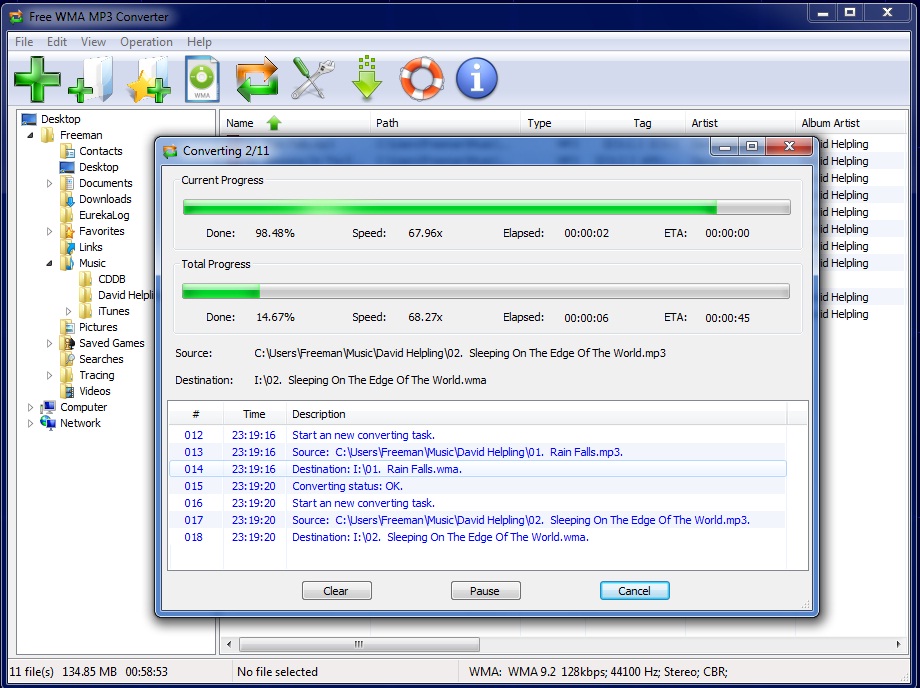
Key features
Convert hundreds of files in one batch
With batch mode you add a whole collection and convert it in one go. You don't have to process tracks one at a time.
Keep your song titles and artist names
The converter copies audio tags from the source file to the new one. It can write ID3v1, ID3v2 and APE tags to the MP3, so your library stays organized.
Faster conversion on multi-core PCs
The program is optimized for SSE and Hyper-Threading, and a multi-core CPU gives extra speed. It converts on the fly, so it doesn't create temporary files while it works.
An Explorer-style window with drag and drop
The interface looks like Windows Explorer. You can search for music files, add and manage them, or drag and drop them in.
MP3 output from the Lame encoder
MP3 encoding uses the built-in Lame encoder. You don't need to install a separate codec.
Who it's for
It suits you if you have WMA files from an older music library or ripping software and want MP3s for a device that can't play WMA. It also suits you if you want a simple, single-purpose tool instead of a full audio suite.
Pros and cons
Pros
- Free for personal use
- Batch conversion with tag copying
- Small install, with a 15 MB disk footprint
- Converts in both directions, WMA to MP3 and MP3 to WMA
Cons
- Windows only, and the vendor says it has no plans to add other systems
- Commercial use is prohibited without a license
- Converting one lossy format to another loses some sound quality. The vendor admits this.
- It only covers WMA and MP3. For other formats you need another tool.
FAQs
Is it really free?
Yes, for private, non-commercial use. Business use needs a license from the vendor.
Will I lose sound quality?
Yes, a little. Both WMA and MP3 are lossy, so converting between them costs quality. The Lame encoder keeps the result close to the original for most listeners. The vendor also points out that you only need to convert if your device can't play WMA.
Does it work on Windows 10?
Yes. It runs on Windows 10, 8.1 and 7, in both 32-bit and 64-bit editions.
Can it convert MP3 back to WMA?
Yes. It converts in both directions.
System requirements
- Windows 7, 8 or 10, 32-bit or 64-bit
- 1.0 GHz or faster processor
- 512 MB RAM
- 15 MB free hard drive space
- 1024x768 or higher screen resolution
- Recommended: multi-core processor, 1 GB RAM, sound card, Windows Media Player 11 or later, administrator privileges