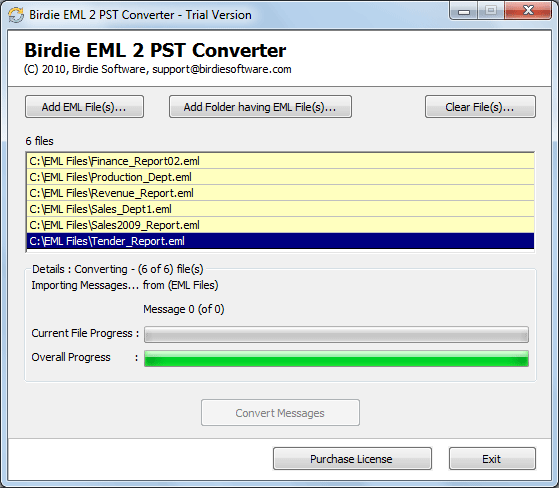
You have a folder full of .EML files from Windows Live Mail, and Outlook won't open them as a mailbox. Birdie EML to PST Converter turns those files into a PST file that Outlook can read, and it keeps your folder layout intact.
Quick facts
- Version: 10.7
- Platforms: Windows 11, 10, 8 and 7 (32 and 64 bit), plus Windows Server 2022, 2019, 2016, 2012 R2 and 2008
- Price: Standard License is $29 (personal use, 2 machines)
- Trial: Free demo converts 25 items per folder; the licensed version converts all items
Key features
Convert EML files from Windows Live Mail and other clients
The tool accepts EML files exported from Windows Live Mail, Thunderbird, DreamMail, Outlook Express, The Bat!, Apple Mail and others. It also handles EMLX files.
Convert only the emails you pick
After you add files, the full folder tree loads and you tick the folders you want. An advanced filter narrows the job by date range, sender, recipient or subject, and lets you exclude folders such as Junk or Trash and skip empty folders.
Keep attachments, metadata and folder hierarchy
Sender and recipient addresses, sent and received times, subject lines and attachments carry over, and the original folder hierarchy is preserved.
One PST per user
If you have ten mailboxes of EML files, the separate PST per user option produces ten PST files.
Runs without Outlook installed
It is a standalone utility, so you don't need Outlook or any third-party application on the machine doing the conversion. The resulting Unicode PST opens in current and earlier Outlook versions, including 2010.
Who it's for
You'll get the most from it if you are moving an old Windows Live Mail archive into Outlook, or consolidating EML exports from several mail clients and several users into PST files.
Pros and cons
- Pro: Filters and folder selection let you convert part of a mailbox.
- Pro: It can also export EML to 35+ other formats.
- Pro: It doesn't need Outlook installed.
- Con: The free demo is limited to 25 items per folder.
- Con: It is Windows-only.
- Con: The installer is large, about 61 MB.
FAQs
Can I convert Windows Live Mail messages without Outlook installed?
Yes. The converter runs on its own and doesn't need Outlook on the machine.
Will my folders survive the conversion?
Yes. The original folder structure is preserved, along with attachments and message details.
Can I try it first?
Yes. The free demo converts up to 25 items per folder so you can check the output before buying.
Can I convert only some messages?
Yes. Use folder checkboxes and the date, sender, recipient and subject filters.
System requirements
- Processor: Intel Pentium 1 GHz (2.4 GHz recommended)
- RAM: 2 GB (4 GB recommended)
- Disk space: 100 MB free
- OS: Windows 11, 10, 8, 7 and recent Windows Server editions