HotPDF Component: A Native PDF Library for Delphi, C++Builder and Lazarus
HotPDF Component from losLab is a PDF library for Delphi, C++Builder and Lazarus developers that creates, edits, encrypts and signs PDF files from your own code, shipped as full Object Pascal source that compiles into your application. The Single developer license is $750 on our order page, royalty-free, with one year of updates; there's a free demo package.
If your Windows application has to produce invoices, reports, contracts or archived documents as PDF, the usual choices are to ship a separate PDF engine, call an external tool, or write PDF internals yourself. HotPDF lets you write PDF.BeginDoc, draw text and graphics on pages, and PDF.EndDoc, with nothing extra to install on your customers' machines.
Quick facts
- Version: 2.1174.0 in the release notes (the product page lists 2.1155.14, dated October 28, 2026). losLab ships small releases very often.
- Developer: losLab Software, making PDF and spreadsheet libraries since 2007
- IDEs: RAD Studio XE5 to 13.1 Florence (Delphi and C++Builder, Win32, Win64 and Win64x), Free Pascal 3.3.1 or later with Lazarus (Win32, Win64)
- Standards: PDF 1.3 to PDF 2.0, PDF/A-1 to PDF/A-4, PDF/UA-1 and -2, PDF/X, PAdES B-B to B-LTA signatures (B-LT and B-LTA need Enterprise)
- Price: $750 for one developer on the order page, with automatic renewal of updates at $300 a year
- Refunds: none. losLab treats source-code library sales as final.
- What we checked: the demo package on losLab's site (hotpdf-component.zip, 451 MB, dated October 3, 2026) by its download headers, and the order page, which charged $750.00 for "HotPDF Component" (Single License) with a 12-month renewal at $300.00, on November 4, 2026. We didn't build a project with the library.
Before you buy
- No refunds. losLab says every development-library order is final because the source code is delivered. Build your real document types with the demo package first.
- The order page renews every year. Our Buy Now button's license includes one year of updates and renews automatically at $300 for another year. losLab's own terms quote renewals at 50% of list within 6 months of expiry (70% after 6 to 12 months; after a year you pay full price again). Turn renewal off at checkout if you only want the first year.
- Several features are Enterprise-only, including long-term signatures, HSM and cloud signing, preflight and PDF/A conversion, redaction and the Linux server API. Check the edition list against your needs before choosing Single.
Download Free TrialBuy Now
Overview
HotPDF is a non-visual component (THotPDF) you drop on a form or create in code. Each page exposes drawing methods such as TextOut and SetFont, and the document has properties for compression, font subsetting, encryption and standards. The authoring code, renderer, image codecs and font engine compile into your executable, so there's no Acrobat, PDF service or runtime installer to ship. The license is royalty-free: no per-document, per-user or per-server fees, in any number of applications.
Beyond writing new files, HotPDF loads existing PDFs to rearrange, merge, stamp and fill them, and losLab has added a long list of specialist modules: OCR, barcode decoding, document comparison, dynamic XFA forms, HTML/CSS layout and a headless Linux API.
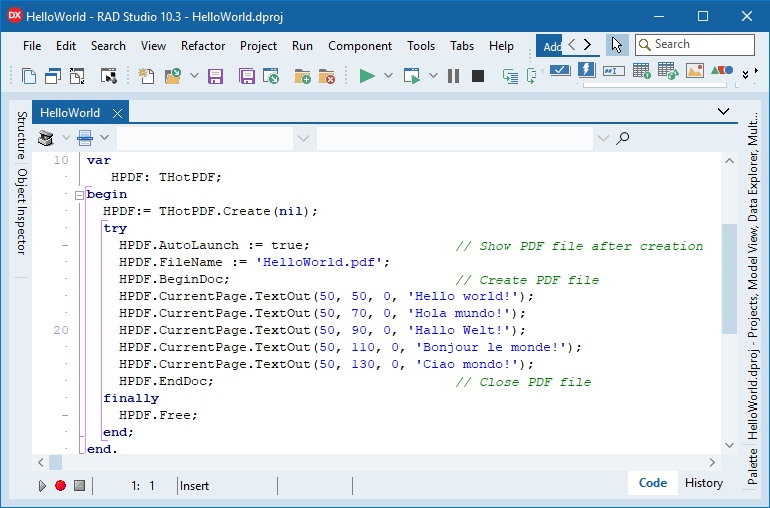
A HotPDF "Hello world" in the RAD Studio 10.3 code editor: create a THotPDF, set the file name, BeginDoc, write five TextOut lines and EndDoc. losLab's screenshots were made with an older IDE version.
Features
Create PDFs from code, in any script
HotPDF Component draws text, vector graphics, reusable Form XObjects and images (JPEG, bitmap, TIFF, JPEG 2000, JBIG2, WMF, EMF) onto pages and saves to a file or stream. It embeds and subsets TrueType, Type 1 and OpenType fonts, and handles Unicode text including Arabic, Indic and CJK scripts, right-to-left and vertical text, and emoji.
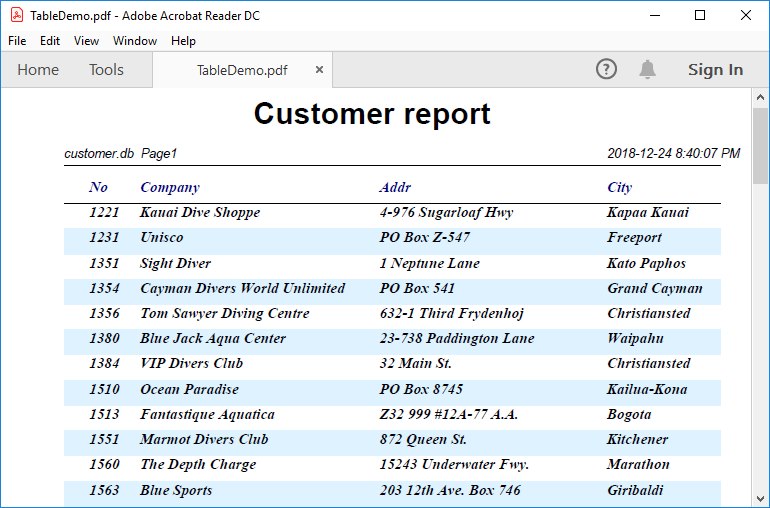
A "Customer report" PDF built from a database table by HotPDF's table demo, open in Acrobat Reader.
Edit and assemble existing PDFs
HotPDF Component loads existing documents to copy, insert, extract, reorder and delete pages, merge files, add stamps and watermarks, and update document information. It reads AcroForm fields and can update, rename, remove or flatten them before saving an edited copy.
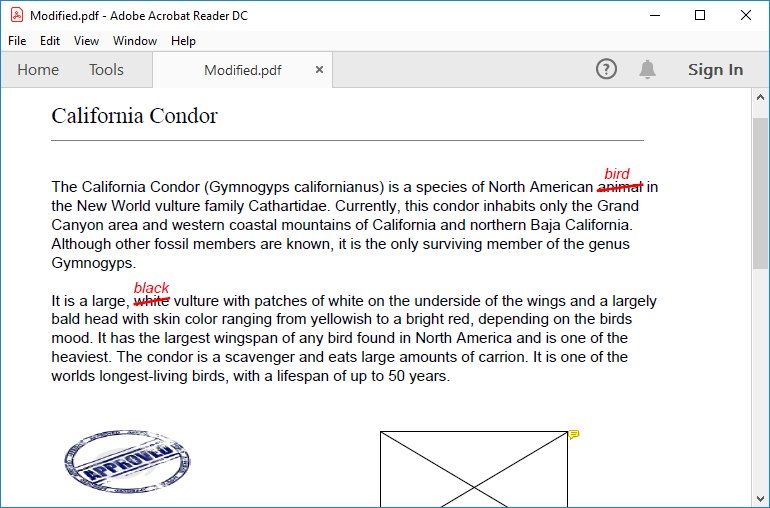
A PDF edited by HotPDF's edit demo: two words struck out and replaced in red, and an "Approved" stamp added.
Forms, annotations and navigation
HotPDF Component creates AcroForm fields with generated appearances, including signature, multi-line and comb text fields, plus hyperlinks, bookmarks, file attachments, comments, highlight and redaction annotations, layers and page transitions. Dynamic XFA forms run in process with JavaScript (QuickJS) and FormCalc.
Encryption and digital signatures
HotPDF Component protects files with passwords and AES-128 or AES-256 (including PDF 2.0 AES-256), certificate-based encryption and permission flags. It signs with PFX/PKCS#12 certificates and builds PAdES signatures with RFC 3161 timestamps; PKCS#11 tokens, Windows CNG, remote signing and long-term (B-LT/B-LTA) signatures need the Enterprise license.
Archival and accessibility standards
HotPDF Component has authoring controls and diagnostics for PDF/A (archiving), PDF/UA (accessibility) and PDF/X (print). losLab is careful to say your content, fonts, tagging and final validation decide whether a file conforms; automated repair and preflight reports are Enterprise features.
Large files, OCR and barcodes
HotPDF Component's Direct File API rewrites or encrypts huge PDFs on disk without loading them into memory; losLab quotes about 6 seconds to rewrite a 2 GB, 1.67-million-object file on its benchmark hardware. It also includes OCR (built in, or through Tesseract and RapidOCR adapters) and reads Code 128, EAN/UPC, QR, Data Matrix and PDF417 barcodes from pages and images.
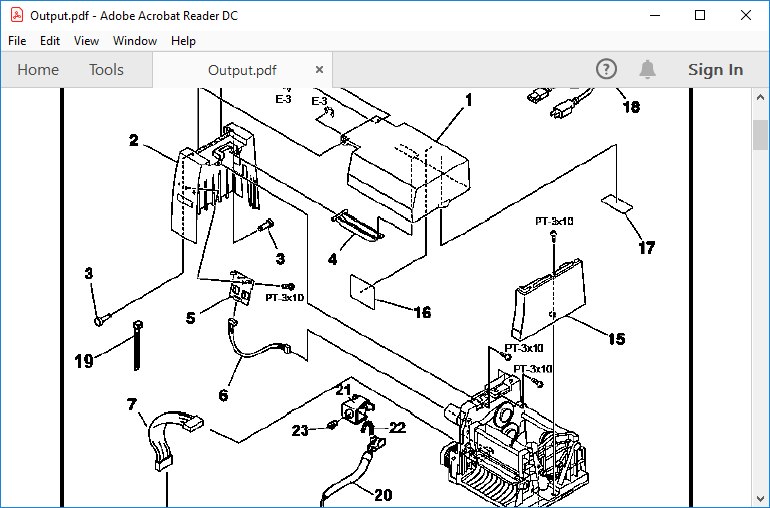
A parts diagram converted from a multipage TIFF into a PDF with HotPDF's TIFF demo.
Benefits
- Nothing to deploy. The PDF engine lives in your EXE, so installs stay simple and there's no third-party runtime to keep patched on customer PCs.
- You own the source. You can step through it in the debugger, fix a problem yourself, and keep building if the vendor ever stops.
- Royalty-free. Ship to any number of users and servers without counting documents.
- One library for many PDF jobs. Generation, editing, forms, signing and archiving come from one API instead of several products.
Real-World Uses
- Invoices and statements generated from a Delphi accounting or ERP system, encrypted and signed before they are emailed.
- Reports from existing FastReport, QuickReport, ReportBuilder or DevExpress layouts, sent out through HotPDF's optional backends.
- Document archives that must meet PDF/A, with scanned TIFFs turned into searchable PDFs through OCR.
- Form processing: fill in or flatten customer PDF forms, or read barcodes from returned scans to route them.
Who It's For, and Who Should Skip It
Good fit: Delphi and C++Builder teams (and Lazarus developers) building Windows desktop software that needs to produce or manipulate PDFs, who value source code and royalty-free deployment.
Skip it if you work in .NET, Java, Python or another language: HotPDF is Object Pascal only. Skip it too if you only need on-screen PDF viewing; losLab itself points viewer projects to its PDFium Delphi Component. And if you can't evaluate before you pay, the no-refund policy makes it a risky purchase.
Usage Guide
- Download the demo package with the button on this page (about 450 MB) and unpack it.
- Open the demo projects in RAD Studio or Lazarus and build them to see the samples (hello world, table report, PDF edit, TIFF to PDF).
- In your own project, add the HotPDF unit (
HPDFDoc in losLab's example), create a THotPDF, set FileName, and call BeginDoc.
- Draw on
CurrentPage with SetFont and TextOut, add pages as needed, then call EndDoc and free the object.
- Turn on options as you need them:
Compression, EnableFontSubsetting, encryption, or a PDF/A profile.
Tips
- Test with your hardest real documents in the demo (your fonts, scripts, scanned images and form files), since the purchase is final.
- Pick the edition by feature, not just headcount: long-term signatures, preflight and PDF/A conversion are Enterprise-only.
Where it falls short
- Few outside opinions. There are no recent independent reviews or user ratings; almost everything public about HotPDF comes from losLab.
- A very wide feature list. XFA scripting, OCR, Linux jobs and color-font rendering all sit in one library, and some parts have their own dependencies (OCR engines and models, Cairo, signing providers). Check the documentation for the pieces you need.
- Older screenshots. losLab's demo screenshots still show RAD Studio 10.3 and Acrobat Reader DC.
What Users Say
Independent reviews
We found no current independent reviews, ratings or forum write-ups of HotPDF 2.x, only old download-site listings for version 1.x. losLab's own blog and documentation are the main public record: detailed release notes for each build, and how-to articles such as reusing one THotPDF instance for several documents. With no refund available, the demo package is the only practical way to judge it.
Comparisons
HotPDF vs losLab PDFium Delphi Component
Both come from losLab. HotPDF is the authoring library: create, edit, sign and validate, with its own renderer. losLab recommends PDFium Delphi Component when you mainly need a PDF viewer, progressive document access and PDFium rendering.
HotPDF vs losLab PDF Library for Delphi
losLab's PDF Library for Delphi has a different API with switchable rendering backends, DOCX export and DLL, ActiveX and Dylib packaging. HotPDF suits developers who want everything compiled into a Delphi or C++Builder executable from source.
Editions and Pricing
| Edition | Price | Developers | Notes |
|---|
| Single (our Buy Now button) | $750 | 1 | Full source, 1 year of updates and email support. Order page renews updates at $300 a year |
| Small Business | $2,250 | Up to 5 in one company | Adds e-invoice rule validation and document comparison |
| Enterprise | $7,500 | All developers in one company | Every feature, priority email support |
| DCU Single / Small Business / Enterprise | $375 / $1,125 / $3,750 | Same as the source editions | Precompiled units, no source |
US dollar list prices from losLab's buy page and our order page, November 4, 2026. All licenses are one-time and royalty-free; renewing gives another year of updates.
FAQs
Does HotPDF work with Delphi 13 and 64-bit apps?
Yes. HotPDF Component supports RAD Studio XE5 through 13.1 Florence for Delphi and C++Builder, with Win32, Win64 and Win64x targets.
Can I use HotPDF with Lazarus and Free Pascal?
Yes. HotPDF Component builds with Free Pascal 3.3.1 or later and Lazarus for Win32 and Win64, including Flate compression and AES encryption.
Do I pay royalties when I distribute my application?
No. HotPDF Component is royalty-free, with no per-document, per-user or per-server fees, in unlimited applications.
What happens if I stop renewing HotPDF?
HotPDF Component's license itself is one-time, and the renewal buys another year of updates and support. losLab charges 50% of list within 6 months of expiry, 70% after 6 to 12 months, and full price after a year.
Is the source code included?
Yes, with every source edition of HotPDF Component. The cheaper DCU editions ship precompiled units only, and Enterprise-only features come as separate source units with the Enterprise license.
Can I get a refund if HotPDF doesn't fit my project?
No. losLab treats all development-library sales, including HotPDF Component, as final because the source is delivered, so test the demo package first.
Does HotPDF need Adobe Acrobat on the user's PC?
No. HotPDF Component authors and renders PDFs inside your application; only optional parts such as OCR engines or Linux workflows have their own dependencies.
System Requirements
- RAD Studio XE5 to 13.1 Florence (Delphi or C++Builder), Win32, Win64 or Win64x targets
- or Free Pascal 3.3.1 or later with Lazarus (Win32, Win64)
- Windows for the built applications; an optional headless API runs natively on Linux
- About 450 MB for the demo package
Conclusion
Worth it for Delphi and C++Builder shops that generate or process PDFs in their own Windows software and want source code with royalty-free deployment. HotPDF Component is actively developed, supports the newest RAD Studio, and covers far more than basic PDF output: editing, forms, encryption, PAdES signing and archival standards. The main reason to hesitate is the $750 price with no refunds and almost no independent reviews, so it only makes sense after the demo has handled your real documents. Remember that the order page renews updates every year at $300 unless you switch that off.
Download Free TrialBuy Now