RoboForm: An Easy, Affordable Password Manager and Form Filler for Every Device
RoboForm is a password manager and form filler for Windows, Mac, iOS, Android and the major browsers. It saves your logins and passkeys, signs you in with one click and fills long web forms for you. The free plan stores unlimited passwords on one device, and Premium, which syncs across unlimited devices, costs $29.88 a year.
Most people reuse a handful of passwords because remembering more is impossible. RoboForm remembers them for you, generates new strong ones, and tells you which of your old ones are weak, reused or already leaked.
Quick facts
- Version: RoboForm for Windows 9.9.4, released April 22, 2026
- Developer: Siber Systems
- Apps: Windows 10/11, Mac, iOS and Android
- Browser extensions: Chrome, Edge, Firefox, Brave and Opera, and Linux and Chrome OS through the extensions
- Price: Free; Premium $29.88 a year; Family (up to 5 accounts) $47.75 a year
- Trial: new accounts get 30 days of Premium
- Guarantee: 30-day money-back on paid plans
What we checked: the Windows installer we downloaded on October 13, 2026 is version 9.9.4.6 (52 MB), and RoboForm's pricing page listed Premium at $29.88 a year and Family at $47.75 a year on October 13, 2026.
Before you buy
The free plan works on one device only, with no web access or sync, so most people who use a phone and a computer will need Premium. Reviewers also find the Windows desktop app less polished than the browser extension, web interface and mobile apps, so expect to do most of your day-to-day work in the browser.
Download FreeBuy Now
Overview
RoboForm is one of the oldest password managers, made by Siber Systems, and it has kept a reputation for simple, dependable form filling. Your vault holds logins, bookmarks, identities (names, addresses, payment details) and Safenotes. The Windows app adds offline access, keeps you signed in across all your installed browsers, supports Windows Hello and can log in to Windows applications as well as websites. Version 9.9.4 (April 2026) fixed form filling in Remote Desktop windows and added importing Safenotes from Dashlane.
Features
One-click logins and form filling
RoboForm saves a login the first time you sign in to a site, then fills it in for you next time. Its identities store personal, address and payment details, so RoboForm can fill a long checkout or registration form in one go, the feature reviewers have praised for years.
Security Center
RoboForm's Security Center gives you an overall security score and sorts your passwords into compromised, weak, reused and duplicate lists, with each password's strength and age. RoboForm also tells you when one of your passwords turns up in a data breach.
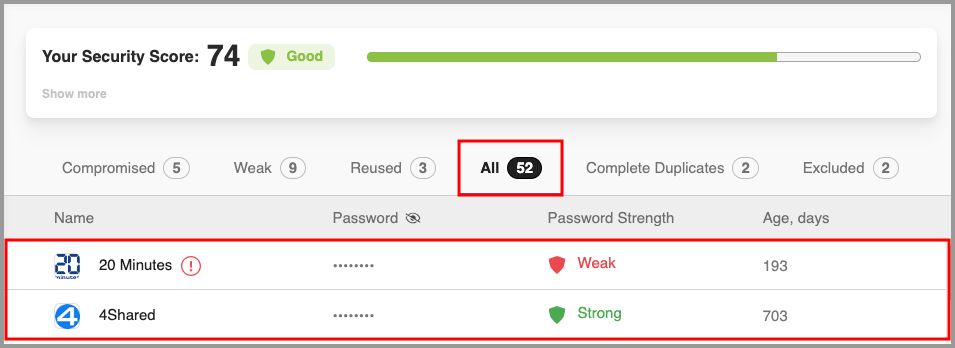
The Security Center with a Security Score of 74 (Good), tabs for Compromised, Weak, Reused, All, Complete Duplicates and Excluded, and each login's password strength and age in days.
Built-in two-factor authenticator
RoboForm can store your two-factor (TOTP) codes next to your logins, so you don't need a separate authenticator app for the sites you save. For your own RoboForm account it supports two-factor sign-in by email, SMS, an authenticator app, a passkey, a trusted device or a hardware security key such as a YubiKey.
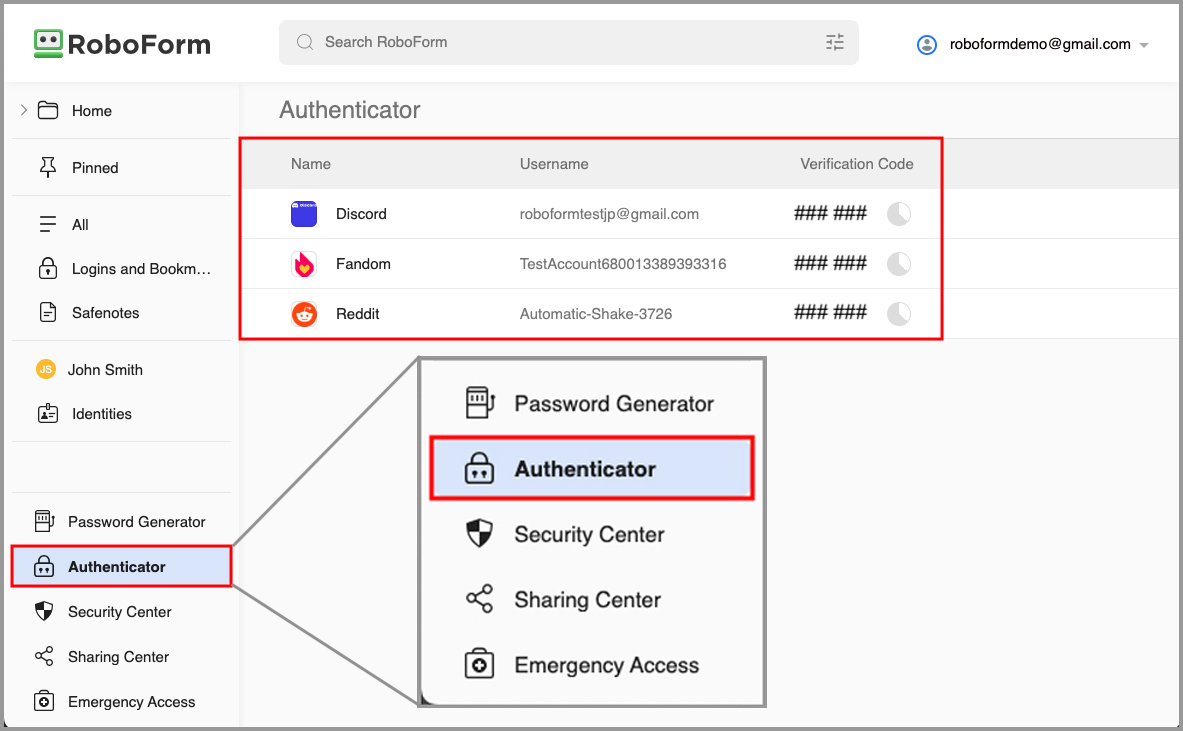
The Authenticator view in RoboForm for Windows, listing Discord, Fandom and Reddit with their verification codes, and the sidebar with Password Generator, Security Center, Sharing Center and Emergency Access.
Sharing and emergency access (Premium)
RoboForm Premium lets you share single items or whole folders and set each person's access level. Emergency Access lets you choose trusted contacts who can get into your vault if something happens to you, or help you recover your account.
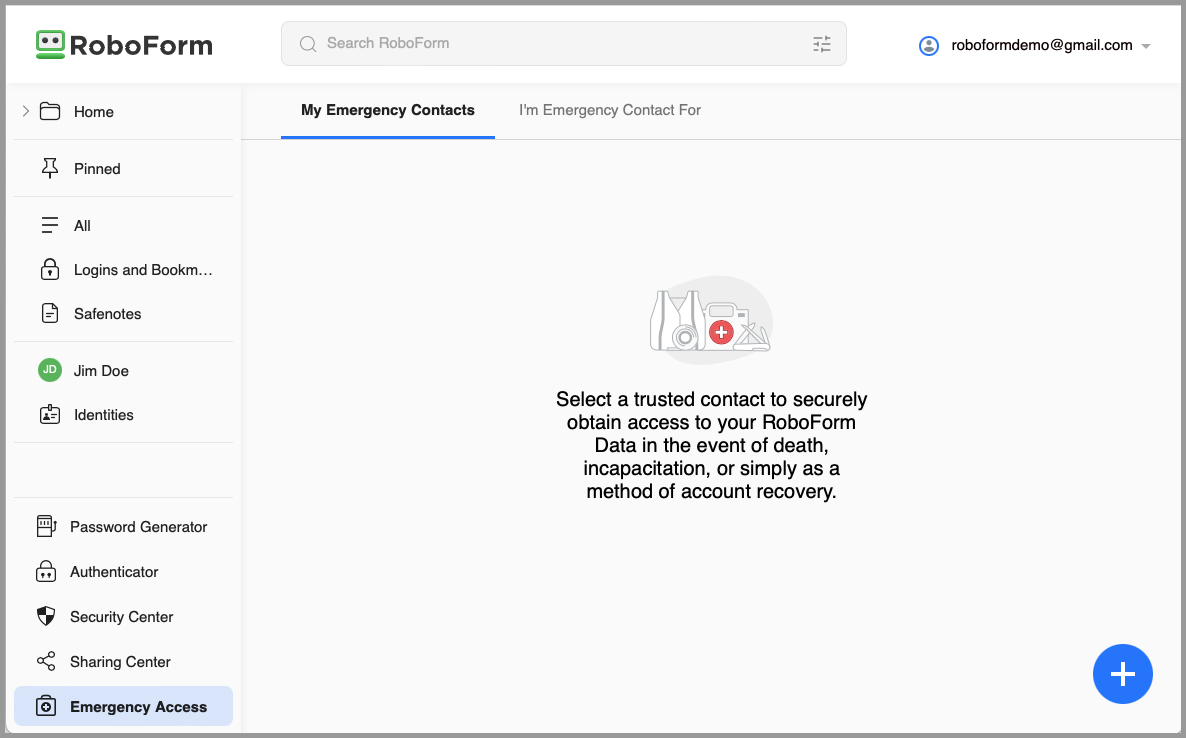
The Emergency Access screen with tabs for My Emergency Contacts and I'm Emergency Contact For, and the explanation of selecting a trusted contact.
Sync, backup and a local-only option (Premium)
RoboForm Premium syncs your vault across unlimited devices, adds web access and cloud backup, and monitors the dark web for up to five email addresses. If you'd rather not keep your data on RoboForm's servers, its local-only mode keeps the vault and its backups on your device only, which few rivals still offer.
Benefits
Stronger passwords without the effort. The generator and Security Center make it easy to replace weak and reused passwords one at a time.
Less typing. Logins and forms fill themselves, on the computer and on the phone.
A low price. Premium costs less than most well-known password managers.
Real-World Uses
- Moving from a notebook of passwords to a vault that fills logins on a laptop and a phone.
- Checking out of online shops in seconds with a saved identity and card details.
- Sharing the family streaming and utility logins through a shared folder.
- Setting up a spouse as an emergency contact for the household accounts.
Who It's For
RoboForm suits people who want a simple, inexpensive password manager that's especially good at filling forms. Power users who want a polished Windows desktop app or very advanced vault features may prefer something else.
Usage Guide
- Install it. Download the Windows installer (52 MB), or add the extension to your browser.
- Create your account and set a strong master password.
- Import passwords from your browser or another password manager, or let RoboForm save them as you log in.
- Turn on two-factor authentication for your RoboForm account.
- Visit the Security Center and replace weak or reused passwords with generated ones.
What Users Say
App stores and Trustpilot
RoboForm's pricing page shows its store ratings: 4.7 on the Apple App Store (43.2K reviews), 4.6 on Google Play (32.7K), 4.5 in the Chrome Web Store (3.6K) and 4.6 in the Edge store (657). On Trustpilot it scores 4.6 out of 5 from 550 reviews, with 83% five-star and 5% one-star ratings.
"Responded within five minutes of my email. Best Customer Service I ever had." Crismac, Trustpilot, October 2026
"Never hacked, easy to use, working. Better on iPhone" Rick Crandall, Trustpilot, October 2026
"Roboform works well across my devices and platforms. I use it for bookmarks, passwords, and secure notes." Danny Mitchell, Trustpilot, November 2025
"I would have given 5 stars but there are many websites where my sign in info doesn't automatically fill in." Barry S, 4 stars, Trustpilot, August 2026
"These past few weeks I've noticed a hesitancy of the app to delay appearing to fill in online forms." Terry Bell, 4 stars, Trustpilot, September 2026
(Trustpilot excerpts were read through a page summarizer.)
PCWorld
Alaina Yee reviewed RoboForm for PCWorld in September 2025. Her pros: extremely easy to use, affordable pricing, and support for popular operating systems and browsers. Her verdict: "If you use its browser extension, web interface, or mobile apps, the experience of letting it handle your logins is polished and easy. But its default security settings lag behind its rivals, and even moderately advanced usage breaks the seamlessness."
On the free plan: "To its credit, RoboForm allows unlimited saving of passwords and passkeys on the free plan, an increasing rarity among password managers." Her cons included that the Windows app "feels clunky at times".
Tom's Guide
Sean Riley's Tom's Guide review (February 2022): "RoboForm doesn't offer much more than the basics of password management and form filling, but it does them well for a bargain price." His reasons to buy were strong form filling, an affordable premium tier and attractive website and mobile apps.
His reasons to avoid were an unintuitive design for the standalone app and not being feature-competitive with the top options: "The standalone desktop app remains a poor experience on RoboForm, but the website interface, mobile apps and browser extensions have gone through a significant redesign that gives the service a much more modern feel."
The recurring themes: users and reviewers like how easy RoboForm is, its form filling, its price and its quick support. The complaints are the Windows desktop app's design, default security settings that could be stricter, and sites where autofill doesn't work or is slow.
Comparisons
Free vs Premium
RoboForm Free keeps unlimited passwords on a single device and includes breach alerts for your passwords and advanced two-factor login. Premium adds unlimited devices with sync, web access, cloud backup, the TOTP authenticator, sharing, emergency access, local-only mode, dark-web monitoring for five email addresses and priority support with weekday live chat and phone.
Editions and Pricing
| Plan | Price | Who | Key limits |
|---|
| Free | $0 | 1 person | One device, no web access or sync |
| Premium | $29.88 a year | 1 person | Unlimited devices, all Premium features |
| Family | $47.75 a year | Up to 5 Premium accounts | Unlimited devices for each member |
Paid plans are billed annually and come with a 30-day money-back guarantee. RoboForm also offers educational and military discounts, and separate business plans.
FAQs
Is RoboForm free?
Yes. RoboForm has a free plan that stores unlimited passwords and passkeys, but only on one device and without web access or sync. New accounts start with 30 days of Premium.
Does RoboForm work on Mac and iPhone?
Yes. RoboForm has apps for Mac, iOS and Android as well as Windows, and browser extensions for Chrome, Edge, Firefox, Brave and Opera.
Does RoboForm support passkeys?
Yes. RoboForm saves and manages passkeys alongside passwords, on the free plan as well as Premium.
Can RoboForm store my data only on my computer?
Yes. RoboForm Premium has a local-only mode that keeps your vault and backups on your device and doesn't sync them with RoboForm's servers.
Can I import passwords from another password manager into RoboForm?
Yes. RoboForm can import data from browsers and other password managers, and version 9.9.4 added importing Safenotes from Dashlane.
What happens if I stop paying for RoboForm Premium?
RoboForm drops back to the free plan, which keeps working on one device. Sync, web access and the other Premium features stop.
System Requirements
- Windows app: Windows 10 or 11
- Other apps: Mac, iOS and Android
- Browser extensions: Chrome, Brave, Opera, Edge and Firefox (also used on Linux and Chrome OS)
Conclusion
RoboForm does the essentials of password management well, fills forms better than most, and costs less than the big names. Its desktop app and default security settings get criticism, but its browser extension, web vault and mobile apps are where most people will spend their time.
Start with the free version. If you need it on your phone and computer together, Premium at $29.88 a year is one of the cheapest ways to get there.
Download FreeBuy Now