CorelDRAW Standard 2024: Design and Layout for Hobby and Home Business, Bought Once
CorelDRAW Standard 2024 is Corel's mid-priced design package for Windows: CorelDRAW Standard for vector drawing, page layout and text, and Corel PHOTO-PAINT Standard for photo editing. It's a one-time purchase at $299, with a 15-day free trial, aimed at hobbyists, crafters and home or micro businesses that make their own flyers, signs, cards and web graphics.
It sits between the $129 CorelDRAW Essentials and the professional CorelDRAW Graphics Suite. You get the core CorelDRAW drawing and layout tools without a subscription, but not the suite's professional output tools, Mac version, web app or AI features.
Quick facts
- Version: CorelDRAW Standard 2024, the current Standard edition
- Developer: Corel Corporation
- Platform: 64-bit Windows 11 or 10 (version 21H2 or later) only
- Apps: CorelDRAW Standard and Corel PHOTO-PAINT Standard
- Content: 1,000 clipart and digital images, 100 photos, 175 fonts, 20 photo frames, 900 fills, 60 templates
- Price: $299 one-time
- Trial: 15 days
- Guarantee: 30-day money-back on orders placed directly with Corel
- What we checked: the price in Corel's US store data and the trial installer from the product page (a 2.2 MB stub dated February 20, 2024), on November 28, 2026. We didn't design with it.
Download Free TrialBuy Now
Overview
CorelDRAW Standard gives you the CorelDRAW way of working, curves, shapes, text and multi-page layouts, in a single program, and pairs it with a layer-based photo editor. It's the same family of tools the professional suite uses, trimmed down for personal and small-business projects: certificates, ads, business cards, letterheads, flyers, posters, social and web graphics, and simple illustrations.
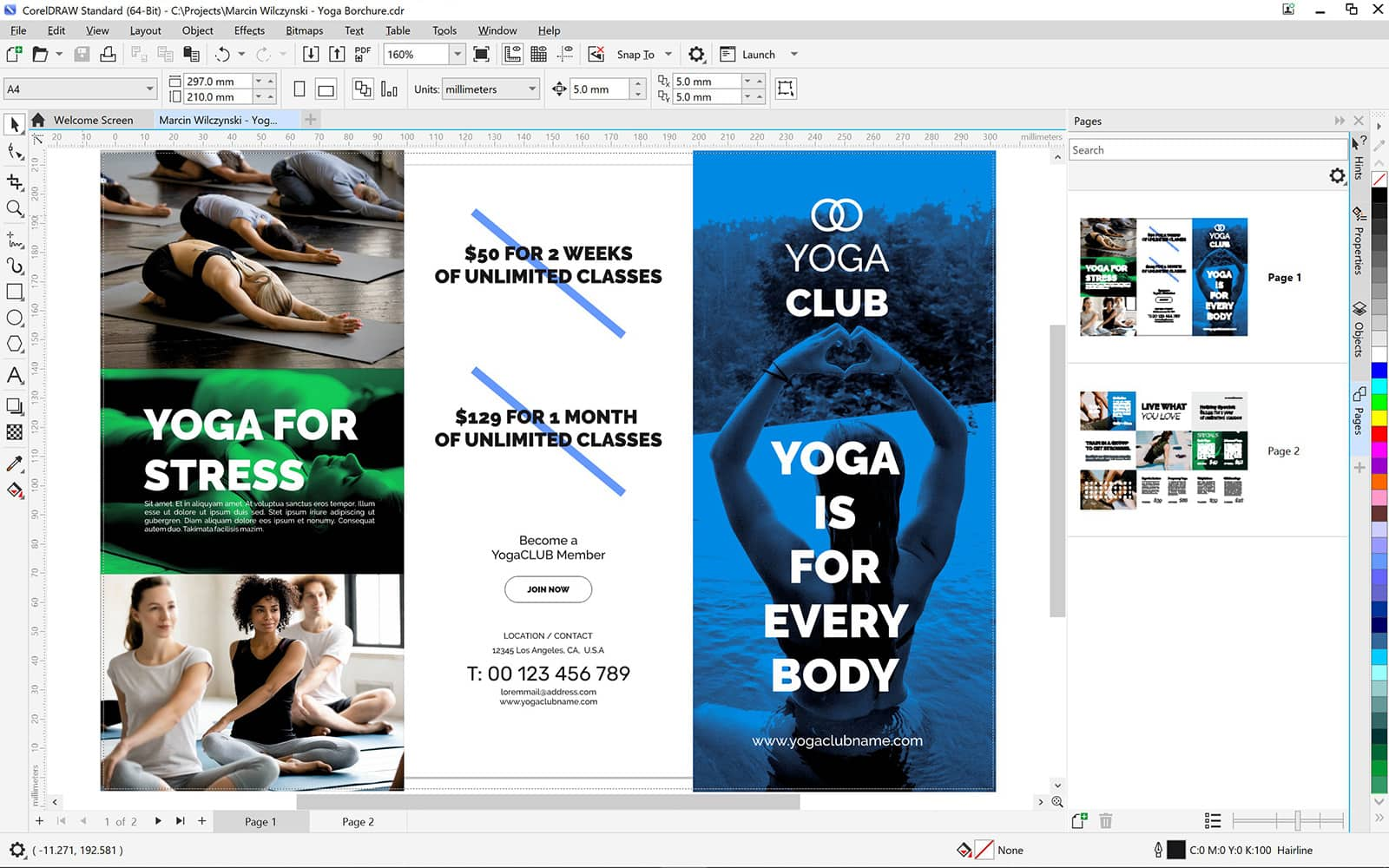
CorelDRAW Standard (64-bit) with a two-page yoga club brochure and the Pages docker on the right, from Corel's product page.
Features
Vector illustration
CorelDRAW Standard turns lines and shapes into finished artwork with a range of shaping and drawing tools, from clone and artistic media tools to Shadow, Spiral, Smooth and Smear. Fills, gradients, patterns and transparency are applied from color swatches and the Object Properties docker.
Page layout and typography
CorelDRAW Standard lays out brochures and multi-page documents with rulers, grids and guidelines for precise placement, and sets type with drop shadows and other text effects. The Objects docker lets you hide, rename, search and restack every element in a document.
Corel PHOTO-PAINT Standard
Corel PHOTO-PAINT Standard is a layer-based photo editor: straighten, grayscale and vibrance adjustments, retouching, and bitmap effects such as colorize, sepia and sharpen.
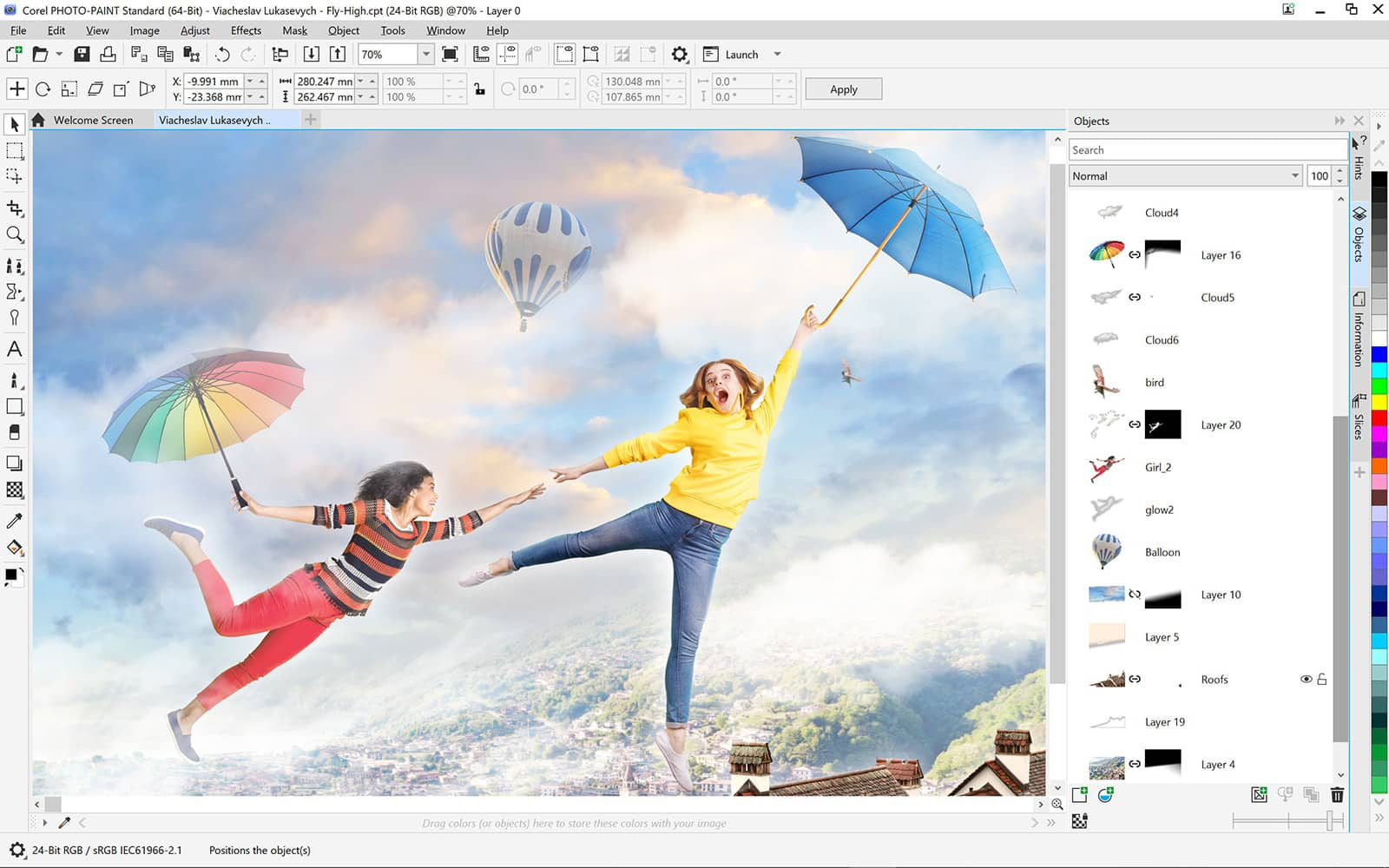
Corel PHOTO-PAINT Standard with a layered composite (people flying with umbrellas) and its layers listed in the Objects docker.
PowerTRACE bitmap-to-vector tracing
CorelDRAW Standard includes PowerTRACE, which converts a scanned sketch or a low-resolution logo into vector shapes that scale without losing quality, handy for cutting machines, vinyl and engraving.
Web graphics, templates and file support
CorelDRAW Standard has web graphics tools and presets with pixel-perfect export for crisp edges, professionally designed templates for common jobs, and import and export of formats such as AI, PSD, PDF, EPS, SVG, PNG, JPG, TIFF and HEIF. Version 2024 improved PDF import and added WebP support.
Benefits
- No subscription: pay $299 once and keep using it.
- Two apps in one purchase: drawing and layout plus a photo editor.
- Room to grow: the files are standard CorelDRAW documents, so you can move up to Graphics Suite later.
Real-World Uses
- A crafter traces a hand-drawn design with PowerTRACE and sends it to a cutting machine.
- A small bakery or salon designs its own price list, business cards and window poster from templates.
- A club secretary lays out a multi-page newsletter with photos retouched in PHOTO-PAINT.
Who It's For, and Who Should Skip It
Good fit: Windows users who design for themselves or a very small business and want real vector and layout tools without a subscription.
Skip it if: you use a Mac (Standard is Windows-only), you design for clients or send work to commercial printers regularly (Graphics Suite has the prepress and color tools), you want the new AI features (subscription Graphics Suite only), or you only make occasional social posts (a free browser tool is enough).
Usage Guide
- Download the 15-day trial from the product page and run the small installer; it needs an internet connection to install and authenticate.
- Start from a template or a blank document and set the page size.
- Draw shapes, add text, and arrange objects with rulers and guidelines; use the Objects docker to keep layers organized.
- Open photos in Corel PHOTO-PAINT Standard to straighten or adjust them, then place them in the layout.
- Export to PDF for printing or to PNG, JPG or WebP for the web.
Before you buy
- The 2024 version is what you buy: one-time licenses don't get later feature updates.
- Learning materials target the full suite: Corel notes its tutorials may show tools that Standard doesn't have.
- Compare the price with Graphics Suite: the Graphics Suite annual plan costs $269 a year and its 2026 one-time license $549; for occasional use, Standard's $299 is the cheaper way to own CorelDRAW.
- Refunds: Corel's 30-day money-back guarantee covers orders placed directly with Corel.
- On November 28, 2026, Corel's Black Friday sale listed Standard at $239; this page quotes the regular price.
Where it falls short
- Windows only, no web app.
- No AI tools, prepress tools or Font Manager, which the professional suite has.
- Corel's support and stability draw complaints from CorelDRAW users in general (see below).
- Not cheap for a hobby tool: $299 is more than double Essentials.
What Users Say
Reviews of the Standard edition
We found no in-depth independent review of CorelDRAW Standard 2024; reviewers test the full Graphics Suite. The 2024 release itself lists enhanced file import and export (including PDF import), WebP support and quality improvements rather than new tools.
CorelDRAW users on Trustpilot (coreldraw.com: 1.9 out of 5 from 19 reviews)
These reviews cover CorelDRAW in general, not Standard specifically:
- Varvara P (5 stars, July 28, 2025): "It still does exactly what I need. I really, really like it."
- Service Nut (1 star, January 2, 2025), "Unstable - DO NOT BUY!": "Once a file is anyway big, the programme crashes."
- Xander (1 star, November 5, 2025), on support: "Reaching a real person is nearly impossible"
- Jamie Photographer (1 star, May 29, 2026): "It has no blur command you must have the designer version for that."
The pattern
People who like CorelDRAW like its familiar, capable drawing tools; complaints center on support, stability with big files and, as the last review shows, discovering that a cheaper edition lacks a tool they expected. Use the trial to confirm Standard has what you need.
Comparisons
CorelDRAW Standard vs CorelDRAW Graphics Suite
Standard is for graphics enthusiasts and home and micro businesses on Windows; Graphics Suite is for design professionals and businesses on Windows, Mac and the web. Graphics Suite adds the full CorelDRAW and Corel PHOTO-PAINT, Corel Font Manager, CAPTURE, prepress and color management tools, generative AI, and more content.
CorelDRAW Standard vs CorelDRAW Essentials
CorelDRAW Essentials 2024 ($129) is Corel's entry-level package for hobbyists with a smaller toolset and less content. Standard is the step up for people who want more drawing, layout and photo tools at home or in a small business.
Editions and Pricing
| Product |
Price |
License |
Platforms |
| CorelDRAW Essentials 2024 | $129 | One-time | Windows |
| CorelDRAW Standard 2024 | $299 | One-time | Windows |
| CorelDRAW Graphics Suite 2026 | $269 per year or $549 one-time | Subscription or one-time | Windows, Mac, web |
FAQs
Is CorelDRAW Standard a subscription?
No. CorelDRAW Standard 2024 is a one-time purchase for $299; you own that version.
Does CorelDRAW Standard run on a Mac?
No. CorelDRAW Standard 2024 runs only on 64-bit Windows 11 and Windows 10 (version 21H2 or later). Mac users need CorelDRAW Graphics Suite.
Can CorelDRAW Standard open files from CorelDRAW Graphics Suite?
CorelDRAW Standard opens CorelDRAW (.cdr) files. If you receive files made in Graphics Suite, check during the trial that effects from tools Standard lacks look and edit the way you need.
Can I use CorelDRAW Standard for my business?
Yes. Corel positions CorelDRAW Standard for home and micro businesses; companies that design for clients or print commercially are pointed to Graphics Suite.
Does CorelDRAW Standard include the AI tools?
No. The generative AI tools (text-to-vector, text-to-image, AI background removal) belong to CorelDRAW Graphics Suite 2026.
System Requirements
- Windows 11 or Windows 10 (version 21H2 or later), 64-bit, with latest updates
- Intel Core i3/5/7/9 or AMD Ryzen 3/5/7/9, Threadripper, EPYC
- OpenCL 1.2 video card with 3 GB or more VRAM
- 8 GB RAM, 3 GB disk space
- 1280 x 720 display at 100% (96 dpi); mouse, tablet or multi-touch screen
- Internet connection to install and authenticate
Conclusion
CorelDRAW Standard 2024 is a sensible buy for Windows users who want to own CorelDRAW for personal or small-business design without a subscription. It covers drawing, layout, tracing and photo editing well enough for flyers, signs, cards and crafts.
The reason to think twice: at $299 it's close to two years of the full Graphics Suite subscription, and it misses the professional and AI tools. If you'll design often or for clients, look at Graphics Suite; if you design occasionally at home, start with the free trial and see whether Standard is enough.
Download Free TrialBuy Now