Email Studio: a free email viewer and converter, with paid tools for PST, OST and MBOX files
Email Studio from OMID SOFT is a Windows program that opens, inspects and converts email messages (EML, MSG, MHT and more) for free, and adds mailbox tools for PST, OST, MBOX, OLM and NSF files with a $29 per-user license. It's aimed at IT staff, email marketers and anyone who has to read or move mail between Outlook, Thunderbird, Apple Mail and Lotus Notes formats.
If someone sends you a winmail.dat you can't open, or you need to look inside an email's headers, DKIM signature and route without opening Outlook, the free part covers it. The license is for when you need to take apart or rebuild whole mailbox files.
Quick facts
- Developer: OMID SOFT (Dubai), maker of Email Director and Total Converter
- Version: 19.55, November 2026
- Platform: Windows 7 or later with .NET Framework 4.8. The Microsoft Store version needs Windows 10 or later
- Price: free for viewing and email conversion. $29 one-time per user for the enterprise storage tools, with 1 year of free upgrades
- Formats: EML, EMLX, MHT/MHTML, MSG, OFT, PST, OST, OLM, MBOX, TGZ, NSF, VCF, VCS, ICS, TNEF (winmail.dat) and more
- Download: portable program, 20.6 MB, or from the Microsoft Store
- What we checked: the portable download (EmailStudio.exe, version 19.55.0.0, 20.6 MB) and the $29 price on the order page on November 27, 2026. We didn't convert a mailbox file for this page.
Before you buy
- Try the free part first. Viewing and converting single messages costs nothing, so you can check it handles your files before paying.
- The download's digital signature has expired. Windows reports the code-signing certificate as out of its validity period, so SmartScreen or your antivirus may warn about the file. The Microsoft Store version avoids that.
- OMID SOFT's license agreement says fees are non-refundable. Test with the free version before you buy.
- Support is by email only, and there are no independent reviews to go on.
Download Free VersionBuy Now ($29)
Overview
Email Studio is a single window with a ribbon (Home, Manage, Tools) above a message pane. You open a message or mailbox file, and it shows the headers, body (HTML, text or RTF view) and attachments, with icons that light up for signed or encrypted mail. From the menus you convert, validate, trace or split what you've opened. It's written in managed .NET code and runs as a portable program, so nothing is installed.
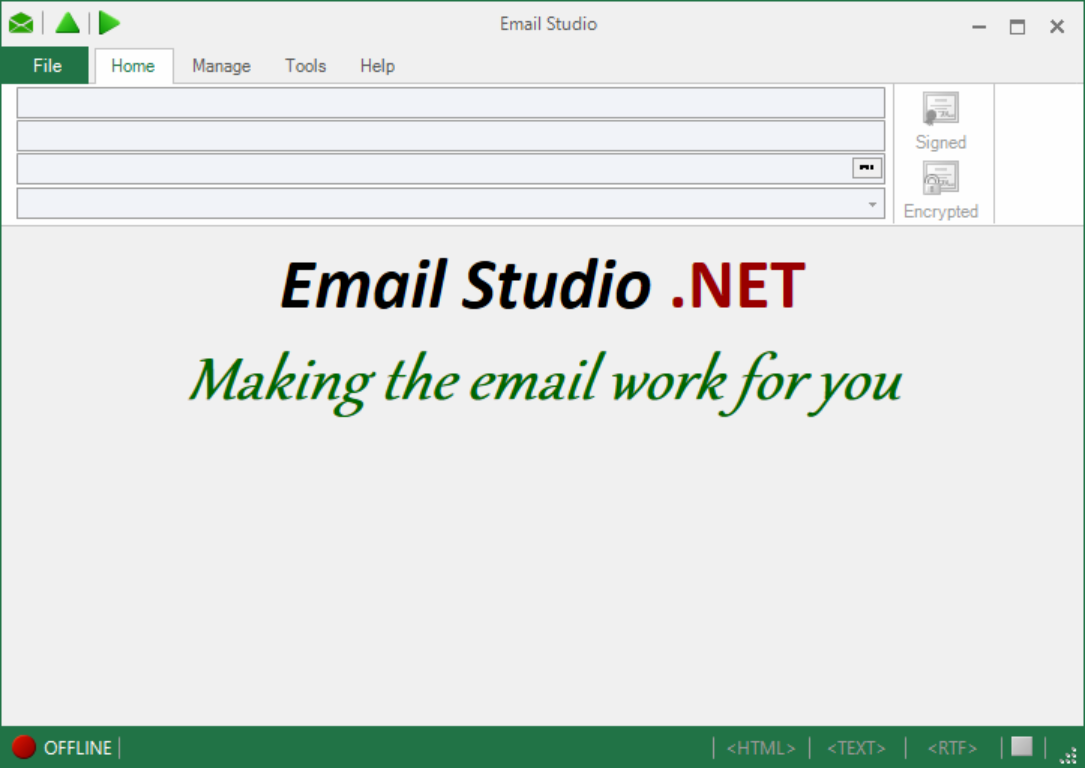
Email Studio's main window before a message is opened: the ribbon tabs, the header fields, the Signed and Encrypted indicators, and the HTML, TEXT and RTF view switches in the status bar. A dark theme is also available.
Features
Reads 20+ email, mailbox, contact and calendar formats
Email Studio opens messages from Outlook (MSG, OFT), Windows Mail and Thunderbird (EML), Apple Mail (EMLX) and web archives (MHT, MHTML), mailbox files from Outlook (PST, OST), Outlook for Mac (OLM), Thunderbird and Gmail exports (MBOX) and Lotus Notes (NSF), plus VCF contacts, VCS and ICS calendars, Exchange app packages, and TNEF winmail.dat and OleData.mso attachments.
Free email conversion, validation and tracing
Email Studio's free features convert messages between formats, validate them, detect a file's real format, extract winmail.dat contents, and check a message against RBL blocklists, its DKIM signature and its route. It also sends raw POP3, IMAP4, SMTP and DNS commands, which helps when you're testing a mail server.
Paid: mailbox storage tools
The $29 Email Studio license adds the enterprise storage tools: convert a whole PST, OST, MBOX, OLM or NSF file to another format, extract its messages, merge or split mailbox files, build a new mailbox from loose messages, and download a mailbox from a server. Contacts and calendars get the same merge and split tools.
Signed and encrypted mail
Email Studio supports S/MIME, so it shows whether a message is signed or encrypted, and it includes a remote server certificate validator for checking a mail server's SSL certificate.
Benefits
- Free for everyday use: opening and converting messages never expires and needs no license.
- Cheap for the paid part: $29 is less than most single-purpose PST or MBOX converters.
- Portable: run it from a USB stick on a machine where you can't install Outlook.
Real-World Uses
- A client sends a winmail.dat attachment and you open it to get the real files inside.
- An IT admin checks why mail lands in spam by reading the headers, the DKIM result and the RBL checks.
- Moving from Thunderbird to Outlook, you convert an MBOX mailbox into a PST file with the paid storage tools.
- A legal or HR team receives an old NSF or OLM archive and extracts the messages without installing Notes or Outlook for Mac.
Who It's For, and Who Should Skip It
Email Studio suits IT staff, consultants and power users who deal with many email formats and want one inexpensive tool, and anyone who only needs a free viewer for odd attachments.
Skip it if you need a polished, guided migration from one mail server to another (a dedicated migration tool with step-by-step wizards and vendor support suits that better), if you're on a Mac, or if your company won't run software with an expired signature.
Usage Guide
- Download the portable EmailStudio.exe from OMID SOFT's page, or install Email Studio from the Microsoft Store.
- Make sure .NET Framework 4.8 is installed (it is on current Windows 10 and 11).
- Run the program and use File to open a message or mailbox file.
- Switch between the HTML, text and RTF views in the status bar, and check the Signed and Encrypted indicators.
- Use Tools to convert, validate, trace or extract. The storage tools ask for a license key.
- To turn them on, buy a license and enter the key you receive by email.
Where it falls short
- A plain, technical interface: it's built for people who know their formats, with few wizards.
- Thin documentation: the vendor's page lists features but there's no detailed manual or tutorials.
- Trust signals are weak: the vendor's own site has an expired HTTPS certificate, and the download's signature has expired, even though the program is updated regularly.
What Users Say
Reviews
Email Studio has no ratings yet in the Microsoft Store, and we found no independent reviews of it. OMID SOFT has sold email software since 2002 and keeps it current (version 19.55 came out in November 2026), but you'll have to judge Email Studio from the free version yourself.
Comparisons
Email Studio vs Total Converter
Both are OMID SOFT tools. Total Converter adds document exports (PDF, XPS, Word, HTML, text, image, eBook, OpenDocument) and batch S/MIME signing. Email Studio has the full mailbox storage tools (convert, merge, split, build and download PST, MBOX and others), which Total Converter covers only in basic form. Choose Email Studio for mailbox files, Total Converter for turning email into documents.
Editions and Pricing
| Edition |
Price |
What you get |
| Free | $0 | Viewing, email conversion and validation, format detection, winmail.dat extraction, RBL/DKIM tracing |
| Licensed | $29 one-time per user | Adds the storage tools for PST, OST, MBOX, OLM and NSF files, plus 1 year of free upgrades |
An extra year of upgrade protection can be added at checkout. Prices are before VAT, and OMID SOFT gives volume discounts for several users. Price checked on the order page on November 27, 2026.
FAQs
Can Email Studio open a winmail.dat file?
Yes. Email Studio extracts the attachments and message from TNEF winmail.dat files in the free version.
Can Email Studio convert MBOX to PST?
Email Studio converts whole mailbox files between storage formats such as MBOX and PST, but that's one of the enterprise storage tools, so it needs the $29 license.
Does Email Studio need Outlook installed?
No. Email Studio reads MSG, PST and OST files on its own, without Outlook.
Is the Email Studio license a subscription?
No. The Email Studio license is a one-time $29 payment per user with a year of upgrades. After that the program keeps working, and you can pay for another year of upgrades if you want new versions.
Does Email Studio run on a Mac?
No. Email Studio is Windows-only, although it reads Mac email formats such as EMLX and OLM.
Why does Windows warn me about the download?
The code-signing certificate on the current Email Studio download has expired, so Windows can't confirm the signature. Installing from the Microsoft Store avoids the warning.
System Requirements
- Windows 7 or later (Microsoft Store version: Windows 10 or later)
- Microsoft .NET Framework 4.8 or later
- 1 GHz processor, 1 GB RAM, 100 MB disk space
- Internet access for the server and DNS tools
Conclusion
Email Studio is worth trying for anyone who handles email files from several programs: the free version is a capable viewer and converter, and $29 for full PST, MBOX, OLM and NSF tools is cheap. The reasons for caution are the expired signature and site certificate, the lack of reviews and a no-refund license, so try the free version on your own files first and buy only once it handles them.
Download Free VersionBuy Now