Email Director: Desktop Email Marketing and List Management for Windows
Email Director from OMID SOFT is a Windows desktop program for sending personalized newsletters and announcements to your own mailing lists, with automatic opt-out, bounce and address-check processing, and it can send personalized SMS and fax messages too. One $49 license, with no subscription, covers both the current Email Director .NET and the older Email Director Classic, and a free version with the advanced features switched off never expires.
Hosted newsletter services charge every month and by list size. If you'd rather keep your list on your own PC and send through your own mail server or provider, a desktop sender like this costs once. The trade-off is that delivery, reputation and reporting are your responsibility rather than a service's.
Quick facts
- Developer: OMID SOFT (in business since 2002)
- Version: Email Director .NET 19.35, November 2026
- Editions: Email Director .NET (Windows 7 or later, .NET Framework 4.8, 64 and 32-bit installers, also in the Microsoft Store) and Email Director Classic (Windows XP or later, fewer features)
- Sending: personal, bulk (BCC), through a third-party SMTP server, or directly without one
- Price: $49 one-time for the Email Director Bundle, per user, with one year of free upgrades
- Free version: never expires, advanced features disabled
- What we checked: the 64-bit installer on November 23, 2026: EmailDirector64.exe, 13.6 MB, Email Director version 19.35, dated November 6, 2026, with a code-signing certificate that expired in May 2020; and the order page on November 23, 2026: Email Director Bundle $49.00 with no auto-renewal. We didn't send a campaign ourselves.
Before you buy
- No refunds. OMID SOFT's license agreement says all fees are non-refundable, so use the free version until you're sure it fits.
- Expect security warnings on the direct download. omidsoft.com only works over plain http (its https certificate expired in April 2026), and the installers are signed with a certificate that expired in 2020, so browsers and Windows flag or block them. The download button opens OMID SOFT's download page, where you can pick the 64-bit or 32-bit installer or the Microsoft Store edition, which installs without those warnings on Windows 10 and 11.
- Upgrades after the first year cost 50% of the license price per extra year; the program keeps working without them.
- Only mail people who agreed to hear from you. The software handles opt-outs, but anti-spam law and your mail provider's limits still apply to every campaign.
Download Free VersionBuy Now ($49)
Overview
Email Director puts everything on one screen: the message source (typed in its HTML editor, an external editor or a file), sender and recipient list, subject with merge fields, priority, format, read receipts and attachments. Side panels open the automation tools, list cleaners, extra tools and advanced settings, with a toolbar across the top. The current build has a light and a dark theme.
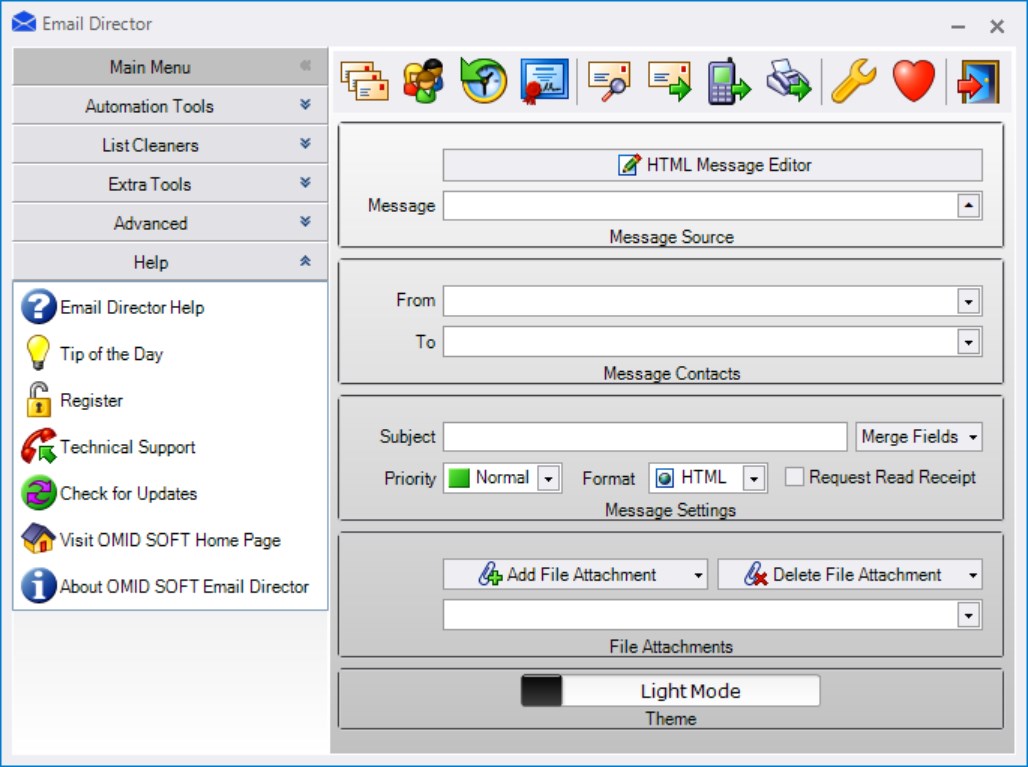
The main window in the light theme: HTML Message Editor, From and To lists, subject with Merge Fields, priority, format and read receipt, file attachments, and the Help panel open on the left.
Features
Personalized mail to your lists
Email Director merges fields from your list into the subject and body, so each recipient gets a message with their own name and details, in text or HTML with embedded images and unlimited local or remote attachments. It supports international character sets, custom headers and delivery status notification control.
Automatic opt-in, opt-out and list cleaning
Email Director processes subscribe and unsubscribe requests automatically, verifies addresses, processes bounces and removes dead addresses, and runs an auto responder and auto forwarder. That's the part that keeps a list clean and a sender within anti-spam rules without hours of manual work.
Several ways to send
Email Director sends one personal message per recipient, in bulk with BCC, through a third-party SMTP server with message queuing and several messages per connection, or directly without an SMTP server. It supports SSL/TLS connections, ESMTP authentication, configurable ports and custom SMTP commands.
Signed and encrypted mail
Email Director .NET can digitally sign and encrypt outgoing messages with S/MIME. OMID SOFT describes it as FIPS 140-2 compliant, which matters to some government and regulated buyers.
List import and export, SMS and fax
Email Director imports and exports lists from CSV and text files, Excel worksheets, Access databases, vCard files and the Windows Address Book, and it can send personalized SMS text and fax messages from the same lists.
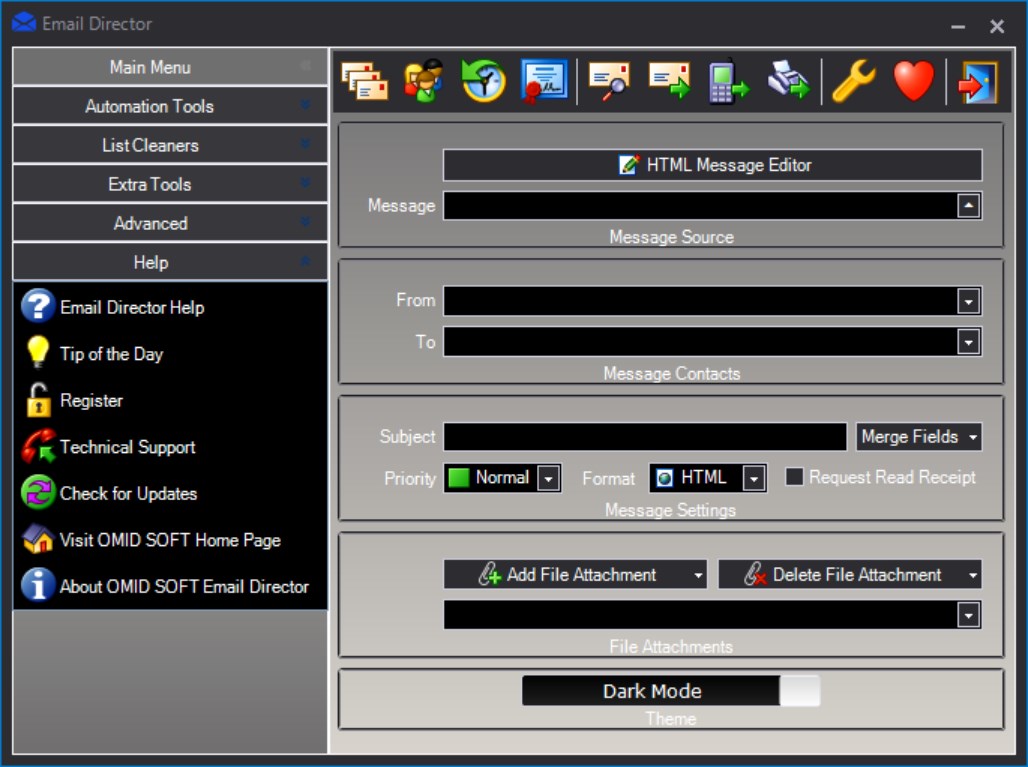
The same window in the dark theme, with the toolbar and the Main Menu, Automation Tools, List Cleaners, Extra Tools, Advanced and Help panels.
Benefits
- A one-time cost instead of a monthly fee that grows with your list.
- Your list stays on your PC, not in a third-party service.
- One tool for email, SMS and fax to the same contacts.
- Less list maintenance, thanks to automatic opt-out and bounce handling.
Real-World Uses
- A small business newsletter sent through the company's own mail provider.
- Member notices for a club or association, with unsubscribes handled automatically.
- Personalized announcements to customers pulled from an Excel or Access list.
- Signed and encrypted notices where recipients need to verify the sender.
Who It's For, and Who Should Skip It
It's for Windows users who keep their own opt-in lists, have an SMTP account to send through, and want a one-time purchase rather than a hosted service.
Skip it if you want drag-and-drop templates, open and click reporting, signup forms and managed deliverability: a hosted newsletter service does those jobs, at a monthly price. Skip it too if you're on a Mac, or if you don't have a mail provider that permits bulk sending.
Usage Guide
- Install Email Director .NET from the direct download or the Microsoft Store (Windows 10 or 11), and make sure .NET Framework 4.8 is present.
- Set up your sending method: your SMTP server, port, SSL/TLS and login.
- Import your list from CSV, Excel, Access or vCard.
- Write the message in the HTML editor, add merge fields to the subject and body, and attach files.
- Send a test to yourself, then start the campaign. Register your license from the Help panel to turn on the advanced features.
Where it falls short
- Limited statistics: a user review points out that the history is server reports and message logs, not campaign analytics.
- Direct sending is risky: mail sent straight from a home or office connection without a proper mail server is often rejected or filtered as spam, so most users should send through an SMTP provider.
- An old-style Windows interface with many options, which takes some learning.
- Windows only.
What Users Say
Slashdot software directory (5 out of 5, 1 review)
Sarah S., a manager, gave it 5 stars in December 2020 under the title "Great software": "Happy with that, I got the classic one and then upgraded to net version for more features and tools." Her pros: "Fast and easy to config and send emails, also support international sms, and some automated tools for fast processing." Her con: "Limited stats, history is server reports and message logs." (Read through a page summarizer.)
Independent reviews of Email Director are few. The one we could read praises quick setup and SMS support and criticizes the reporting, which matches what the feature list suggests: strong on sending and list handling, light on analytics.
Comparisons
Email Director .NET versus Email Director Classic
Both come with the same $49 license. Email Director .NET is the current edition: it adds remote attachments, direct sending without an SMTP server, SSL connections, S/MIME signing and encryption, address verification, bounce processing, SMS and fax, and support for an external HTML editor. Classic is the older, lighter program that still runs on Windows XP, with an internal HTML editor and an auto spam filter.
Email Director versus a hosted newsletter service
A hosted service gives you templates, signup forms, open and click statistics and shared sending reputation, and charges monthly by list size. Email Director costs $49 once and keeps the list on your PC, but you supply the mail server and look after deliverability yourself.
Editions and Pricing
Price as the order page showed it on November 23, 2026. OMID SOFT gives volume discounts on multiple licenses.
| License | Price | Includes | Term |
|---|
| Free version | $0 | Email Director with advanced features disabled | Never expires |
| Email Director Bundle | $49 | Email Director .NET and Email Director Classic, one user | Perpetual; 1 year of free upgrades, then 50% per extra year |
FAQs
Is Email Director a subscription?
No. Email Director is a one-time $49 purchase per user. The first year of upgrades is included; after that you can buy another year of upgrades for half the license price or keep using the version you have.
Can Email Director send through Gmail or Microsoft 365?
Email Director sends through any SMTP server with SSL/TLS and authentication, which includes the SMTP services of most mail providers. Those providers cap how many messages you can send per day, so a large list needs a provider that allows bulk sending.
Why does Windows warn me about the Email Director installer?
The Email Director installers on omidsoft.com are signed with a certificate that expired in May 2020, and the site itself is served over http, so browsers and SmartScreen treat the download as unverified. The Microsoft Store edition avoids this on Windows 10 and 11.
Does Email Director help with anti-spam law?
Email Director processes opt-in and opt-out requests automatically, and OMID SOFT publishes a guide to the US CAN-SPAM Act. Staying within the law still depends on mailing only people who agreed and honoring every unsubscribe.
Can I get a refund for Email Director?
No. OMID SOFT's license agreement states that all fees are non-refundable, which is why the free, non-expiring version is the place to start.
System Requirements
- Email Director .NET: Windows 7 or later (the Microsoft Store edition needs Windows 10 or 11), .NET Framework 4.8 or later
- Internet Explorer or Microsoft Edge
- 1 GHz processor, 1 GB RAM, 100 MB of free disk space
- Internet access
- Email Director Classic: Windows XP or later, 512 MB RAM
Conclusion
Email Director is good value at $49 once if you run your own opt-in lists, have an SMTP account that allows bulk mail, and want personalized sending, automatic unsubscribe and bounce handling, plus SMS and fax, without a monthly bill. It's actively updated, with a build from November 2026. The reasons to pass are thin reporting, an old-style interface, no refunds, and a vendor site and installer signature that set off security warnings. Start with the free version, preferably from the Microsoft Store, and buy once it does what you need.
Download Free VersionBuy Now ($49)