Blue Burner: A Small, No-Nonsense CD, DVD and Blu-ray Burner for Windows
Blue Burner from OMID SOFT is a $19 Windows program for burning data, audio and video CDs, DVDs and Blu-ray discs, with tools to make, burn, verify and convert disc images, copy and erase discs, rip audio CDs and mount images in a virtual drive. It's an 8 MB program that runs without a heavy install, for people who still burn discs now and then and don't want a large media suite. The trial has every feature enabled for 30 runs.
Windows can burn a basic data disc or an ISO on its own, but it stops there: no BIN/CUE or NRG images, no making an image from a disc, no disc copy, no audio ripping. The big burning suites do all of that and much more you won't use. Blue Burner sits in between: one screen of buttons for the disc jobs that still come up.
Quick facts
- Developer: OMID SOFT
- Version: 18.44, November 2026
- Discs: data, audio and video CD, DVD and Blu-ray; single, double, triple and quad layer; rewritable, DVD-RAM and M-Disc
- Image formats: ISO, BIN/CUE, IMG/CCD, Nero NRG, CDI, PDI, B5I, B6I and GI
- Platforms: 64-bit Windows 7 or later, as a portable program or from the Microsoft Store
- Price: $19 one-time per user, with one year of free updates
- Trial: all features, 30 runs, then locked
- What we checked: the download on November 23, 2026: BlueBurner.exe, 8.3 MB, Blue Burner .NET version 18.44, dated November 19, 2026, with a code-signing certificate that expired in May 2020; and the order page on November 23, 2026: Blue Burner .NET $19.00 with no auto-renewal. We didn't burn a disc ourselves.
Before you buy
- No refunds. OMID SOFT's license agreement says all fees are non-refundable, so use the 30 trial runs on your own drive and discs first.
- Expect security warnings on the direct download. omidsoft.com is served over plain http (its https certificate expired in April 2026) and the program's signing certificate expired in 2020, so browsers and Windows flag or block it. The download button opens OMID SOFT's download page, where you can pick the portable build or the Microsoft Store edition, which installs without those warnings on Windows 10 and 11.
- It needs two Microsoft runtimes: the Visual C++ 2022 x64 runtime and .NET Framework 4.5 or later. Both are free and linked from the download page.
- You need an optical drive. Many current laptops have none; an external USB burner works.
Download Free TrialBuy Now ($19)
Overview
Blue Burner opens to a single grid of buttons. The top rows start a disc project (Data CD, Data DVD, Data BD, Audio CD, Video DVD, Video BD). The rest are tools: Burn Image, Make Image, Verify Image, Convert Image, Disc Info, Disc Copy, Drive Info, Drive Data, RIP Audio, Erase Disc, Region Code and Disc Decryptor. Help, support, settings, registration, updates and About sit along the bottom. There are no menus to dig through.
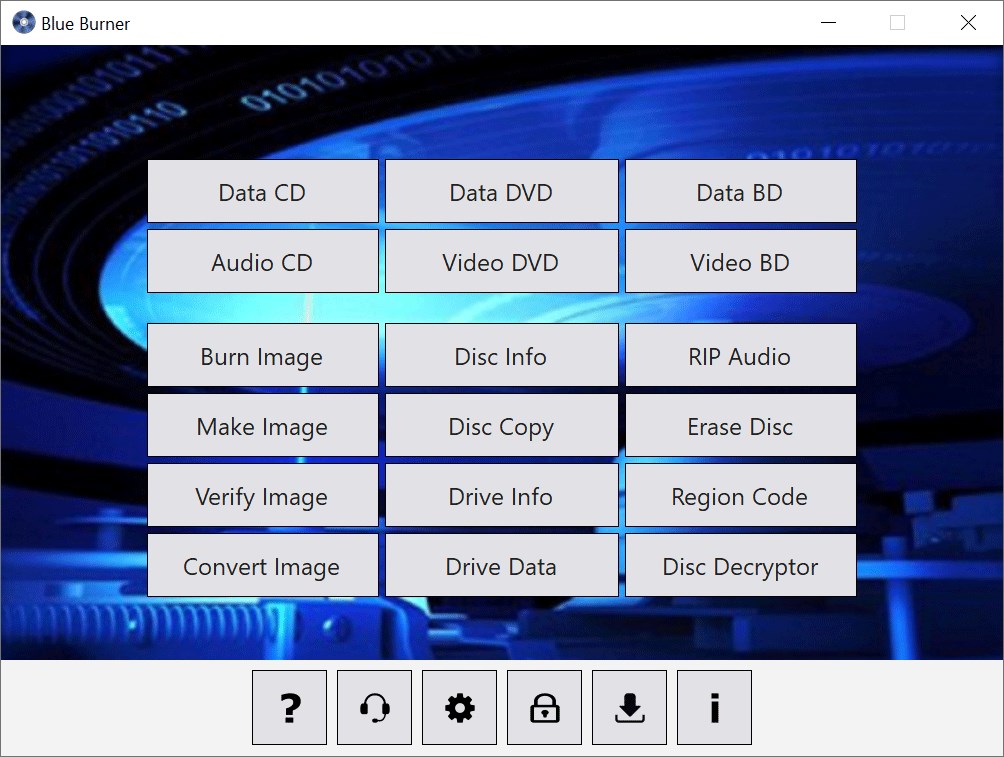
The main window: disc projects for CD, DVD and Blu-ray at the top, image, copy, erase, rip and drive tools below, and help, support, settings, registration, update and About buttons at the bottom.
Features
Data, audio and video discs on every format
Blue Burner authors data, audio and video discs on CD, DVD and Blu-ray, on single, double, triple and quad layer media, and burns rewritable discs, DVD-RAM and M-Disc, the archival discs meant to last for decades.
Disc images: make, burn, verify, convert
Blue Burner makes an image from a disc, burns images back, verifies them and converts between formats, including ISO, BIN/CUE, IMG/CCD and Nero's NRG. Its image browser lets you look inside an image without burning it.
Virtual drive
Blue Burner includes a virtual drive emulator, so you can open an image as if it were a disc in a drive, for example an old installer or game disc saved as an ISO.
Copy, erase, rip and drive tools
Blue Burner copies discs, erases rewritable media, rips audio CDs, and reports disc and drive information, including the drive's region code setting.
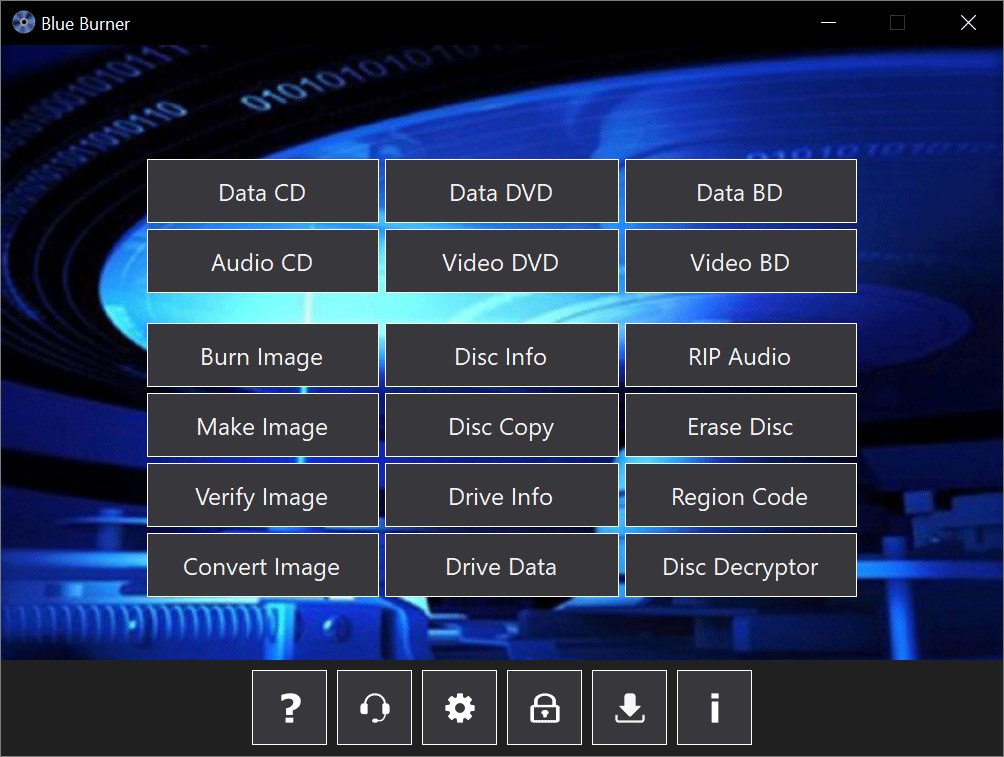
The same window in the dark theme.
Benefits
- Light: an 8 MB program instead of a multi-gigabyte media suite.
- Cheap: $19 once, no subscription.
- Handles the image formats Windows can't, like BIN/CUE and NRG.
- Fast to use: every task is one button on one screen.
Real-World Uses
- Archiving family photos to M-Disc for long-term storage.
- Burning a BIN/CUE or NRG image that Windows' own burner won't take.
- Making an ISO of an old software disc before the disc fails, then mounting it in the virtual drive.
- Making an audio CD for the car or ripping an old CD.
Who It's For, and Who Should Skip It
It's for Windows users who still burn or archive discs occasionally and want a small, inexpensive tool that covers images, copies and Blu-ray without a big suite.
Skip it if you only burn the odd ISO or data DVD: Windows does that for free. Skip it if you need video authoring with DVD menus and editing, which calls for a full media suite, or if you're on a Mac. And if you only need the image and drive tools, OMID SOFT's free Red Burner, built on Blue Burner, covers those.
Usage Guide
- Get Blue Burner from the Microsoft Store or as the portable build, and install the Visual C++ 2022 x64 runtime and .NET Framework if they're missing.
- Insert a blank disc and start Blue Burner.
- Click the project you need (for example Data DVD), add files, and burn; or click Burn Image and pick an ISO, BIN/CUE or other image.
- Use Verify Image after burning anything you're archiving.
- Register with the lock button before the 30 trial runs are used.
Where it falls short
- 64-bit Windows only for the current build, plus two runtimes to install.
- No menu authoring or video editing among its features: it burns video discs from material you have already prepared.
- No independent reviews of the current version and no ratings in the Microsoft Store yet, so the trial is the real test.
Comparisons
Blue Burner versus Windows' built-in burning
Windows burns data discs and ISO images at no cost. Blue Burner adds audio and video discs, Blu-ray projects, BIN/CUE, NRG and other image formats, image making and conversion, disc copy, audio ripping, a virtual drive and M-Disc support, for $19.
Blue Burner versus OMID SOFT Red Burner (free)
Red Burner is OMID SOFT's free, portable tool based on Blue Burner, with its disc image and optical drive functions. Blue Burner is the paid program for burning CD, DVD and Blu-ray projects.
Editions and Pricing
Price as the order page showed it on November 23, 2026. OMID SOFT gives volume discounts on multiple licenses.
| Version | Price | What you get | Term |
|---|
| Trial | $0 | All features | 30 runs, then locked |
| Blue Burner license | $19 | All features, one user | Perpetual; 1 year of free updates, then 50% per extra year |
FAQs
Can Blue Burner burn Blu-ray discs?
Yes. Blue Burner burns data and video Blu-ray discs, including dual, triple and quad layer media, as long as your drive is a Blu-ray writer.
Does Blue Burner work on 32-bit Windows?
The current Blue Burner download is 64-bit only (Portable x64 and Store x64), so it needs 64-bit Windows 7 or later.
Can Blue Burner burn a BIN/CUE or NRG file?
Yes. Blue Burner reads ISO, BIN/CUE, IMG/CCD, Nero NRG and several other image formats, and can convert between them.
Why does Windows warn me about the Blue Burner download?
The Blue Burner file on omidsoft.com is signed with a certificate that expired in May 2020 and is downloaded over http, so browsers and SmartScreen treat it as unverified. The Microsoft Store edition avoids this on Windows 10 and 11.
Can I get a refund for Blue Burner?
No. OMID SOFT's license agreement states that all fees are non-refundable, so test with the 30 trial runs first.
System Requirements
- 64-bit Windows 7 or later (the Microsoft Store edition needs Windows 10 or 11)
- Microsoft Visual C++ 2022 x64 runtime and .NET Framework 4.5 or later
- 1 GHz processor, 2 GB RAM, 100 MB of free disk space
- A CD, DVD or Blu-ray writer; Internet access
Conclusion
Blue Burner is worth $19 if you still burn or archive discs and want one small program for CD, DVD and Blu-ray projects plus the image formats and copy and rip jobs Windows can't do, from a developer that updated it in November 2026. The reasons to pass are no refunds, no independent reviews, 64-bit only, and a download that trips security warnings unless you use the Microsoft Store edition. If you only burn the occasional ISO, Windows is enough; otherwise use the 30 trial runs and buy.
Download Free TrialBuy Now ($19)