Devart ODBC Driver for Google Sheets: Query a Google Spreadsheet Like a Database Table
Devart ODBC Driver for Google Sheets is a Windows ODBC driver that lets Excel, Power BI, Tableau, Access, SQL Server and scripts read and update a Google spreadsheet with SQL. You sign in with your Google account, pick a spreadsheet, and its data appears as tables. It costs $109.95 a year for one Windows desktop.
Plenty of teams keep budgets, price lists, sign-up logs and inventory counts in Google Sheets because everyone can edit them. The trouble starts when that data has to meet a database, a Power BI model or a scheduled report. This driver turns the shared sheet into something every ODBC tool can query and refresh.
Quick facts
- Version: 1.5.0, released October 16, 2026 (better compatibility with Node.js, Visual FoxPro and DBeaver); first released March 2023
- Developer: Devart
- Operating systems: Windows Vista or later, 32-bit and 64-bit, including Terminal Server; .NET Framework 4.5. No macOS or Linux version
- Sign-in: Google account through OAuth; the DSN stores an encrypted refresh token, the spreadsheet name and its ID
- SQL: SELECT with joins, subqueries, grouping and aggregates; INSERT, UPDATE, DELETE; batched bulk updates
- Price: $109.95 a year, or $219.95 perpetual, for Desktop for Windows
- Trial: 30 days with all features
- Refunds: Devart's ordering FAQ gives a full refund within 30 days of purchase only when a technical problem or bug that support can't fix stops the driver working
- What we checked: the order page priced ODBC Driver for Google Sheets at $109.95 for the default Desktop for Windows edition on a 1-year subscription renewing yearly without premium support, and the download page listed version 1.5.0 with a 34.67 MB EXE and a 38.44 MB MSI, both on November 15, 2026. We didn't connect it to a Google account
Before you buy
Two settings surprise first-time users. Out of the box the driver names columns A, B, C like the sheet's grid; turn on Header As ColumnName in Advanced Settings if your first row holds headings. And each connection points at one spreadsheet, so joining two separate Google spreadsheets means two DSNs and a tool that can combine them. Also note what you're granting: Google's consent screen asks to let the driver see, edit, create and delete your Google Sheets spreadsheets.
Download Free TrialBuy Now
Overview
Devart released the Google Sheets driver in March 2023 and has shipped about a dozen updates since, most of them about getting along with specific tools: Microsoft Query and Excel imports, Tableau date columns, Access linked tables with joins, SQL Server linked servers, Alteryx, Qlik Replicate, PHP's PDO_ODBC and Node.js. Version 1.2.0 in March 2024 started encrypting the stored token in the DSN and improved the spreadsheet picker.
Setup is a sign-in, not an API project. In the DSN dialog you click Sign in to Google Sheets, approve access in Google's window, and the refresh token fills itself in. A Google file picker then lists your spreadsheets, and choosing one fills in its name and ID.
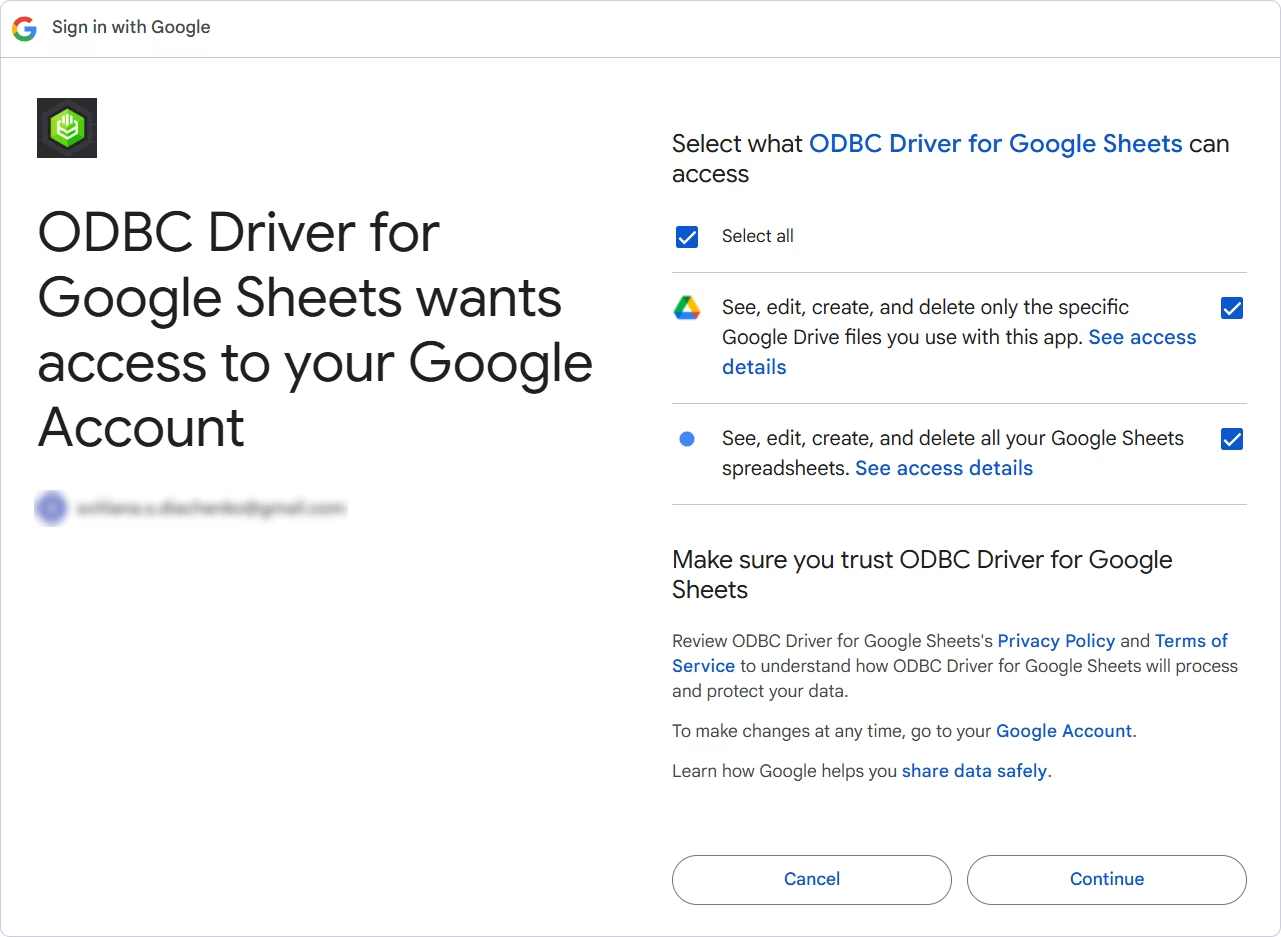
Google's sign-in window for the driver: it asks for access to the specific Drive files you use with it and to see, edit, create and delete your Google Sheets spreadsheets.
Features
SQL over a spreadsheet
Devart ODBC Driver for Google Sheets lets you filter, sort, group and join sheet data with SQL-92 SELECT statements, so "total by region where status is Paid" becomes a WHERE and GROUP BY instead of a pivot table someone has to rebuild every week.
Writes go back to the sheet
Devart ODBC Driver for Google Sheets supports INSERT, UPDATE and DELETE, and can batch statements for bulk changes. That lets a database job or a script append rows to a shared tracking sheet, or correct values in place, while your colleagues keep working in the browser.
Settings for spreadsheet quirks
Devart ODBC Driver for Google Sheets has options built for how people really use sheets: Header As ColumnName uses the first row as column names, Max Cell Length caps text cells (4,000 characters by default), UTC Dates controls time-zone conversion, and regional number and date settings decide how values convert to text. There's also a 60-second connection timeout you can raise, and proxy host, port and login.
Works with DSN or connection string
Devart ODBC Driver for Google Sheets can be used through a User, System or File DSN, or DSN-less with a string like DRIVER={Devart ODBC Driver for Google Sheets};Refresh Token=...;Spreadsheet=Sales Targets;Spreadsheet Id=..., which suits scripts in Python, PHP, R, C# or Node.js. The MSI installer can be pushed to many PCs through Group Policy and activated without user interaction.
Benefits
- The sheet stays where people edit it. No CSV exports to go stale; reports read the live spreadsheet.
- Database tools can use spreadsheet data. A SQL Server linked server or an Oracle database link can join a shared lookup sheet to real tables.
- Less copy-paste. Automated INSERTs replace the manual step of pasting results back into a shared sheet.
Real-World Uses
- A sales team keeps targets in Google Sheets; Power BI joins them to actuals from the CRM database for a quota dashboard.
- A warehouse logs stock counts in a shared sheet on tablets; a SQL Server job reads them nightly through a linked server and updates the inventory system.
- A marketing coordinator's event sign-up sheet feeds an Access database that prints badges.
- A Python script appends daily metrics to a Google Sheet that managers read on their phones.
Who It's For, and Who Should Skip It
It's for Windows users who need Google Sheets inside tools that speak ODBC: Excel power users, BI developers, DBAs with SQL Server linked servers, and developers writing quick scripts without learning the Sheets API.
Skip it if you only want a sheet in Power BI or Tableau, which have their own Google Sheets connectors for read-only reports. Skip it on a Mac or Linux. And if your sheets have merged cells, notes in random rows and several tables per tab, clean them up first or the SQL view won't be pleasant; this works best on tidy, list-shaped sheets.
Usage Guide
- Download the EXE (or the MSI for managed deployments) and run it with administrator rights.
- On Select Components, install the driver whose bitness matches your application: 32-bit Office needs the 32-bit driver even on 64-bit Windows.
- Enter your activation key, or choose Trial evaluation for 30 days.
- Open the ODBC Data Source Administrator of the same bitness, add a DSN and pick Devart ODBC Driver for Google Sheets.
- Click Sign in to Google Sheets, approve access, tick Save Token, then choose your spreadsheet in the picker.
- On Advanced Settings, turn on Header As ColumnName if row 1 has headings, then Test Connection.
- In Excel, use Data > Get Data > From Other Sources > From ODBC and select the DSN.
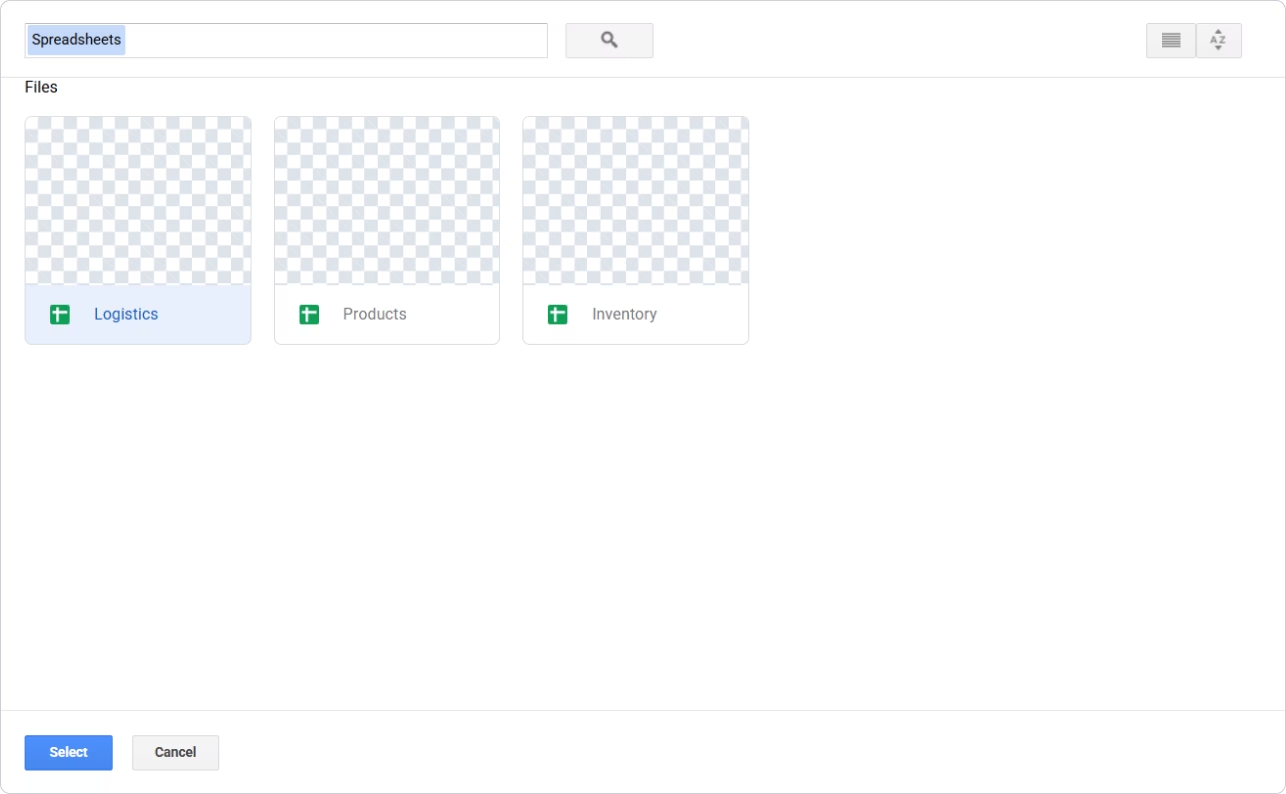
The spreadsheet picker shown during DSN setup, here listing three spreadsheets: Logistics, Products and Inventory.
Where it falls short
- Every query goes through Google's API, so Google's request quotas apply; Devart's own troubleshooting advice for timeouts is to check the quota and retry later.
- A DSN built in the 64-bit ODBC administrator is invisible to 32-bit programs and vice versa, the most common "driver not found" cause.
- If the Google account loses access to the spreadsheet, or the token is revoked, you have to sign in again to get a new refresh token.
- Long text cells are cut at the Max Cell Length setting unless you raise it.
What Users Say
Devart's ODBC line on Capterra
There are no published reviews of the Google Sheets driver on its own. Capterra rates Devart ODBC Drivers as one product at 4.7 out of 5 from 26 reviews, mostly from users of the database drivers, who credit easy installation and dependable connections and complain about cost. For a spreadsheet driver, the 30-day trial on your own sheets will tell you more than those ratings.
Comparisons
ODBC driver vs a BI tool's built-in Google Sheets connector
A built-in connector loads a sheet into one tool. The Devart driver makes the same sheet available to every ODBC program on the PC, adds SQL filtering and joins before the data arrives, and can write changes back, which built-in report connectors don't do. If all you need is one read-only report, the built-in connector costs nothing.
ODBC driver vs Devart Python Connector for Google Sheets
Devart also makes a Python Connector for Google Sheets, a native Python module. Choose that if Python is your only client; choose the ODBC driver if you also need Excel, Access, BI tools or SQL Server linked servers.
Editions and Pricing
All editions are ordered through the one Buy Now button; the order page opens on Desktop for Windows with a 1-year subscription, and you switch edition, license type and term there.
| Edition | 1-year subscription | Perpetual | Use |
|---|
| Desktop for Windows | $109.95 | $219.95 | One PC, one user at a time |
| Server Standard for Windows | $799.95 | $1,599.95 | One server up to 6 cores, many users |
| Server Enterprise, Site, OEM | Quote | Quote | Unlimited cores, company-wide, or bundled in your app |
The Google Sheets driver is also included in Devart's ODBC Universal Bundle with every other Devart ODBC driver.
FAQs
Can the Google Sheets ODBC driver connect to a spreadsheet shared with me?
Yes, as long as the Google account you sign in with can access it. Devart ODBC Driver for Google Sheets lists the spreadsheets that account can open in its picker, and access failures usually mean the account lost permission or the sheet was deleted.
Do I need a Google Cloud project or API key?
No. Devart ODBC Driver for Google Sheets uses its own Google sign-in: you approve access in Google's window and the driver stores the refresh token in the DSN, encrypted.
Can I use Google Sheets as a linked server in SQL Server?
Yes. Devart documents Devart ODBC Driver for Google Sheets in SQL Server Management Studio linked servers, and has fixed linked-server licensing and compatibility issues in past releases. A server that many people query needs the Server edition.
Does the driver work with 32-bit Excel?
Yes. Devart ODBC Driver for Google Sheets ships both 32-bit and 64-bit drivers; install the one that matches Excel's bitness and create the DSN in the matching ODBC administrator.
What happens to my reports when the subscription ends?
With a subscription license, ODBC Driver for Google Sheets stops working after the term unless renewed, and it needs an internet connection to check the license. A perpetual license keeps your version working and can be activated offline.
System Requirements
- Windows Vista or later, 32-bit or 64-bit, including Windows Terminal Server
- .NET Framework 4.5 or later
- Administrator rights to install
- A Google account with access to the spreadsheet, and HTTPS access to Google (directly or through a proxy)
Conclusion
At $109.95 a year, Devart's Google Sheets driver is worth it when a shared spreadsheet has to feed more than one tool or has to be written to automatically: one DSN serves Excel, Access, SQL Server and your scripts, with SQL filtering and write-back. The main reason to pass: if a single read-only dashboard is the goal, Power BI's or Tableau's own Google Sheets connector does that for free, and Mac or Linux users can't run this driver at all.
Download Free TrialBuy Now