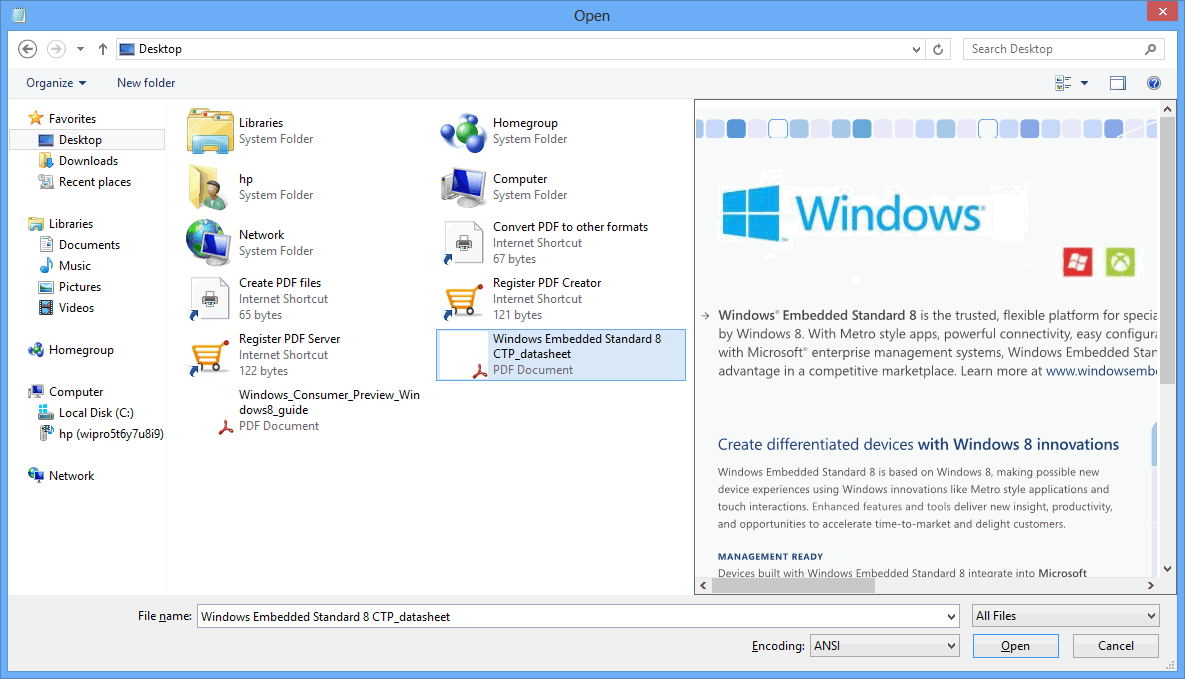
You click a PDF in Windows Explorer and all you get is a generic icon. To see what's inside, you have to open it in a full reader. If you sort through dozens of PDFs a day, that gets old quickly. PDF Preview for Windows 10 adds the missing preview handler to your system.
Quick facts
- Vendor: Vivid Document Imaging Technologies
- Platforms: Windows 10 (64-bit and 32-bit), plus Windows Server
- Price: Free. The vendor says it can be used for commercial and non-commercial purposes.
- Suggested hardware: at least 512MB RAM, Pentium 4 or AMD CPU
Key features
See a PDF's contents without opening it
The tool installs an add-in for Windows Explorer, Microsoft Office and Outlook. It configures itself to show PDFs in the Explorer Preview pane and in the Outlook Reading pane.
Icons that show the first page
Each PDF's icon is generated on the fly from the content of its first page. You can tell files apart at a glance.
Works with any PDF version and many languages
It handles all PDF versions. Documents with Asian, Hebrew or Arabic fonts are supported, and the vendor lists 86 languages.
Faster on 64-bit Windows
The vendor says previews run about twice as fast on 64-bit Windows 10 as on 32-bit.
Who it's for
It suits you if you keep many PDFs in folders or receive them by email. It also suits you if you don't want to open a reader for each one. Because it is free for business use, it also works on office machines.
Pros and cons
- Pro: Free, including for commercial use.
- Pro: Previews in Explorer and Outlook, with no setup after installing.
- Con: It cannot preview password-protected PDFs.
- Con: It is built for Windows 10 and Windows Server only. It is not backward compatible with Windows 8 or Windows 7.
FAQs
Is it really free?
Yes. The vendor lists it as freeware for commercial and non-commercial use.
Can it preview password-protected PDFs?
No. Protected files can't be previewed.
Does it work in Outlook?
Yes. It previews attachments in the Reading pane of Outlook 2016, 2013, 2010 and 2007, according to the vendor.
Does it run on Windows 7 or 8?
No. The vendor says it is not backward compatible with those versions.
System requirements
- Windows 10 (64-bit or 32-bit) or a supported Windows Server edition
- At least 512MB RAM
- Pentium 4 or AMD CPU