Short answer: on Windows, choose ABBYY FineReader PDF Standard ($99 a year) if you edit and convert PDFs yourself, one file at a time. Choose ABBYY FineReader PDF Corporate ($165 a year) only if you compare document versions or want folders of scans converted automatically.
On a Mac, ABBYY FineReader PDF for Mac ($69 a year) is the only option, and it's an OCR converter, not a PDF editor. Buy it for accurate text recognition, not for editing.
At a Glance
| |
Standard |
Corporate |
for Mac |
| Platform | Windows 11/10, 64-bit | Windows 11/10, 64-bit | macOS 12 and later |
| Yearly price | $99 | $165 | $69 |
| Monthly / 3-year | $16 / $267 | $24 / $446 | No monthly / $186 |
| OCR in 198 languages | ✓ | ✓ | ✓ |
| Edit PDF text | ✓ | ✓ | ✗ |
| Fillable forms | ✓ | ✓ | ✗ |
| Compare Documents | ✗ | ✓ | ✗ |
| Hot Folder automation | ✗ | ✓ (5,000 pages a month) | ✗ |
| Continuity Camera and Dark Mode | ✗ | ✗ | ✓ |
| Free trial | 7 days, 100 pages (one trial covers both Windows editions) | 7 days, 100 pages | 7 days, 100 pages |
| Current version | 16.26.6.6004 (July 2026) | 16.26.6.6004 (July 2026) | 15.2.14 (January 2024) |
How we compared them
- Read ABBYY's own edition comparison table feature by feature for all three products.
- Opened the order page for every plan (monthly, yearly and 3-year) and recorded the price in US dollars.
- Checked the current Windows build on ABBYY's download page and the Mac version in the Mac App Store and ABBYY's release notes.
- Gathered expert reviews (TechRadar, Macworld, MacHow2, TheSweetBits) and user reviews from the Mac App Store, Capterra and Trustpilot, complaints included.
What we checked: all eight plan prices on the order page, Windows build 16.26.6.6004 and Mac version 15.2.14 (the Mac download is 889 MB), on October 28, 2026. We compared features, prices and trials, and didn't run our own OCR accuracy tests.
ABBYY FineReader PDF Standard
ABBYY FineReader PDF Standard: $99 a year, Windows 11 and 10 (64-bit).
Best for: anyone who works with scanned PDFs on Windows and wants an Acrobat-style editor with better OCR.
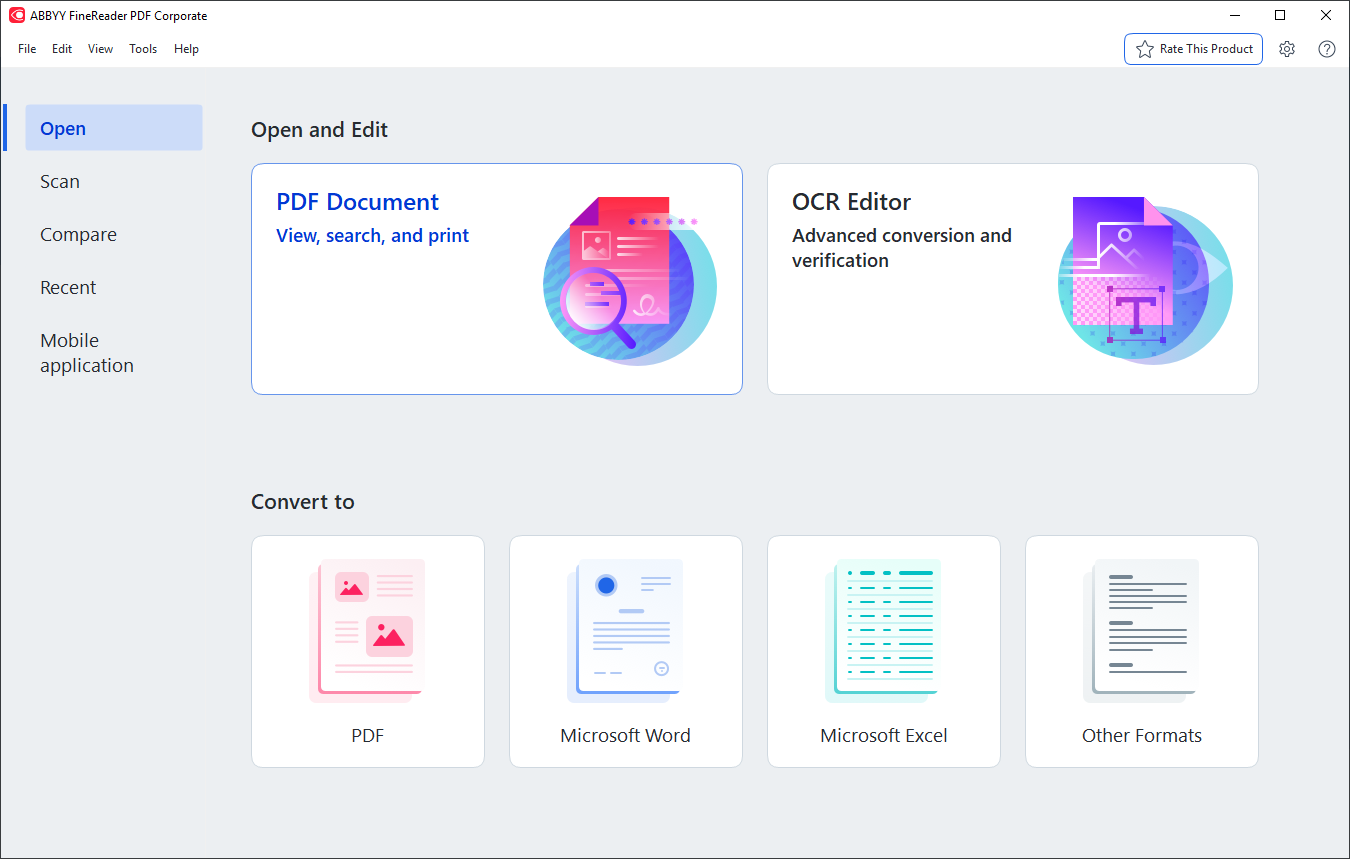
The FineReader PDF 16 start screen (this one from the Corporate edition, as the title bar shows): Open, Scan, Compare, Recent and Mobile application on the left, PDF Document and OCR Editor, and Convert to PDF, Word, Excel or other formats. Standard has the same screen, but its Compare tools need a Corporate license.
ABBYY FineReader PDF Standard is the edition most people should buy. It opens a scanned PDF and recognizes the text in the background, so you can search, copy and edit a scan like a normal document. It converts PDFs and paper into Word and Excel files that keep their layout, and it handles the everyday PDF jobs too: rewriting paragraphs, organizing pages, Bates numbering, fillable forms, redaction, passwords and digital signatures.
Where it falls short: Standard has no Compare Documents and no Hot Folder. Click either one on the start screen and FineReader says the tool isn't available under your license. It's subscription-only, and TechRadar lists an "Older interface" among its reasons to avoid it.
What we like
- Edits scans as easily as digital PDFs
- OCR in 198 languages, 53 with dictionaries
- Full PDF toolset for $99 a year
- Free 1-year FineReader PDF for Mobile license with the order
Watch out for
- No document comparison or automation
- Subscription only, renews automatically
- Windows only, 64-bit only
What reviewers say
TechRadar (Krishi Chowdhary, updated February 27, 2026): "I absolutely loved its 'live text' feature. I scanned a document, and FineReader almost instantly recognized and highlighted the text in it."
Stephan Dharma, Consultant, SoCal Office Technologies, quoted by ABBYY: "I use ABBYY FineReader as a replacement for Adobe Acrobat Pro, simply because (of) the extensive values that FineReader has."
Download FineReader PDF TrialBuy FineReader PDF Standard
ABBYY FineReader PDF Corporate
ABBYY FineReader PDF Corporate: $165 a year, Windows 11 and 10 (64-bit).
Best for: legal, procurement, HR and compliance work where documents come back in versions, and offices that scan every day.

Corporate's Compare Documents with a DOCX agreement and its PDF version: 19 differences, each marked as added, edited or deleted, with export to PDF with comments, DOCX in Track Changes mode or a comparison report.
ABBYY FineReader PDF Corporate is Standard plus two separate tools. Compare Documents finds every text difference between two versions, even when one is a Word file and the other a scan, because it runs OCR first. Hot Folder runs scheduled conversion tasks on a folder, an FTP site or Outlook and saves the results as documents or straight to SharePoint, up to 5,000 pages a month. Corporate is also the edition ABBYY's command-line volume licenses are built on.
Where it falls short: $66 a year is a lot to pay for two tools if you'll rarely open them, Hot Folder only runs while that PC is on, and neither tool exists on the Mac.
What we like
- Compares a Word draft with a scanned copy
- Track Changes export for lawyers and editors
- Scheduled, unattended OCR with Hot Folder
- Everything in Standard included
Watch out for
- $165 a year, $66 more than Standard
- Hot Folder capped at 5,000 pages a month
- One standalone license covers one user
What reviewers say
Raymond Pon of TheSweetBits tested Compare Documents after editing one copy of a file: "This time too, the tool recognized all the changes made accurately." His caveat: "the processing time for documents was quite slow." (Read through a summarizer.)
Ray M., President, Government Relations, quoted by ABBYY: "What I like the most is the compare documents function."
Download FineReader PDF TrialBuy FineReader PDF Corporate
ABBYY FineReader PDF for Mac
ABBYY FineReader PDF for Mac: $69 a year, macOS 12 and later (Apple Silicon through Rosetta 2).
Best for: Mac users who need accurate OCR on scans, statements and tables, and don't need to edit PDF text.
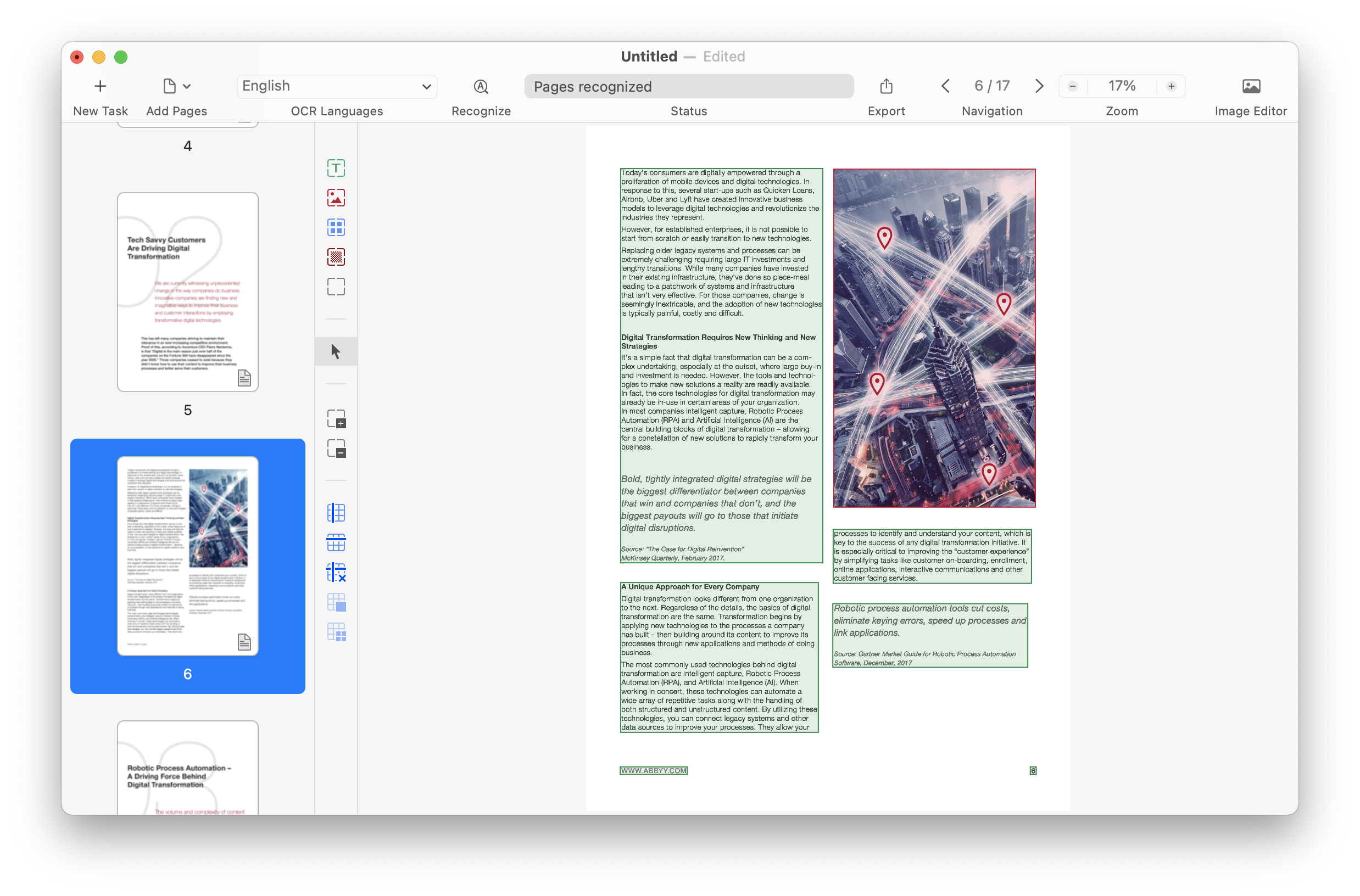
FineReader PDF for Mac's Advanced conversion: green text areas and a red picture area recognized on page 6 of 17, with OCR language, Recognize, Export and Image Editor in the toolbar.
ABBYY FineReader PDF for Mac shares the OCR engine but not the editor. It converts scans, document photos and PDFs into searchable PDFs, PDF/A, PDF/UA, Word, Excel, PowerPoint, EPUB and more, takes pages straight from an iPhone through Continuity Camera, and cleans up crooked photos with a built-in image editor. Its PDF Viewer can highlight and comment, but you can't change the text of a PDF, build forms or compare versions.
Where it falls short: the current version, 15.2.14, came out in January 2024, it isn't native on Apple Silicon, and several Mac App Store reviews from 2024 to 2026 report crashes in the image tools.
What we like
- Excellent OCR, especially on tables
- iPhone scanning through Continuity Camera
- Cheapest of the three at $69 a year
Watch out for
- No PDF text editing, forms or comparison
- No update since January 2024
- Runs through Rosetta 2 on M-series Macs
- Crash reports in App Store reviews
What reviewers say
Macworld (Mahmoud Itani, July 17, 2024): "OCR is where FineReader PDF shines," but "FineReader PDF doesn't let you edit the actual content."
EdAppleUser68 on the Mac App Store (5 stars, December 2024): "This is the best OCR software for OCR of tables, invoices, bank statements, etc in MacOS."
mbbrrr on the Mac App Store (1 star, March 2026): "2026: Two years without bug fixes! ... Still crashes frequently."
Download FineReader PDF for Mac TrialBuy FineReader PDF for Mac
Features: What the Extra Money Buys
Corporate's extra $66 a year buys exactly two tools, and the Mac's $30 saving costs you the whole PDF editor. ABBYY's own comparison table lists the same OCR and conversion in all three. Standard and Corporate both edit and organize PDFs, collaborate on them, create fillable forms, integrate with Microsoft Office and include ABBYY Screenshot Reader. Only Corporate adds Compare Documents, Hot Folder and extended command-line licenses.
The Mac version lacks editing, collaboration, forms, Office integration and Screenshot Reader. For protection the table says "Password protection after PDF creation only", and for creating PDFs "From scans and paper only". Its only extras are Dark Mode and Continuity Camera support.
Price and Licensing
The 3-year plans are the cheapest way to buy any of them, saving roughly 10% over three yearly payments. All three are subscriptions for one standalone user, and all renew automatically. Windows installations update automatically once a renewal is paid, while the Mac version needs a new license key entered after each renewal.
Cost for one user over three years (USD)
FineReader PDF for Mac (3-year plan)$186
FineReader PDF Standard (3-year plan)$267
FineReader PDF Standard (3 yearly payments)$297
FineReader PDF Corporate (3-year plan)$446
FineReader PDF Corporate (3 yearly payments)$495
Prices on the order page, checked on October 28, 2026. Each order also includes a free 1-year FineReader PDF for Mobile license.
Monthly plans exist only for Windows: $16 for Standard and $24 for Corporate. A month of Corporate costs less than the $66 yearly difference, so if you only need to compare a stack of contracts once, one month can be the cheaper choice. A Standard subscription bought from ABBYY can also be upgraded to Corporate from your ABBYY Checkout account, with the price based on your current plan.
Which Should You Choose?
| Your situation |
Pick |
Why |
| You edit, convert and sign PDFs on Windows | Standard | The full editor and OCR for $99 a year |
| You check returned contracts or policy revisions | Corporate | Compare Documents works across formats and scans |
| Your office scans paper every day | Corporate | Hot Folder converts scans on a schedule |
| You need one comparison job, once | Corporate, monthly | $24 for a month, or the 7-day trial if it's small |
| You're on a Mac and need OCR only | for Mac | Accurate conversion for $69 a year |
| You're on a Mac and edit PDFs every day | None of these | The Mac version can't edit PDF text |
Who should skip each one: skip Corporate if you never compare versions or batch-convert. Skip Standard if your real need is comparing documents: it can't do it at all. Skip the Mac version if you need a PDF editor or worry about an app that hasn't been updated since January 2024.
What commonly goes wrong
- Buying the wrong platform. Mac and Windows licenses are separate. A Windows license won't activate FineReader PDF for Mac, and the reverse.
- Expecting the Mac version to match Windows. It shares the OCR, not the editor. Read the comparison table before you buy.
- Forgetting the renewal. Most of ABBYY's Trustpilot complaints are about automatic renewals. Turn off renewal in your ABBYY Checkout account if you only need it for a project.
- Expecting perfect OCR on messy originals. Capterra and App Store reviewers report weaker results on ornate fonts, complex layouts and some scripts, and FineReader isn't built for handwriting. Proofread important conversions.
FAQs
Is ABBYY FineReader PDF Corporate worth the extra money over Standard?
ABBYY FineReader PDF Corporate is worth the extra $66 a year only if you'll use Compare Documents or Hot Folder. Everything else, from editing to OCR, is identical in Standard.
Can I try ABBYY FineReader PDF Corporate before buying Standard?
Yes. The 7-day ABBYY FineReader PDF trial for Windows runs with every Corporate feature, so you can test Compare Documents and Hot Folder and then decide which edition to buy.
Does one FineReader PDF license work on both Windows and Mac?
No. ABBYY FineReader PDF for Windows and FineReader PDF for Mac are separate products with separate licenses, so a household or team with both platforms needs one of each.
Can ABBYY FineReader PDF for Mac edit a PDF?
No. ABBYY FineReader PDF for Mac can view, highlight and comment on PDFs and convert them into editable Word or Excel files, but it can't change the text inside a PDF. The Windows editions can.
Can I buy ABBYY FineReader PDF as a one-time purchase?
No. All three ABBYY FineReader PDF editions are sold to individuals as subscriptions only. The 3-year plan is the closest thing to a one-off payment and the cheapest per year.
Can I upgrade from FineReader PDF Standard to Corporate later?
Yes. A FineReader PDF Standard subscription bought from ABBYY can be upgraded to Corporate from "My Products" in your ABBYY Checkout account, with the price calculated from your current plan and last payment.
Does ABBYY FineReader PDF work on Apple Silicon Macs?
Yes, through Rosetta 2. ABBYY FineReader PDF for Mac supports Intel Macs natively and M-series Macs using Apple's Rosetta 2 translation, on macOS 12 and later including macOS 26 Tahoe.