Can you produce that email when someone asks for it?
A records request lands on your desk, or an auditor wants a message from years ago, and the only copy sits in a mailbox someone has already cleaned out. MailArchiva exists for that moment. It keeps a long-term copy of your company email and lets you search it later, so you can answer the request instead of explaining why you can't.
Quick facts
- Type: email archiving, e-discovery, compliance and forensics software
- Platforms: runs on Windows and Linux; browser-based access
- Licensing: one-time perpetual license per mailbox, plus an optional annual support and upgrades fee (support is mandatory in the first year)
- Trial: free 30-day trial, no credit card required
- Also available: a cloud version
Key features
Find a message with a query builder or a query language
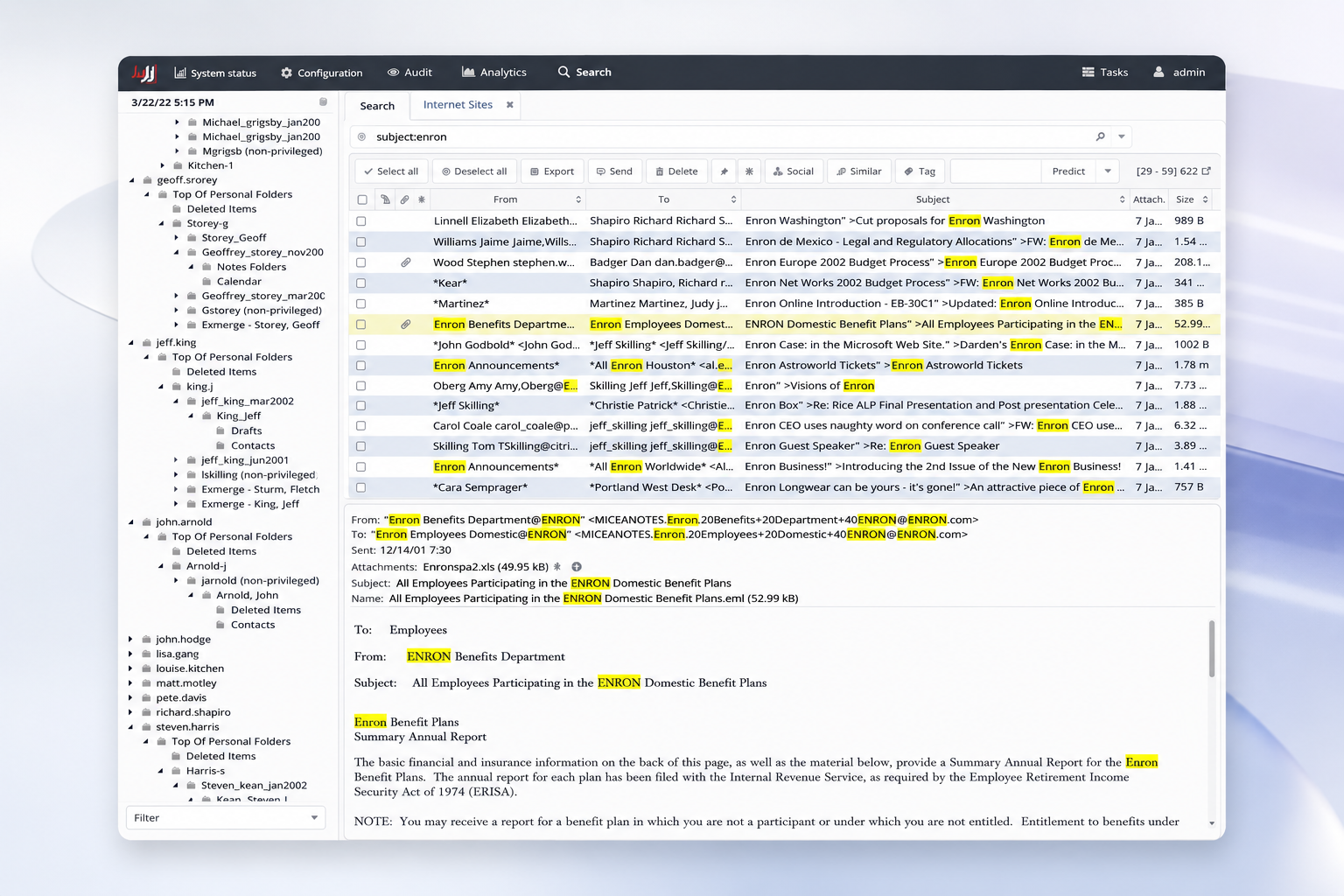
You can search with the query builder or a more powerful query language. You can also search inside attachments, bookmark frequent queries and run them unattended, and generate reports on the results.
Export results and restore data to mailboxes
You can bulk export to popular formats, render attachment content inside exported PDFs, save search results to CSV, and restore data back to mailboxes.
Set retention policies and place holds on items
You define retention policies and put holds on items. A detailed audit trail records system activity, and archive data is protected against tampering. Journal envelope fields are indexed and displayed.
Check authenticity and see traffic patterns
An authenticity report helps establish that email data is genuine. Traffic analysis shows the breakdown over time, and social charts map relations between users. Server performance can be monitored through JMX.
Cut storage with de-duplication and compression
The vendor says de-duplication and compression reduce storage costs by up to 60%. You can archive to object storage or compound archive files, and volumes roll over automatically by size or date.
Archive from most mail servers
It supports most mail servers and services, including Microsoft Exchange, Office 365 and Google Workspace. It archives emails, calendars and contacts, and can import data from common formats and mail servers.
Who it's for
It suits compliance, legal and IT teams that need to keep email for the long term and produce it on request. It also fits organizations that want to take old mail off the mail server. The vendor lists legislation such as the Sarbanes Oxley Act among the reasons to archive. Over 1,400 companies are listed as customers.
Pros and cons
- Pro: a perpetual license keeps working without the support plan.
- Pro: a 30-day trial needs no credit card and no temporary license.
- Pro: on-premise and cloud options are both offered.
- Con: pricing is per mailbox and quoted through a portal or reseller, so you can't just read a single price.
- Con: support is mandatory in the first year.
- Con: refunds are not permitted once a purchase is finalized, so use the trial to test properly.
FAQs
How is MailArchiva licensed?
You pay a one-time perpetual fee per mailbox. An optional annual fee covers support and upgrades to versions built within the support period.
How do I count mailboxes?
Use the number of licensed active mailboxes on your mail server. Shared mailboxes count, but rooms and inactive or unlicensed mailboxes don't. Adding 5% to 10% extra covers new hires.
Can I try it first?
Yes. The on-premise version includes a free 30-day trial. You download it and run the setup, and the trial can be extended if you contact the vendor.
What happens if I exceed my licensed mailboxes?
A server counts as licensed while its reported mailbox count is at or below the licensed count. Beyond that you need to extend the license.
Which operating systems does it run on?
The vendor states it runs on Windows and Linux.
System requirements
The vendor's pages give the supported platforms as Windows and Linux, with access through a web browser.