TypingMagic 12: The U.S. Edition of the TypingMaster Typing Tutor
TypingMagic 12 is a Windows 11 and 10 touch typing tutor for U.S. learners, from $19.90 one-time for the Standard edition. It is the U.S. brand of TypingMaster, made by the same company, Cloud Kayak Labs, and teaches you to type without looking through adaptive lessons, timed typing tests with certificates, and typing games.
It's built for Americans who need to type faster for school or a job (the vendor notes that many U.S. office roles ask for 35 to 45 WPM, and data entry often 50 to 60) and for parents who want a safe, offline typing course for their kids.
Quick facts
- Version: TypingMagic 12, build 12.01.983
- Developer: Cloud Kayak Labs, Inc., the TypingMaster team (typing software since 1996)
- Platforms: Windows 11 and 10, including ARM; also on the Microsoft Store
- Editions: Standard $19.90 lifetime (1 device); Professional $39.00 lifetime or $4.90 a month (family license, up to 5 devices)
- Free trial: all Pro features for 7 days, no account or credit card; after that you can keep learning free with the basic course
- Works offline: no ads, no chat, no account; progress stays on your PC
- Guarantee: 30-day money-back guarantee
- What we checked: the 10.5 MB TypingMagic12.exe installer on typingmagic.com (version 12.01.983 per the download page), the vendor's edition comparison, and the order page prices of all TypingMagic licenses: $19.90 for Standard lifetime, $39.00 for Professional lifetime and $4.90 a month for Professional on November 23, 2026. We didn't complete a course ourselves.
Before you buy
- Pick the edition carefully. Standard is the course and standard typing tests on one device. The TypingMeter coaching widget and customizable typing tests are only in Professional. A Microsoft Store reviewer who bought the $20 license expected everything; don't make the same mistake.
- The monthly plan renews. Professional at $4.90 a month is a subscription that renews automatically until you cancel. Both lifetime licenses are one-time payments.
- Lifetime covers version 12. All version 12 updates are included.
- Use the full installer for TypingMeter. The vendor's FAQ says Microsoft Store installs of TypingMagic 11 lacked some Pro features, TypingMeter among them; the download from typingmagic.com has everything.
- Outside the U.S.? The same program is sold everywhere else as TypingMaster 12.
Download Free TrialBuy Standard ($19.90)Buy Professional ($39.00)
Overview
TypingMagic is what TypingMaster, one of the longest-running typing tutors (its maker has sold typing software since 1996), is called in the United States. The support site describes it as the U.S. edition of the company's keyboarding software, developed by the same team. Version 12 brings the same additions as TypingMaster 12: Dark Mode, two new games, custom keyboard layouts and a course for any layout.
The method is simple and proven: learn a few keys at a time with an on-screen keyboard and a hand guide, practise them in drills, and let the program turn your mistakes into review exercises. When you're ready, timed tests tell you your words per minute.
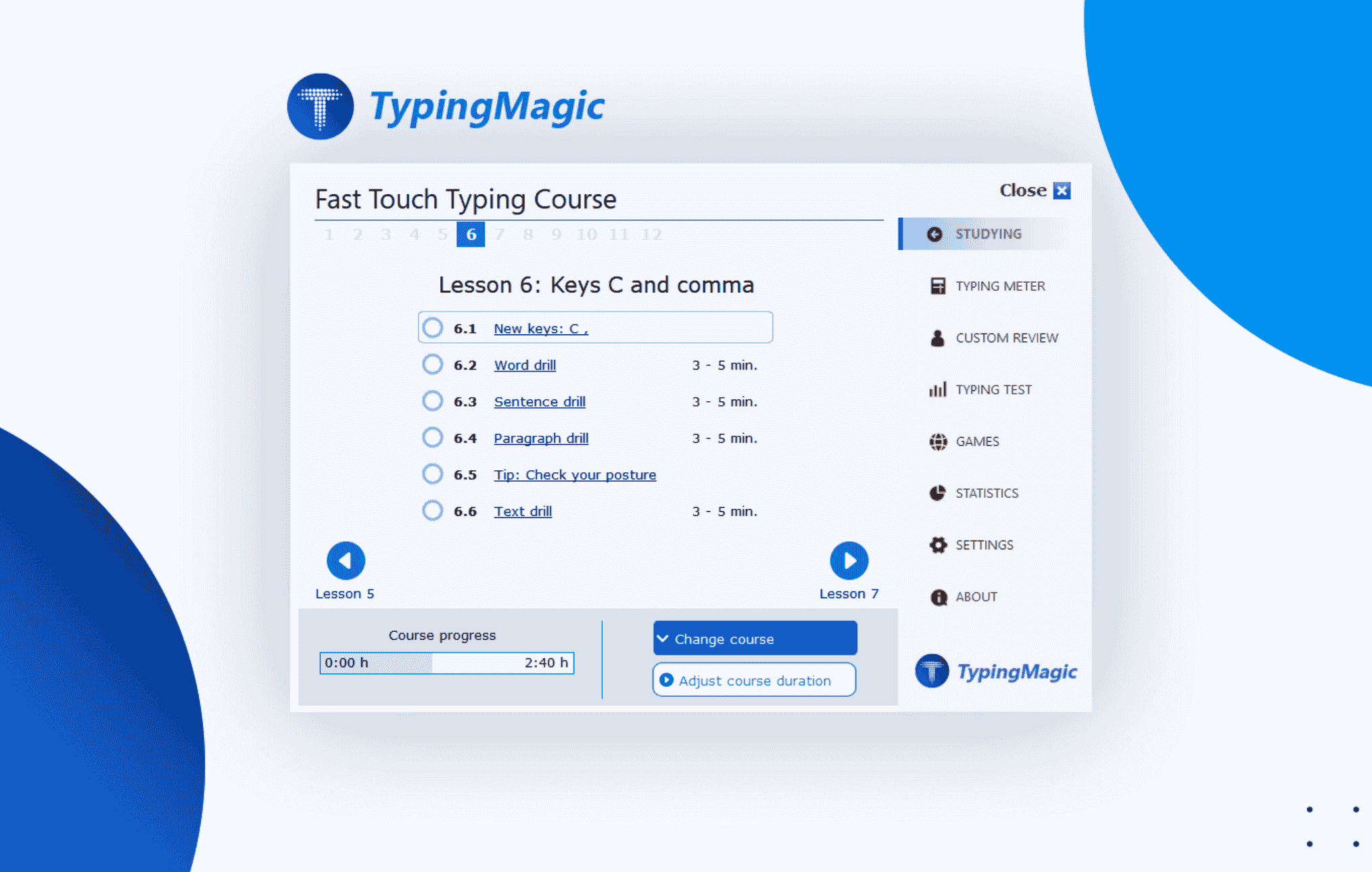
The Fast Touch Typing Course on lesson 6 (keys C and comma): word, sentence, paragraph and text drills of 3 to 5 minutes, a posture tip, and the course progress bar.
Features
Adaptive lessons with a hand guide
TypingMagic 12 includes 11 typing courses for adults and a junior course for kids, with bite-size exercises that fit a daily schedule. Every lesson shows the next key on an on-screen keyboard and the finger to use on a pair of hands, and the full U.S. course builds review drills from the mistakes you make in each lesson.
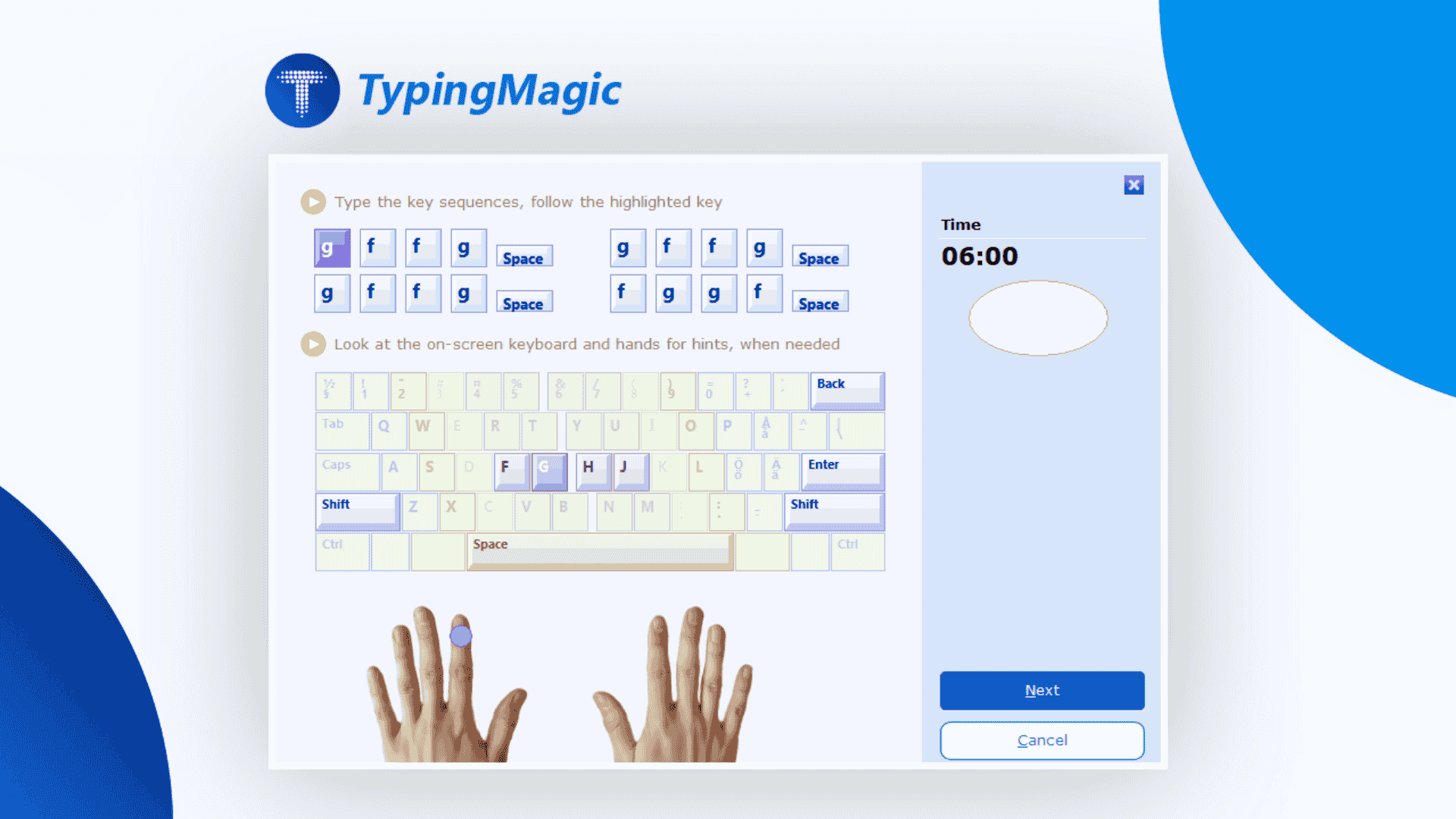
A first-lesson drill on the F, G, H and J keys, with the highlighted key, the hand guide and a six-minute timer.
TypingMeter coaching (Professional)
TypingMagic Professional's TypingMeter widget quietly measures your typing in any Windows program, finds the keys and key pairs that slow you down, and suggests a short drill made for exactly those. Everything stays on your device.
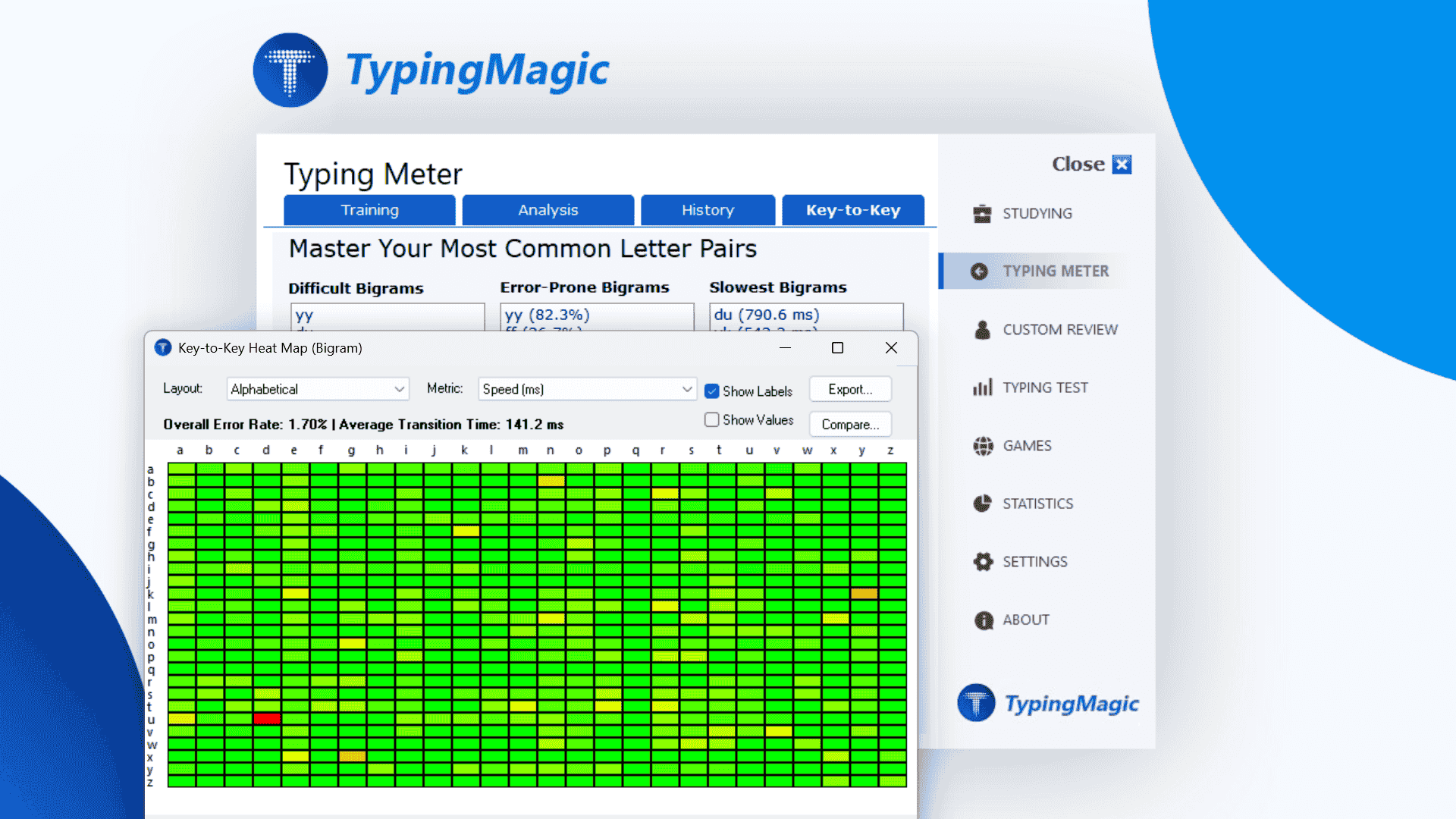
Typing Meter's Key-to-Key view: difficult, error-prone and slowest letter pairs, and a heat map of every pair's transition speed.
Typing tests and certificates
TypingMagic 12 runs timed typing tests that report speed and accuracy and flag your problem keys, and prints a certificate you can attach to a job application. Professional adds customizable tests: add or remove test texts, use your own files or pasted text, and set your own pass limits.
Games for kids and adults
TypingMagic 12 has six typing games, including Bubbles, WordTris, Clouds and the new Cloud Race, and each can use only the keys you've already learned.
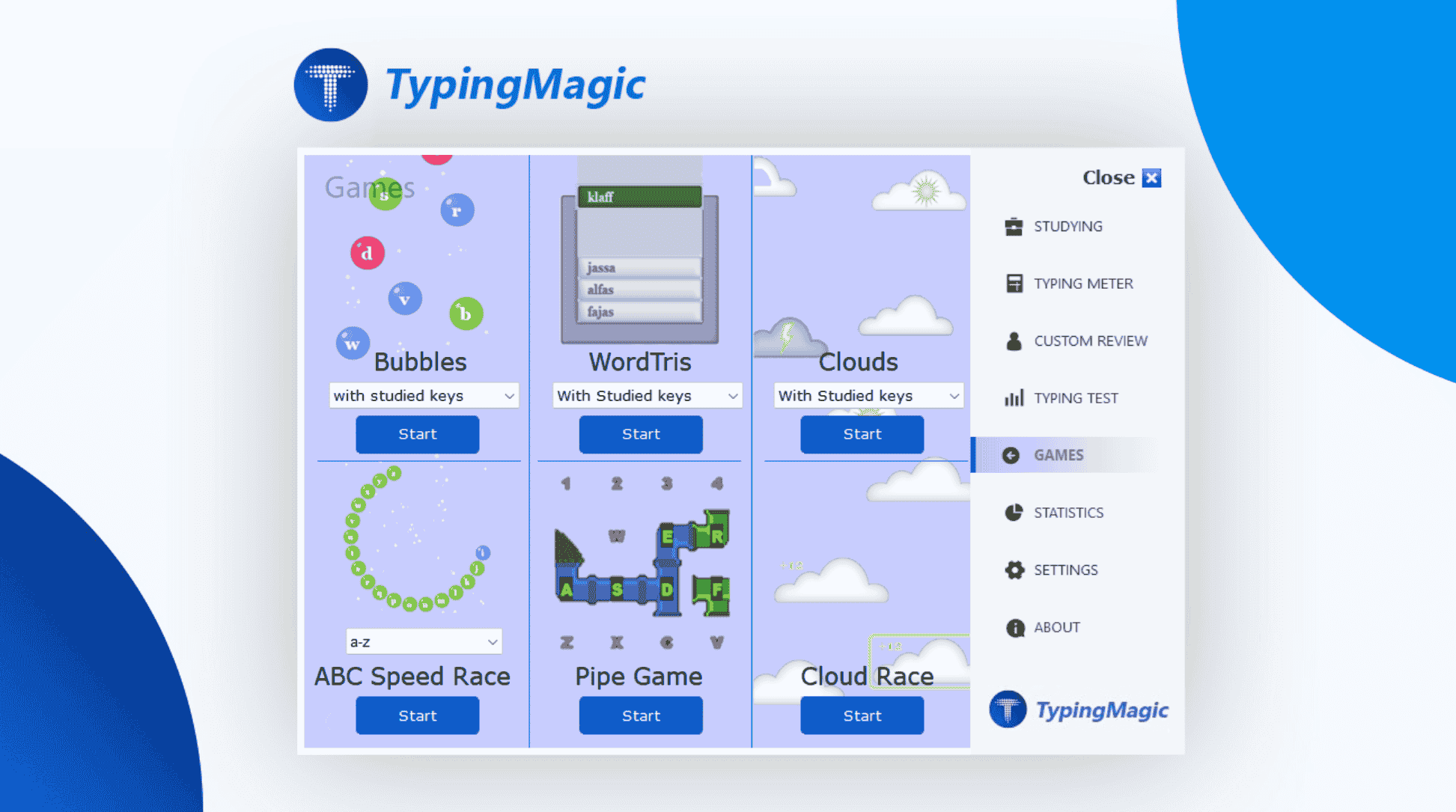
The Games screen: Bubbles, WordTris, Clouds, ABC Speed Race, the pipe game and Cloud Race.
Safe and offline for families
TypingMagic 12 runs fully offline with no ads, no chat and no account, and parents can see progress reports for every user on the PC. Professional's family license covers up to 5 devices.
Layouts, Dark Mode and settings
TypingMagic 12 supports the U.S. 101-key layout and others, lets you add a custom layout, and has Dark Mode, WPM or KPM speed units and adjustable key hints.
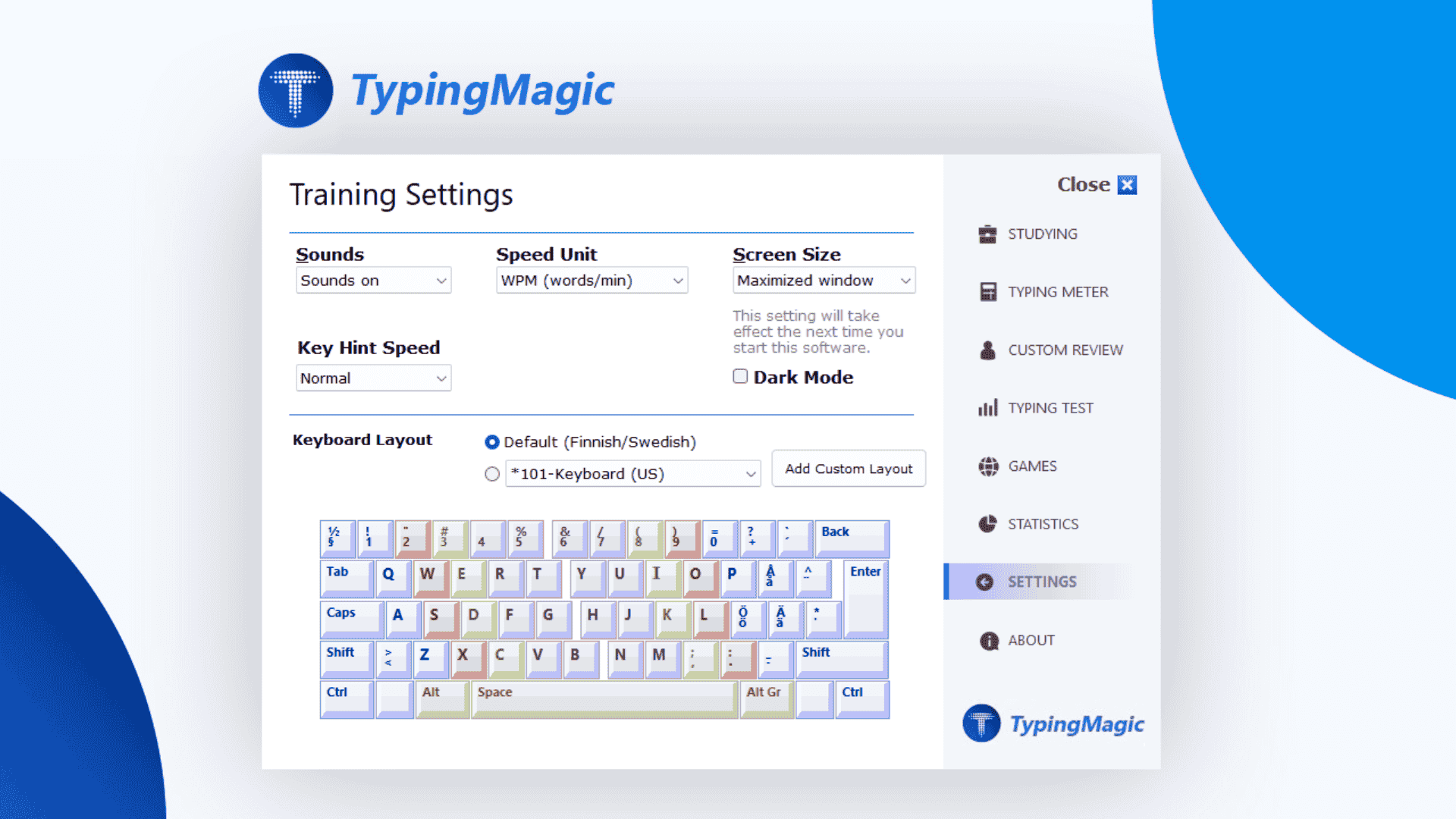
Training Settings: sounds, speed unit, key hint speed, screen size, Dark Mode, the keyboard layout list and Add Custom Layout.
Benefits
- A job-ready speed, with proof. Timed tests and a printable certificate answer the "minimum WPM" line in a job ad.
- Less wasted practice. Review drills, and in Professional TypingMeter, focus on the keys you actually miss.
- Nothing to worry about for kids. No ads, no online chat, no account, and it works without internet.
- No subscription needed. Both editions come as one-time lifetime licenses.
Real-World Uses
- A job seeker needs 45 WPM for an administrative role, builds speed for two weeks and prints a certificate.
- A homeschooling parent puts Professional on the kids' laptops and checks each child's progress report.
- A college student who types papers with two fingers learns touch typing over a semester break.
- An office worker leaves TypingMeter running and drills the letter pairs it flags.
Who it's for, and who should skip it
TypingMagic 12 is for U.S. learners on Windows 11 or 10: adults who want to type faster for work or school, job seekers who need a WPM certificate, and families with children learning the keyboard. Standard suits one learner on one PC; Professional suits families and anyone who wants coaching after the course.
Skip it on a Mac or Chromebook: it runs only on Windows. Outside the United States, buy TypingMaster 12 instead, which is the same program under its international name. Schools that need teacher reports across many PCs should look at the company's school product, Ultimate Typing Coach. And if you'll only practise for a week, the free trial and free mode may be enough.
Usage Guide
- Download TypingMagic12.exe (10 MB) from typingmagic.com and run the signed installer. The Opera browser offer during setup is optional; accepting it adds 7 extra trial days.
- Start TypingMagic; all Pro features are open for the first 7 days.
- Take the free typing assessment to see your speed, accuracy and problem keys.
- Start the course under Studying, and do one or two short lessons a day.
- After buying, click About and enter the license ID and key from your receipt exactly as shown (copy and paste both).
Where it falls short
- Windows only. There's no Mac, Chromebook or iPad version, which rules it out for many U.S. schools and households.
- The Professional lifetime price is double Standard's. $39.00 against $19.90; outside the U.S. the equivalent TypingMaster Premium is $29.90, though it covers 3 devices rather than 5.
- License key mix-ups. The support FAQ's top topics are keys not being accepted (the ID and key must match exactly) and TypingMeter missing from Store installs.
- Not free forever. A Microsoft Store reviewer liked it but wished it were free; the free mode after the trial keeps only the basic lessons.
What Users Say
TypingMagic 12's Microsoft Store listing, published by Cloud Kayak Labs, averaged 4.4 out of 5 from 2,769 ratings on November 23, 2026. The listing's reviews come from TypingMagic and TypingMaster users alike, and many mention exam practice and steady speed gains.
Microsoft Store: positive
"it was great experience for me to learn from this app and the order of key drilling for beginners is fantastic and I would recommend it to improve your typing skills." Akshay, 5 stars, November 2022
"That was a great experience with this application. Makes everything easy to learn must try if you want to learn touch typing." Komal, 5 stars, December 2025
"This app as help me tremendously in my typing skill. I encourage you'll to try it. Fantastic App" Ahmed Tejan, 5 stars, October 2023
"I was not able to type efficient but now its different now I am pro" jagruti, 4 stars, November 2022
Microsoft Store: critical
"Used app before, it was good. Then asked to pay. Paid $20.00 to have the license for usage, and don't have access to ALL application. Must upgrade to Pro and pay monthly subscription for all access. SCAM Money Grab.I WANT MY MONEY BACK!" Geoffrey, 1 star, May 2026. The $19.90 Standard license doesn't include TypingMeter or custom tests; Professional is also sold as a one-time $39.00 license, and the 30-day guarantee covers a wrong pick.
"this is good but make it free to make it more good and it is very useful but i cant give money" Cheema, 3 stars, February 2024
Testimonials on the vendor's site
"A fantastic program for anyone looking to improve their typing speed and accuracy. The lessons are well-structured, engaging, and tailored to different skill levels [...]" Daniel, typingmagic.com
"I learnt touch typing through it very easily and enjoyed it soo much. It makes your learning really really easy [...]" Hanishka, typingmagic.com
The pattern: learners like the order of the drills and see their speed rise within weeks. The complaints are about price and about which edition includes what, so read the edition table before buying.
Comparisons
TypingMagic Standard vs Professional
Both have the multilingual typing courses, typing tests, games and progress reports. Professional adds the TypingMeter coaching widget, customizable typing tests with your own texts, and a family license for up to 5 devices instead of 1.
TypingMagic vs TypingMaster
TypingMagic is the U.S. edition of TypingMaster from the same company. Outside the United States the program is sold as TypingMaster 12 Standard and Premium, where Premium covers 3 devices rather than 5.
Editions and Pricing
| Edition |
Price |
Term |
Devices |
Adds |
| Standard | $19.90 | Lifetime, one-time | 1 | Courses, standard typing tests |
| Professional | $39.00 | Lifetime, one-time | Up to 5 | TypingMeter, customizable tests |
| Professional Monthly | $4.90 a month | Renews monthly, cancel anytime | Up to 5 | Same as Professional |
Order page prices in USD on November 23, 2026. The monthly plan passes the lifetime price after 8 months, so it only makes sense for a short burst of practice. Each button below orders that edition.
Buy Standard ($19.90)Buy Professional ($39.00)Buy Professional Monthly ($4.90)
FAQs
Is TypingMagic the same as TypingMaster?
TypingMagic is the U.S. brand of the TypingMaster typing tutor, made by the same company, Cloud Kayak Labs. The Microsoft Store lists the program as TypingMagic 12, and the editions are named differently: TypingMagic Professional is the edition with TypingMeter.
Is TypingMagic free?
TypingMagic 12 is free to download, with every Pro feature open for 7 days and no account or credit card needed. After the trial you can keep learning for free with the basic course; the full course, and TypingMeter in Professional, need a license.
Does TypingMagic work on a Mac or Chromebook?
No. TypingMagic 12 runs on Windows 11 and 10 only, including ARM-based Windows PCs; there's no macOS or ChromeOS version.
Is TypingMagic safe for kids?
TypingMagic 12 runs offline with no ads, no chat and no account, so children only see the lessons and games. It also includes a junior course.
Can I reinstall TypingMagic on a new PC?
Yes. Retrieve your license from the TypingMagic customer area with the email address you ordered with, install TypingMagic on the new PC, and enter the license ID and key under About.
Can I cancel the monthly Professional plan?
TypingMagic Professional Monthly renews automatically at $4.90 a month and can be cancelled at any time.
Can I get a refund?
TypingMagic offers a 30-day money-back guarantee on all orders placed on its website.
System Requirements
- Windows 11 or Windows 10, including ARM devices
- About 10 MB download (signed installer)
- No internet connection or account needed
Conclusion
TypingMagic 12 is the TypingMaster tutor for U.S. buyers, and at $19.90 for a lifetime Standard license it's an easy recommendation for one Windows user who wants to learn touch typing properly and prove a WPM score. The reason to buy is the course: short, well-ordered drills that keep targeting your mistakes, offline and ad-free. The reason to hesitate is the edition split: TypingMeter and custom tests cost $39.00 in Professional, and there's no Mac or Chromebook version. Start with the free 7 days, which open every Pro feature, and then decide which edition you actually used.
Download Free TrialBuy Standard ($19.90)Buy Professional ($39.00)