Moonlock: MacPaw's Antivirus and Privacy Toolkit for Mac
Moonlock is a Mac-only security app from MacPaw, the maker of CleanMyMac. It bundles real-time malware protection, a malware scanner, a VPN, a network filter that blocks traffic to chosen countries, and an AI scam checker for suspicious messages. It costs $54 a year for one Mac (or $150 once), with a 7-day free trial.
Moonlock is for Mac owners who want an antivirus that looks and feels like a native Mac app and explains security in plain words. It isn't the strongest malware catcher in independent tests, and that matters, so read the "Where it falls short" box before you buy.
Quick facts
- Version: 1.0.21, released November 4, 2026
- Developer: MacPaw (Ukraine; CleanMyMac, Setapp, ClearVPN)
- Platform: macOS 13 Ventura or later, including macOS 27; no Windows, iPhone or Android version
- Price: $54 a year for 1 Mac, $84 for 2 Macs, $168 for 5 Macs; $13.50 a month; $150 one-time for 1 Mac
- Trial: 7 days free, started at checkout with a payment card
- Certification: AV-TEST certified, notarized by Apple
- What we checked: the Moonlock 1.0.21 installer (351 MB) on MacPaw's download server, dated November 4, 2026; the release notes for versions 1.0.16 to 1.0.21; and every plan's price on MacPaw's order page on November 22, 2026. We didn't run Moonlock against malware samples ourselves
Before you buy
- The free trial asks for a card and turns into a paid subscription unless you cancel within the 7 days.
- The yearly and monthly plans renew automatically. The one-time license ($150) "may not include major upgrades and new features", in MacPaw's words.
- Moonlock has no firewall in the classic sense: Network Inspector blocks traffic by country, not by app.
- If you already pay for Setapp, Moonlock is included in that subscription.
Download Free TrialBuy Now
Overview
Moonlock grew out of MacPaw's malware research team and the malware module in CleanMyMac. Version 1.0 arrived in late 2025, and the app had its first birthday in the 1.0.20 update of October 2026. Its Home screen shows a "Protected Mac" status with recommendations, and side cards for Real-Time Protection, the malware database (when it was last updated and checked), Detection History and the Scan Planner.
The updates have been steady: 1.0.16 redesigned the Malware Scanner and fixed a VPN problem that could leave the Mac offline, 1.0.17 added an early-access AI Scan, 1.0.18 added macOS 27 support, 1.0.20 made missed database updates run when the Mac wakes, and 1.0.21 fixed how Real-Time Protection status shows after an update.
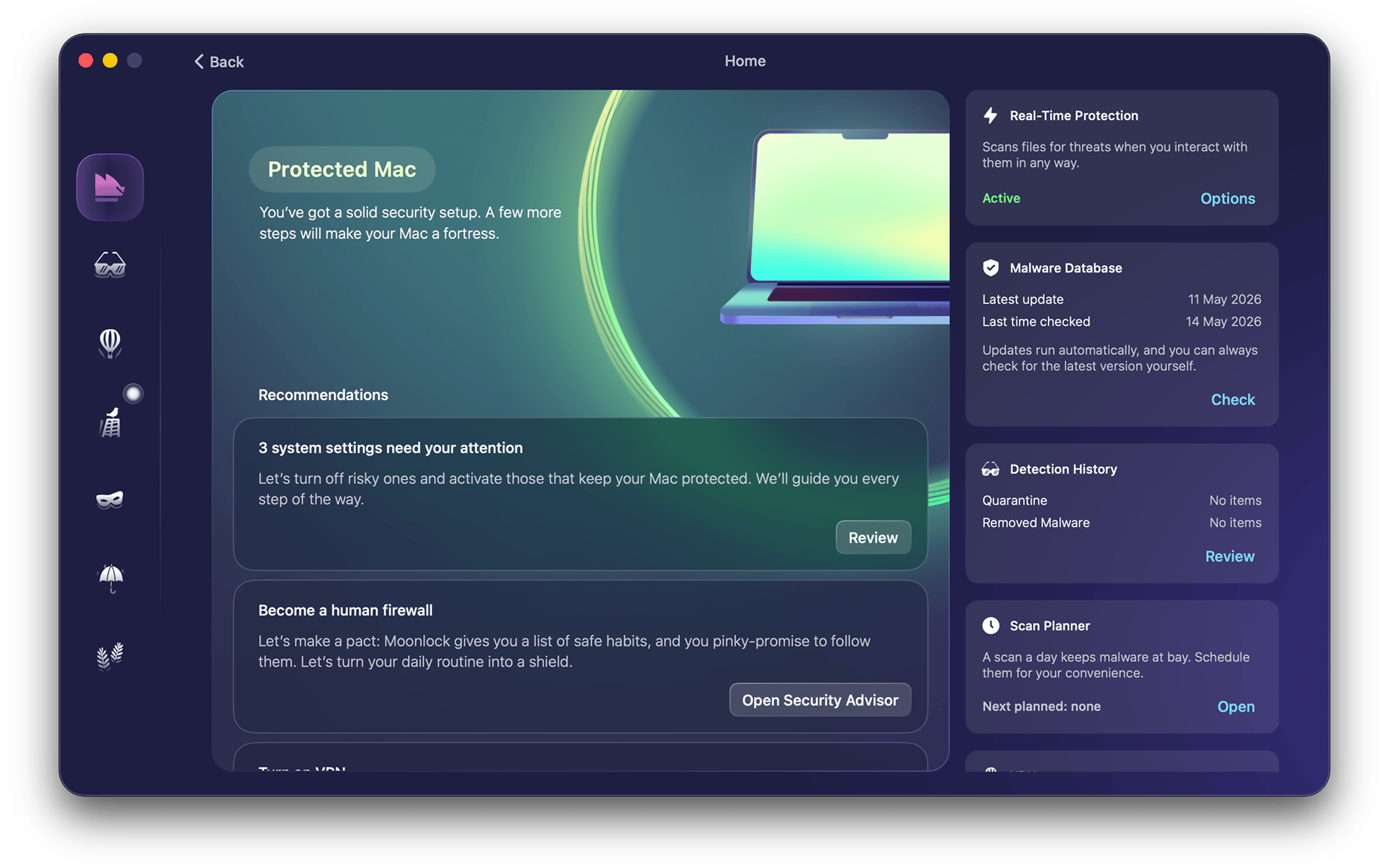
Moonlock's Home screen: protection status, settings that need attention, and the Real-Time Protection, Malware Database, Detection History and Scan Planner cards.
Features
Malware Scanner and real-time protection
Moonlock's Malware Scanner looks for Mac malware in system folders, old files, ZIP archives, USB drives and Mail attachments. You pick a quick scan of the most vulnerable folders, a deep scan of every byte, or a custom scan of files you drop in, and you can schedule scans with the Scan Planner. Real-Time Protection checks files whenever you open or touch them. Anything found goes to Quarantine, where it can't run until you decide, and Moonlock logs every removal. Since 1.0.17 an optional AI Scan checks files against 54,000+ markers to catch malware that hasn't been documented yet.
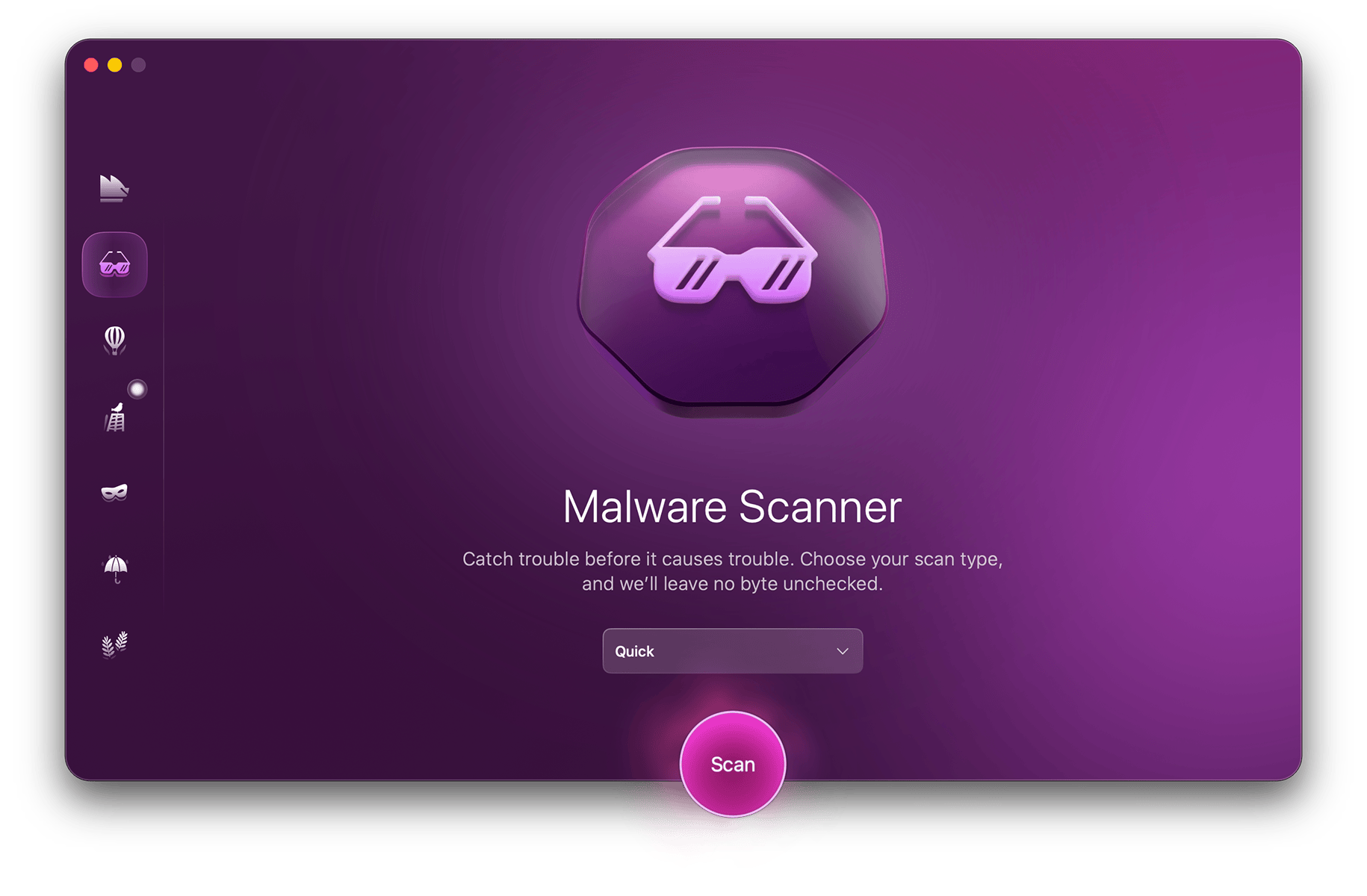
The Malware Scanner with the scan type menu (Quick selected) and the Scan button.
A built-in VPN
Moonlock includes a VPN that runs on the server network of MacPaw's ClearVPN: about 60 locations in more than 45 countries, according to TechRadar. It picks the best server for you or lets you choose a country, and has a kill switch that cuts the Internet if the connection isn't encrypted. TechRadar found no DNS or WebRTC leaks and kept about 82% of its normal download speed on transatlantic servers.
Network Inspector: block data from going to certain countries
Moonlock's Network Inspector lets you pick countries, then cuts off any app or website that tries to send data to servers there, and shows how many connections it blocked. It's a different idea from a per-app firewall: you decide where your data may go, not which app may go online.
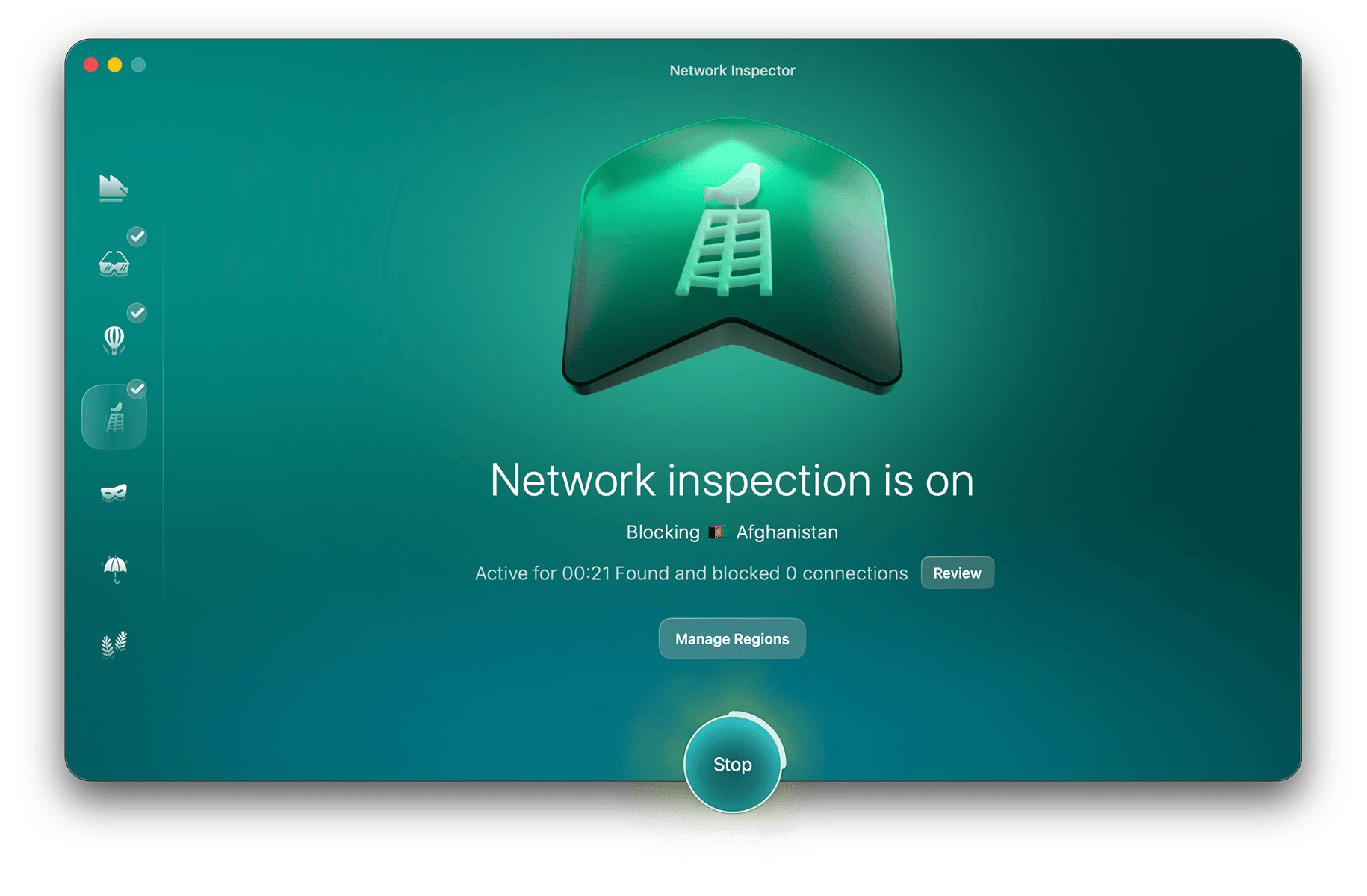
Network Inspector running, with one blocked country, the blocked-connection count and Manage Regions.
Scam Detector for suspicious messages
Moonlock's Scam Detector uses AI to check a message you paste in, such as an email or text claiming to be from your bank, and tells you how closely it matches known phishing patterns and why: a wrong domain, an urgent password reset, misspellings. It's a manual check, not a filter that blocks phishing pages in the browser.
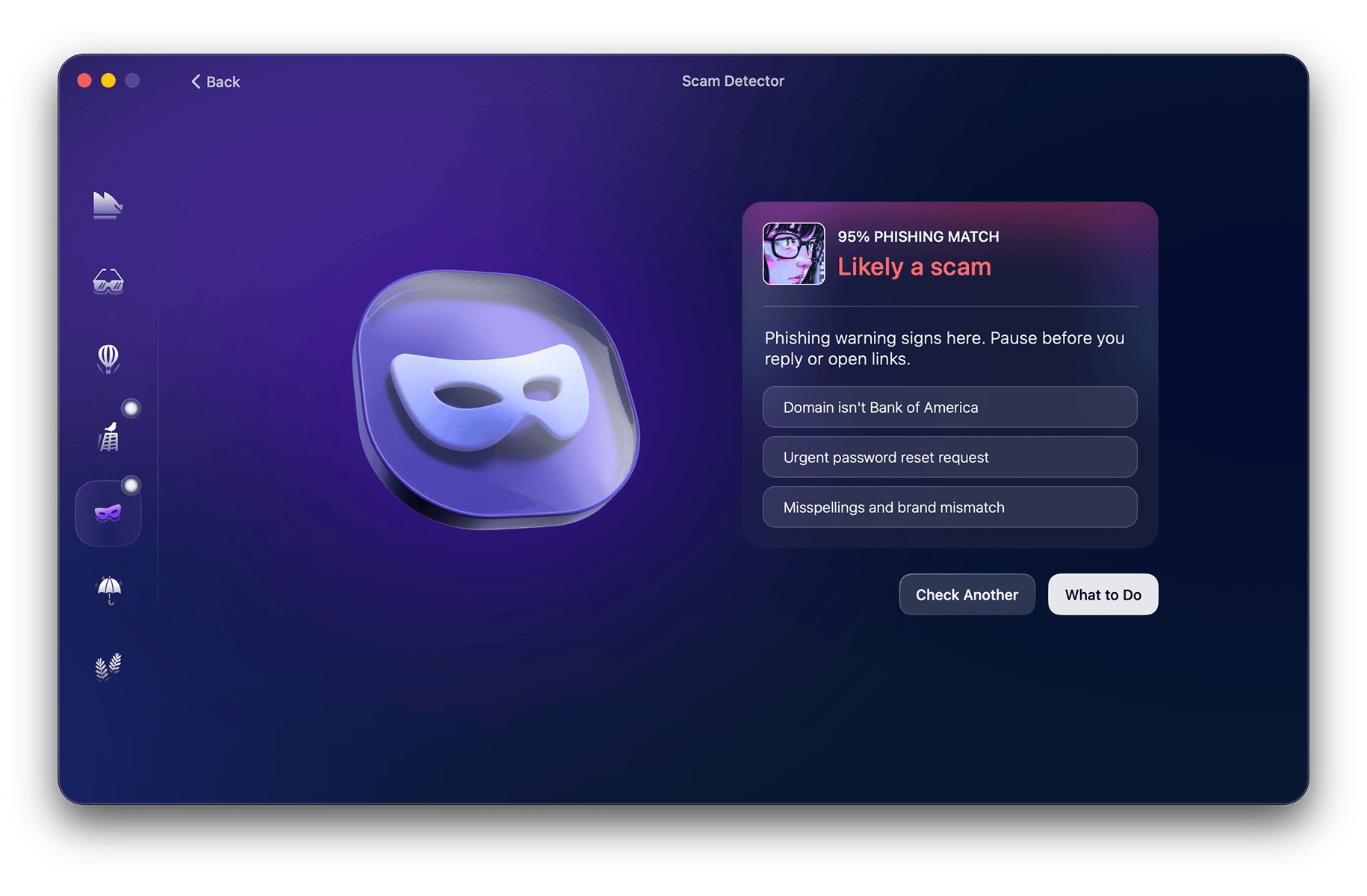
A Scam Detector result: 95% phishing match, with the three warning signs listed.
System Protection and Security Advisor
Moonlock's System Protection goes through the macOS settings that matter for security (access and permissions, FileVault, sharing, automatic updates) and walks you through turning risky ones off. The Security Advisor is a checklist of habits beyond the Mac itself: using a password manager, setting up two-factor sign-in, logging out of shared devices, limiting app permissions.
Benefits
- Light on the Mac. Reviewers found scans fast (a full scan in about two minutes for All About Cookies) and CPU use low.
- Explains instead of alarming. Every recommendation says what to change and why, which suits people who aren't security experts.
- More than an antivirus for one price. The VPN, the country filter and the scam checker would otherwise be separate purchases.
- A one-time option. Unlike most security apps, Moonlock can be bought once for $150.
Real-World Uses
- A "bank" email asks you to reset your password. Paste it into Scam Detector before you click anything.
- You use a friend's USB stick. Run a custom scan on the drive before opening its files.
- Working from a café. Turn on the VPN, with the kill switch, before signing in to anything.
- You don't want your data going to certain countries. Add them in Network Inspector and see which apps tried.
- A new Mac. Let System Protection walk you through FileVault, sharing and update settings.
Who It's For, and Who Should Skip It
Moonlock suits Mac owners who want security tools that are easy to understand, people who already like MacPaw's apps, and Setapp subscribers (it's included).
Skip it if top malware detection scores are your first priority: independent results so far are mixed (see below). It's also the wrong buy if you need protection for Windows or phones, parental controls or a password manager, or a per-app firewall, and on price alone a single Mac costs more here than many rivals' multi-Mac plans.
Usage Guide
- Download Moonlock with the Download Free Trial button, open the DMG and drag Moonlock to Applications.
- Start the trial or sign in. The 7-day trial starts at checkout with a card; buyers sign in with their MacPaw account.
- Turn on Real-Time Protection and let Moonlock update its malware database.
- Run your first scan from the Malware Scanner: Quick for a check of the risky folders, Deep for the whole Mac.
- Review the Home recommendations and follow System Protection's steps for any settings it flags.
- Schedule scans in the Scan Planner, and set up the VPN and Network Inspector if you want them.
Where it falls short
- Mixed malware test results. All About Cookies' latest retest (updated September 1, 2026) found Moonlock missed all three of its EICAR test files and let a simulated phishing page load, while Macworld's test with more than 160 real Mac malware samples found its detection excellent. AV-TEST certified an earlier version (0.6) in September 2025, scoring it 5.5/6 for protection.
- No browser phishing filter and no per-app firewall. Scam Detector only checks what you paste in.
- VPN glitches. Some Setapp users report the VPN cutting their connection or failing to load locations, though 1.0.16 added an automatic fix for connection loops.
- Support is by email and help center only, with no live chat or phone (TechRadar).
What Users Say
TechRadar
Bryan M Wolfe (July 6, 2026) liked the broad feature set, the polished interface, the privacy credentials and the light system load, but listed as cons that it is "Expensive for a single device", needs a card for the trial and has "No live chat or phone support".
"some of those in the market for new Mac protection may struggle to justify the price-tag" - Bryan M Wolfe, TechRadar
Macworld
Chris Barylick (review updated July 2, 2026) tested Moonlock on macOS Tahoe 26.5.1 with more than 160 live and compressed samples from the Objective-See malware archive, and it detected 266 malware components in the first round. He rated it five stars for protection, performance and ease of use and four for features and value, listing excellent malware detection, fast scans, a useful VPN and helpful security guidance as pros. His cons: it leaves some support files behind after cleanup, has no phishing website blocking, gives no scan time estimates, and the trial requires payment information.
All About Cookies
Ryan L. Clancy rated Moonlock 3.6. Scans were quick (about 10 seconds for a quick scan, two minutes for a full one, with CPU use under 20%), but the retest went badly:
"failed to catch the malware and drive-by download test files" - Ryan L. Clancy, All About Cookies
"Right now, we can't recommend Moonlock." - Ryan L. Clancy, All About Cookies
Setapp users
Moonlock scores 92% from 532 ratings on Setapp.
"loving the deeper malware analysis" - Troy McCall, October 1, 2026
"I like the app, it leaves me alone to get on with work." - Ian Taylor, April 13, 2026
"uses too many resources" - Abhishek Aryan, September 19, 2026
"The VPN connection authentication is closing my internet connection and nothing is working and I cant force quit" - Henrik Good Hovgaard, June 26, 2026
"The only thing I want to see, is Moonlock participating in independent lab test on sites such as AV-Test.org." - Roland Jefferson, April 8, 2026
The pattern
Everyone likes Moonlock's design, speed and the way it explains security. Opinions split on detection: Macworld's real-sample test was strong, All About Cookies' test files were missed. The recurring complaints are the price for one Mac, the card-required trial and occasional VPN trouble.
Comparisons
Moonlock vs CleanMyMac's malware removal
CleanMyMac, also by MacPaw, includes a malware scan as one of its cleanup tools. Moonlock is the dedicated security app: real-time protection, scheduled deep scans, the VPN, Network Inspector, Scam Detector and System Protection. If you only want an occasional malware check alongside cleanup, CleanMyMac may be enough.
Moonlock vs Intego ONE
Both are Mac-first. Intego ONE has a true per-app firewall and a cleanup tool, and Macworld ranks it first among Mac antivirus apps; Moonlock adds the country filter, Scam Detector and a one-time license option, but has no per-app firewall.
Editions and Pricing
Prices on MacPaw's order page on November 22, 2026, in US dollars before tax. Every plan has the same features; they differ only in billing and the number of Macs.
| Plan |
Macs |
Price |
| Yearly | 1 | $54.00 a year |
| Yearly | 2 | $84.00 a year |
| Yearly | 5 | $168.00 a year |
| Monthly | 1 | $13.50 a month |
| One-time purchase | 1 | $150.00 once |
The Buy Now button opens MacPaw's Moonlock store page, where you choose the billing and the number of Macs.
FAQs
Is Moonlock free?
Moonlock isn't free. It has a 7-day free trial that needs a payment card and becomes a paid plan unless you cancel, and then costs from $54 a year or $13.50 a month.
Is Moonlock included in Setapp?
Yes. Moonlock is one of the apps in MacPaw's Setapp subscription, so Setapp members don't need to buy it separately.
Does Moonlock work on macOS 27?
Moonlock supports macOS 27 since version 1.0.18, and runs on macOS 13 Ventura or later. It needs about 515 MB of disk space.
Does the one-time Moonlock license include updates?
The $150 one-time Moonlock license is for one Mac, and MacPaw says it may not include major upgrades and new features. The yearly plan includes everything released while it's active.
Can I use Moonlock alongside CleanMyMac?
Yes. Moonlock and CleanMyMac are separate MacPaw apps and run side by side, though both scan for malware, so some owners of CleanMyMac won't need Moonlock as well.
Is the Moonlock VPN the same as ClearVPN?
Moonlock's VPN is a simpler version that uses ClearVPN's server network, with about 60 locations in 45+ countries and a kill switch. ClearVPN as a separate app adds more options and works on phones.
Does Moonlock protect iPhones or Windows PCs?
No. Moonlock runs only on Macs; there is no iPhone, iPad, Android or Windows version.
System Requirements
- macOS 13 Ventura or later (macOS 27 supported)
- 515 MB of free disk space (the installer is 351 MB)
- Display of at least 1200 x 800 pixels
- Internet connection for malware database updates, the VPN and Scam Detector
Conclusion
Moonlock is a good pick for Mac owners who value a clear, friendly security app with extras (VPN, country filter, scam checks) and don't mind paying $54 a year for one Mac. The best reason to buy it is how well it explains and fixes your Mac's security settings. The main reason to hold off is that its malware test results are mixed so far, and a reviewer's test files got past it. Use the 7-day trial, but set a reminder to cancel if you aren't convinced, since it needs a card.
Download Free TrialBuy Now