Gemini 2: Find and Remove Duplicate Files on Your Mac
Gemini 2 is MacPaw's duplicate file finder for macOS. It scans your folders, external drives, Photos library and Music library for exact copies and near-identical "similar" files, picks the extras for you and moves them to the Trash. A yearly plan for one Mac costs $23.40 ($1.95 a month), a one-time license is $44.95, and the free download shows you every duplicate before you pay.
If your disk is full of "IMG_4410 copy.jpg", three exports of the same video and a Downloads folder you've copied to two backup drives, Gemini 2 is the tool that tells you how much of that space is waste, and gets it back in a few clicks instead of an afternoon in Finder.
Quick facts
- Developer: MacPaw, the company behind CleanMyMac and Setapp.
- Platform: Mac only. The website version needs macOS 10.10 or later; the Mac App Store edition needs macOS 10.13 or later. Native on Apple silicon since version 2.9.1.
- Version: 2.10.2 (MacPaw's build 407, September 4, 2026).
- Finds: exact duplicate files and folders, similar photos, similar music (same track in another format or bit rate), duplicates in Photos and Music libraries, on external and network drives.
- Price for one Mac: $23.40 a year, $4.95 a month, or $44.95 one-time. Plans for 2 and 5 Macs cost less per Mac.
- Free download: scans and shows all duplicates; without a plan you delete them by hand through Reveal in Finder, and Smart Cleanup is locked.
- Money-back guarantee: 30 days on yearly and one-time purchases, 14 days on monthly plans.
- What we checked: the installer (Gemini2.dmg, 52.3 MB, dated September 4, 2026) on MacPaw's download server, the version history on the Mac App Store, and MacPaw's plan grid for Gemini 2, on November 18, 2026. We didn't run a scan on our own files.
Download Free VersionBuy Now
Before you buy
- Run the free scan first. It costs nothing and tells you exactly how many gigabytes of duplicates you have. If the number is small, you may not need a paid plan at all.
- Yearly or one-time? The one-time license ($44.95) pays for itself in about two years compared with the yearly plan, but MacPaw says major upgrades cost extra on one-time licenses.
- Already pay for Setapp or CleanMyMac? Setapp includes Gemini 2, and CleanMyMac has its own duplicate and similar-photo cleanup, so check what you already own before buying.
Overview
Gemini 2 works in three steps. You drop a folder (or your whole home folder, the Photos library, the Music library or an external drive) onto the start screen, it scans, and it shows a summary of what it found and how much it has already selected for removal. You can accept the selection with Smart Cleanup or open the results and go through each group yourself.
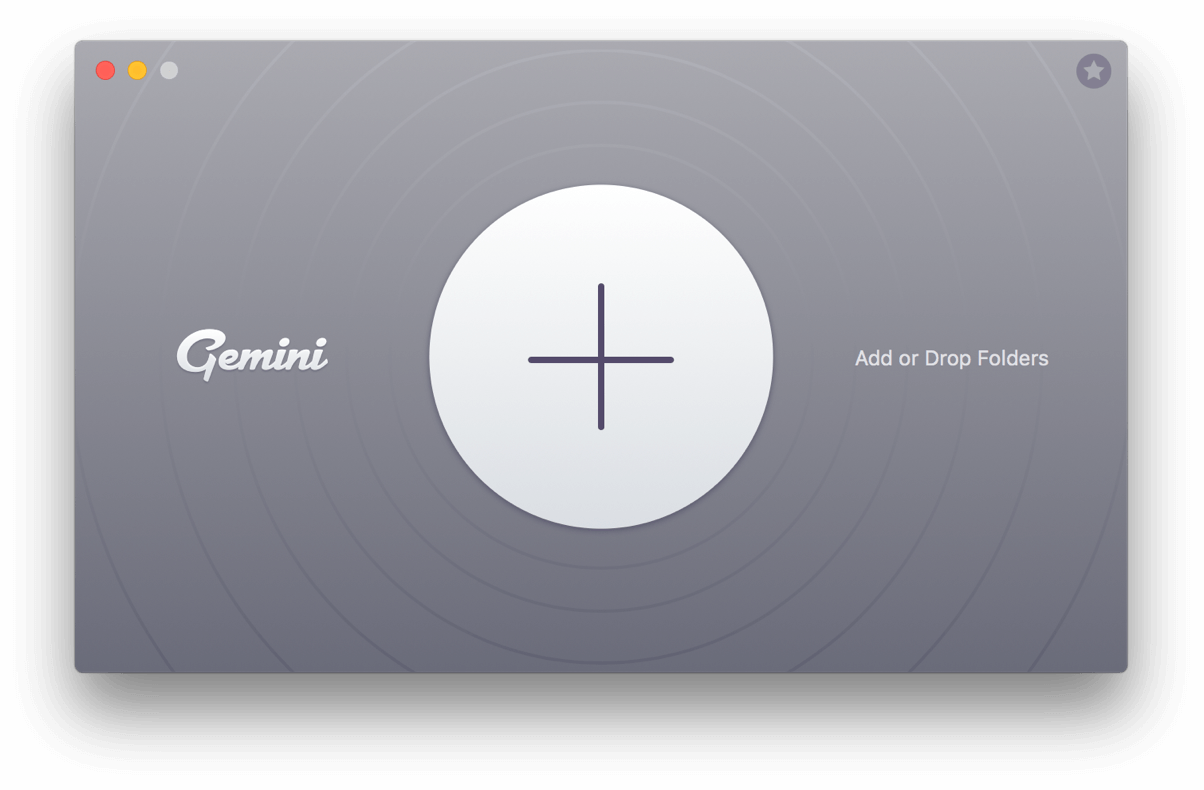
The Gemini 2 start screen: drop a folder on the big plus button, or click it to choose locations.
What sets it apart from a plain checksum tool is the selection logic. Gemini compares copies by nearly a dozen properties to decide which file is the original, and it watches what you keep and delete. If you always keep the higher-resolution photo or the copy in your Documents folder, it starts selecting that way for you.
Features
Exact duplicates and duplicate folders
Gemini 2 finds byte-for-byte copies of any kind of file (photos, videos, music, documents, archives, apps) and whole duplicate folders, and sorts them into categories in the sidebar so you can clean the biggest wins first. It scans internal disks, external drives and network volumes, so it also catches the backup copy you made "just in case" five years ago.
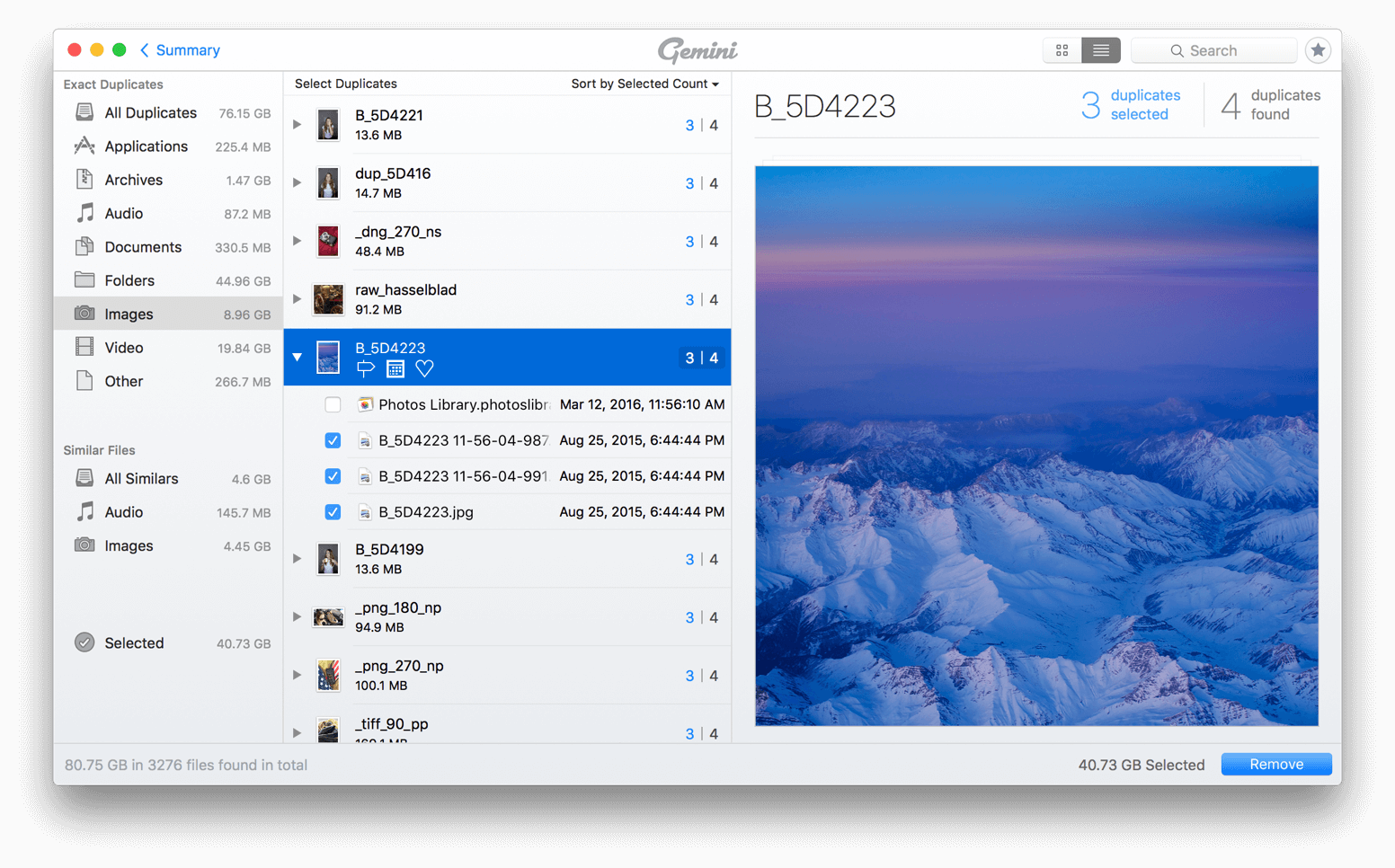
The results window: exact duplicates and similar files by category on the left, the copies of the selected image in the middle, and a preview on the right. Here 40.73 GB is selected for removal.
Similar photos and music
Gemini 2 also finds files that look or sound alike without being identical: a burst of ten shots of the same view, an edited photo next to its original, or the same song as an MP3 and an AAC at different bit rates. Small icons show how the similar files differ, so you can keep the sharpest shot or the best-quality track.
Photos and Music library cleanup
Gemini 2 scans inside the Photos and Music (iTunes) libraries, which Finder-based tools can't do safely. On Catalina and later, photos it removes go to the Recently Deleted album in Photos, so the library stays consistent and you can still undo.
Smart Select that learns your choices
Gemini 2 selects the copies to remove automatically and keeps the originals. You can add your own Smart Selection rules (for example, always delete the older copy), and it learns from the files you keep. Smart Cleanup, which removes everything selected in one click, is part of the paid plans.
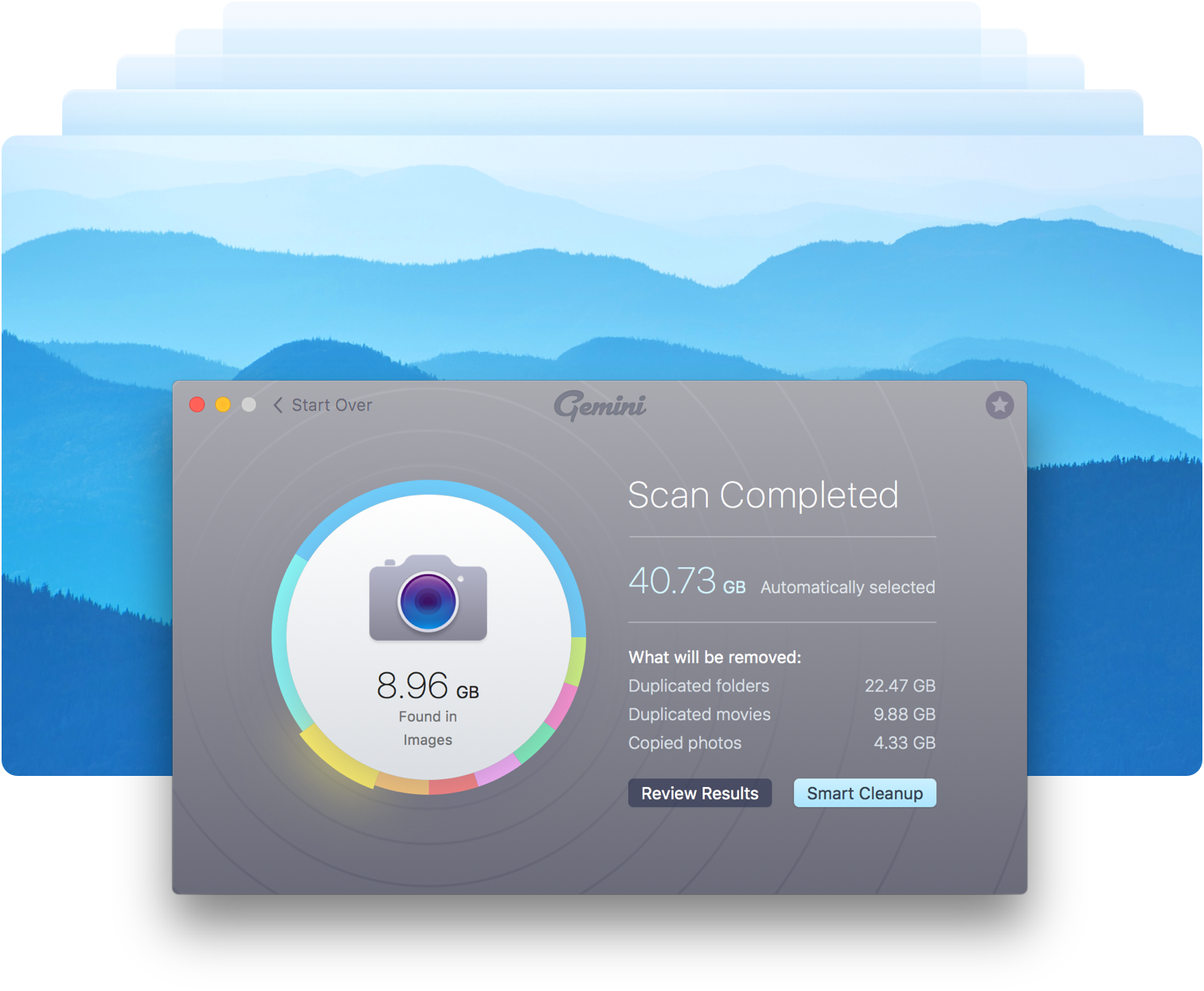
After a scan: 40.73 GB selected automatically (duplicated folders, movies and copied photos), with Review Results and Smart Cleanup buttons. MacPaw's own composite image.
Duplicates Monitor
Gemini 2's Duplicates Monitor sits in the menu bar and watches the folders you choose for new copies, listing them as they appear so you can delete them right away. It's off until you add a folder, and it doesn't monitor Photos libraries.
Safe removal options
Gemini 2 moves duplicates to the Trash and can put them back in a click. You can also exclude files and folders from scans, move duplicates to a separate folder or a USB drive instead of deleting them, or replace copies with hard links to save space without removing any file path.
Benefits
- Space back without risk. Everything removed goes to the Trash or Recently Deleted first, which matters when you're deleting thousands of files at once.
- Less decision fatigue. The automatic selection handles the obvious cases, so you only look at the groups that really need a human.
- Cleaner photo and music libraries. Fewer near-identical shots and duplicate tracks make the libraries easier to browse and back up.
- Smaller backups. Every duplicate you remove is one less file copied to Time Machine or the cloud.
Real-World Uses
- Merging old Macs. You've copied the files of two old computers onto a new Mac and now have the same Documents folder twice. Gemini 2 finds the duplicate folders in one scan.
- A bloated Photos library. Years of iPhone imports, burst shots and edited copies. The similar-photo scan groups them so you keep one good shot of each moment.
- Freelancer's project drives. Exports, renders and "final_v2" files spread over external drives. Scanning the drives together shows which exports exist three times.
- Family file server. One App Store reviewer runs it every two weeks on home server shares because the family keeps duplicating items.
Who It's For, and Who Should Skip It
Good fit: Mac users with a crowded disk, a large Photos or Music library, or several drives full of overlapping copies, who want a polished tool that does the selecting for them.
Skip it if: you use Windows or Linux (there's no version for them); you already pay for Setapp, which includes Gemini 2; you own CleanMyMac, whose duplicate and similar-image cleanup may be enough; or you only need a one-off cleanup of a small folder, where the free scan plus deleting by hand will do.
Usage Guide
- Install: download Gemini2.dmg, open it and drag Gemini 2 to Applications, then launch it.
- Give access: grant Full Disk Access in System Settings if you want it to scan everywhere, and allow access to Photos or Music when you scan those libraries.
- Choose what to scan: click the plus button or drop folders, drives or a library onto the start screen.
- Review: after the scan, click Review Results and look through the categories, starting with the largest. Check the auto-selected copies in the biggest groups.
- Clean up: click Remove (or Smart Cleanup on a paid plan). Empty the Trash only once you're sure nothing important went with it.
- Optional: turn on Duplicates Monitor for your Downloads or project folders.
Where it falls short
- Limited filters. Macworld and App Store reviewers both wish for more ways to sort and filter results, for example "only show similar images that differ in size". The Smart Select rules learn patterns, but you can't build every rule directly.
- Not always everything in one pass. One long-time user reported that repeated scans of the same folder kept finding more duplicates.
- Hard links can confuse disk tools. If you enable hard-link replacement, apps such as Finder or DaisyDisk can double-count sizes. MacPaw's support says to turn it off in Preferences, Removal settings, if you don't want it.
- No scheduled scans. Duplicates Monitor watches folders, but there's no timed scan of whole volumes.
- App Store vs website editions. The two editions have different requirements and plans, and Macworld found the App Store and Setapp versions confusing side by side. Buy from the store you want refunds and support from.
What Users Say
Macworld review
Chris Barylick reviewed Gemini 2 for Macworld (August 2024). His pros were "Quick, reliable performance and capable of finding multiple duplicate types", "Excellent search customization, including folders and external volumes" and "Handy preferences and options, including whitelist creation". His cons: "Lack of additional filters makes sorting located duplicates more tedious than it should be", "Confusion between App Store version of Gemini 2 and SetApp suite version of Gemini 2" and "Could use a scheduling feature".
On his own test: "Per testing itself, things could have hardly gone better." His verdict: "This is a helpful and fast-working app that deals with all kinds of duplicates."
An older Macworld review by J.R. Bookwalter, quoted by MacPaw, said: "With Gemini 2 there's little reason to fear duplicates... It's also much faster, especially compared to digging through thousands of files and folders the old-fashioned way."
Mac App Store reviews
IMRAN.TV (May 2021) used it on a 4 TB drive: "I was impressed by how quickly, how efficiently, and how accurately, it helped find and delete almost 500GB of duplicated, even triplicated, movie files on my 4TB hard drive... I did not find one single file that was wrongly flagged as a duplicate."
_sandra_g_ (August 2018): "I just got rid of over 30G of duplicate files, some of which have been floating around for a decade or more... It's great at identifying duplicates… but don't expect it to be 100% spot on. I did have to make some manual changes after the scan." Her advice: "I would recommend always, ALWAYS, visually inspecting all matches before deleting."
machinehum (September 2021), titled "Very helpful, not perfect": "I've tried many duplicate and similar file finders, and I find Gemini and Disk Drill to be the only ones worth using." The complaint: "Gemini could use better options for sorting, filtering, and selecting, especially on similars."
kdcarver (December 2022), "Confusing Interface, Output, and Limited Review Capability": "it does not find all files in the first run -- you have to execute several times on the same folder, finding more and more duplicates each time. The auto select functionality is murky at best." The reviewer also disliked that only part of each file's path is shown.
Users quoted on MacPaw's site
MacPaw shows an average of 4.5 from 469 user reviews across all versions. Abigail Wright (Boulder, USA): "I'm consolidating years of files from two computers into one and need to eliminate a lot of duplicates. Gemini saved me literally days of agonizing drudgery." Leslie Hetherington (Toronto): "a great tool to find & delete a MAC's duplicate files, and recovered 35 gigs."
John Voorhees of MacStories, also quoted by MacPaw, said the similar-file feature "works particularly well with photos".
The pattern: people like how fast and accurate the duplicate detection is and how much space a first scan recovers, often tens or hundreds of gigabytes. The complaints are about the review stage: too few filters for big result sets, auto-selection that sometimes needs correcting, and the advice, from fans too, to check matches before deleting.
Comparisons
Gemini 2 vs CleanMyMac
CleanMyMac, also from MacPaw, includes duplicate and similar-photo cleanup as one module among junk cleaning, malware scanning and app uninstalling, for $39.95 a year. Gemini 2 is the specialist: duplicate folders, music libraries, Duplicates Monitor and its learning selection. If duplicates are your main problem, Gemini 2 is cheaper and goes deeper; if you want general Mac maintenance too, CleanMyMac may cover enough.
Gemini 2 vs Easy Duplicate File Finder
Easy Duplicate File Finder runs on both Windows and Mac, which helps if you clean drives from both systems. Gemini 2 is Mac only, but it's built around macOS libraries (Photos, Music) and has the more polished interface.
Editions and Pricing
| Plan (1 Mac) | Price | Updates | Refund window |
|---|
| Yearly | $23.40 a year | All updates while subscribed | 30 days |
| Monthly | $4.95 a month | All updates while subscribed | 14 days |
| One-time | $44.95 | Major upgrades cost extra | 30 days |
Plans for 2 and 5 Macs carry a quantity discount, and the store's discounts apply to the first year of a subscription only. The Mac App Store edition is sold separately as Yearly Access for $19.99. One Buy button covers every plan: you pick the term and the number of Macs on the order page.
FAQs
Is Gemini 2 free?
Gemini 2 is free to download and scan with, and it shows every duplicate it finds. Without a plan you remove duplicates manually through Reveal in Finder, and Smart Cleanup is locked. A paid plan adds one-click removal.
Does Gemini 2 work on Apple silicon and macOS Tahoe?
Yes. Gemini 2 has run natively on Apple silicon since version 2.9.1, and version 2.10.0 fixed several crashes on macOS Tahoe.
Can Gemini 2 delete the wrong file?
Gemini 2 keeps one copy of every group and moves the others to the Trash (or Recently Deleted in Photos), so a mistake can be undone until you empty the Trash. Its auto-selection can still pick a copy you'd rather keep, so review the largest groups before removing.
Is Gemini 2 included in Setapp?
Yes, Gemini 2 is one of the apps in Setapp, MacPaw's app subscription. If you already subscribe to Setapp, you don't need a separate Gemini 2 license.
Is there a Windows version of Gemini 2?
No. Gemini 2 is a Mac-only app. It can scan a Windows-formatted external drive that your Mac can read, but there's no Windows app.
Should I buy Gemini 2 on the website or the Mac App Store?
Gemini 2 from MacPaw's website runs on older macOS (10.10 and later) and offers yearly, monthly and one-time plans with a 30-day money-back guarantee. The App Store edition needs macOS 10.13 and is sold as Yearly Access for $19.99. Refunds and support for App Store purchases go through Apple first.
Can I upgrade from Gemini 1?
Yes. MacPaw offers owners of the earlier Gemini an upgrade to Gemini 2 at 50% off.
System Requirements
- macOS 10.10 Yosemite or later (App Store edition: macOS 10.13 or later)
- Intel or Apple silicon Mac
- About 115 MB of disk space; the installer is 52.3 MB
- Full Disk Access recommended to scan everywhere
Conclusion
Gemini 2 is worth buying if duplicates are a real problem on your Mac: a large Photos library, merged old computers or a pile of backup drives. The reason to buy is that it finds exact and similar copies fast, chooses sensibly what to remove, and keeps everything undoable. The reason not to is that you may not need it: Setapp subscribers already have it, CleanMyMac owners have a lighter duplicate tool, and a small one-off cleanup can be done with the free scan. Start with the free download, see how many gigabytes it finds, and pick the one-time license if you plan to keep it for more than two years.
Download Free VersionBuy Now