ChopBeast 2: Slice Any Loop or Vocal Into Up to 32 Chops and Remix It
ChopBeast 2 is a $14.90 loop-slicing plugin from W. A. Production for Windows and macOS that cuts an audio file into 4, 8, 16 or 32 slices and rearranges, re-pitches and reverses them into new rhythms and melodies, the stuttering vocal-chop and French-house sound of Todd Edwards, Disclosure and Porter Robinson. It's for producers who want chop-style edits in seconds instead of slicing by hand in the arrange window.
Drop in a vocal, drum loop or whole mix, pick the number of chops, then drag them around, hit Randomize or Rhythmize, and drag the result back into your DAW as new audio.
Quick facts
- Developer: W. A. Production (waproduction.com).
- Version: 2.0.1, updated April 20, 2026 (ChopBeast 2 launched in March 2026).
- Formats: VST, VST3, AU and AAX, native on Intel and Apple Silicon.
- Systems: Windows 8 or later (64-bit), macOS 10.15 or later (64-bit), Pro Tools 11 or later for AAX.
- Price: $14.90 in the Black Friday sale that runs to November 30, 2026 (crossed-out list price $79). ChopBeast 1 owners can upgrade for $10.
- Demo: free download from the product page with a free W. A. Production account.
- Refunds: none for digitally delivered products, per the store's terms.
- What we checked: the price, update log and system requirements on the product page, and the controls in the ChopBeast 2 manual, on November 18, 2026. We didn't run the plugin in a DAW.
Download Free DemoBuy Now
Overview
Chopping is one of the oldest tricks in electronic music: cut a phrase into pieces and play them back in a new order. Doing it by hand means slicing regions, nudging them to the grid and fixing clicks. ChopBeast 2 does the cutting and the cleanup for you inside one window. The waveform display shows the chops; click one to select and audition it, drag to reorder it, and set its volume, pitch, reverse, formant and declick on the left.
Version 2 is a substantial rework of the original ChopBeast. It adds per-slice locks (so you can keep the slices you like while randomizing the rest), per-chop volume, musical pitch randomization, MIDI triggering and DAW sync.
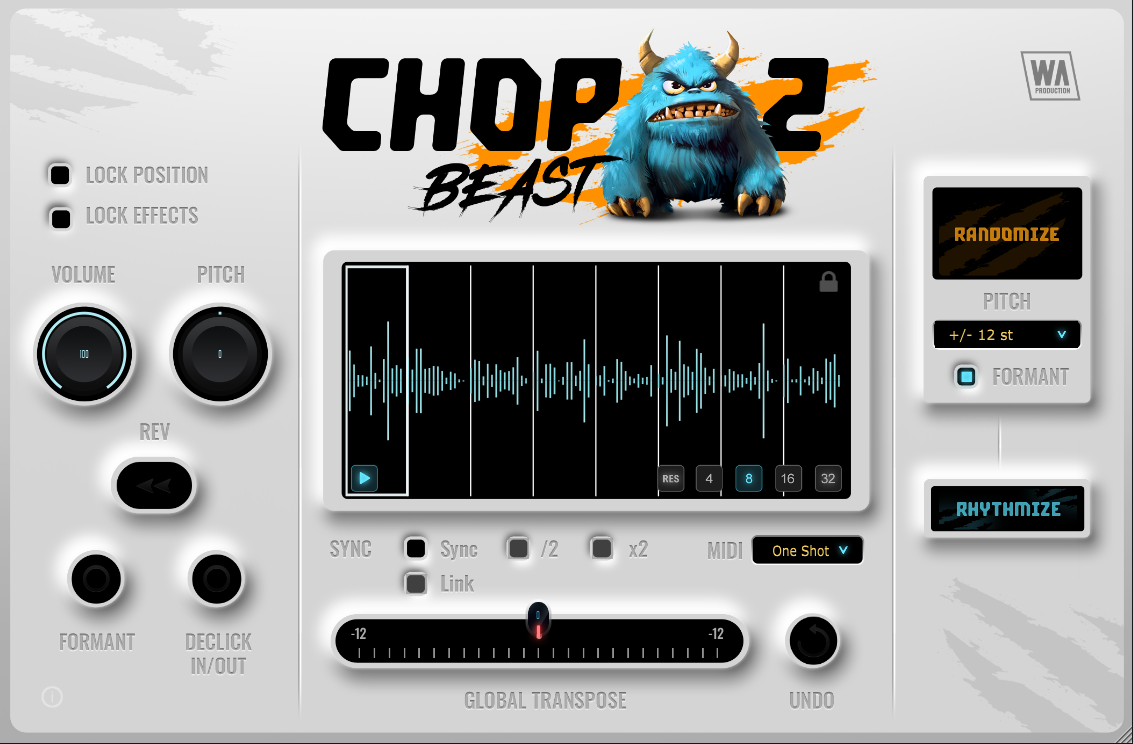
The ChopBeast 2 window: per-chop Volume, Pitch, Rev, Formant and Declick controls and the lock options at the left, the waveform cut into 8 chops with the 4/8/16/32 buttons in the middle, Sync, Link and MIDI mode below, and Randomize, pitch range and Rhythmize at the right.
Features
Up to 32 chops with per-slice control
ChopBeast 2 divides a sample into 4, 8, 16 or 32 equal chops. Each chop has its own volume, pitch in semitones, reverse, formant preservation and declick fades, so a single syllable can be pitched up, flipped and smoothed without touching the others. RES puts the sequence back in its original order.
Randomize and Rhythmize with locks
ChopBeast 2's Randomize button shuffles the chops and their effects, and Rhythmize rebuilds the rhythm. Lock Position keeps a chop where it is, and Lock Effects keeps its settings, so you can anchor the downbeat and let everything else change. Pitch randomization can stay on octaves, fifths, thirds or major and minor intervals for melodic results, and an Undo button reverts the last change.
Sync to your DAW and trigger from MIDI
ChopBeast 2 can time-stretch the chops to your project tempo while keeping their pitch, with half-time and double-time options, and Link starts and stops playback with your DAW's transport. In MIDI mode you can trigger chops as One Shot (each plays to the end) or Hold (plays only while the key is down) for Daft Punk-style looping.
Drag the result into your DAW
ChopBeast 2 consolidates the chops into one locked arrangement that you drag into your DAW as audio for further processing. It keeps the sample's original speed and sample rate, so changing your project's sample rate doesn't change playback inside the plugin.
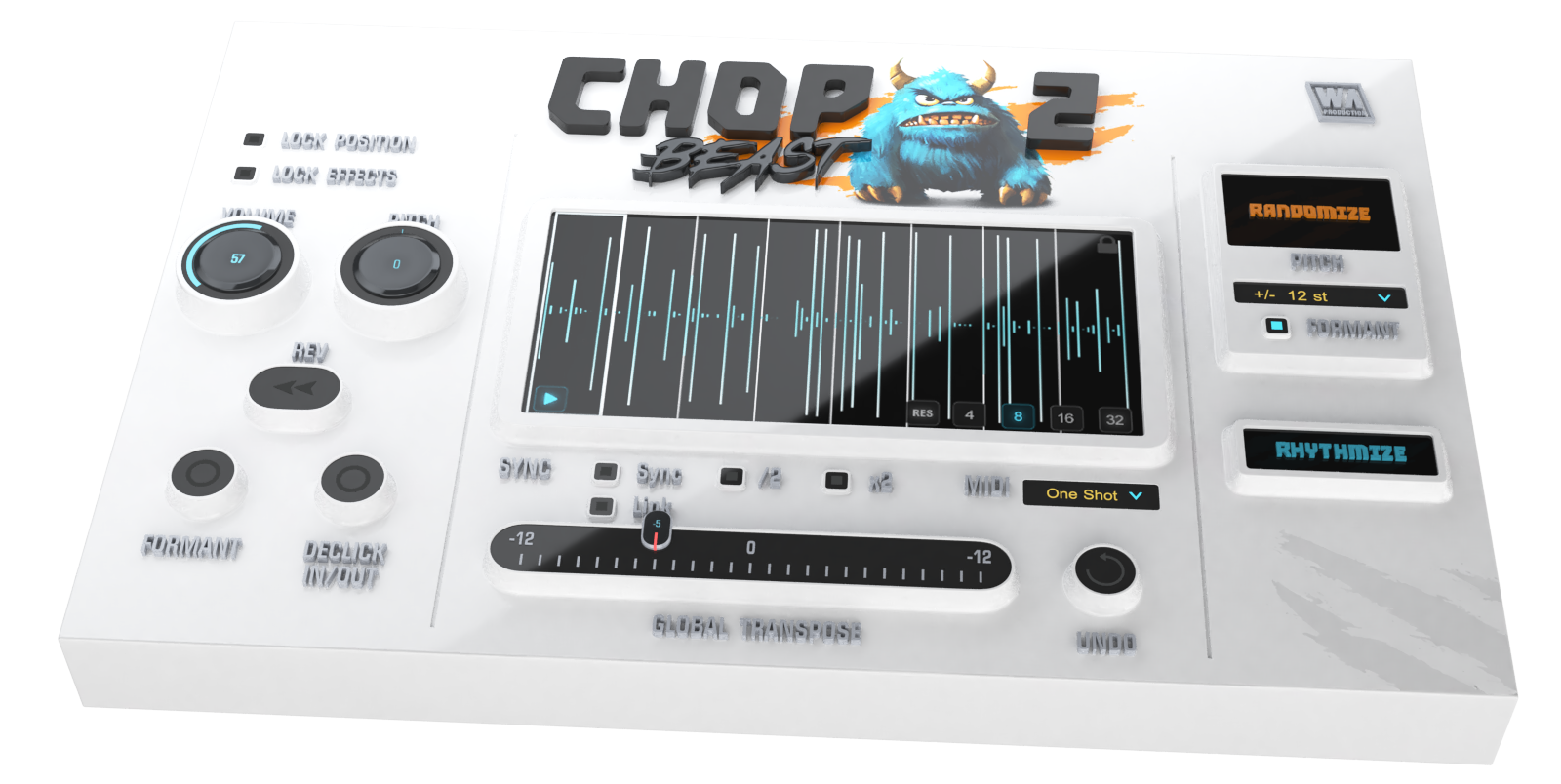
W. A. Production's angled render of the same ChopBeast 2 window, here with the Volume knob at 57 on the selected chop.
Benefits
- Minutes instead of an hour. Slicing, reordering and declicking happen in one place.
- Happy accidents on tap. Randomize with locks gives you endless variations that still keep the parts you liked.
- Stays musical. Interval-based pitch randomization and tempo sync keep chops in key and on the beat.
Real-World Uses
- Vocal chops for a house drop: load an acapella phrase, cut it into 16, lock the first chop and rhythmize the rest, then pitch a few up a fifth.
- Breakbeat fills: chop a drum loop into 32 and randomize the last bar for a stutter fill. One buyer calls it "practically indispensable" for this.
- Melodic variations: slice a synth riff and use octave-only pitch randomization to get new hooks from the same notes.
- Live triggering: switch to MIDI Hold mode and play chops from your keyboard.
Who It's For, and Who Should Skip It
ChopBeast 2 is for electronic and hip-hop producers who want quick, glitchy or rhythmic edits of vocals and loops, and for beginners who haven't built a manual chopping workflow yet. Skip it if you already chop comfortably in your DAW's sampler (FL Studio's Slicex or Ableton's Simpler slice mode do the basics), if you work on a small laptop screen (one commenter found the large artwork crowds the controls), or if you need to drag audio in directly from your DAW's timeline, which it doesn't support.
Usage Guide
- Create a free account on waproduction.com, download the demo or your purchased installer, and run it.
- Insert ChopBeast 2 on a track and load an audio file from your computer's file browser (Finder or Explorer).
- Choose 4, 8, 16 or 32 chops, press Play, and click chops to audition them.
- Drag chops to reorder them, or press Randomize or Rhythmize; lock the chops you want to keep first.
- Turn on Sync (and /2 or x2) to match your project tempo, or Link to follow the DAW transport.
- Press Lock to consolidate the arrangement, then drag it into your DAW.
Where it falls short
- No drag and drop from the DAW. Samples load only from the file browser, not from your arrangement.
- Equal slices only. Chops are 4, 8, 16 or 32 equal parts; there's no transient detection or manual slice points.
- Big artwork, small controls. A commenter didn't buy it because the monster graphic takes screen space on a laptop.
- Some activation trouble. Two commenters had problems entering license keys; W. A. Production asks them to email support.
What Users Say
Buyer reviews on waproduction.com
ChopBeast 2 holds 5.00 out of 5 from 11 votes on W. A. Production's store (November 18, 2026).
"It is, quite simply, a fantastic plugin. It is exceptionally effective, particularly for creating breakbeat fills. For arrangers working in this genre, it is practically indispensable." masaki yamamoto, September 9, 2026.
"Among the available options, I recommend ChopBeast 2 because it allows for a wide variety of slicing techniques." Kiss-You, August 5, 2026.
"Nice update with new features. Very fair Update Price. Overall good." Jay, October 17, 2026.
"i have other chop programs but this one can do things a little different" ray, April 8, 2026.
Criticism in the product comments
"Very nice plugin with great features. Just purchased. BUT!!!! Major flaw: You cannot drag and drop your sample directly from inside the DAW. Only loads audio files form finder." Agi Taralas, August 16, 2026.
"It's a simple and effective device, which I appreciate, but I didn't buy it because the screen is taken up by unnecessary picture that don't add anything useful." An unnamed commenter, October 30, 2026.
"whats wrong with license, it doesnt work at all. bought it in "plugin boutique and got the download link here" JC, September 29, 2026. W. A. Production replied that anyone with problems registering the plugin should email them.
Plugin Boutique and Trustpilot
On Plugin Boutique, ChopBeast 2 showed 4.4 out of 5 from 23 ratings in November 2026. Its review summary (read through a summarizer) says buyers find it fun, easy and a time-saver for inspiration, while some experienced producers see it as fairly basic and better for beginners than manual chopping. W. A. Production as a store rates 4.7 on Trustpilot from about 7,000 reviews; its 1-star reviews (3%) mostly concern license keys and registration.
The pattern: buyers enjoy how fast it produces usable chops and fills. The complaints are practical: no DAW drag-in, equal-only slices, the screen space the artwork takes, and the occasional license problem.
Comparisons
ChopBeast 2 vs ChopBeast (version 1)
ChopBeast 2 adds per-slice locks, per-chop volume, interval-based pitch randomization, formant shifting, MIDI One Shot and Hold, DAW tempo sync with half and double time, and transport link. Version 1 owners can upgrade for $10, which buyers call fair.
ChopBeast 2 vs your DAW's slicer
A DAW slicer (FL Studio's Slicex, Ableton's Simpler) gives you transient-based slices and full control, but every edit is manual. ChopBeast 2 is about speed and randomization: equal slices, one-click variations and per-chop effects in one window.
Editions and Pricing
| Option | Price on November 18, 2026 | Who it's for |
|---|
| ChopBeast 2 | $14.90 (list $79.00) | New users |
| Upgrade from ChopBeast 1 | $10.00 | Owners of the original ChopBeast |
| Demo | Free (account needed) | Testing in your DAW |
The sale price runs until November 30, 2026. ChopBeast 2 is also included in W. A. Production's Beast Mode Halloween Bundle.
FAQs
Does ChopBeast 2 run natively on Apple Silicon Macs?
Yes. ChopBeast 2 supports both Intel and Apple Silicon Macs in VST, VST3, AU and AAX formats, on macOS 10.15 or later.
Can ChopBeast 2 follow my project tempo?
Yes. With Sync on, ChopBeast 2 time-stretches the chops to the DAW's tempo while keeping their pitch, and Link starts playback with the DAW transport.
Does ChopBeast 2 work in Pro Tools?
ChopBeast 2 includes an AAX version for Pro Tools 11 or later.
Can I get a refund for ChopBeast 2?
No. W. A. Production doesn't refund digital products, so try the free demo first.
System Requirements
- Windows 8 or later (64-bit)
- macOS 10.15 or later (64-bit), Intel or Apple Silicon
- A VST, VST3, AU or AAX host (Pro Tools 11 or later for AAX)
Conclusion
At $14.90, ChopBeast 2 is worth it for producers who want vocal chops, stutters and breakbeat fills fast. The reason to buy is speed with control: locks, per-chop effects and tempo sync turn random shuffles into usable parts, and its buyers rate it highly. The reason to skip it is if you already slice comfortably in your DAW, since ChopBeast only makes equal slices and can't take audio dragged from your timeline. Try the demo, because the store doesn't give refunds.
Download Free DemoBuy Now