EaseText Image to Text Converter for Windows: Offline OCR for Images and Scanned PDFs
EaseText Image to Text Converter is a Windows OCR app that pulls editable text out of photos, screenshots and scanned PDFs on your own PC, and saves it as Word, TXT, HTML, Excel or CSV. The Personal Edition is $23.40 for one year on one PC. It's for office workers, students and teachers who retype printed pages, invoices or notes, and who'd rather not upload those documents to an online converter.
Quick facts
- Version: 3.1.3 (installer dated March 27, 2023)
- Developer: EaseText
- Runs on: Windows 11, 10, 8.1, 8 and 7, 32-bit or 64-bit. A Mac version is sold separately
- Price: $23.40 for the Personal Edition (1 PC, one year of use). Family ($47.40, 3 PCs) and Business ($95.40, 10 PCs) list the same features
- Input: PDF, JPG, JPEG, JPE, JFIF, JIF, JFI, BMP, PNG and TIFF
- Output: DOCX, DOC, TXT and HTML per file, or XLSX and CSV in List Mode
- Options: recognition language, page dewarp for curved photos, table detection
- Trial: free download
- What we checked: the 58.5 MB installer is version 3.1.3.0, digitally signed by Guangzhou Suyi Trading Co., Ltd., and the order page showed $23.40 for the Personal Edition, $47.40 for Family and $95.40 for Business, each with no renewal set up, on November 17, 2026. We didn't run our own scans through it, so we can't give an accuracy figure.
Before you buy
- It's a one-year plan, paid once. EaseText shows "$1.95/month", but the order is a single $23.40 charge for 1 year of access, and the order page set up no renewal. The plan also lists lifetime free updates, without saying what happens after the year, so ask support@easetext.com if that matters to you.
- Watch the extra item in the cart. EaseText's order page adds a "Registration Backup Service", ticked by default, which keeps a copy of your license key. Untick it if you'll store the key yourself.
- It hasn't been updated since March 2023. The current installer is from then, and EaseText publishes no version history. It still lists Windows 11 support.
- Try your own documents first. Refunds are narrow: not for a product that didn't meet your needs when you skipped the trial, and not after 30 days.
Download Free TrialBuy Personal EditionBuy Family EditionBuy Business Edition
Overview
The main window is a drop zone: drag in images or PDFs, or click to add them. Underneath are the three jobs it's built for, Batch Convert, PDF to Text (Word, text or HTML) and Image Table to Text, and two ways to work: Files Mode, which keeps one result per file, and List Mode, which gathers the text from many images into one spreadsheet.
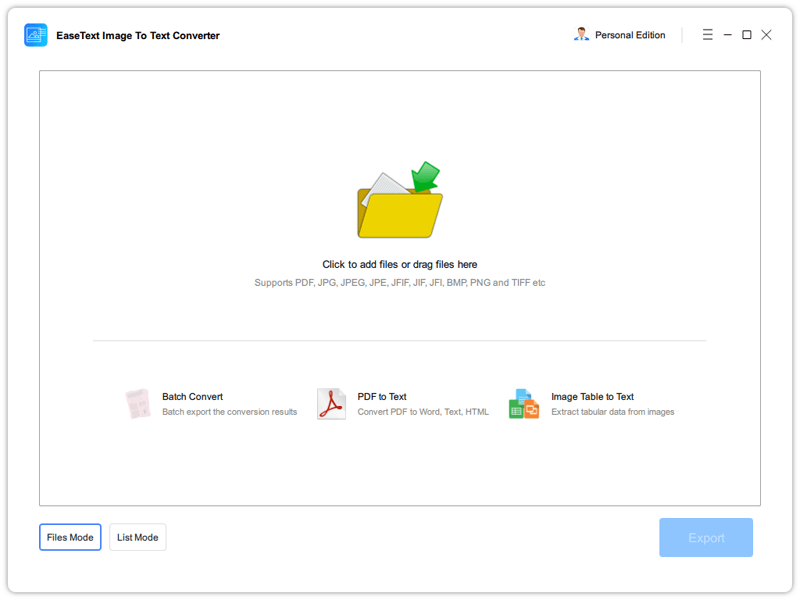
The main window, with Files Mode and List Mode at the bottom left.
Features
OCR settings for language, curved pages and tables
EaseText Image to Text Converter asks for its settings before each run: the recognition language, Page Dewarp, which straightens pages photographed at an angle or bent in a book, and Detect Tables, for images that contain a table. EaseText's price page gives 80 recognition languages.
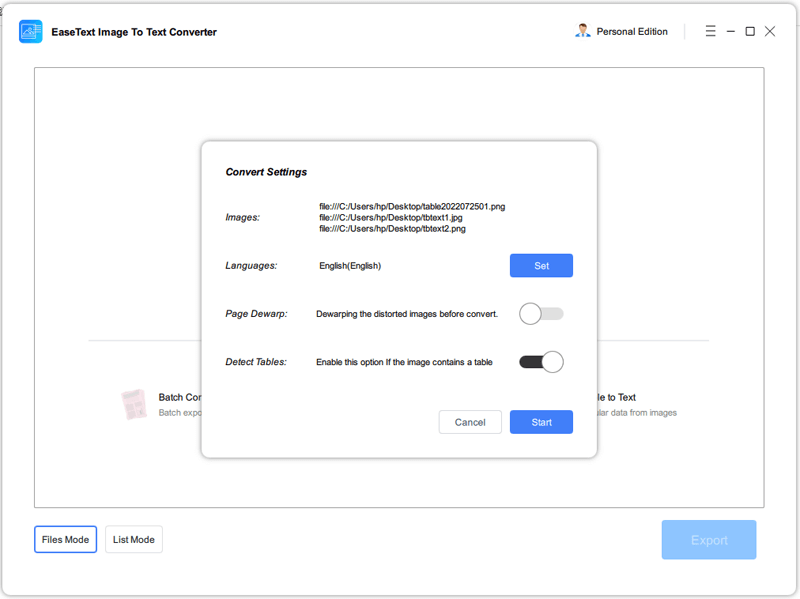
Convert Settings for three images: English, dewarp off, table detection on.
Side-by-side results you can correct
EaseText Image to Text Converter shows each original next to its recognized text, with a zoom slider for both, so you can check a line against the source and fix it in place before exporting. You can also copy the text straight to the clipboard. Tables keep their rows and columns in the text view.
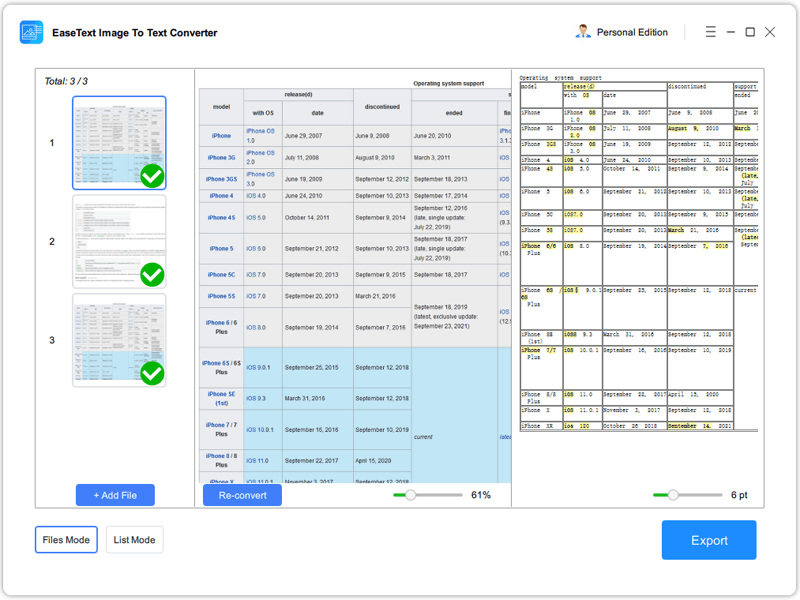
A table image and the recognized text, three files processed. Some words in the result are highlighted in yellow.
Scanned PDFs to Word
EaseText Image to Text Converter opens scanned PDFs as well as images and exports them to a Word .docx file. The export dialog can Merge Files into one document or Split PDF File into one Word file per page. It's a recognition tool, not a layout converter: expect the text, not a copy of the page design.
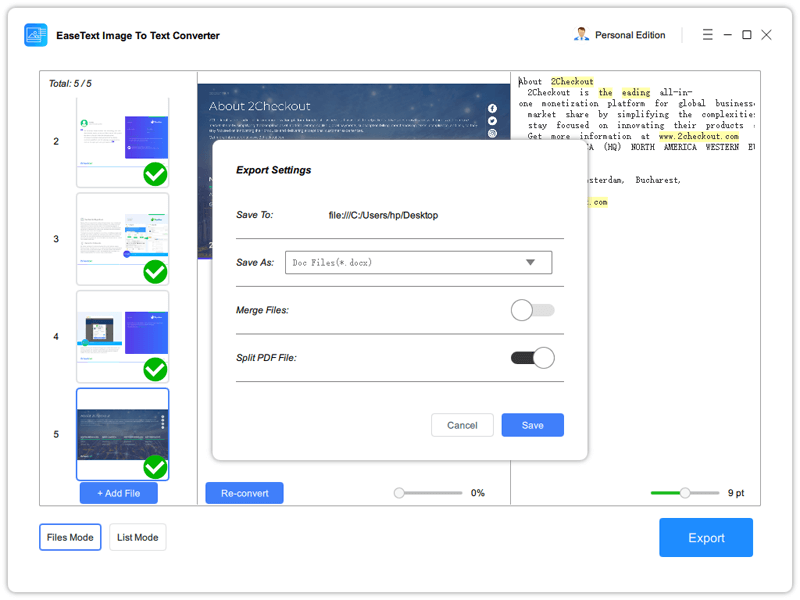
Export to DOCX, with merge and split options. The text pane shows errors such as "the eading" for "the leading".
List Mode: many images into one spreadsheet
EaseText Image to Text Converter's List Mode puts the text of every image into rows of one table and exports it as XLSX or CSV. EaseText demonstrates it on a stack of invoices, the kind of data-entry job where retyping is slow and error-prone.
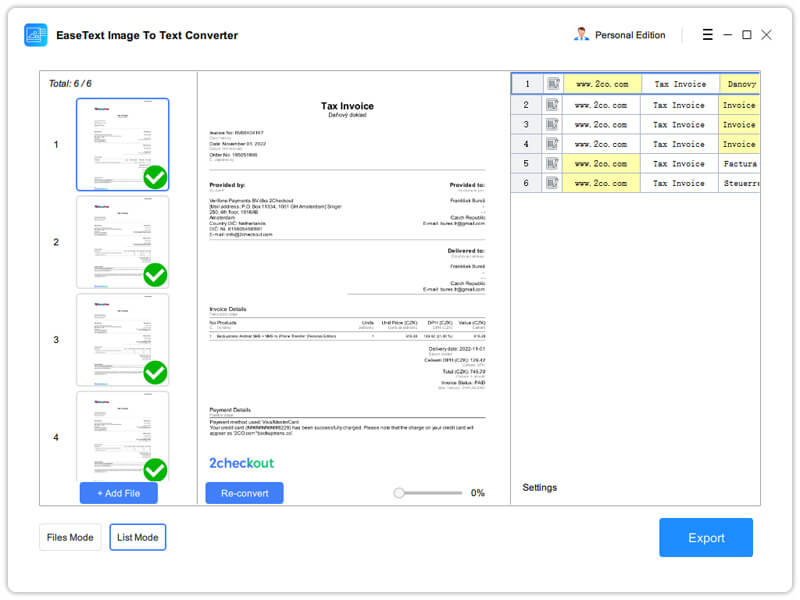
List Mode: six invoices, one row each.
Benefits
- Your documents stay local. Invoices, IDs and contracts never go to an upload site.
- Batch work. Drop in a folder of scans and export them in one pass instead of one page at a time.
- Cheap. $23.40 for a year is less than many OCR apps charge for a month.
Real-World Uses
- Data entry from paper. Photograph a pile of receipts or invoices, run List Mode, and paste the spreadsheet into your accounts.
- Editing an old scanned PDF. Turn a scanned contract or report into a Word document you can change.
- Class notes and handouts. Teachers and students can digitize printed material to edit or search it.
- Grabbing text from screenshots. Copy the words out of a screenshot or social media image instead of retyping them.
Who It's For, and Who Should Skip It
It fits Windows users with regular batches of scans, photos or image-only PDFs who want a simple offline tool for a low yearly price.
Skip it if you only grab text from an image now and then: Microsoft's free PowerToys Text Extractor or OneNote's Copy Text from Picture will do it. If you need a scanned PDF turned into a Word file that keeps the original layout, fonts and images, a full OCR suite such as ABBYY FineReader does far more, at a much higher price. And for messy handwriting, test the trial carefully before you pay.
Usage Guide
- Download and install the trial, then launch EaseText Image to Text Converter. Click Later at the registration window to use the trial.
- Click the drop zone or Add Files, or drag your images or PDFs onto the window.
- In Convert Settings, set the language, and turn on Page Dewarp for curved or angled photos and Detect Tables for tables. Click Start.
- Check the recognized text next to each original and correct anything wrong. Switch to List Mode to collect many images into one table.
- Click Export, choose the format (Word, TXT or HTML in Files Mode, XLSX or CSV in List Mode) and whether to merge or split, then click Save.
- After buying, enter the license code from your email in the installed trial to turn it into the full version.
Where it falls short
- Expect to proofread. EaseText's own export screenshot shows recognition errors ("the eading", broken words), despite the product page's "100% accuracy" claim.
- No layout reconstruction. The output is the text, and the tables it detects, not a faithful copy of the page's design.
- The trial may not let you take text out. Softpedia's review says copying and exporting are locked until you buy, while EaseText says the trial has all features. Plan to judge accuracy on screen.
- Almost no independent reviews. SourceForge and Slashdot list it with no user reviews at all.
What Users Say
Independent feedback is thin, so here's all of it that we could verify.
Softpedia
Softpedia reviewed version 3.1.3 and found the recognition decently accurate and the app easy to use. Its main complaint is the trial: copying or exporting the extracted text is locked behind the paywall, which limits what you can test. (Softpedia blocks our tools, so we read this review through a search summary rather than quoting it.)
FixThePhoto: 4.5 out of 5 for EaseText's tools
Eva Williams and Kate Debela rate EaseText's lineup 4.5 out of 5. Their hands-on comments are about transcription, but they list this product's plans: "The Image to Text Converter's Personal Edition comes at a monthly rate of $1.95" (the Windows price). Their cons for the lineup are "Sometimes inaccurate results" and "Manual corrections required."
On EaseText's own page
EaseText shows short testimonials, favorable by nature:
"Easily turn images into an Excel file for review. Compatible with other accounting software." Fiona, Accountant
"From administrative to educational material, EaseText has made things easier for teachers." Mandy, Teacher
The pattern: what little exists says it's accurate enough and simple to use, with manual correction expected. SourceForge and Slashdot had no user reviews when we looked on November 17, 2026.
Comparisons
EaseText vs online OCR sites
Free OCR websites need an upload and usually cap file size or pages per day. EaseText works offline with batch processing and List Mode for a small yearly fee, which is the better deal if your documents are private or you have a lot of them.
EaseText vs the free OCR already in Windows
For a single image, Microsoft's free PowerToys Text Extractor or OneNote's Copy Text from Picture will do it. EaseText adds what those don't: scanned PDF to Word, batch export, table detection and a spreadsheet of many images at once.
Editions and Pricing
All three Windows editions list the same features, no watermark, free tech support and lifetime free updates, and differ only in how many PCs they cover. Each is a one-year plan charged once, and each button below orders that edition.
| Edition | Listed price | Charged at checkout | Covers | Buy |
|---|
| Personal | $1.95 a month | $23.40 | 1 PC | Buy Personal |
| Family | $3.95 a month | $47.40 | 3 PCs | Buy Family |
| Business | $7.95 a month | $95.40 | 10 PCs | Buy Business |
The Mac version costs a little more ($29.40 for Personal) and is a separate purchase.
FAQs
Does EaseText Image to Text Converter work offline?
EaseText Image to Text Converter runs the recognition on your PC, so images and PDFs are never uploaded and no connection is needed to convert them.
Can EaseText Image to Text Converter read handwriting?
EaseText Image to Text Converter's FAQ says you can convert scanned handwritten notes by adding the images and clicking convert. Handwriting is harder for any OCR tool than print, so try a page of your own writing in the trial.
Can EaseText Image to Text Converter turn a scanned PDF into Word?
EaseText Image to Text Converter exports scanned PDFs to .docx, either merged into one document or split into one file per page. You get the recognized text to edit, not the original layout.
Does the Windows license of EaseText Image to Text Converter work on Mac?
EaseText Image to Text Converter is licensed per platform: the Windows license only registers the Windows app, and EaseText's support page says the two versions use different license codes.
Are updates free for EaseText Image to Text Converter?
EaseText Image to Text Converter's plans list lifetime free updates, and EaseText's support page says your original license code stays valid for normal updates.
Can EaseText Image to Text Converter extract tables?
EaseText Image to Text Converter has a Detect Tables option that keeps rows and columns, and List Mode exports the text of many images to an Excel or CSV file.
System Requirements
- Windows 11, 10, 8.1, 8 or 7
- 1 GHz processor, 32-bit or 64-bit
- 256 MB RAM, 1 GB recommended
- 300 MB or more of free disk space
Conclusion
EaseText Image to Text Converter is worth $23.40 a year if you regularly turn scans, photos or image-only PDFs into editable text and want it done offline in batches. The reason to buy it is how much it does for the price: batch OCR, table detection, PDF to Word and a spreadsheet from a stack of images. The main reasons not to are its age, with no update since March 2023, and the proofreading you should expect. Test your own documents in the trial. For the odd screenshot, the free OCR built into Windows is enough.
Download Free TrialBuy Personal EditionBuy Family EditionBuy Business Edition