Your Exchange server is down, Outlook refuses to open the mailbox, and all you get is an error saying the OST file is not an Outlook data file. The emails are in there somewhere. MailsSoftware Free OST Viewer is a free Windows tool that opens and previews that OST data without Outlook or Exchange.
Quick facts
- Version: 1.0
- Platform: Windows 10, 8.1, 8, 7, XP, Vista and other editions, 32-bit and 64-bit
- Price: the viewer is free; a paid PRO upgrade adds export features
- Requirements: 2.0 GHz processor, 1 GB RAM, 50 MB free disk space
Key features
Read OST files with no Outlook or Exchange installed
You don't need MS Outlook or a connection to an Exchange server. Install the tool, add the file and browse it.
Scan and preview damaged, corrupted or orphaned OST files
The tool scans the file and shows a preview of the data, including files that Outlook can't open.
See emails, calendars, contacts and attachments
You can view emails, calendars, notes, contacts, journals and tasks. Attachments are shown with the messages, and the vendor says there's no size limit on them.
Load several OST files at once
If you have more than one OST file, you can add them together. The folder hierarchy is kept, and email properties such as from, to, cc and bcc are displayed.
Who it's for
It suits anyone locked out of an OST file after a server failure, a profile change or a deleted account, and who first needs to see what's recoverable. It also suits IT staff who want a quick look inside a file before deciding how to migrate it.
Pros and cons
Pros
- Free to download and use for viewing
- No Outlook or Exchange needed
- Handles corrupted and orphaned files, large files and multiple files
- Keeps the original folder structure
Cons
- It is Windows only
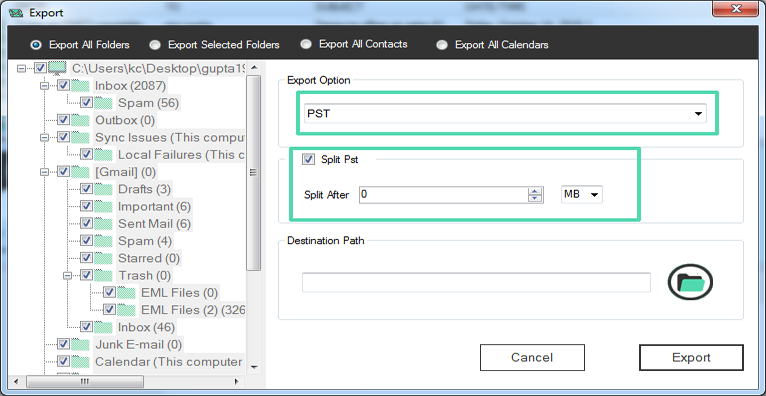
- Exporting to PST, EML, MSG, MBOX, HTML and MHTML requires the paid PRO version
- Saving contacts as VCF and calendars as ICS is also PRO only
FAQs
Can it open a corrupted OST file?
Yes. The vendor says it supports corrupted, damaged, orphaned and inaccessible OST files.
Do I need Outlook installed?
No. Neither Outlook nor an Exchange server connection is needed.
Can I export my data with the free version?
No. The free version is for viewing and previewing. Export to PST, EML, MSG, MBOX, HTML and MHTML is in the PRO version.
Does it preview the data before conversion?
Yes. It generates a preview of the OST data.
System requirements
- Processor and RAM: minimum 2.0 GHz and 1 GB
- Disk space: 50 MB
- Operating system: Windows 10, 8.1, 8, 7, XP, Vista and other editions, 32-bit and 64-bit
- Outlook files supported: OST files from all Outlook versions