Short answer: an IT certification exam costs $99 to $439 per attempt, and a failed attempt usually means paying again. Buy the voucher where it is cheapest for your exam: Udemy's certification vouchers take at least 10% off select CompTIA, AWS and Microsoft exams and some include a retake, which matters most on the expensive CompTIA exams. Spend the rest of your budget on hands-on practice: Parallels Desktop for Mac gives Mac owners the Linux and Windows lab machines that CompTIA Linux+, Security+ and Microsoft exams expect, and dbForge Studio for SQL Server (free Express edition) is a comfortable place to practise T-SQL for Microsoft's database exams.
At a glance: what each exam provider charges and allows
|
CompTIA |
AWS |
Microsoft |
| Fee per attempt (US) | A+ $274 per core (two cores), Network+ $399, Security+ $439 | Foundational $100, Associate $150, Professional and Specialty $300 | Fundamentals $99, role-based (Associate, Expert) $165 |
| Wait after a fail | None for the first retake | 14 days, no limit on attempts | 24 hours, then 14 days; 5 attempts in 12 months |
| Retake cost | Full price, unless you bought a voucher with a retake | Full price each attempt | Full price each attempt |
| Voucher on Udemy | ✓ with Retake Assurance on most exams | ✓ with Second Chance on some exams | ✓ more than 50 exams |
| Keeping it current | Valid 3 years, renewed with continuing education | Valid 3 years; passing earns 50% off your next exam | Role-based: free online renewal assessment every year |
What we checked
- The fees and retake rules on each provider's own policy pages: AWS's exam policies (fees by level, the 14-day wait) and Microsoft Learn's retake policy (24 hours, then 14 days, 5 attempts a year).
- CompTIA's US prices after its June 1, 2026 price increase, and its Security+ page for which exam version is current.
- What Udemy offers with its vouchers: the providers covered, the "at least 10% off select exam fees" claim and the retake add-ons.
- The prices, trials and limits of the two practice tools from our own pages on them, checked against the vendors' order pages.
What we checked: provider fees and retake policies, Udemy's voucher terms and both tools' prices, on November 18, 2026. We didn't buy a voucher or sit an exam, and this guide doesn't rank training courses: it covers paying for the exam and setting up somewhere to practise.
Step 1: pick the exam before you pick the voucher
A voucher is locked to one exam (a Security+ voucher can't be used for Network+), so decide what you are sitting first. The usual starting points:
- New to IT or help desk: CompTIA A+ (two exams, Core 1 and Core 2), then Network+.
- Security jobs, or US government and contractor roles: CompTIA Security+. CompTIA now recommends the new V8 version; the V7 exam (SY0-701) stays available in English until June 11, 2027, so check which version a voucher covers.
- Cloud: AWS Certified Cloud Practitioner ($100) or Microsoft Azure Fundamentals AZ-900 ($99) if you are new, or go straight to an associate exam (AWS Solutions Architect Associate, Microsoft AZ-104) if you already work with servers.
- Databases: Microsoft's database administrator and data exams, where hands-on T-SQL matters more than memorising.
Official fee for one attempt (USD)
AWS Professional or Specialty$300
CompTIA A+ (one of two cores)$274
Microsoft role-based (e.g. AZ-104)$165
AWS Cloud Practitioner$100
Microsoft Fundamentals (e.g. AZ-900)$99
US prices on November 18, 2026. Microsoft and CompTIA price by country, so yours may differ.
Step 2: buy the voucher where it costs least
Udemy Certification Exam Vouchers are the official exam vouchers for CompTIA, AWS and Microsoft, sold on Udemy next to the prep courses for the same exams. Udemy says learners save at least 10% on select exam fees, and many vouchers can be bought with a retake: Retake Assurance on CompTIA exams and Second Chance on AWS exams.
Best for: the expensive CompTIA exams, where 10% off a $439 Security+ voucher is about $44, and anyone who would rather pay for a retake up front than risk a second full fee.
The retake add-on is the part to think about. CompTIA, AWS and Microsoft all charge the full fee again when you fail, so on a $439 exam the add-on is cheap insurance if you are not sure you are ready. If you are confident, skip it: it has to be bought with the voucher, can't be added later, and isn't refunded when you pass first time.
Compare before you buy. On some AWS exams the Udemy voucher has cost more than AWS's own fee, and AWS gives you 50% off your next exam once you pass one, which a third-party voucher can't beat. Microsoft's Fundamentals exams are also often free through Microsoft's own training events. Udemy is the better deal on the exams it discounts, so check the price of your exam on both sites on the day.
What we like
- At least 10% off select exams, the CompTIA ones being where it adds up
- A retake bought up front costs less than a second full fee
- The voucher and the prep course for the same exam in one place
- CompTIA, AWS and Microsoft in one store
Watch out for
- Exam vouchers are non-refundable and non-transferable
- The voucher must be used before it expires; check the date on the voucher page
- Not every exam is discounted, and some AWS vouchers have cost more than AWS's own fee
- A voucher is valid only for the exam, and the country, it was bought for
Step 3: practise on real systems
Every one of these exams now tests what you can do, not only what you can recall: CompTIA's performance-based questions put you in a simulated system, and some Microsoft role-based exams include live labs. People who fail usually read the theory and never typed the commands. Two tools on this site make a home lab easy.
Parallels Desktop for Mac: Linux and Windows lab machines on a Mac
Parallels Desktop for Mac runs Windows 11, Linux and macOS virtual machines in windows on an Apple silicon Mac.
Price: Standard Edition $99.99 a year, on sale for $49.99 until November 23, 2026; $219.99 one-time license | Trial: 14 days | Best for: Mac owners studying for CompTIA Linux+, Security+, Network+ or Microsoft exams
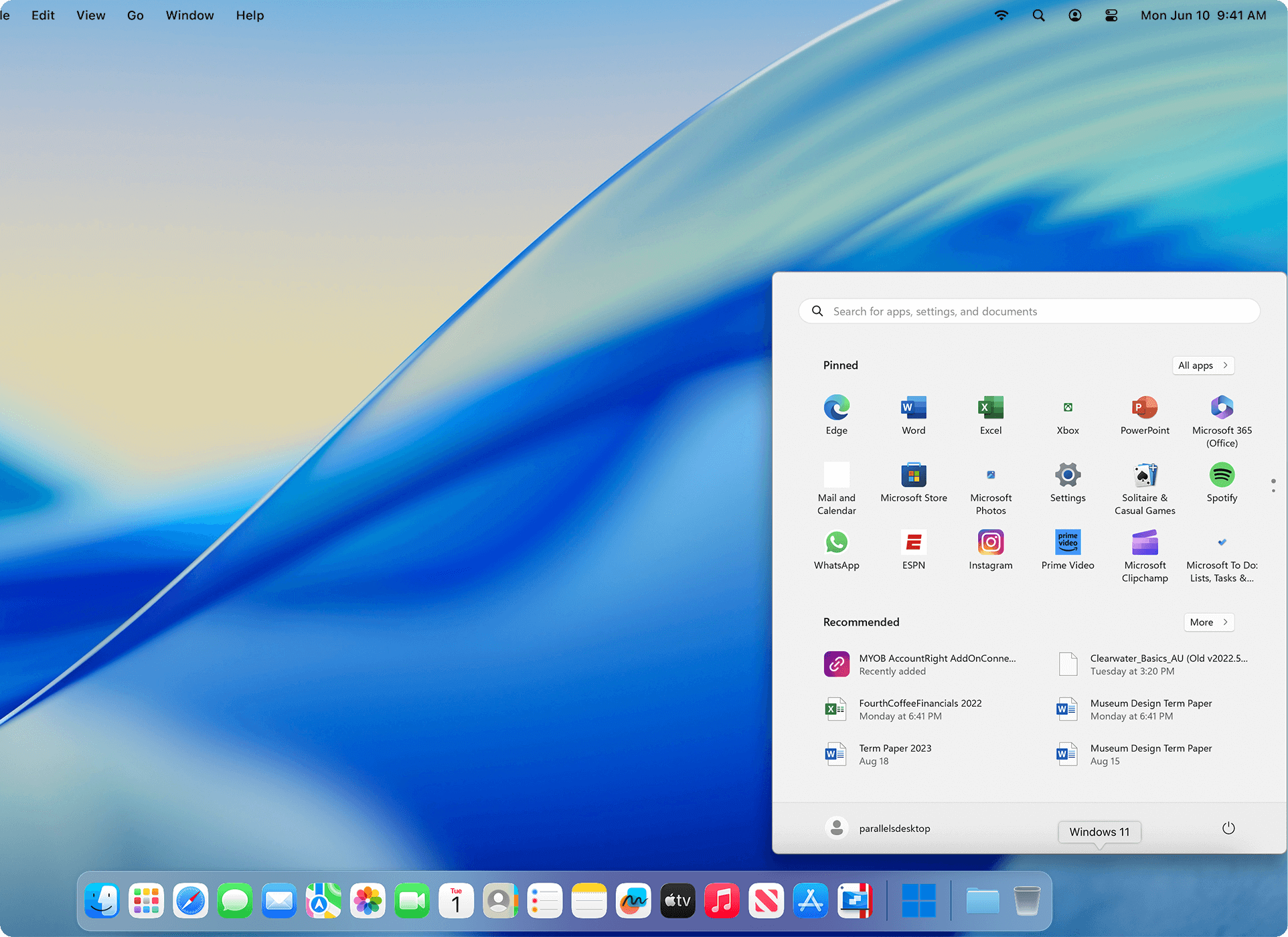
Parallels Desktop running Windows 11 with its Start menu open, next to the Mac's own Dock.
Parallels Desktop for Mac is the easy way to get Windows and Linux on a current Mac, since Apple silicon Macs can't run Boot Camp. For study it gives you a Linux machine for the command-line work in Linux+ and Security+, a Windows 11 machine for A+ topics and Microsoft tools, and snapshots, so you can break a system on purpose and roll it back in seconds. The Installation Assistant downloads Windows 11 or a Linux distribution for you.
Know the limits before you build a lab around it. The guest systems are Arm versions: Windows 11 on Arm and Arm Linux distributions, so lab images published only for Intel PCs may not run. Parallels also warns that anything relying on nested virtualization may not work, which rules out running Hyper-V inside the Windows machine. You need your own Windows license, and Intel Macs are limited to the older version 26.
What we like
- Windows and Linux lab machines next to your Mac apps, no reboot
- Snapshots make break-and-fix practice safe
- Half price until November 23, 2026
Watch out for
- Arm guests only: some Intel-only lab images won't run
- Nested virtualization may not work
- A Windows license is extra, and the yearly plan renews at full price
dbForge Studio for SQL Server: T-SQL practice for Microsoft's database exams
dbForge Studio for SQL Server is an all-in-one SQL Server IDE from Devart for writing, debugging and managing SQL Server and Azure SQL databases.
Price: Express edition free; Standard $249.95, Professional $399.95 a year at checkout | Trial: 30 days of every feature, then the free Express edition | Best for: Microsoft database and data exam candidates on Windows
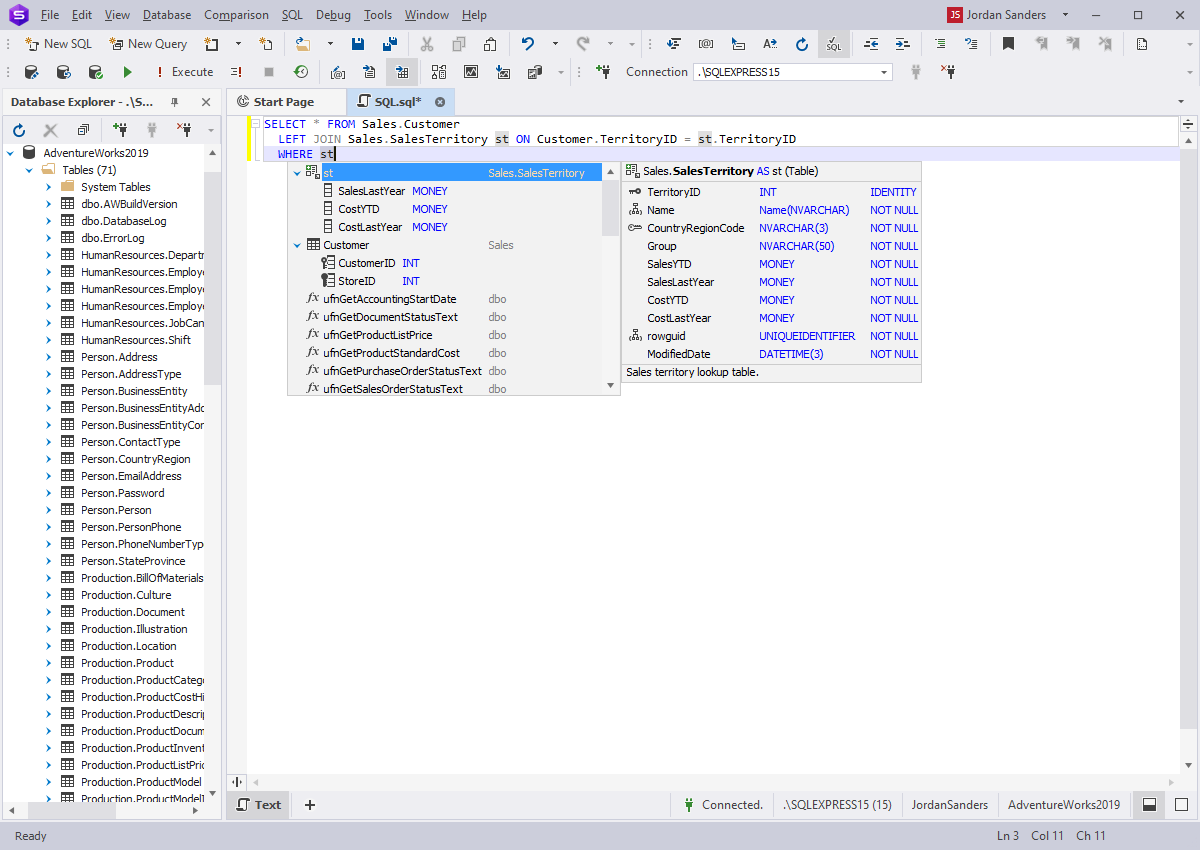
dbForge Studio's code completion listing the columns of Sales.SalesTerritory in the AdventureWorks sample database.
dbForge Studio for SQL Server suits exam practice because its code completion shows each table's columns and types as you type, which helps when you are learning a sample database like AdventureWorks. For study, the free Express edition is enough: it has the SQL editor, table and data editing. Start the 30-day trial when you reach the exam topics that use the debugger and query profiler, so you see what a stored procedure and an execution plan are doing.
It is a Windows program; on a Mac you would run it inside a Windows virtual machine. The paid editions are aimed at teams that compare and deploy databases for a living, so a student doesn't need to buy one to pass an exam.
What we like
- Free Express edition covers everyday query practice
- Column and type hints make a new database quicker to learn
- Works with SQL Server and Azure SQL
Watch out for
- Windows only
- The paid editions are more than a student needs
- The download needs a Devart account
Which should you choose?
| Your situation |
Our pick |
Why |
| Sitting Security+ or Network+ and unsure you'll pass first time | Udemy voucher with Retake Assurance | A second full fee is $399-$439; the retake bought up front costs less |
| Second AWS exam after passing a first | AWS's own 50% voucher | Half price beats any third-party discount |
| Studying Linux+ or Security+ on a Mac | Parallels Desktop for Mac | Linux and Windows lab machines with snapshots, half price until November 23 |
| Microsoft database exam on a Windows PC | dbForge Studio for SQL Server Express | Free, with column hints that speed up T-SQL practice |
Who should skip what: skip the retake add-on if practice tests already put you well above the pass mark. Skip Parallels Desktop if you own a Windows PC, which can already run lab machines. Skip the paid dbForge Studio editions as a student: the free edition is enough to pass.
What commonly goes wrong
- Letting the voucher expire. Vouchers have an expiry date that can't be extended. Book the exam date as soon as you buy, even if it is two months away.
- Buying for the wrong exam version. Security+ is moving from V7 (SY0-701) to V8; a voucher and a course for different versions won't match.
- Booking the retake too early. The retake comes fast (AWS lets you retake after 14 days, CompTIA straight away), and people who rebook within days often fail again on the same topics. Use the score report to study the weak areas first.
- Reading but never doing. Performance-based questions and labs are where people lose the marks. Build the lab in week one, not the week before the exam.
FAQs
Are Udemy exam vouchers official?
Yes, Udemy Certification Exam Vouchers are official vouchers for CompTIA, AWS and Microsoft exams; you still book and sit the exam through the provider's own testing service.
How much can I save on a CompTIA voucher on Udemy?
Udemy says at least 10% on select exams, which is about $44 on a $439 Security+ voucher. The bigger saving comes if you fail: a voucher with Retake Assurance covers a second attempt that would otherwise cost the full fee again.
Can I get a refund on an exam voucher?
No, exam vouchers are non-refundable and non-transferable, whether you buy them from Udemy or from the exam provider, and an expired voucher is lost. Check the expiry date on the voucher page before you buy.
How long do I have to wait to retake a failed exam?
It depends on the provider: CompTIA lets you retake straight away the first time, AWS makes you wait 14 days, and Microsoft makes you wait 24 hours, then 14 days between later attempts, with at most 5 attempts in 12 months.
Can I practise for CompTIA Linux+ on a Mac?
Yes, Parallels Desktop for Mac runs Arm Linux distributions such as Ubuntu in a window on an Apple silicon Mac, with snapshots to undo mistakes. Lab images built only for Intel PCs may not run.
Do I need to pay for SQL tools to pass a Microsoft database exam?
No, dbForge Studio for SQL Server has a free Express edition with the SQL editor and data editing you need for practice; the 30-day trial adds the debugger and profiler if you want them.
Is AWS Cloud Practitioner or Azure Fundamentals cheaper?
Azure Fundamentals (AZ-900) is $99 in the US and AWS Cloud Practitioner is $100, so they cost about the same; Microsoft's own training events sometimes give the Fundamentals exam free.
How long is an IT certification valid?
CompTIA and AWS certifications last three years. Microsoft's role-based certifications must be renewed every year with a free online assessment.
Conclusion
An IT certification costs the exam fee plus whatever you spend practising, and the fee is the part you can cut. Udemy's exam vouchers save at least 10% on select CompTIA, AWS and Microsoft exams, and a retake bought with the voucher is the cheapest insurance on the $399-$439 CompTIA exams. Then build a home lab: Parallels Desktop for Mac is half price until November 23, 2026 and gives Mac owners Linux and Windows lab machines, while dbForge Studio for SQL Server Express is a free place to practise T-SQL.