ID Card Maker Software: DRPU Card and Label Designer for ID Cards, Badges and Labels on Windows
ID Card Maker Software is sold as DRPU Card and Label Designer, a $49 Windows program for designing and printing ID cards, business cards, badges, labels, vouchers and stickers from templates or a blank layout. It's a one-time purchase, aimed at small offices that want to print their own cards rather than use a design service.
If you need a few dozen staff badges or a run of address labels with sequential barcodes, you don't need a design suite. This is a plain template-driven editor: pick a card type, change the text and picture, and print on an ordinary or card printer.
Quick facts
- Version: 11.3.1.6 (installer dated February 1, 2025)
- Developer: DRPU Software Pvt. Ltd.
- Platform: Windows only. DRPU's Mac edition is a different product, for ID cards
- Output: print to card or standard printers, export as image or PDF, send by email
- Barcodes: linear and 2D barcodes on cards and labels
- Price: $49, one-time payment
- Trial: free demo download
What we checked: installer file version 11.3.1.6 (12.68 MB, signed by Pro Data Doctor Pvt. Ltd.) downloaded from drpusoftware.com, and the product ID on DRPU's order page, and $49 with no renewal at checkout, all on November 5, 2026. We didn't run the program or print a card, and we don't know exactly what the demo restricts.
Before you buy
Check which DRPU product you want. DRPU sells several card programs. This one is the general card and label designer, which also does ID cards. If you only make ID cards, compare DRPU's ID Card Design Software. For cards built from a spreadsheet or a list of staff or students, look at its ID Cards Maker Corporate Edition or Student ID Cards Maker.
This program has been sold under many names on DRPU's other websites, including Card Maker Software and ID Card Designing Software. They all download the same installer, so don't buy it twice.
Download Free TrialBuy Now
Overview
DRPU Card and Label Designer opens with a chooser of 21 design types in three groups. Cards include business cards, ID cards, invitations, greetings, post cards, gift cards and flyers. Labels cover address and shipping, packaging, vouchers, stickers, tags and badges, pamphlets and board signs. The rest are social media images, name plates, email, letterheads, tabletop standees, certificates and a miscellaneous group.
From there you start with a template, use a wizard or take a blank layout, then edit it in a window that looks much like an older Office program, with a toolbar across the top and a properties panel down the side.
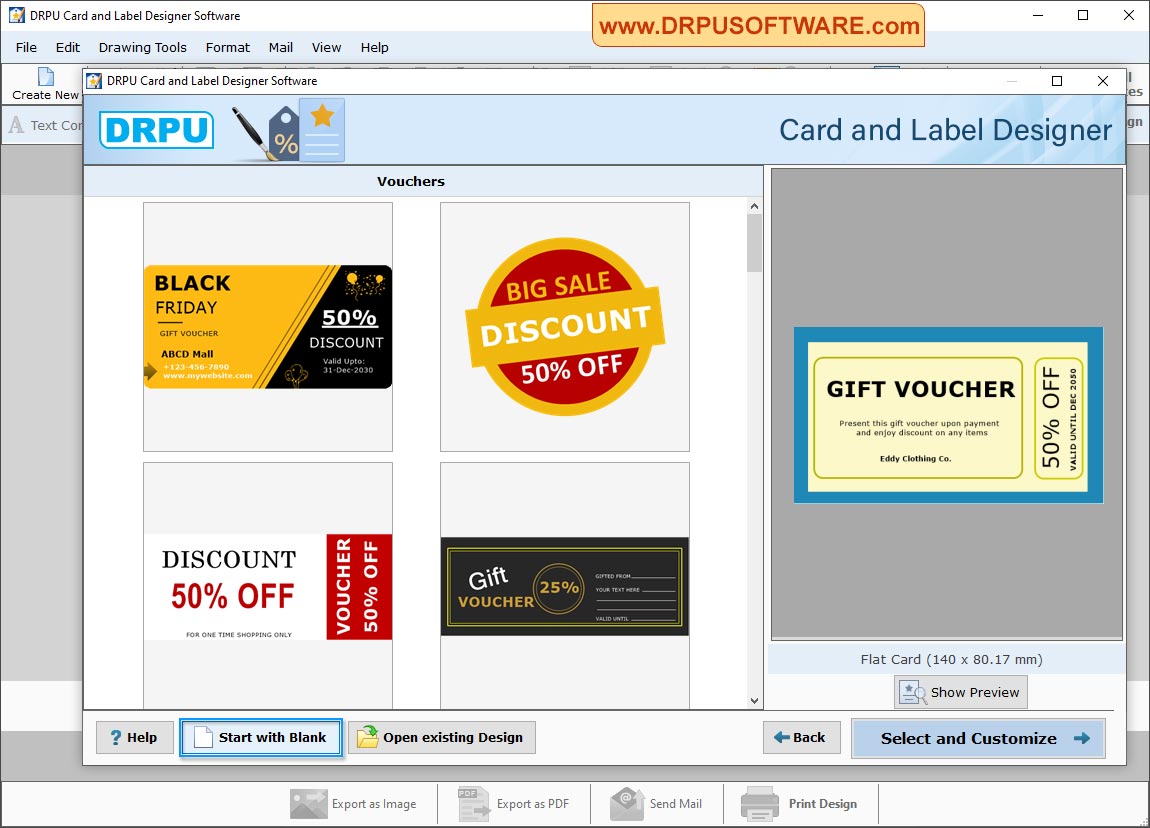
The start screen: card, label and other design types, with buttons to start blank or open an existing design.
Features
Templates for cards, labels and vouchers
DRPU Card and Label Designer includes ready-made templates you can pick and customize, which is the quickest way to get a usable result if you're not a designer. Each design type has its own template set, and you can save your own designs as templates.
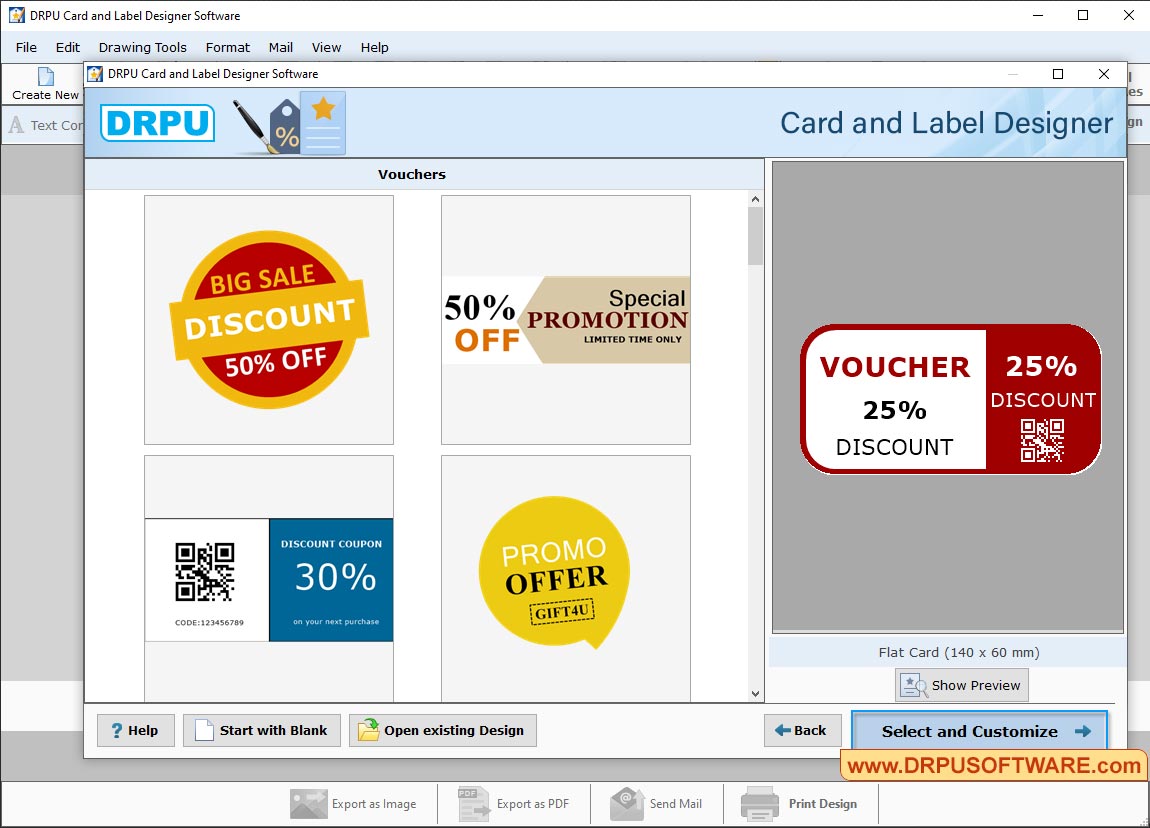
Choosing a voucher template, with a preview on the right and the Select and Customize button below it.
Drawing tools, barcodes, signatures and watermarks
DRPU Card and Label Designer has a toolbar for text, lines, shapes, symbols, images, clip art, barcodes, signatures and watermarks, plus a choice of background. For ID cards, that means a photo, a name, a barcode and a logo on one layout, in Rectangle, Rounded Rectangle or Ellipse shapes.
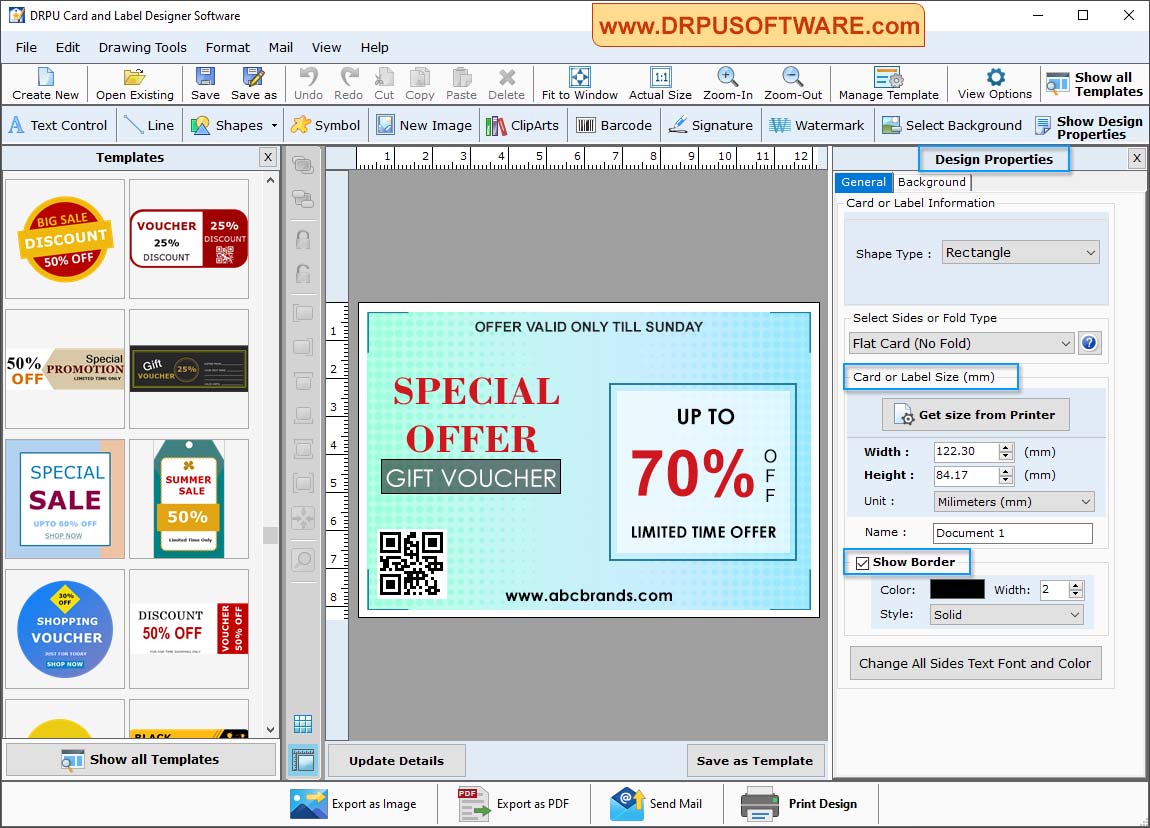
The main window: templates on the left, a design in the middle and the Design Properties panel on the right, with shape, fold type and card size.
Multiple copies with changing barcode and text
DRPU Card and Label Designer can generate several copies of a label with different barcode and text values, using a data series. That suits numbered tickets, asset tags or stock labels. For a full staff list from Excel, DRPU points you to its Corporate Edition instead.
Printing, PDF and email
DRPU Card and Label Designer prints through major card printers and general printers, with settings for paper size, margins, spacing and how many cards fit on a page, and a sample preview before you commit. Designs can also be exported as an image or PDF, or sent by email.
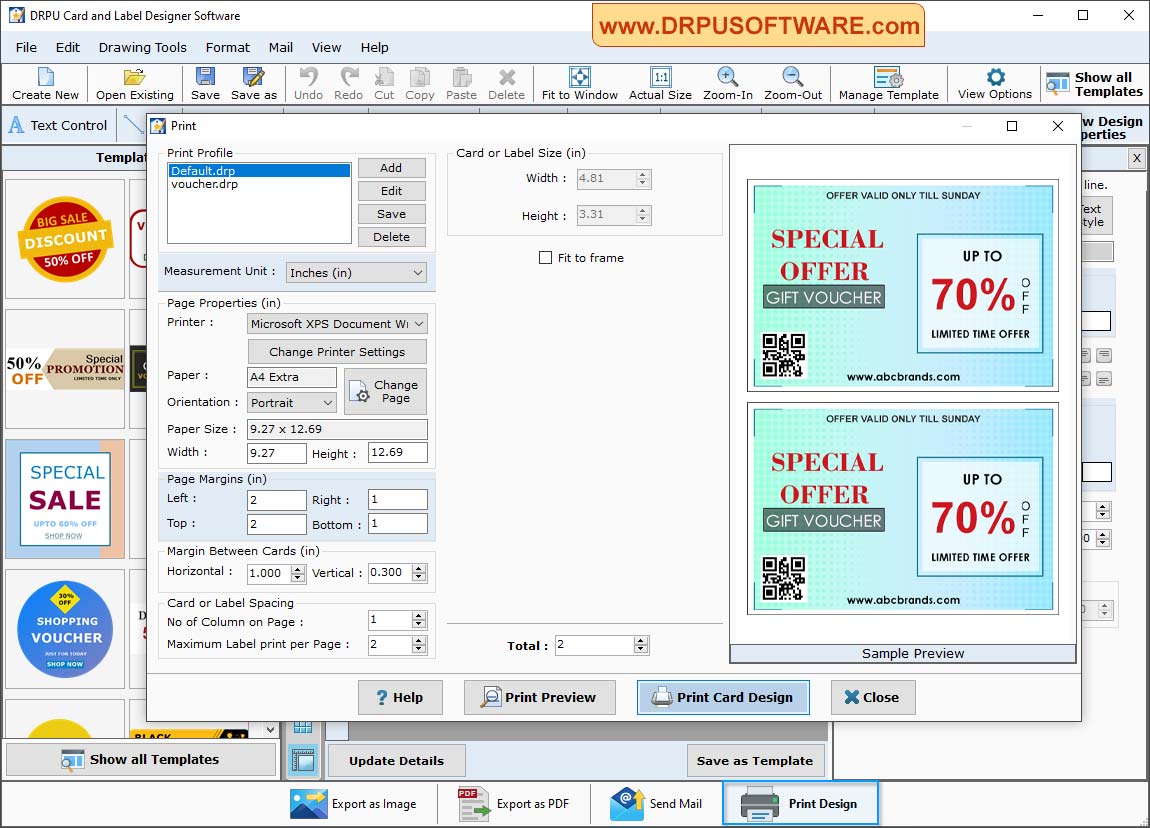
The Print dialog: printer, paper and margins, the number of cards per page, and a preview of the sheet.
Benefits
- A one-off cost. You pay $49 once and DRPU says the software never expires, with no subscription to manage.
- Short jobs stay short. A template and a few text edits are enough for a small batch of badges.
- It works offline. Your staff details and designs stay on your own computer.
Real-World Uses
- A small office prints staff ID cards with a photo and barcode on a card printer.
- A shop makes discount vouchers and price stickers for a sale.
- A warehouse prints numbered shelf or asset labels with sequential barcodes.
- A club or school office makes name badges and certificates for an event.
Who It's For, and Who Should Skip It
It's for small businesses, schools and offices on Windows that want one low-cost tool for occasional cards and labels.
Skip it if you're on a Mac, or if you issue ID cards at volume from a database, because a dedicated badge system with records and encoding is a better fit. A designer who needs fine control will also be happier in a real graphics program, and if you only need a card once, a free online template may do.
Usage Guide
- Install the demo. Download the installer from DRPU, about 13 MB, and run it on Windows.
- Choose a design type. Pick ID Card, Business Card, a label type or another option on the start screen.
- Start from something. Choose a template, the wizard or Start with Blank.
- Edit the design. Use the toolbar to add text, images and barcodes, and set shape, size and border in Design Properties. Get size from Printer can match your stock.
- Print. Open Print Design, set your printer, paper, margins and cards per page, check the sample preview and print. Try plain paper first.
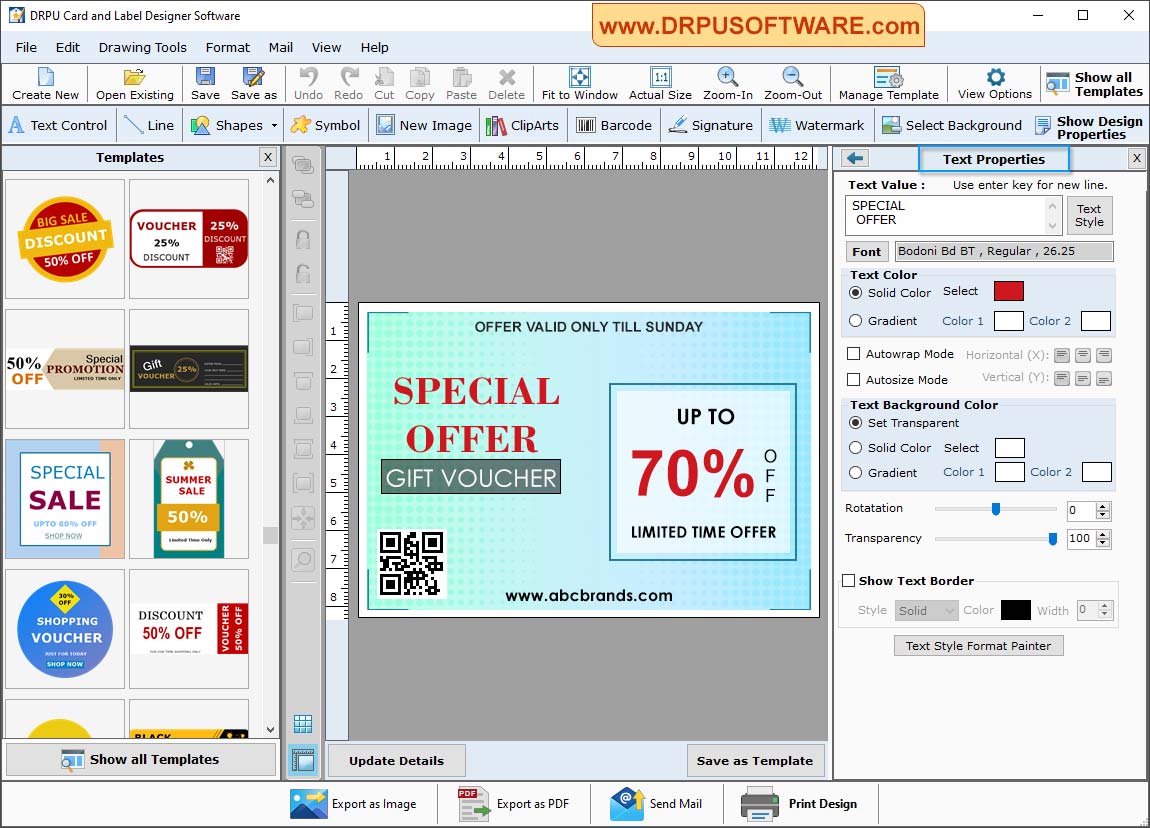
The Text Properties panel: text value, font, color, background, rotation and transparency for the selected text.
Where It Falls Short
- A dated program. The installer is from February 2025, and the interface looks older than that.
- Windows only. There's no Mac version of this program.
- Too many similar products. DRPU's range of overlapping card programs makes it hard to know which one you need.
- Limited public detail. DRPU doesn't publish system requirements or what the demo restricts, so test printing and saving yourself before you buy.
- Little independent feedback. Very few people have reviewed it, so there's not much to go on besides your own trial.
What Users Say
We found no substantial user reviews of DRPU Card and Label Designer. Softpedia lists it and describes it as a reliable tool for designing and customizing cards and labels, in a short note about an older version. The closest user feedback is for a sister product, DRPU Business Card Maker, on Capterra: a 3.0 rating from two reviews, one calling it a good choice for simple jobs but saying its signature feature is hard to use. That's too little to judge by, so rely on the free demo.
Comparisons
DRPU Card and Label Designer vs. DRPU ID Card Design Software
Both are $49 DRPU programs for Windows. ID Card Design Software is focused on student, employee, security and visitor cards. Card and Label Designer covers those and also labels, vouchers, stickers and other printed items, so choose it if you'll print more than ID cards.
Desktop card software vs. online card makers
Online makers are quick and work on any computer, but your card data goes to someone else's server and many charge per download or per month. A desktop program is a one-off cost, and your data stays with you.
Editions and Pricing
DRPU Card and Label Designer has one edition at $49, a one-time payment for one PC. DRPU delivers a download link and an activation key by email after you pay.
FAQs
Can DRPU Card and Label Designer print on PVC ID cards?
DRPU Card and Label Designer prints through major card printers as well as ordinary printers, so PVC cards depend on having a card printer that Windows can use. Test with the demo first.
Does DRPU Card and Label Designer need a subscription?
No. DRPU Card and Label Designer is a one-time payment, and DRPU says that once it's installed, the software never expires.
Is there a Mac version?
No. DRPU Card and Label Designer is Windows only. DRPU's Mac editions are for its ID card products.
Can it add QR codes and barcodes?
Yes. DRPU Card and Label Designer designs labels with linear and 2D barcode fonts, and its sample vouchers show QR codes.
Can I protect a design with a password?
Yes. DRPU Card and Label Designer can set a password on a label during design to prevent unauthorized access.
System Requirements
- Operating system: Windows
- Download: 12.68 MB installer
- Printer: a standard or card printer
Conclusion
DRPU Card and Label Designer is a fair buy at $49 if you print cards and labels now and then, want them on your own Windows PC, and would rather pay once than subscribe. The one reason to buy it is its breadth: ID cards, badges, labels and vouchers in one cheap program. The main reason not to is that it's dated and there's very little independent feedback, and a dedicated system is better for high-volume ID cards. Try the demo with your own printer first.
Download Free TrialBuy Now