You have years of music, videos and project files sitting on one hard drive, and you want a copy on a disc you can put on a shelf or hand to someone. SpeedBurn Disc Maker bundles the tools for that in one program: a data disc burner, a video DVD burner, an audio CD burner, an audio CD ripper and ISO tools.
Quick facts
- Developer: meMedia Co.,Ltd.
- Platform: Windows
- What it does: burns and rips discs, and makes and burns ISO images
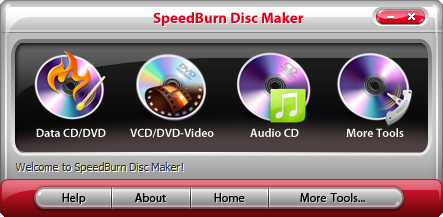
Key features
Back up files and folders to CD or DVD
You can burn files and folders to CD-R, CD-RW, DVD-R, DVD+R, DVD-RW, DVD+RW and dual-layer discs, with a choice of burning mode and speed.
Burn video discs for a home or car player
The video CD/DVD burner takes formats such as AVI, MPG, MP4, WMV and MOV, plus HD sources like M2TS, so the disc plays on a standard DVD player.
Make audio CDs without converting first
It burns directly from audio files, so you don't have to convert tracks in advance, and it uses multiple CPU cores for speed.
Rip audio CDs to MP3, WAV, WMA or OGG
The audio CD ripper extracts tracks into those formats.
Create, copy and burn ISO images
You can build an ISO image from files and folders, copy a game, software or system disc to ISO, and burn an ISO back to disc.
Erase rewritable discs and check your drive
A disc eraser wipes CD-RW and DVD-RW discs for reuse. A device info tool shows your drive's vendor, revision and read/write types.
Who it's for
It suits you if you still burn discs for backups, car stereos, DVD players or ISO archives and want one program instead of several.
Pros and cons
- Pro: data, video, audio and ISO tools in one program.
- Pro: broad disc type support.
- Pro: burns audio files directly without conversion.
- Con: Windows only.
- Con: it's a disc-burning tool, so it won't help if your computer has no optical drive.
FAQs
Can it make an ISO from a game or software disc?
Yes. It copies a CD or DVD to an ISO image and can burn that image to a new disc.
Can it erase a disc?
Yes, rewritable CD-RW and DVD-RW discs can be erased and reused.
Can it rip music CDs?
Yes, to MP3, WAV, WMA and OGG.
Does it support dual-layer discs?
Yes, DVD+R DL and DVD-R DL are among the supported types.