Desktop Lux: Live Wallpapers, Desktop Effects, Animated Cursors and Tweaks for Windows
Desktop Lux is a free Windows app from Pothos that turns the desktop into a moving scene: video, web page or screensaver backgrounds, falling leaves or confetti on top of your windows, animated cursors, a wallpaper changer and a night light; Desktop Lux Ex is a one-time $19.95 upgrade that updates automatically and needs no periodic activation. It's for people who want a livelier desktop without assembling five separate tools.
Windows lets you pick a picture or a slideshow and stops there. Live and video wallpapers, a web page as the background, seasonal effects over the desktop and themed cursors all need third-party software. Desktop Lux puts them in one small window with tabs, and adds a few Windows tweaks and a night light for good measure.
Quick facts
- Version: 1.4, released October 16, 2025 (first release December 2024; free since version 1.3)
- Developer: Pothos
- Platform: Windows 11, 10, 8 and 7, 32-bit and 64-bit
- Tabs: Background Picture, Background Video, Background Web, Background Screen Saver, Screen Saver, Effects, Cursor, Tweaks, Night Light
- Price: Desktop Lux is free; Desktop Lux Ex costs $19.95, one-time
- What Ex adds: faster, automatic updates and no periodic activation
- What we checked: the download from desktoplux.com (desktoplux.zip, 16.4 MB, containing an unsigned setup file), the Pothos help pages and version history, and the order page price of $19.95 with no renewal on November 20, 2026. We didn't install it on a test PC; the screenshots are from Pothos' press kit.
Before you buy
- You may not need to. Since version 1.3 the app itself is free. Pothos' order page says the Exclusive edition gets updates faster and automatically and doesn't require periodic activation; pay if those matter to you or you want to support the developer.
- Also on Steam. Pothos says Desktop Lux can be bought through Steam at the price for your region, which may be lower outside the US.
- Effects cost CPU. Pothos recommends running no more than one effect at a time and turning effects off on slow PCs before demanding programs.
- The installer isn't digitally signed, so Windows SmartScreen may warn about an unknown publisher. Download it from desktoplux.com.
Download Free TrialBuy Desktop Lux Ex ($19.95)
Overview
Desktop Lux is one window with a row of tabs, each with an Enable box, its own settings and a Help button. Some tabs have a Find button that opens Pothos' free library of wallpapers, videos and screensavers on desktoplux.com, though you can use your own files just as well. You turn on as many tabs as you like; the background tabs replace each other, while effects, cursors and the night light sit on top.
When a full-screen program, a 3D game or a screensaver starts, Desktop Lux switches off effects, video and web backgrounds by default, so they don't slow the game down.
Features
Effects over the desktop
Desktop Lux's Effects tab adds animations on the desktop or on top of all windows: balloons, confetti, dandelions, falling petals, hearts, leaf fall, lightning, lights and garlands, rain, rain of flowers, smoke, sweets and more. Several have a Density slider, which is also the main lever on CPU load.
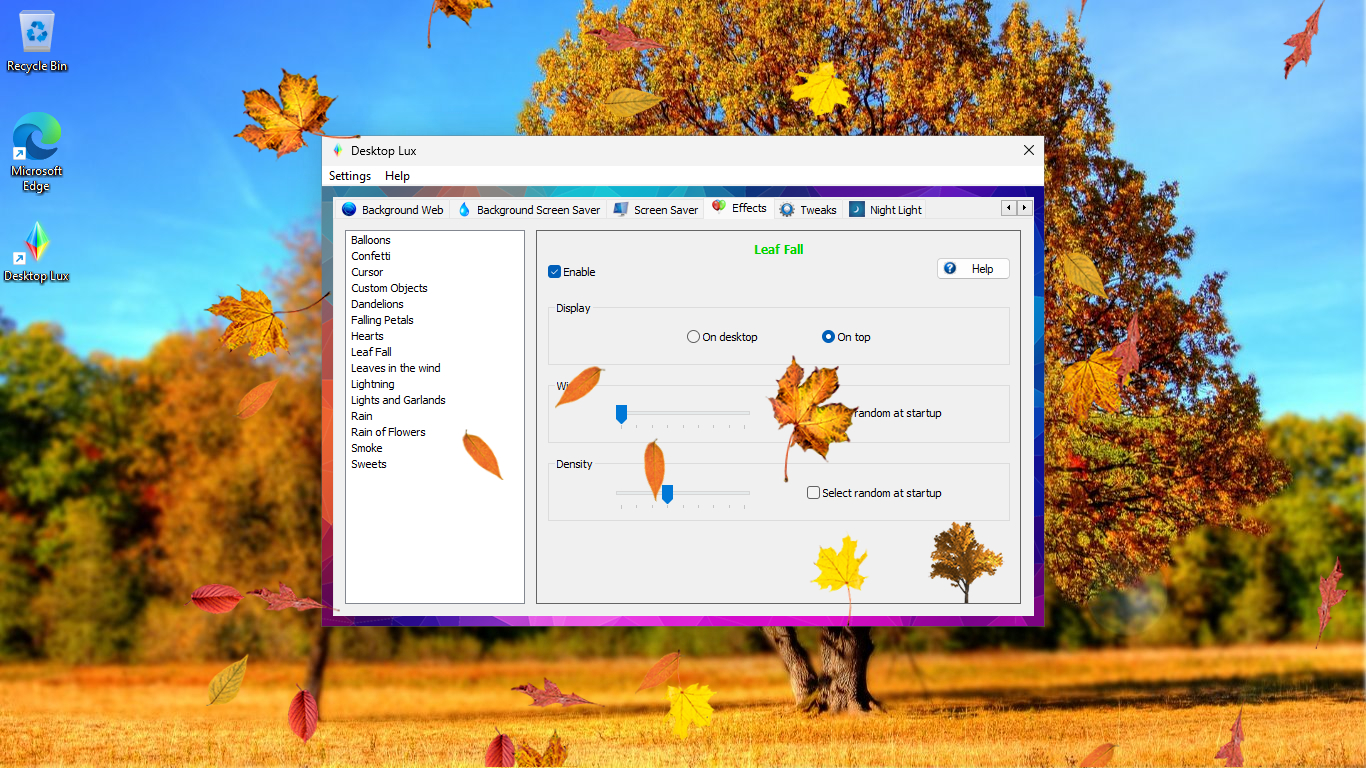
The Effects tab with Leaf Fall enabled "On top", with display, speed and density settings, while leaves fall across the desktop.
Video, web page and screensaver backgrounds
Desktop Lux can play any video file your PC supports as the wallpaper, show a live web page behind your icons (using Microsoft Edge as the browser engine), or run a screensaver as the background. A web wallpaper is a fit for a news page, a dashboard or a feed you glance at; Windows had this as Active Desktop in the XP days and dropped it after.
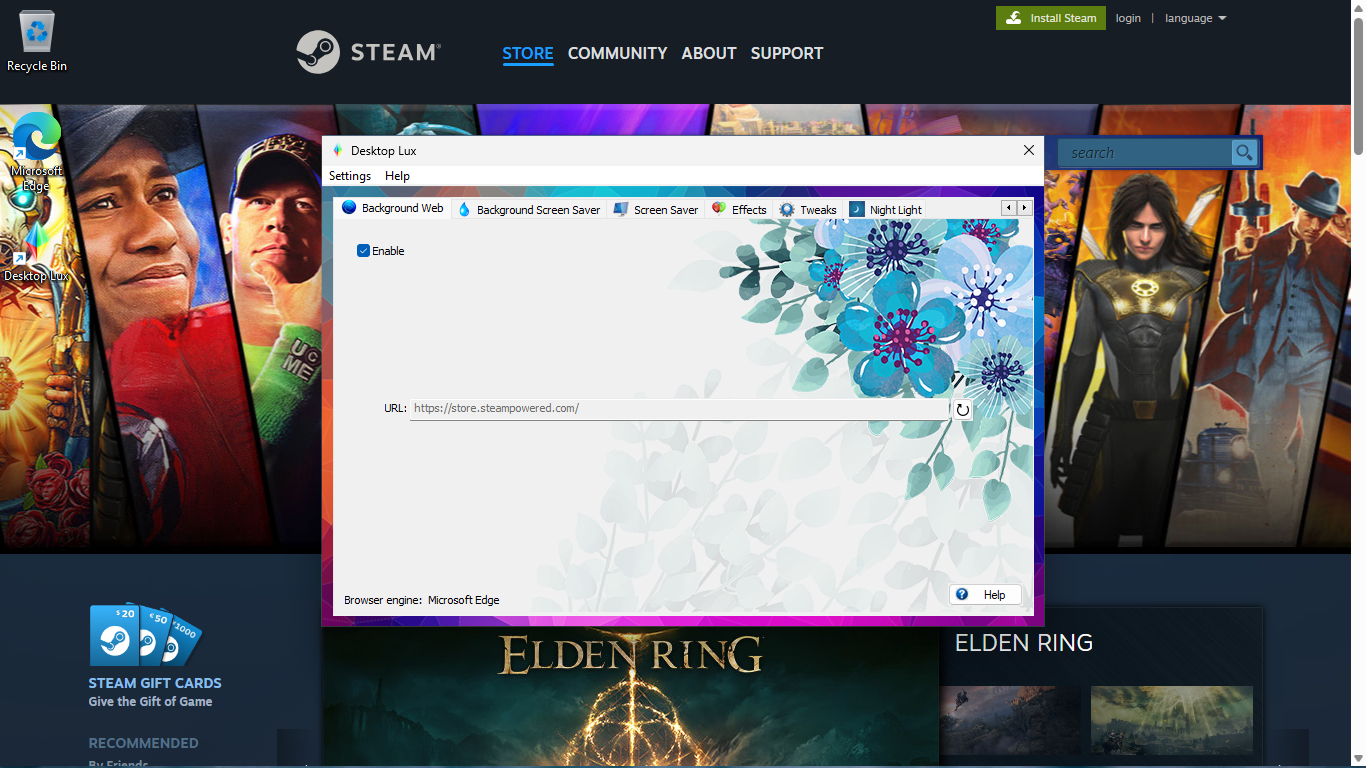
Background Web: the Steam store page set as the desktop background, with the URL field and "Browser engine: Microsoft Edge" in the Desktop Lux window.
Wallpaper changer and screensaver rotation
Desktop Lux's Background Picture tab takes single files or whole folders and changes the wallpaper on a schedule (every 15 minutes, for example), with position and shuffle options. The Screen Saver tab rotates through your installed screensavers in turn, and the app adds its own screensavers that play any video file or open any web page.
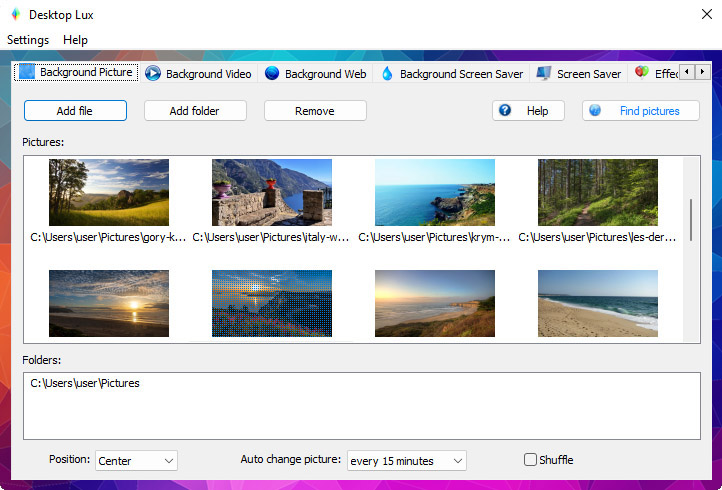
Background Picture: eight landscape photos from the Pictures folder, position Center and "Auto change picture: every 15 minutes".
Animated cursors
Desktop Lux's Cursor tab swaps the Windows pointer for themed, mostly animated cursor sets in one click, and adds visual effects that follow the mouse. A Default button puts the normal cursor back.
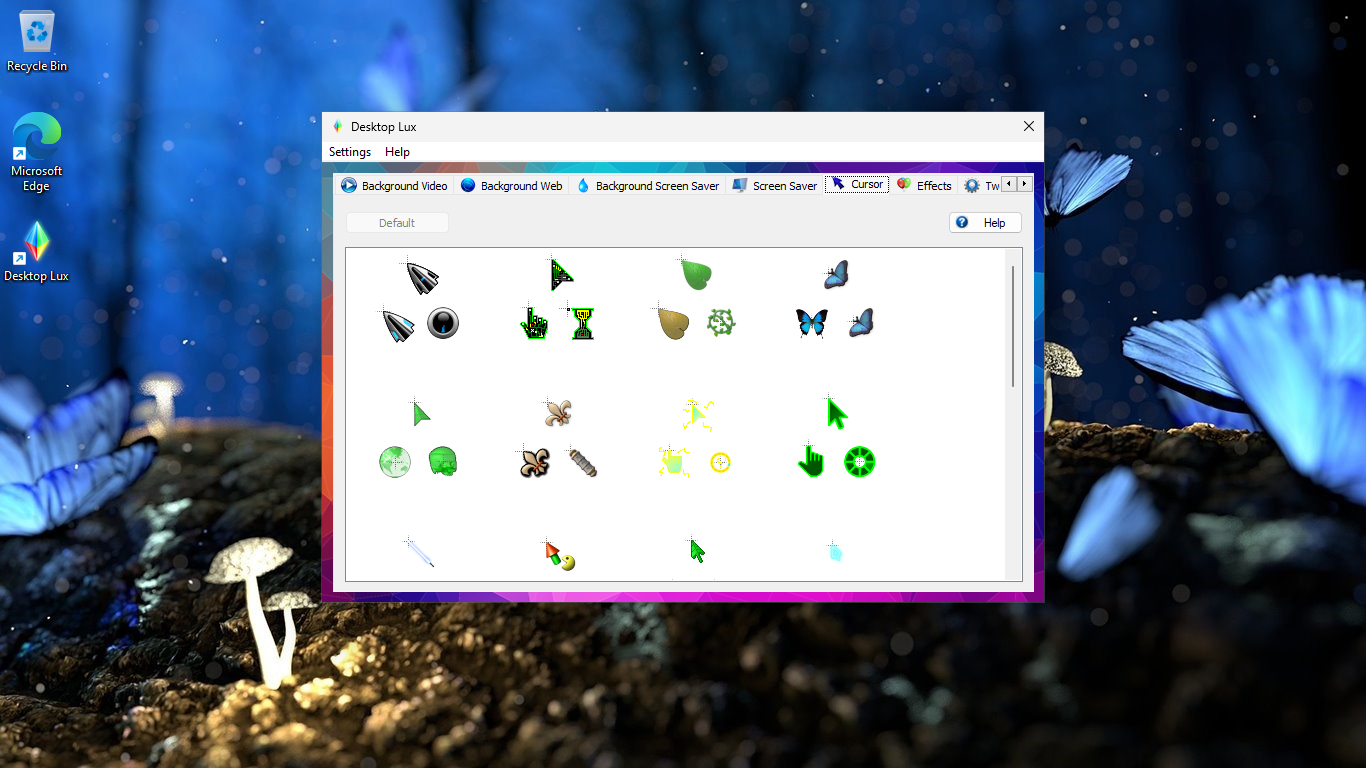
The Cursor tab: a grid of cursor sets (leaves, butterflies, gears, green arrows) and a Default button.
Tweaks and Night Light
Desktop Lux's Tweaks tab changes hidden settings for File Explorer, the desktop, Start, the taskbar and the context menu: adding "Copy to", "Move to" or "Open with Notepad" to right-click menus, taskbar button width and flash count, a glass effect for the taskbar, a "God Mode" settings shortcut, and more. Some need File Explorer or Windows restarted, which the tab tells you. Night Light warms the screen colors on a schedule with a chosen color temperature and transition time.
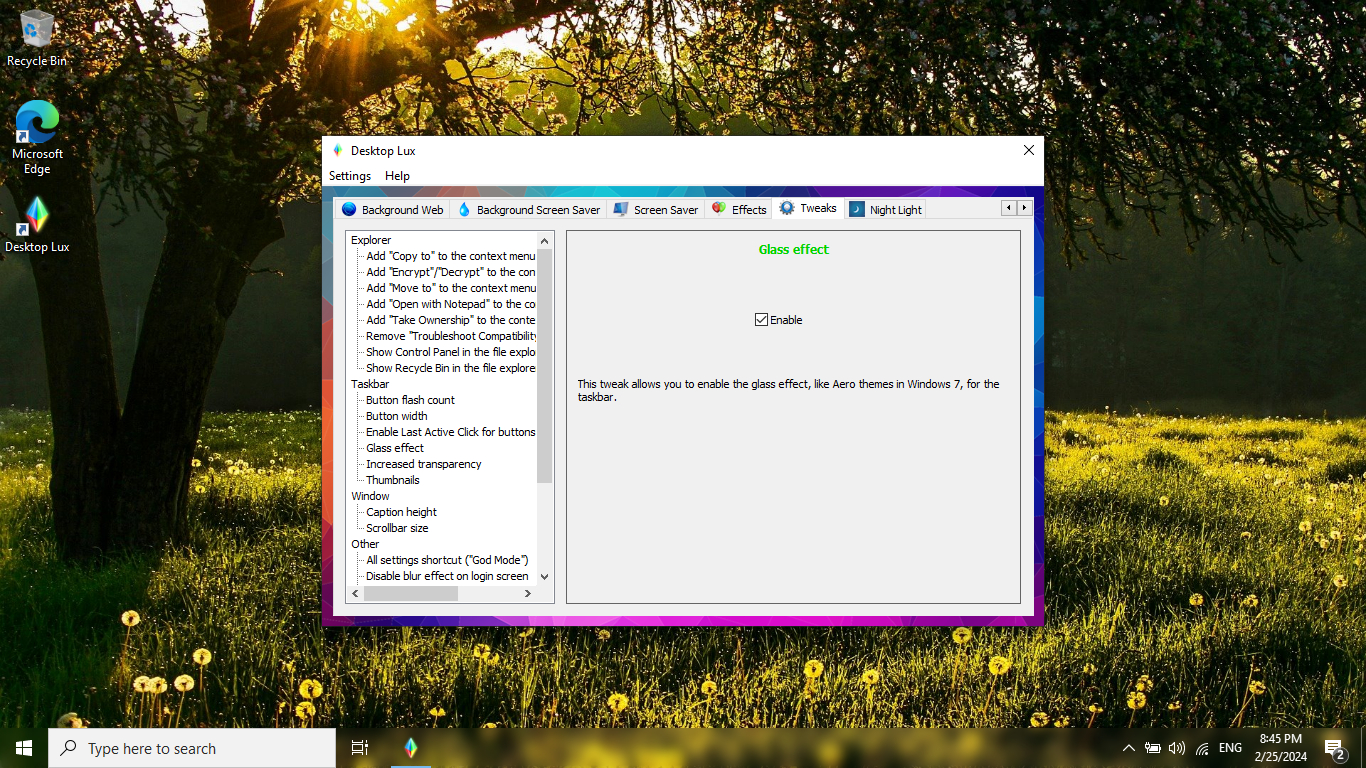
The Tweaks tab: Explorer, Taskbar, Window and Other groups on the left, and the Glass effect tweak for the taskbar selected on the right.
Benefits
- One app instead of several. Live wallpapers, effects, cursors, wallpaper rotation and a night light in one place.
- Game-friendly by default. Backgrounds and effects pause for full-screen apps and games.
- Free to start. The app is free; Ex is a one-time payment, not a subscription.
Real-World Uses
- Seasonal decorating. Falling leaves in autumn, lights and garlands in December, confetti for a birthday.
- A dashboard wallpaper. Put a news site, a status page or a calendar behind your icons with Background Web.
- A calm video desktop. Play a looping nature clip as the wallpaper on a second monitor.
- Late-night work. Schedule Night Light from 10 PM to 6 AM.
Who It's For, and Who Should Skip It
Good fit: people who like a decorated, changing desktop and want the options in one simple Windows app, and fans who want automatic updates and no activation prompts with Ex.
Skip it if: you're on an older or low-powered laptop where animated effects and video wallpapers will cost battery and speed; you already use Windows' own Night light and slideshow and want nothing more; you need a Mac version; or you want deep, community-made interactive wallpapers.
Usage Guide
- Download and install. Unzip desktoplux.zip (16.4 MB) and run the setup.
- Pick a background. Open Background Picture, Video, Web or Screen Saver, tick Enable and choose your file, folder or URL, or click Find to browse Pothos' library.
- Add one effect. On the Effects tab enable one effect, set Display to "On desktop" or "On top" and adjust Density.
- Try a cursor set on the Cursor tab; Default restores the usual pointer.
- Tweak and schedule. Change Explorer and taskbar tweaks, then set Night Light hours.
- Upgrade if you want. Buy Desktop Lux Ex for automatic updates and no periodic activation.
Where it falls short
- Performance cost. Pothos itself warns that several effects at once, or a high density, can slow down the whole system.
- A small Ex upgrade. The paid edition doesn't add features, only update and activation convenience.
- Reviews are mostly enthusiastic write-ups, with little long-term or critical testing.
- Windows only, and the setup isn't code-signed.
What Users Say
Reviews and download sites
TrishTech (Trisha, December 27, 2024): "Desktop Lux is a versatile tool that makes desktop customization seamless and enjoyable." and "Desktop Lux makes setting up and customizing screensavers effortless."
I Have A PC (June 28, 2025): "It is also light on PC resources and uses very less disk space." and "Plus, it comes with a large collection of ready-to-use assets to get you started."
MajorGeeks lists version 1.4 as freeware with a 5 out of 5 reader rating from 2 votes: "Desktop Lux will help enhance and personalize the visual aesthetics of your machine's Windows operating system."
The pattern
The write-ups agree it's easy to use and broad, and the one thing they single out is the mix of live and web wallpapers with effects and cursors in a single app. They're short, positive and early; there's little critical or long-term feedback yet, so judge it with the free version on your own PC.
Comparisons
Desktop Lux vs Windows' built-in options
Windows covers a picture or slideshow wallpaper and its own Night light. It has no video or web page wallpaper, no desktop effects, no cursor sets with mouse effects and no screensaver rotation. If you only want a slideshow and warm colors at night, Windows is enough; for the rest, Desktop Lux.
Editions and Pricing
| Edition |
Price |
License |
Difference |
| Desktop Lux |
Free |
Free download |
Needs periodic activation |
| Desktop Lux Ex |
$19.95 |
One-time payment |
Faster, automatic updates; no periodic activation |
FAQs
Is Desktop Lux really free?
Yes. Pothos made Desktop Lux free in version 1.3 (June 2025). The paid Desktop Lux Ex adds faster automatic updates and removes the need for periodic activation.
Will Desktop Lux slow down games?
Desktop Lux turns off effects, video and web backgrounds by default when a full-screen app, 3D game or screensaver starts. On slower PCs Pothos still recommends one effect at a time and a low density.
Can Desktop Lux use my own videos and pictures?
Yes. Desktop Lux plays any video file your system supports as the wallpaper and takes your own pictures and folders for the wallpaper changer; the online library is optional.
Is Desktop Lux Ex a subscription?
No. Desktop Lux Ex is a one-time $19.95 payment on the order page, with no automatic renewal. Pothos also sells it on Steam at regional prices.
Is there a Mac version of Desktop Lux?
No. Desktop Lux is a Windows app for Windows 11, 10, 8 and 7; the wallpapers on desktoplux.com can be downloaded for any device.
System Requirements
- Windows 11, 10, 8 or 7, 32-bit or 64-bit
- No other components required
- Microsoft Edge for web page backgrounds
Conclusion
Desktop Lux is an easy recommendation as a free download: it bundles live, video and web wallpapers, desktop effects, animated cursors, a wallpaper changer and a night light in one tidy app that steps aside when you game. Desktop Lux Ex at $19.95 is worth it only if you keep using it and want automatic updates without activation prompts; it adds no new features. Start with the free version, and upgrade if it becomes part of your desktop.
Download Free TrialBuy Desktop Lux Ex ($19.95)