Elby CloneBD: Copy, Shrink and Convert Your Unprotected Blu-rays on Windows
CloneBD is a Windows program from Elaborate Bytes that copies unprotected Blu-ray discs to your hard drive or a blank disc, and converts them to MKV or MP4. A license with lifetime updates costs $114.74 at checkout, and the free version does everything but leaves a watermark on compressed video.
Think of the wedding film burned to a BD-50, or the camcorder discs from a few holidays ago. CloneBD gets them off the shelf and into a form you can keep, shrink or play on a tablet. It isn't sold as a way around copy protection, so a shop-bought film is usually not what it's for.
Quick facts
- Developer: Elaborate Bytes AG, Switzerland
- Version: 1.3.2.1a, released March 4, 2025
- Runs on: Windows 11, 10, 8, 7 and Vista. No Mac version
- Reads: unprotected Blu-ray discs, ISO images and Blu-ray folders
- Writes: disc, folder, ISO, MKV, MP4 and device presets
- Price: $114.74 with updates for life, or $73.17 with two years of updates
- Free version: no time limit, watermark on compressed video
What we checked: order page prices of $114.74 (free updates for life) and $73.17 (free updates for 2 years), and a 38.2 MB installer served through the download link, all on November 5, 2026. We didn't run a copy on a physical disc.
Before you buy
CloneBD is for unprotected discs: your own recordings, AVCHD camcorder discs and other Blu-rays with no copy protection. Copying a disc you don't have the rights to may break the law where you live, so stick to material that's yours.
Run the free version on your own discs first. It has every feature, so you can see whether your drive and discs work before you pay anything.
Download Free TrialBuy Now
Overview
CloneBD moves you through four steps shown as tabs at the top of the window: Source, Copy Mode, Selection and Target. You pick a disc, ISO image or folder, say whether you want a disc-style copy or a file, tick the titles and languages you care about, and choose the size and destination. There's no third-party driver to install, because a UDF 2.50 parser is built in.
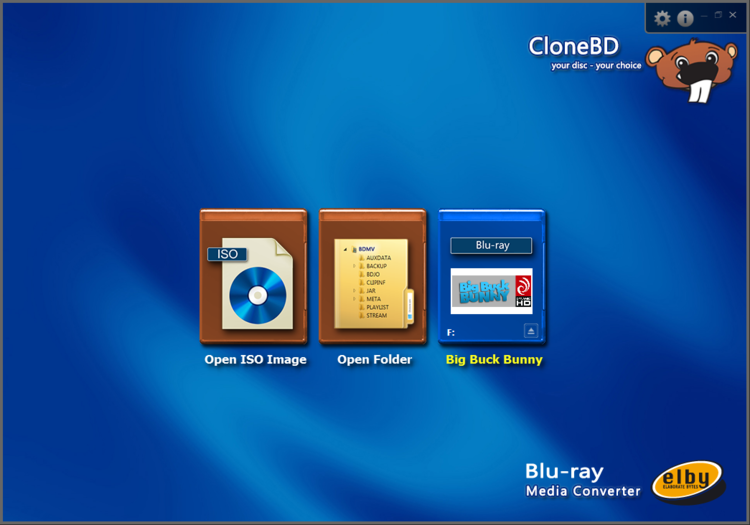
The CloneBD start screen: open an ISO image, a Blu-ray folder or the disc in your drive.
Features
Complete or partial copies
CloneBD makes a straight 1:1 copy of a Blu-ray, or a partial copy with only the titles, audio tracks and subtitles you pick. A movie-only copy without trailers and extras takes up far less room, and that kind of copy doesn't need compression, so the free version leaves no watermark on it.
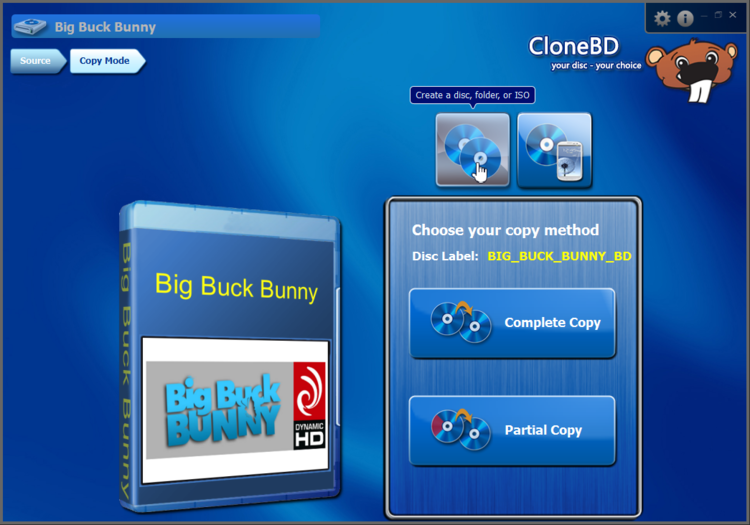
Choosing between a complete and a partial copy. Elby's screenshot uses the open film Big Buck Bunny.
Fit a BD-50 onto smaller discs
CloneBD compresses a BD-50 to a single BD-25, BD-9 or BD-5, so a dual-layer disc fits on cheaper media. This is the main thing you pay for, since compressed output carries a watermark in the free version.
Preview and pick titles
CloneBD shows each title with its length, codec, resolution and thumbnails, and has a built-in preview player, so you can check which title is which before you start. You can also trim parts from the start or end of the video.
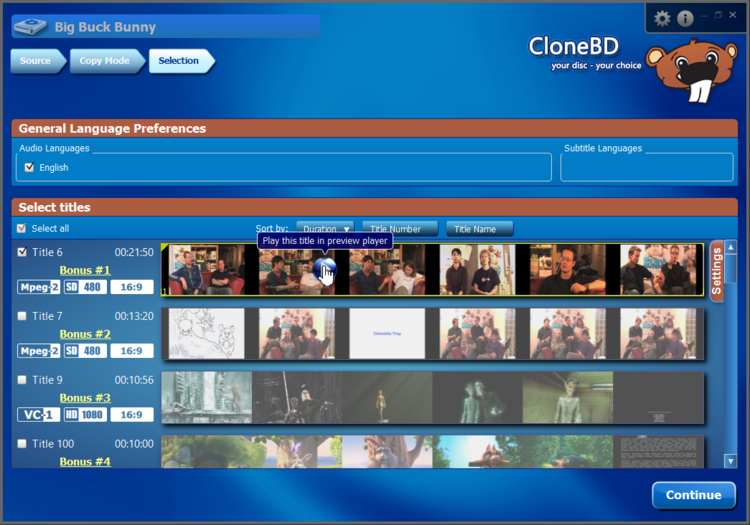
The Selection step, with audio languages at the top and a thumbnail strip for each title.
Convert to MKV, MP4 and device presets
CloneBD converts Blu-ray titles to MP4, MKV and other common formats and to presets for Android, iPhone, iPad and smart TVs. You set the target size, audio channels and resolution, from 1920 x 1080 down to 384 x 216 in the screen below, and it supports H.265/HEVC for smaller files.
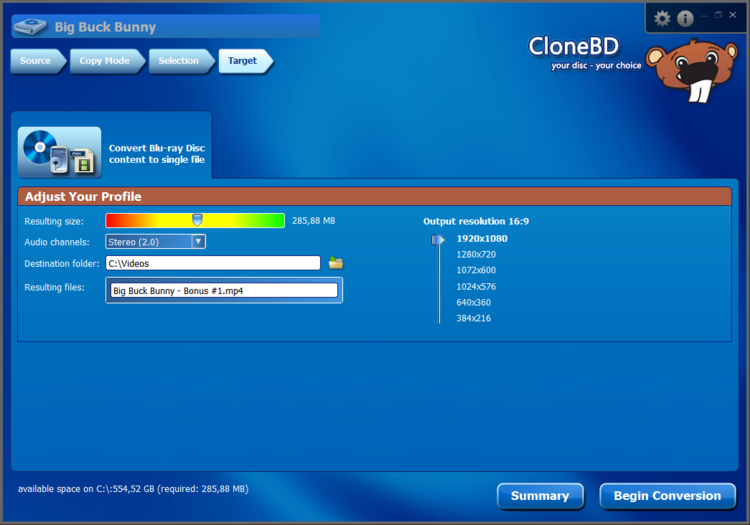
Setting the file size, audio channels and resolution for an MP4 conversion.
UltraHD, HDR and 3D
CloneBD reads UltraHD Blu-ray discs and handles 10-bit HEVC HDR input and output. It can also convert UHD HDR sources down to SDR for an older TV. 3D Blu-rays can only go to MKV.
All regions, and hardware acceleration
CloneBD works with region A, B and C discs, and uses multi-core CPUs and hardware acceleration to shorten long conversions.
Benefits
- You keep what matters: dropping extras and spare languages can turn a disc into something much smaller.
- A safety copy of irreplaceable footage: a disc scratches, a folder or ISO on a backed-up drive doesn't.
- A fair test: free use with no time limit means you pay only after you've seen it work.
Real-World Uses
- You burned a family event to a dual-layer disc and want a BD-25 copy for each relative.
- Your camcorder discs are piling up, so you convert them to MP4 for a media server.
- You have a UHD recording but an older HD TV, so you make an SDR version that displays correctly.
- A presentation disc needs a version for a tablet, with only one language and no extras.
Who It's For, and Who Should Skip It
CloneBD suits people with a shelf of home-made or otherwise unprotected Blu-rays, plus video hobbyists who want a simple step-by-step tool with one job.
Skip it if you have a Mac, since it's Windows only. Skip it if you expect it to handle shop-bought films, because it's built for unprotected discs. And if all you have is files on a disc with no compression needed, the free version may be all you ever need.
Usage Guide
- Download and install CloneBD. You need administrator rights.
- Enter your license key if you have one. Without it, the program stays in free mode.
- Choose a source: disc, ISO image or Blu-ray folder.
- Pick a copy mode: disc, folder or ISO, or a file for a device.
- Select titles and languages, and preview them if you're unsure.
- Set the target, then click Begin Conversion. Keep 50 to 100 GB of temporary space free.
Where It Falls Short
- Unprotected discs only. Elby describes it that way, so many commercial discs are outside its job.
- Slow development. The changelog shows the last regular release in September 2022, a beta in February 2024 and a driver security fix in March 2025. Don't expect new features.
- Audio quality and player compatibility can vary. One review collected by UpgradedReviews found audio "a little low quality" compared with the original, and a VideoHelp user reported that burned discs locked up one LG player while playing on others.
- Large temporary files. Elby asks for 50 to 100 GB free, which matters on a small SSD.
- 3D is MKV only. You can't make a 3D disc copy.
- Two-year licenses stop updates. Support and updates end unless you renew for 49 EUR.
What Users Say
There isn't much recent, independent testing of CloneBD. The reviews below are the ones with something useful to say, and several are short.
VideoHelp users
VideoHelp, a long-running video software directory, showed a user rating of 7.1 out of 10 from 21 votes when we last read it in October 2026.
"The best software for editing Bluray discs. Very easy to use and fast compression." BlackBox, 10 out of 10
Technary
"CloneBD delivers exactly what it promises — a reliable, easy-to-use Blu-ray copy and conversion tool without unnecessary complications. It's not overloaded with features, and that's a good thing." Technary. The page also carries a trial link, so it isn't a neutral test.
Reviews collected by UpgradedReviews
"There is no need to install a third party driver, since an internal UDF 2.50 parser is already included."
"CloneBD offers fewer customer and technical-support options."
"The audio downloaded tends to be a little low quality as compared to the original video on your Blu-Ray disc."
Some of the quotes on that page are from older versions. One complains that the program can't compress a full disc to a smaller blank, which the current version does.
The recurring themes: people like the simplicity, the short four-step process and the absence of extra drivers. The criticism is about the limited support options, the unprotected-only scope and how little has changed in the last few years.
Comparisons
CloneBD alone vs the CloneBD and CloneDVD bundle
The bundle at $134.08 adds CloneDVD for DVDs and also has lifetime updates. It costs $19.34 more than CloneBD with lifetime updates at checkout, so if you own a decent number of DVDs, the bundle is the better buy.
Free CloneBD vs licensed CloneBD
Both have the same features. The free version watermarks compressed copies, compressed MKV and MP4 files, HDR to SDR conversion and burned-in subtitles. Disc-style copies without compression, trimmed movie-only copies and uncompressed MKV and MP4 files stay clean.
Editions and Pricing
| License | Price at checkout | Updates and support | Elby's list price |
|---|
| CloneBD, free updates for life | $114.74 | For life | 99 EUR |
| CloneBD, free updates for 2 years | $73.17 | 2 years, then 49 EUR to renew | 69 EUR |
| CloneBD and CloneDVD bundle | $134.08 | For life | 119 EUR |
Our Buy Now button opens the order page with the lifetime option selected. The 2-year license is a different option on the same product. A 2-year license can be upgraded to lifetime for 89 EUR, which is more than the $41.57 difference when you buy, so decide up front.
FAQs
Is the CloneBD license a subscription?
No. A CloneBD license keeps working, and the term only decides how long you get updates and support. When a 2-year term ends, you keep your key but stop getting new versions.
Do I need a Blu-ray burner for CloneBD?
CloneBD only needs a writer to burn discs. To make ISO images, folders or MKV and MP4 files you just need a drive that reads Blu-rays, and you need no drive at all to work from an existing ISO or folder.
Does CloneBD work on a Mac or Linux PC?
No. CloneBD is a Windows program and Elby doesn't offer a Mac or Linux version.
Does CloneBD need a graphics card?
No, CloneBD runs on the CPU, with multi-core support. A supported graphics card speeds up conversion through hardware acceleration.
What does a CloneBD license key actually change?
A CloneBD key removes the watermark and gives you support and updates for your license term. It doesn't unlock extra features, because the free version already has all of them.
Can CloneBD handle a 3D Blu-ray?
CloneBD can convert a 3D Blu-ray to an MKV file with H.265/HEVC compression. It doesn't output 3D in other forms.
System Requirements
- Windows 11, 10, 8, 7 or Vista
- 2 GHz processor or faster, 2 GB RAM
- Administrator rights to install
- Blu-ray drive, reader or writer
- 50 to 100 GB of temporary hard drive space
Conclusion
CloneBD is worth it if you have home-made or unprotected Blu-rays and want to shrink, trim or convert them in a few clicks. The one reason to buy it is clean compressed output, since the license mostly exists to remove the watermark from BD-50 to BD-25 copies and compressed files.
The main reason not to is scope: it won't replace a tool for discs it wasn't built for, and development is slow. Start with the free version. If you never compress, you may not need to pay at all, and if you own DVDs too, look at the $134.08 bundle.
Download Free TrialBuy Now