Stop replacing dead hard drives and reimaging PCs one by one
If you run a cafe, a school lab or an office with dozens of PCs, you know the routine: a drive fails, a virus sneaks in, or a game patch has to be pushed to every machine by hand. CCBoot attacks the cause. The client PCs have no local hard drive. They boot over the LAN from one server, and every reboot returns them to a clean state.
Quick facts
- Type: diskless boot and PXE boot server software
- Boot methods: PXE and iSCSI over plain Ethernet
- Client operating systems: Windows 10, Windows 11, Windows Server 2019/2022
- Pricing: per client PC. CCBoot Classic (the on-premise server) is USD 5.00 per PC per month, or USD 4.00 per PC per month when paid annually
- Trial: free trial available, by applying for a trial license
- Vendor: Youngzsoft, building diskless boot software since 2000
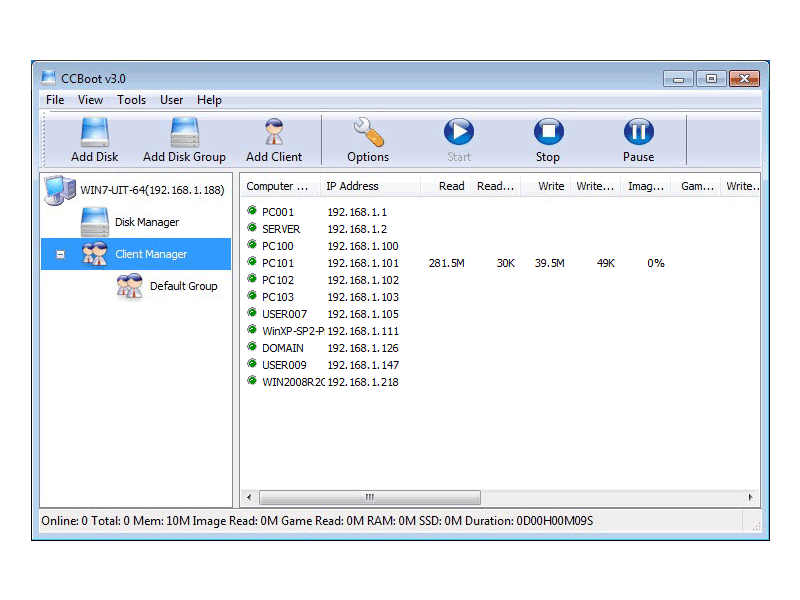
Key features
Every PC wiped clean on each reboot
Clients boot from a read-only master image on the server. Changes made during a session, including malware, are discarded when the PC restarts, so you get a fresh system each time.
Update all PCs by changing one master
Install software or updates on your master computer, reboot the rest, and they all pick up the change. One person can look after a large network this way.
No hard drives in the client PCs
Dropping local drives on most clients saves hardware money and removes a common failure point.
Fast boots through RAM and SSD caching
The server caches frequently used disk blocks in RAM, and it can use SSD or NVMe storage. The vendor says that with NVMe and a 1Gbps or 10Gbps network, performance is comparable to a local mechanical drive and often faster.
Load balancing and server redundancy
The feature list includes load balance and server redundancy. It also covers a shared game disk with game updates, and one master image that serves every client PC.
Who it's for
- Internet cafes and esports venues that want game updates made once on the server.
- Schools that want every lab PC back to a clean state after each class.
- Offices and companies with many identical workstations.
- Hotel business centers and similar shared-PC setups.
- Render farms where every node needs the same image and plugin versions.
Pros and cons
Pros
- Clean system after every reboot, which cuts down on malware and cleanup work
- One master image to maintain instead of many separate installs
- Savings on hard drives for the client PCs
- Runs full Windows, so PC games run as they would on a normal PC
Cons
- Everything depends on one server and your LAN, so the server's RAM, NIC bandwidth and storage set your capacity
- Licensing is per client PC and each key covers a single server, so costs grow with seat count
- You need a server and switches set up for network boot, which takes some configuration
What users say
"CCBoot is a great product for a diskless setup." (Selçuk Dere, Turkey, on the CCBoot purchase page)
"Easy to buy with great technical support and English interface what more can I ask for" (Badral Sukhbaatar, Mongolia, on the CCBoot purchase page)
FAQs
How many PCs can one server handle?
The vendor says a single server can manage hundreds of clients. Typical cafe deployments run from 30 to 500+ seats, depending on server RAM, network speed and storage.
Does it work with Windows 11?
Yes. The vendor lists support for Windows 10, Windows 11 and Windows Server 2019/2022, including Secure Boot and modern UEFI firmware.
How does PXE boot work here?
The client asks the server for a boot image over the LAN using DHCP and TFTP. CCBoot then streams the full Windows image over iSCSI.
Can I use one license on several servers?
No. Each license key is for a single server. To move it, you reset the license and activate it on the new server.
How many licenses do I need?
One per client PC. For 20 client PCs, you need a 20-PC license.
System requirements
The server runs CCBoot and serves the clients. Client PCs need network boot (PXE) support and a wired LAN connection. Supported client systems are Windows 10, Windows 11 and Windows Server 2019/2022. Server hardware (RAM, NIC bandwidth, SSD or NVMe storage) determines how many clients you can run.