R-Studio Data Recovery Software
You deleted a folder, formatted the wrong drive, or a disk stopped mounting, and the files on it matter. R-Studio from R-Tools Technology is a recovery suite built for exactly these situations, from a single lost partition to a damaged RAID array.
Quick facts
- Maker: R-Tools Technology Inc.
- Platforms: Windows, Mac and Linux editions
- Recovers from: local disks, removable disks, damaged or unbootable disks, and network computers
- Try first: a file previewer lets you estimate recovery chances before buying
Key features
Recover from nearly every common file system
R-Studio handles FAT12/16/32, exFAT, NTFS and NTFS5, HFS/HFS+ and APFS from Macs, UFS1/UFS2 from BSD and Solaris, and Ext2/Ext3/Ext4 from Linux. That means one tool covers drives pulled from different machines.
Rebuild damaged RAID arrays
The RAID reconstruction tools can automatically recognize and assemble components of Windows Storage Spaces, Apple software RAIDs, Linux LVM and mdadm arrays, even when their databases are slightly damaged. Severely damaged components can be added by hand.
Recover over a network or the Internet
You can recover a drive on another computer over a LAN or the Internet. A connection can start from either R-Studio or the R-Studio Agent, which lets it get through NAT and firewalls.
Raw file search and custom file types
When file system records are gone, a raw scan looks for known file types, and you can define your own types. Bad sectors are handled with smart processing.
Disk images and smart copy
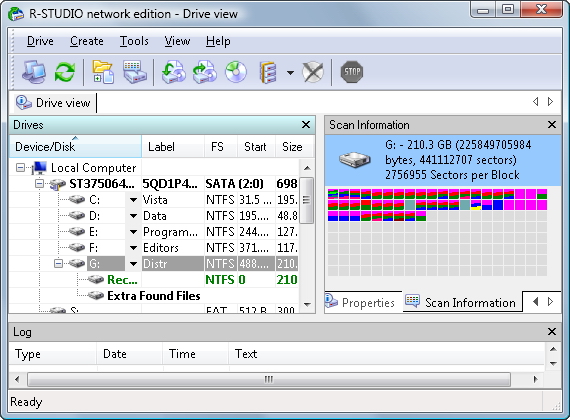
You can make a byte-to-byte copy of any object in the Drives panel, or a smart copy of partitions and drives with size and offset adjustment. Image files are compatible with R-Drive Image.
Hex editor and Emergency version
The text/hex editor supports patterns such as boot records and MFT entries. The Emergency edition runs from a USB stick or disc when the installed system can't start.
Who it's for
It suits IT staff, data recovery specialists and technically confident home users. The vendor describes it as redesigned to be user-friendly, but the hex editor, RAID tools and many options reward some experience.
Pros and cons
- Pro: very broad file system and RAID coverage.
- Pro: previewing files lets you judge results before paying.
- Pro: one product family for Windows, Mac and Linux.
- Con: the depth of options can overwhelm first-time users.
- Con: it is a professional tool, so free utilities may be enough for simple undeletes.
FAQs
Can it recover from a formatted or repartitioned drive?
Yes. The vendor says it recovers data from damaged, formatted, repartitioned or deleted disks.
Can I use it if Windows won't start?
Yes. The Emergency version runs from a USB stick or disc.
Can I recover files from another computer?
Yes, over a local network or the Internet using the R-Studio Agent.
Does it work on Mac and Linux drives?
It reads HFS/HFS+, APFS and Ext2/3/4, and separate Mac and Linux editions exist.
System requirements
You need a Windows PC, a mouse, and enough free disk space on a separate drive to save the recovered files. Check the vendor's current requirements for exact RAM and OS versions.