Short answer
To copy photos and videos from an iPhone to a Windows PC, you don't need to buy anything: plug the phone in with its USB cable, tap Trust, and import with the Windows Photos app or File Explorer. To move music both ways, put videos onto the iPhone, convert HEIC photos to JPG, or manage ringtones, e-books and voice memos without an iTunes sync that can wipe the phone, use WinX MediaTrans.
WinX MediaTrans is $49.95 for a lifetime license on one PC through our Buy Now, and its free trial works every day with caps of 30 photos, songs, books or ringtones and 10 videos, which is enough to test it on your own iPhone before paying.
Which method fits what you want to move?
| You want to... |
Windows Photos / File Explorer (free) |
iTunes or Apple Devices sync |
WinX MediaTrans |
| Copy photos and videos to the PC | ✓ | ✗ | ✓ grouped by date, HEIC to JPG |
| Copy your own songs off the iPhone | ✗ | ✗ | ✓ |
| Add music without replacing the phone's library | ✗ | Sync makes the phone match the PC | ✓ adds only what you pick |
| Put MKV or AVI videos on the iPhone | ✗ | Only formats the iPhone already plays | ✓ converts and rotates automatically |
| Ringtones, e-books, voice memos, podcasts | ✗ | Partly, through sync | ✓ |
| Full backup with contacts, messages and app data | ✗ | ✓ | ✗ |
| Cost | Free | Free | Free trial with daily caps, $49.95 lifetime |
What we checked
- We read Digiarty's WinX MediaTrans product, pricing, FAQ and refund pages and its user guide.
- We downloaded the installer and checked its version and digital signature.
- We read the in-depth reviews (groovyPost, How2Shout, Techrrival, Beebom) and Digiarty's Trustpilot page.
What we checked: installer version 8.7.0.0 (47 MB, digitally signed by Digiarty Software) and a checkout price of $49.95 for the lifetime license, both on October 11, 2026.
Option 1: copy photos and videos for free with Windows
Windows can import iPhone photos and videos on its own, so start here if that's all you need.
- Unlock the iPhone and connect it to the PC with its USB cable.
- On the iPhone, tap Trust when it asks whether to trust this computer, and enter your passcode.
- Open the Photos app on the PC and choose Import, then pick the photos and videos to copy. Or open File Explorer, go to the iPhone, and copy the folders inside Internal Storage > DCIM.
The free route has limits. Photos arrive in the iPhone's HEIC format unless your phone is set to convert them, folders are named by the phone rather than by date, and it only works one way: you can't add pictures, music or videos to the iPhone like this. For anything beyond copying the Camera Roll off the phone, you need a media manager.
Option 2: manage everything with WinX MediaTrans
WinX MediaTrans from Digiarty Software (makers of WinX DVD Ripper, in business since 2006) copies photos, music, videos, e-books, ringtones and voice memos between an iPhone, iPad or iPod and a Windows PC over USB, with no iTunes and no iCloud.
- Price: $49.95 for a lifetime license on one PC, with free lifetime upgrades
- Version: 8.7, for Windows 11, 10 and earlier, 32- or 64-bit
- Devices: iPhone, iPad and iPod touch on iOS 7 or later, including iOS 27 and the iPhone 18 lineup
- Refunds: 30-day money-back guarantee, for problems support can't fix
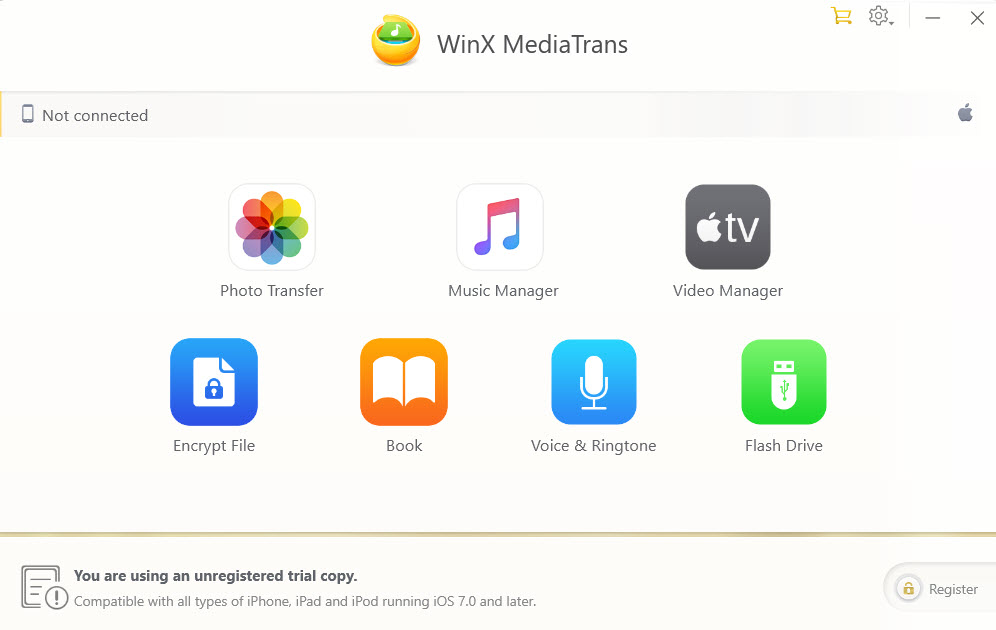
The WinX MediaTrans home screen with no device connected: Photo Transfer, Music Manager, Video Manager, Encrypt File, Book, Voice & Ringtone and Flash Drive, with the trial banner and Register button at the bottom.
Before you start
- If iTunes is installed, turn off automatic syncing. WinX MediaTrans asks you to tick "Prevent iPods, iPhones, and iPads from syncing automatically" in iTunes on first launch, so iTunes doesn't change the phone when you plug it in.
- The license checks in online. Activation needs the Internet, and both lifetime and 1-year licenses re-check about every 30 days. A PC that stays offline longer can show "Invalid License Code" until you reconnect and re-enter the code.
- Test your exact task in the trial. Older reviews mention some songs that wouldn't load and ringtones that failed to save, so try the things you actually plan to do.
Step by step: move your media with WinX MediaTrans
Step 1: install WinX MediaTrans and connect the iPhone
Run the installer, click Yes at the Windows UAC prompt, then Install and Launch. If iTunes is on the PC, follow the first-run prompt to switch off automatic syncing. Plug the iPhone in with its USB cable, tap Trust on the phone, and wait for the home screen to show it as connected.
Step 2: export photos to the PC (and convert HEIC to JPG)
WinX MediaTrans's Photo Transfer groups the Camera Roll by year, month or day, so you can tick a whole month at once and click Export. Photos go to your Pictures folder unless you change the path in Settings. iPhone HEIC photos can be previewed and exported as JPG so they open on any Windows PC, AVIF and WebP pictures export too, and Live Photos come out as a JPG plus a MOV clip. Digiarty puts the speed at a hundred 4K photos in about 8 seconds; How2Shout measured 12 seconds for 100 4K pictures on its test PC.
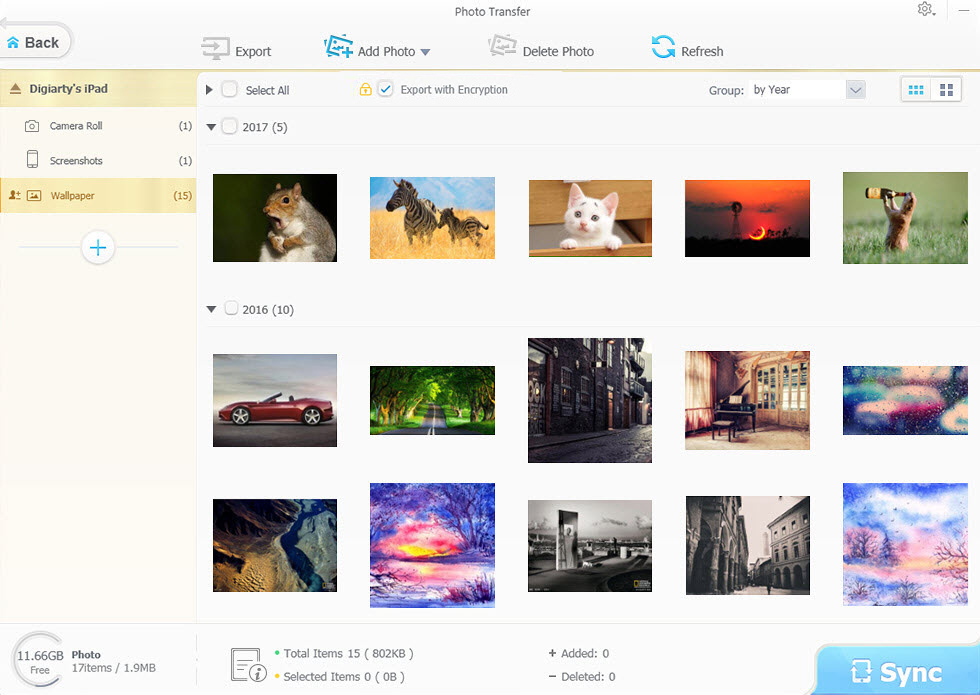
Photo Transfer on an iPad: albums on the left, thumbnails grouped by year, the Export, Add Photo and Delete Photo buttons, and the Export with Encryption checkbox. The sample library dates from 2016 and 2017, so this is an older build's window.
To free up space afterwards, select the exported photos in the same window and delete them from the phone. Tick Export with Encryption first if the photos are private: they're then password-protected on the PC with 256-bit AES and can only be opened through MediaTrans's File Decryption tab. There's no password recovery, so keep the password safe.
Step 3: copy music both ways and fix your playlists
WinX MediaTrans copies songs from the iPhone to the PC as well as from the PC to the iPhone, which Apple's tools won't do for your own music. That matters most when the phone holds the only copy of your collection after an old PC died. In Music Manager, tick songs and click Export, or click Add Music, choose files and press Sync. Additions and deletions are counted at the bottom of the window and only reach the phone when you sync, so you can check them first. You can also create and rename playlists, fix artist and album names in batches, and let it convert audio the iPhone can't play to MP3 or AAC.
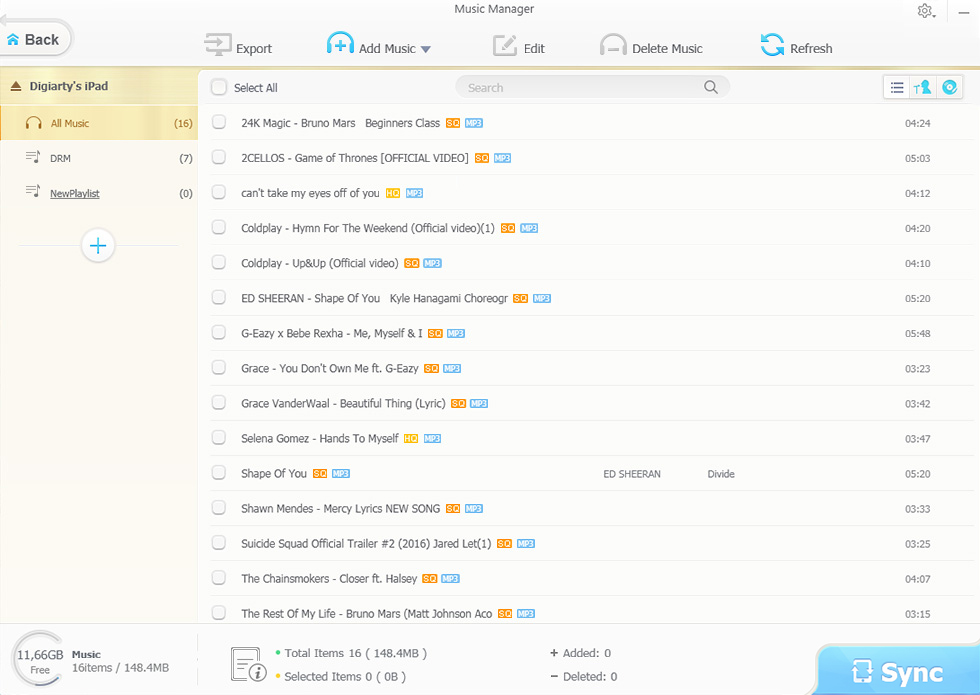
Music Manager: All Music, DRM and a new playlist on the left, the song list with format tags, and the Export, Add Music, Edit and Delete Music buttons.
Step 4: put any video on the iPhone, or back videos up
WinX MediaTrans converts videos the iPhone can't play, such as MKV, AVI and AVCHD, while it copies them, and it can shrink big files by up to half and rotate vertical clips for full-screen playback. With auto-convert switched on in Settings, you add the files in Video Manager and press Sync; conversion to H.264 MP4 can use Intel and NVIDIA hardware acceleration. In the other direction, you can back up selected iPhone videos to the PC in 4K or 1080p, in batches.
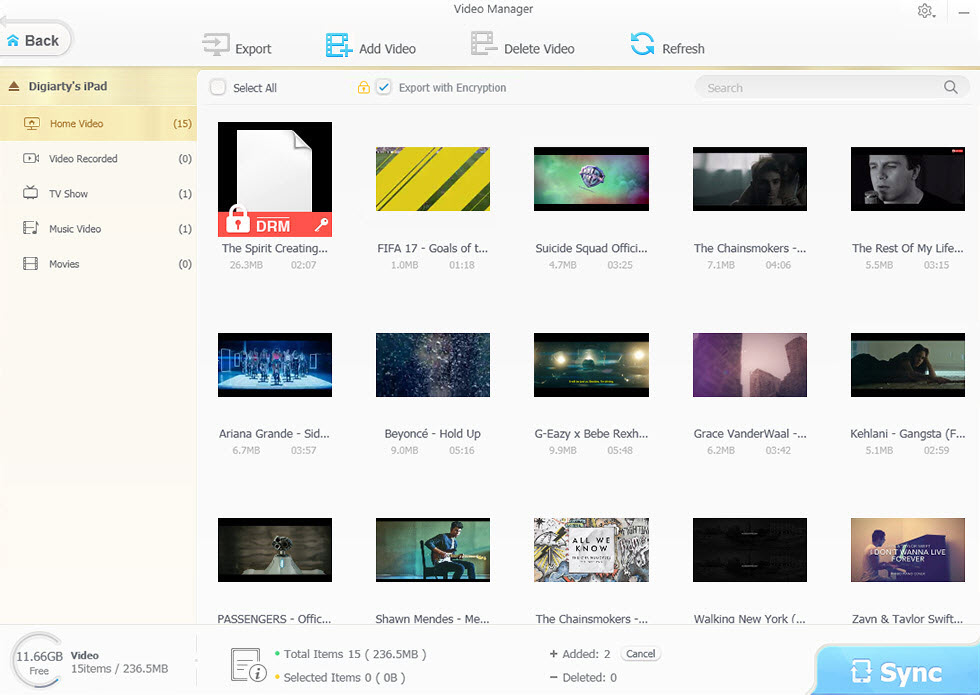
Video Manager: Home Video, Video Recorded, TV Show, Music Video and Movies on the left, thumbnails with size and length, and two additions waiting for Sync.
Step 5: ringtones, e-books, voice memos and the Flash Drive
The Voice & Ringtone tool cuts a ringtone of up to 40 seconds from a song on a waveform and syncs it to the phone, exports Voice Memos to the PC (one way only), and moves podcasts and iTunes U lectures. Book transfers EPUB books, PDFs and audiobooks and converts EPUB to PDF, TXT or HTML. Flash Drive turns spare iPhone storage into a private drive for any file type, free even in the trial, though the files are only visible on a PC with MediaTrans installed.
Step 6: register when you're ready
After buying, click Register on the home screen, paste the Licensed Email and Registration Code from your order email, and click Activate while you're online. The trial's daily caps are lifted immediately.
What the free trial allows each day, in each direction
The trial has no time limit and every tool works within these caps. The Flash Drive is free; removing DRM from iTunes Store purchases needs a paid license.
What WinX MediaTrans does well
- Moves exactly the files you pick, with no sync deciding what stays
- Fast photo export with HEIC to JPG conversion
- Copies music off the iPhone, which Apple's tools won't
- Automatic video conversion and rotation for the iPhone
- Lifetime license, works with the newest iOS
Where it falls short
- Not a full backup: no contacts, messages or app data
- USB only, no wireless transfer
- License re-checks online about every 30 days
- Past reports of some songs and ringtones failing
- Windows only (Mac needs MacX MediaTrans)
What reviewers say about WinX MediaTrans
Most in-depth reviews were written several years ago, so a few complaints no longer apply to version 8.7, but they still show how it feels to use.
groovyPost (Jack Busch): "If you hate the bloated, restrictive environment of iTunes, then WinX MediaTrans is a speedy alternative that's worth a try." and "If there's one feature that's going to make you buy this software, it's the video transfer feature. ... WinX MediaTrans makes it stupidly simple to get videos onto your phone." He also found that "Making ringtones is a little touch and go. Some of the ringtones failed to save."
How2Shout (Rajkumar Maurya): "While reviewing the WinX MediaTrans the file transfer speed was impressive. All the features are on fingertips and easy to use. No lag or glitches while importing or exporting the music, videos, and during conversion."
Beebom (Akshay Gangwar, in a review sponsored by Digiarty): "WinX also allows importing music and video files, but unfortunately, those features did not work in our testing of the app." That was an early version, and later reviews report importing working.
Trustpilot: Digiarty's page (all products) shows 3.9 out of 5 from 418 reviews. Shoshi Platypus wrote about MediaTrans: "Support staff always super-helpful. Got my MediaTrans license code up and running again after reinstalling Windows."
Lifetime license or 1-year plan?
Digiarty also sells a 1-year Premium plan covering 3 PCs: $19.95 for the first year, then $29.95 a year until you cancel. Over three years of use:
Lifetime license, 1 PC (through our Buy Now)$49.95
1-year plan, 3 PCs, renewed twice ($19.95 + $29.95 + $29.95)$79.85
The 1-year plan is cheaper only if you'll use MediaTrans for about a year, or need it on several PCs. Digiarty's own store also runs time-limited sales, so its prices can differ.
FAQs
Do I need iTunes installed to use WinX MediaTrans?
No, WinX MediaTrans doesn't need iTunes or an Apple ID to transfer files. If iTunes is installed, switch off its automatic syncing so it doesn't change the phone while MediaTrans is working.
Can I transfer iPhone photos to a PC without any software?
Yes, Windows can import iPhone photos and videos by itself through the Photos app or File Explorer once you tap Trust on the phone. You need a tool like WinX MediaTrans for music, for adding files to the iPhone, or for converting HEIC to JPG on export.
Will WinX MediaTrans erase anything on my iPhone?
WinX MediaTrans only adds or deletes the files you choose, and changes reach the phone only when you press Sync. It doesn't replace the phone's library the way an iTunes sync with a different computer can.
Does WinX MediaTrans work with the newest iPhones?
Yes, WinX MediaTrans 8.7 supports iOS 27 and the iPhone 18 lineup, back to iOS 7. The lifetime license includes future updates for new iPhones and iOS versions.
Can WinX MediaTrans back up contacts, messages or WhatsApp?
No. WinX MediaTrans handles media and files only. For contacts, messages and app data, use Apple's full device backup.
Can I use WinX MediaTrans over Wi-Fi?
No, WinX MediaTrans transfers over the USB cable only, which is also why it doesn't need iCloud or a wireless connection.
Is there a Mac version?
WinX MediaTrans is Windows-only. Digiarty sells a separate Mac program, MacX MediaTrans, with its own license.
Conclusion
If all you need is your Camera Roll on the PC, Windows does it for free. The moment you want more (music off the phone, videos onto it in any format, HEIC turned into JPG, ringtones and books, all without a sync deciding what stays), WinX MediaTrans is the simpler and safer way, and its lifetime license pays for itself if you clear your phone to the PC regularly.
It isn't a full backup tool and it checks its license online once a month, so try the free version on your own iPhone first, then buy.
Buy WinX MediaTrans