Short answer
For most Windows users who want to clear out duplicate files and near-identical photos without learning a new tool, Cisdem Duplicate Finder for Windows is the better buy: a one-time $39.99 for 1 PC, AI-based similar-photo detection that suggests which shot to keep, and scanning of OneDrive and Dropbox accounts as well as your drives.
Choose Duplicate Cleaner Pro ($54.95, perpetual for version 5) instead if you are a power user who needs similar-audio and video-frame matching, hard links, searching inside zip files, or the most detailed selection rules on the market, and you don't mind a busier interface.
At a glance
|
Cisdem Duplicate Finder for Windows |
Duplicate Cleaner Pro |
| Best for |
Photo libraries, cloud folders, quick and safe clean-ups |
Power users, music and video collections, network drives |
| Price (1 PC / 1 user) |
$39.99 once (lifetime) |
$54.95 once (all version 5 updates) |
| Free trial |
No time limit: scan, preview, locate and hide duplicates, but no one-click deletion of all selected duplicates |
7 days with every Pro feature |
| Windows |
10 and 11 |
7, 8, 10 and 11 (.NET Framework 4.7.2) |
| Similar photos |
✓ On-device AI, plus quality scoring to pick the best shot |
✓ Rotated, flipped, retouched or resized, adjustable strictness |
| Similar music / video |
✗ Exact duplicates only |
✓ Similar audio, tags, video frames or soundtrack |
| Cloud accounts |
✓ OneDrive and Dropbox, scanned online |
✗ Only folders synced to your PC |
| Duplicate folders |
✓ |
✓ Separate duplicate folder browser |
| What it does with duplicates |
Recycle Bin, delete permanently, or move to a folder |
Recycle Bin, delete, move, copy, rename, shortcut or hard link |
| Download size |
2.0 MB |
59.7 MB |
| Money-back guarantee |
30 days |
"No fuss refund" promised on the order page, no period stated |
What we compared
- Both vendors' product pages, feature lists, FAQs, change logs and order pages, for the current Windows versions: Cisdem Duplicate Finder 5.1.0 and Duplicate Cleaner Pro 5.28.
- The price you actually pay, read from each order page rather than copied from the headline: Cisdem's lifetime license is shown with a crossed-out $49.99, and Duplicate Cleaner's price is only filled in by its payment system.
- Each product's own screenshots of the current version, to see how the results screens differ.
- User reviews on the vendors' pages and on Trustpilot, including the critical ones.
What we checked: Cisdem's installer (2.0 MB, file version 5.1.0) downloaded from the vendor, the Cisdem lifetime license at $39.99 at checkout, and Duplicate Cleaner Pro's Single User price of $54.95 before tax and its 59.7 MB version 5.28 installer, all on October 26, 2026. We compared features, prices and trial terms, and didn't time both programs on the same set of files.
Cisdem Duplicate Finder for Windows
Cisdem Duplicate Finder for Windows is a clean, guided duplicate remover for Windows 10 and 11. It costs $39.99 once for 1 PC (2 PCs $55.99, 5 PCs $99.99), with a 30-day money-back guarantee.
Best for: people with big photo libraries, OneDrive or Dropbox clutter, and anyone who wants the app to pick what to delete and let them check it.

Cisdem's results window: duplicate groups on the left, a preview of the selected photo, each copy's path, size and resolution, and the space you'll free.
Cisdem Duplicate Finder compares files by content: it pre-filters by size, then hashes the files with XXH3, so "IMG_0141.jpg" and "beach (2).jpg" are caught as the same photo. Version 5 added an on-device AI engine for similar photos (burst shots, edited, resized or compressed copies, the same scene from another angle) and scores each photo for technical and aesthetic quality and faces, so its Smart Selection can suggest the best shot to keep. Cisdem says the AI runs on your PC, with nothing uploaded.
Where it stands out is the everyday workflow. Results open with an overview by file type, three view modes let you compare copies side by side, and every group has one file left unticked automatically. Selection rules (by file name, newest, oldest, or a folder priority list) handle the rest, and deleted files can go to the Recycle Bin, be removed permanently or be moved to a folder. You can also save a half-finished clean-up and continue next time.
Its limits are real, though. Music and video are matched only as exact copies, so a song in MP3 and FLAC won't be grouped. There are no hard links, no searching inside zip files and no Windows 7 or 8 support. And a long-time user on Trustpilot found the redesigned version 5 interface harder to navigate than before.
What we like
- Lowest price of the two, and lifetime
- AI similar-photo detection with a best-shot pick
- Scans OneDrive and Dropbox online
- Safe defaults: one file per group always kept, Recycle Bin option
- Trial has no time limit
Watch out for
- No similar-audio or video-frame matching
- Windows 10 or later only
- Fewer file actions (no hard links or shortcuts)
- Some long-time users dislike the new interface
What users say about Cisdem Duplicate Finder
Cisdem's product page shows 4.9 out of 5 from 282 reviews, and Cisdem scores 4.8 out of 5 from 302 reviews on Trustpilot across its apps.
Ken Ando, JP (Cisdem's site): "Love it... it is easy to use and very effective. Finds the duplicates and gets rid of them safely while giving you 100% control over the files that you want to delete. Highly recommended."
Shahid Mehmood Khan (Trustpilot, 5 stars): "Cisdem duplicate finder is found by sheer luck after 20 years of struggling to organize my spread out work"
Michael Voge (Trustpilot, 3 stars): "Unfortunately, CISDEM Duplicate File Finder has become increasingly difficult to use." The Trustpilot excerpts were read through a summarizer, so treat the wording as close but not guaranteed exact.
Download Cisdem Duplicate Finder FreeBuy Cisdem Duplicate Finder ($39.99)
Duplicate Cleaner Pro
Duplicate Cleaner Pro is DigitalVolcano's long-running power tool for finding duplicates on Windows 7 to 11. It costs $54.95 before tax for a perpetual Single User license with all version 5 updates (a Site License is $329).
Best for: music and video collectors, people tidying network drives and archives, and anyone who wants fine control over what gets marked.
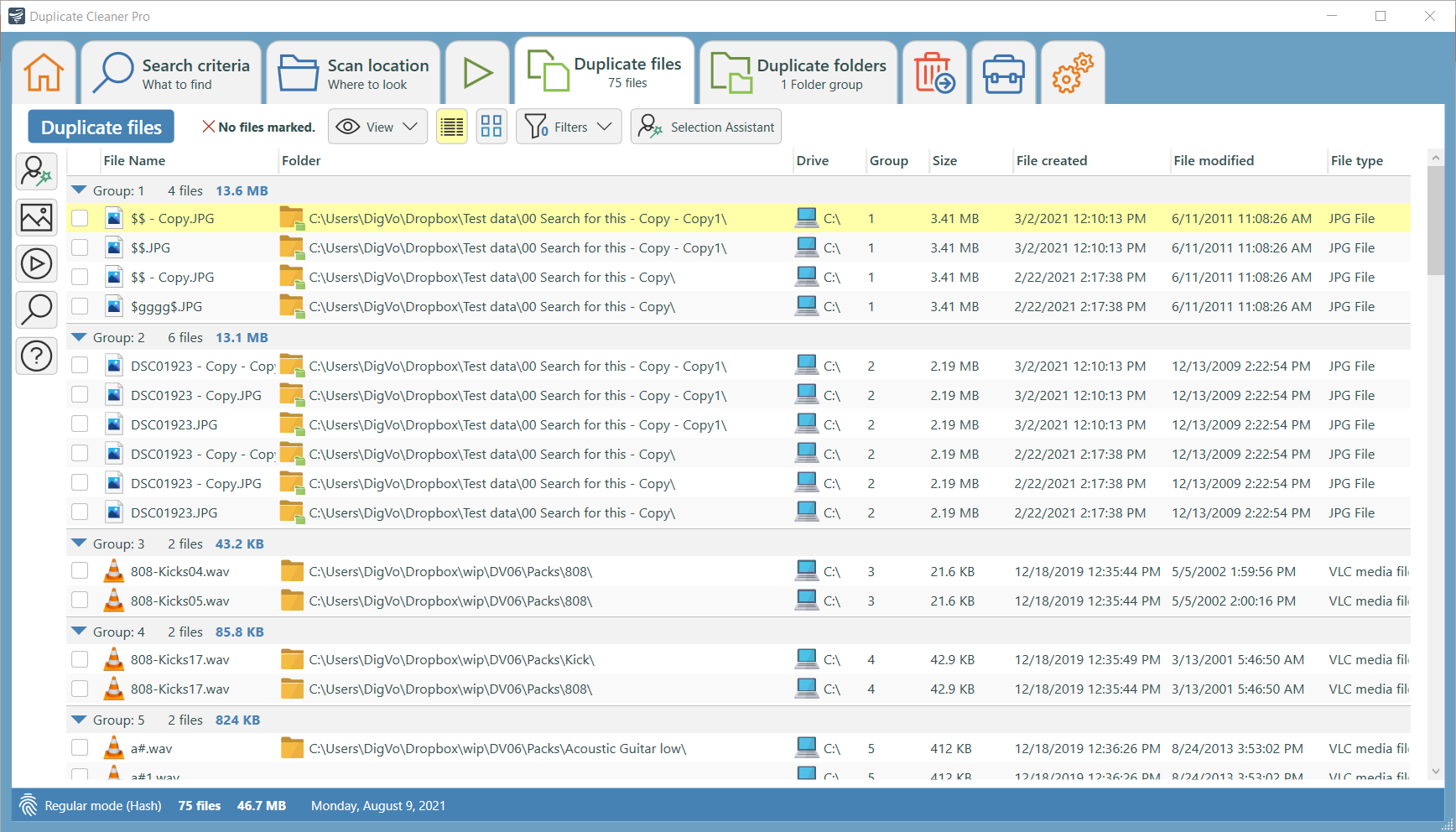
Duplicate Cleaner Pro's Duplicate files tab: groups of copies with their folders, sizes and dates, plus View, Filters and Selection Assistant buttons.
Duplicate Cleaner Pro does more kinds of matching than Cisdem. Besides exact content matches (version 5 added xxHash and Blake2b hashes), it finds similar images that were rotated, flipped, retouched, resized or saved in another format, with a slider for how strict the match is. It compares music in MP3, OGG, WMA, M4A, AAC, FLAC and WAV by similar audio or by tags, and finds duplicate videos by frames or soundtrack. Cached image "fingerprints" speed up repeat scans of an archive by over 90%, according to DigitalVolcano.
The Selection Assistant is the other strength: mark files by group, date, drive or folder, keep the highest-quality MP3, or protect a favorite folder and remove its copies elsewhere. Beyond deleting, you can move, copy or rename duplicates, or replace them with shortcuts or hard links, which keeps every path working while storing the data once. It also searches inside zip files and has a dedicated duplicate folder browser.
The trade-off is complexity. The tabbed interface has many settings that take time to learn, and there's no cloud-account scanning: OneDrive or Dropbox files are only covered if they're synced to your PC. The trial also runs out after 7 days.
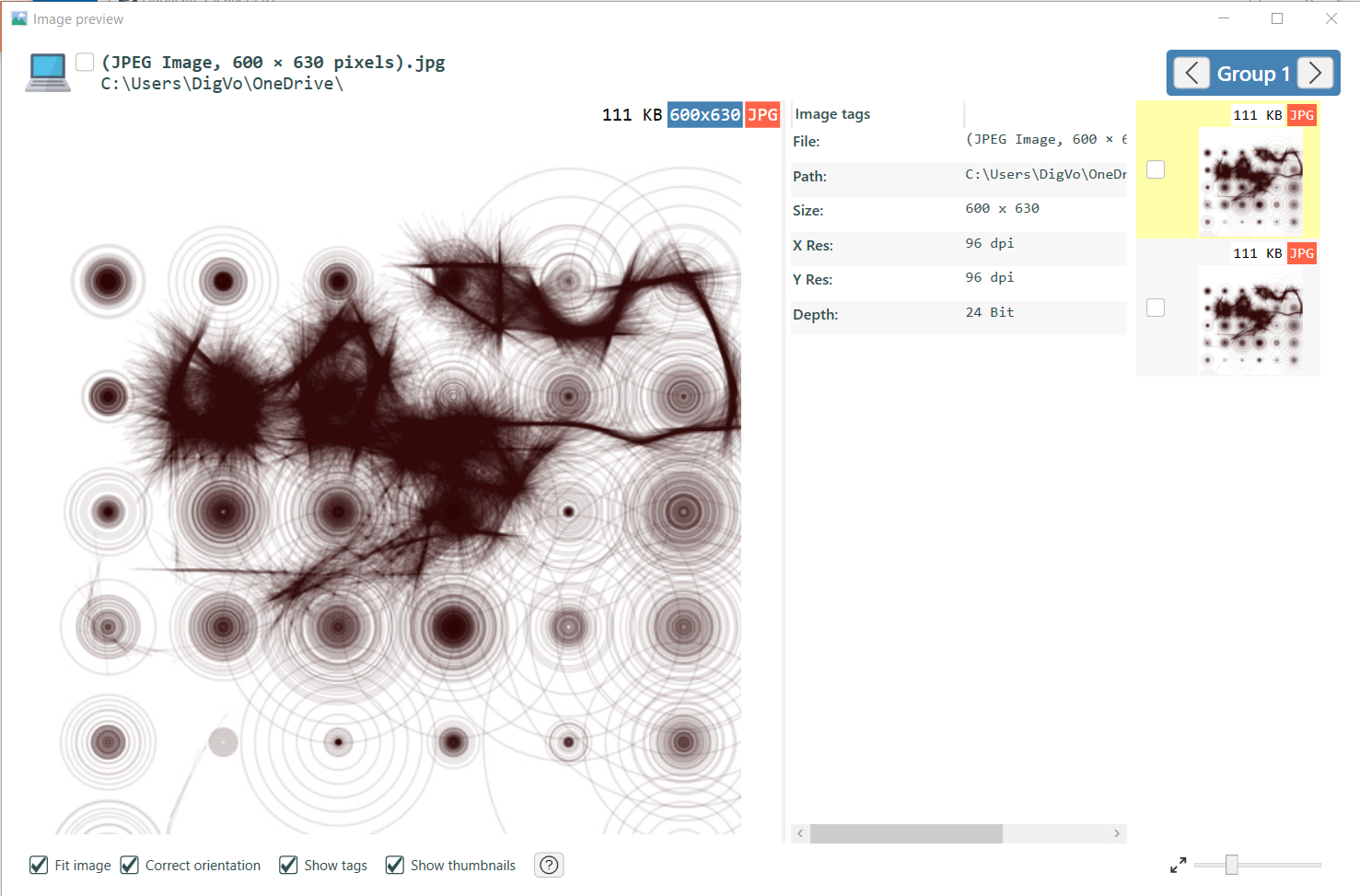
Duplicate Cleaner Pro's image preview: the selected image with its size and tags, and the other copies in the group as thumbnails on the right.
What we like
- Similar audio, music tags and video-frame matching
- Very flexible Selection Assistant
- Hard links, shortcuts, zip search, duplicate folders
- Still runs on Windows 7 and 8
Watch out for
- $15 more than Cisdem
- Busy interface with a learning curve
- No OneDrive or Dropbox account scanning
- Trial ends after 7 days
What users say about Duplicate Cleaner Pro
DigitalVolcano scores 4.7 out of 5 from 107 reviews on Trustpilot.
Toyz (5 stars): "I've used DuplicateCleaner Pro for several years, and LOVE it (first 4, then upgraded to 5)."
Paulo Castro (5 stars): "Absolutely exceptional! It's the best Duplicate Files finder app I've tried (and I've tried many),"
On the critical side, one 1-star DigitalVolcano review (it doesn't say which of the company's programs) reads: "I can't use the program because the documentation is so poor." These excerpts were read through a summarizer, so treat the wording as close but not guaranteed exact.
Download Duplicate Cleaner Pro Trial
Finding duplicates: a tie on exact copies, different strengths on similar files
Cisdem Duplicate Finder and Duplicate Cleaner Pro both find exact duplicates by content, so a renamed copy won't fool either. The difference is in similar files. Cisdem is stronger for photos: its AI groups burst shots and edits, then scores them so you keep the sharpest, best-composed frame. Duplicate Cleaner Pro is stronger for everything else: it is the only one of the two that finds the same song in two formats or the same film at two resolutions.
- Photo library from phones and cameras: Cisdem.
- Music collection with MP3 and FLAC copies, or a video archive: Duplicate Cleaner Pro.
- Documents and downloads: either. Both match by content and both find duplicate folders.
Ease of use: Cisdem is quicker to learn
Cisdem Duplicate Finder is the easier of the two. You add folders or a cloud account, click Scan, and land on an overview with the copies already selected. Duplicate Cleaner Pro starts from Search criteria and Scan location tabs and offers far more switches, which experienced users love and newcomers find heavy. Cisdem's trial also has no time limit, so you can see how many duplicates you have before deciding, while Duplicate Cleaner Pro gives you 7 days with every feature.
Where the files are: Cisdem reaches the cloud
Cisdem Duplicate Finder connects to OneDrive and Dropbox accounts and removes duplicates there directly, which matters when you pay for cloud storage or keep files online only. Both programs scan internal and external drives. Duplicate Cleaner Pro also scans network drives and inside zip files, and can compare one "clean" folder against everything else (Find externally), which is handy for checking a backup against a working copy.
Price and licensing: Cisdem costs less
Cisdem Duplicate Finder costs $39.99 once for 1 PC, against $54.95 for Duplicate Cleaner Pro's Single User license. Both are one-time payments with no subscription. Cisdem's license is lifetime. DigitalVolcano's covers all version 5 updates. Version 5 was a paid upgrade for many version 4 owners (free or discounted depending on when they bought), so a future version 6 may cost extra. For several computers, Cisdem's 5-PC lifetime license is $99.99, while DigitalVolcano sells a $329 Site License for unlimited installs at one location.
One-time price for 1 PC (USD, before tax)
Cisdem Duplicate Finder for Windows$39.99
Duplicate Cleaner Pro$54.95
Installer download size (MB)
Cisdem Duplicate Finder for Windows2.0 MB
Duplicate Cleaner Pro59.7 MB
Prices on the order pages and installer sizes checked on October 26, 2026.
Which should you choose?
| Your situation |
Pick |
Why |
| Thousands of phone photos and burst shots | Cisdem | AI groups similar shots and suggests the best one |
| OneDrive or Dropbox is nearly full | Cisdem | Scans and cleans the cloud account directly |
| You want it simple and cheap | Cisdem | $39.99 lifetime, automatic selection, untimed trial |
| Music in several formats, or a video archive | Duplicate Cleaner Pro | Similar-audio and video-frame matching |
| Network shares, zip archives, hard links | Duplicate Cleaner Pro | More scan locations and file actions |
| Still on Windows 7 or 8 | Duplicate Cleaner Pro | Cisdem needs Windows 10 or later |
Who should skip Cisdem: audio and video collectors who need near-duplicate matching, and anyone on Windows 7 or 8. Who should skip Duplicate Cleaner Pro: people who mostly have photos and cloud folders to clean and want the job done in a few clicks, since they'd pay $15 more for features they won't use.
What commonly goes wrong
- Free space doesn't change after deleting. With either program, files sent to the Recycle Bin still take up space until you empty it.
- Scanning system folders. Program Files and Windows contain legitimate identical files. Scan your user folders, drives of data and cloud accounts, not the system.
- Trusting a loose similar-photo match. "Similar" isn't "identical": an edited version may be the one you want. Review similar-photo groups by eye, even when the app has picked a keeper.
- Slow first scans of huge libraries. Cisdem suggests turning off the Similar Images function when you only need exact duplicates. Duplicate Cleaner Pro's cached fingerprints make later scans faster.
FAQs
Is Cisdem Duplicate Finder better than Duplicate Cleaner Pro?
Cisdem Duplicate Finder is better for most home users: it's cheaper ($39.99 vs $54.95), easier to use, finds similar photos with AI and scans OneDrive and Dropbox. Duplicate Cleaner Pro is better for power users who need similar-audio or video matching, hard links or network-drive scans.
Is either program a subscription?
No. Cisdem Duplicate Finder's lifetime license and Duplicate Cleaner Pro's Single User license are both one-time payments. Cisdem also sells a cheaper one-year subscription that renews automatically, so make sure you choose the lifetime license if that's what you want.
Can I try Cisdem Duplicate Finder before buying?
Yes. Cisdem Duplicate Finder's free trial has no time limit: it scans, previews, locates and hides duplicates, but can't delete all selected duplicates with one click. That's enough to see how much space you'd recover before you pay.
Does Duplicate Cleaner have a free version?
Yes. Duplicate Cleaner Free has the basic functions but is for personal or home use only. The Pro features, such as similar images, duplicate folders, zip search and advanced filters, need the paid license after the 7-day trial.
Which one finds duplicate songs in different formats?
Duplicate Cleaner Pro does: it compares audio content and tags across MP3, OGG, WMA, M4A, AAC, FLAC and WAV. Cisdem Duplicate Finder finds exact duplicate music files, so a song saved in two formats isn't grouped.
Will these programs delete my only copy of a file?
Not by default. Cisdem Duplicate Finder always leaves one file in each group unselected, and Duplicate Cleaner Pro has safeguards for system files and lets you protect folders. Both can send duplicates to the Recycle Bin so you can restore a mistake.
Does Cisdem Duplicate Finder for Windows work on a Mac?
No. Cisdem Duplicate Finder for Windows runs on Windows 10 and 11, and the Mac version is a separate product. Duplicate Cleaner Pro is Windows-only.