Getting Windows Mail messages into Outlook
Windows Mail keeps each message as a separate EML file, and Outlook can't open those files directly. Without a tool, you would have to convert and move them into Outlook's PST format one at a time. Windows Mail to Outlook Converter from PCVARE Solutions is built to do that job in bulk.
Quick facts
- Vendor: PCVARE Solutions
- Output: Outlook PST
- Price listed: $49
- Platforms: Windows 98, ME, 2000, 2003, XP, Vista and 7
Key features
Convert Windows Mail messages into Outlook PST
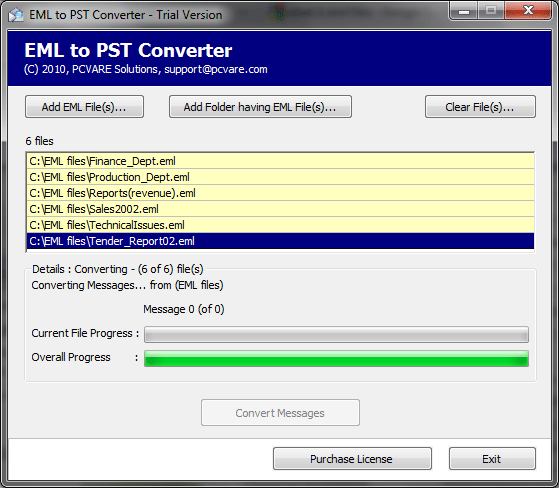
The tool turns the EML messages Windows Mail stores into a PST file that Outlook can open, so you don't have to move messages one by one.
Keep your folder structure
It preserves the on-disk folder structure, so your mail stays organized the way you had it.
Process many messages in one run with batch mode
Batch mode lets you convert a whole set of messages at once instead of handling them individually.
Carry over the details of each email
Conversion covers To, Cc, Bcc, From, sent and received dates, and attachments.
Who it's for
It suits you if you have mail sitting in Windows Mail (the Vista mail client) and want it in Outlook, especially if you have more messages than you want to move by hand.
Pros and cons
- Pro: Batch conversion saves time over manual export.
- Pro: Folder structure and key email fields are preserved.
- Con: It is paid software, while Windows Mail and Outlook have a free manual import and export route that works for small mailboxes.
- Con: It is aimed at older Windows versions.
FAQs
Why can't Outlook open my Windows Mail messages directly?
Windows Mail saves messages as EML files, which Outlook doesn't open directly, so they need converting to PST.
Can I convert everything at once?
Yes. The software has a batch mode for converting many messages together.
Is there a free alternative?
Yes. You can use the Import and Export options in Windows Mail and Outlook. It is free, but slower for large mailboxes.
System requirements
- Pentium II 400 MHz processor
- 64 MB RAM
- 10 MB free disk space