You need to show a colleague or customer how to run a program, and you end up pasting screenshots into a document one at a time, then typing captions and fixing the layout by hand. A-PDF Screen Tutorial Maker puts the capture, the annotation and the publishing in one Windows program.
Quick facts
- Platform: Windows 2000, XP, Vista and 7
- Price: $39 for a standalone program
- Trial: free trial version to download
- Output formats: PDF, Word, HTML, email and image
- Guarantee: 30-day money back
Key features
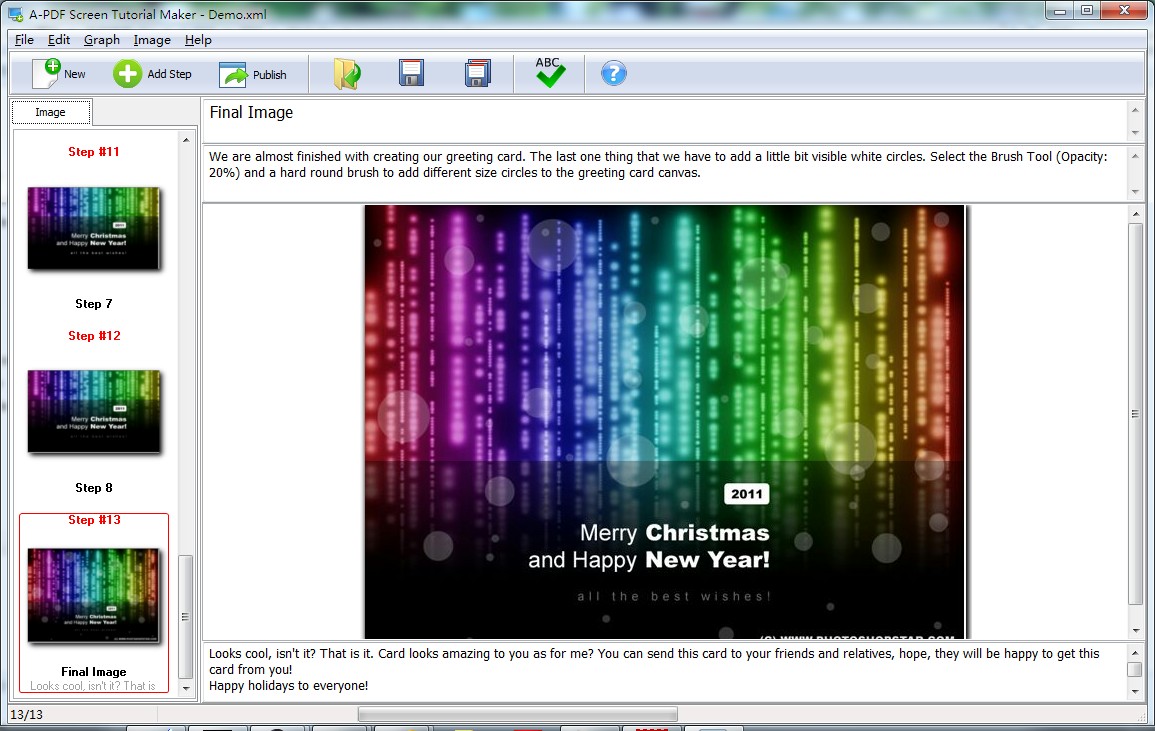
Build a tutorial from screen captures
You can capture the whole screen, a single window, or use images you already have. You then type the instruction text next to each step.
Mark up images without a separate editor
You can add text, lines, arrows and rectangles to point at the part of the screen that matters.
Publish in the format your readers use
Export to HTML, PDF, MS Word/Apple Pages, or send by email. The vendor also lists blogs, wikis and content management systems as targets, and a Flash flip book output.
Customize the look of the result
You can change the look and feel of the tutorial before you publish it. The vendor says you can be up and running in under 5 minutes.
Who it's for
It suits support staff, trainers, bloggers and documentation writers who regularly explain software step by step and want a finished document without professional editing skills.
Pros and cons
Pros
- Capture, annotation and export in one program
- Several output formats, including PDF, Word and HTML
- One-time price and a free trial
- Manual and example tutorial available
Cons
- Windows only
- Listed system support stops at Windows 7
- The tool is aimed at screenshot-based tutorials, not video
FAQs
Can I try it before buying?
Yes. A free trial version is available to download.
What formats can I publish to?
PDF, Word, HTML, email and image, plus blogs, wikis and content management systems.
Do I need editing skills?
No. You capture the screen, type your instructions and publish.
Does it run on a Mac?
No. It is a Windows program.
Is there a refund option?
The vendor offers a 30-day money back guarantee.
System requirements
Windows 2000, XP, Vista or 7. The earlier listing mentions a Pentium-class processor and 64MB of RAM.