Got a drive that was formatted by mistake?
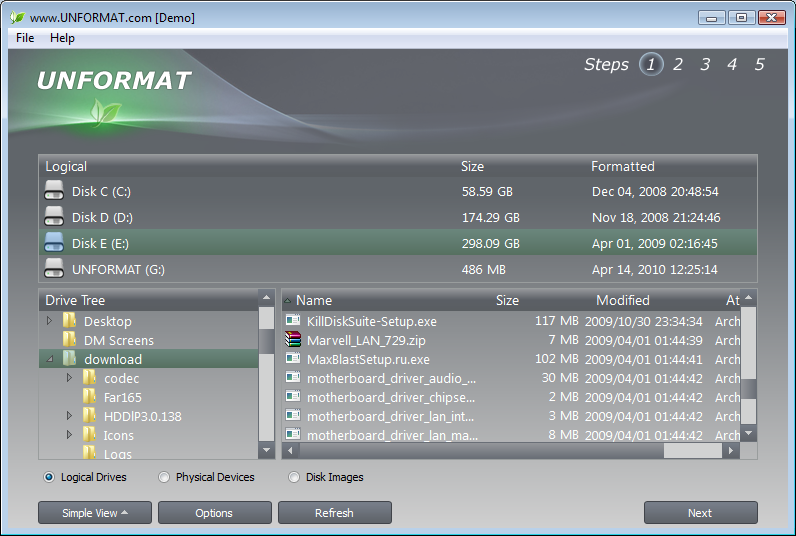
You clicked Format on the wrong drive, or a memory card showed up empty in your camera. The files may still be on the disk even though the system says otherwise. Active@ UNFORMAT from LSoft Technologies scans the device and tries to bring back files, folders and whole partitions.
Quick facts
- Version: 23
- Platform: Windows installer
- Extras: includes a bootable recovery disk (Active@ Boot Disk) and a User's Guide in PDF
Key features
Restore formatted hard drives, SSDs, USB sticks and memory cards
It recovers data from formatted HDD, SSD, USB flash disks and memory cards. That includes cards from cameras, smartphones and MP3 players.
Work with many file systems
Supported file systems include NTFS, ReFS, FAT and exFAT. It also covers Apple HFS+ and ApFS, Unix UFS, XFS and JFS, and Linux Ext2, Ext3, Ext4 and BtrFS.
Scan for lost partitions
The advanced scan checks a device or logical drive and finds all the partitions on it. You can then recover by folder or file.
Save a disk image before you experiment
If recovery isn't possible straight away, you can create a disk image. That lets you scan it repeatedly and try other recovery methods without touching the original.
Recover from a PC that won't start
The included Boot Disk starts from a CD, DVD or USB flash drive. You get access to the local disks of a non-bootable PC, with network access over TCP/IP. Its WinPE base was upgraded to Windows 11 22H2 in this version.
Supports the common drive types
It works with SCSI, SATA, eSATA, SSD, NVMe and SAS drives.
Who it's for
It suits anyone who has formatted a drive or card by accident, or lost a partition to a logical failure. It also suits people who need to get into a PC that no longer boots. It is a Windows tool, so you install it on a working Windows machine or boot from the recovery disk.
Pros and cons
- Pro: wide file system coverage, including Windows, Apple, Linux and Unix formats.
- Pro: a bootable recovery disk is included.
- Pro: disk imaging lets you retry without risking the source drive.
- Con: this is the older product. The vendor now promotes Active@ UNERASER as its newer recovery tool, and the latest UNFORMAT release is version 23.
- Con: recovery depends on the data not having been overwritten, so stop using the drive straight away.
FAQs
Can it recover data after a quick or full format?
It is built to recover data after the FORMAT command and to restore deleted or damaged partitions and volumes.
Does it work with memory cards?
Yes. It handles formatted memory cards from cameras, smartphones and MP3 players.
What if my computer won't boot?
The bundled Boot Disk starts from CD, DVD or USB and gives you access to the local disks.
Is there a manual?
Yes. A User's Guide in PDF is available from the vendor.
System requirements
It runs on Windows. It can restore formatted HDD, SSD, USB and flash drives, and it reads the file systems listed above.