You have a folder of music you want in the car, or a stack of files you want backed up on a disc, and your Mac has a burner but no good software to drive it. Express Burn from NCH Software is a disc burner that handles audio CDs, MP3 CDs and data CDs for free if you use it at home.
Quick facts
- Platform: Mac (macOS 10.5 or above) and Windows
- Free version: non-commercial use only; it does not expire but only burns CDs
- Hardware: a disc drive that supports burning
- Vendor: NCH Software
Key features
Audio CDs that play in any CD player
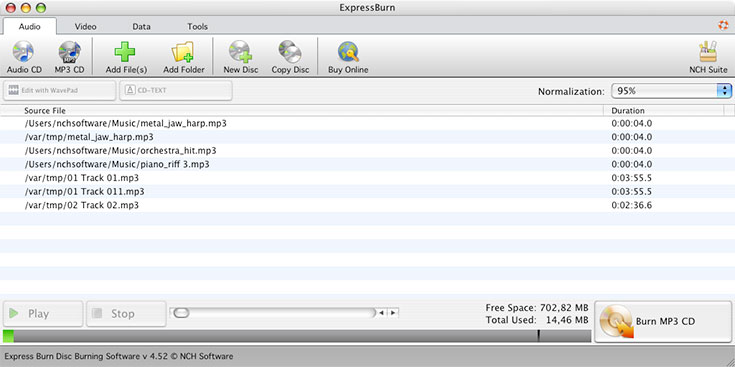
Audio is recorded with direct digital recording, so quality is maintained. You can also make MP3 CDs. The burner accepts a wide range of formats including wav, mp3, wma, ogg and flac.
Even volume and control over track gaps
You can normalize audio volume and set the pause length between tracks.
Data discs for backup
Burn data CDs by dragging files into the application. The vendor describes them as ideal for backup needs.
Video DVD burning and chapters in the paid edition
The full program re-encodes video files for standard DVD players, supports AVI, MPG, VOB, WMV, MP4 and OGM, and lets you create and manage chapters. It also includes menu and button templates for DVD authoring.
Who it's for
It suits you if you want to burn music CDs or data backups at home without paying. If you need DVD or Blu-ray video discs, or you want to use it commercially, you need the paid edition.
Pros and cons
- Pro: the free version does not expire, and no signup is required to download it.
- Pro: drag-and-drop file adding, with command line operation for automation.
- Con: the free version is for non-commercial use only.
- Con: the free version burns CDs only, so DVD and Blu-ray burning need the paid edition.
- Con: you need a Mac with a disc drive that supports burning.
FAQs
Is Express Burn really free?
Yes, for non-commercial use. The free version does not expire but only burns CDs.
Can I burn video DVDs with the free version?
No. The free version only burns CDs. DVD and Blu-ray burning are part of the paid edition.
Which audio formats can I burn?
Formats include wav, mp3, wma, ogg and flac, among others.
Does it run on Windows too?
Yes. NCH offers Express Burn for both Windows and Mac.
System requirements
- macOS 10.5 or above
- A disc drive which supports burning