Share one Internet connection with every computer on your network
You have one Internet connection and several computers that all need to get online. You also want some say over who browses what, and when. CC Proxy Server (also called CCProxy) is Windows proxy software built for that job. It started as a modem-sharing program and grew into a full proxy and access-control tool.
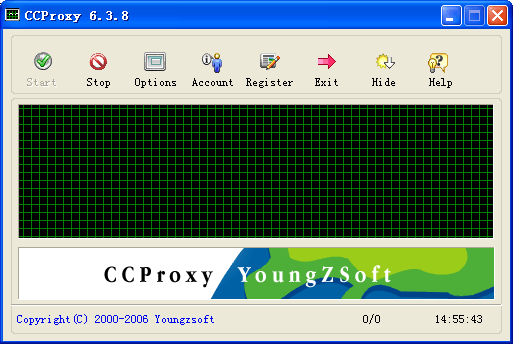
Quick facts
- Platform: Windows
- Type: proxy server and Internet sharing software
- Connections shared: broadband, DSL, dial-up, optical fiber, satellite, ISDN and DDN
- Setup: installs without a reboot
Key features
One connection for every PC on the LAN
CCProxy lets all your computers go online through a single Internet connection. It works with modem, cable modem, DSL, satellite and other link types.
Many proxy protocols in one program
It handles HTTP, FTP, Gopher, SOCKS4/5, Telnet, HTTPS, News (NNTP), RTSP and MMS. It also supports mail proxying and port mapping, so browsers, mail clients and messengers can all go through it.
Control who gets online, and when
Accounts can be authenticated by IP address, MAC address or user name and password. A time schedule limits each client's online hours, and you can give different users different services. One user might only browse, while another can also send mail.
Block sites and file downloads
The web filter bans specified sites or content. You can also name the only sites users may visit. URL filtering stops downloads of files with extensions you pick.
Faster repeat browsing and traffic limits
Web caching serves pages stored on the server's disk, and you can change the cache size and refresh time. Bandwidth control manages how much traffic each client uses, and flow statistics show usage.
Chain to another proxy
Cascading (parent) proxy lets CCProxy reach the Internet through another proxy server. A built-in DNS resolves domain names.
Who it's for
It suits small offices, schools and home networks that need to share one line and keep some control over it. Parents and managers can use the filtering and time schedule to limit what users can reach.
Pros and cons
Pros
- Small program that installs quickly without a reboot
- Wide protocol coverage, including SOCKS5 for messengers and FTP clients
- Several account authentication methods and a time schedule
Cons
- Windows only
- The interface is built around setting up the server by hand, so you need to know basic TCP/IP details such as the server's fixed IP address
FAQs
What do the client computers need?
The clients only need to be able to ping the server's IP address. The server should have a fixed IP, while clients can use fixed or DHCP addresses.
Can it work as a web filter?
Yes. It can ban specified sites or content, and it can allow only the sites you name.
Which Internet connections does it support?
Broadband, DSL, dial-up, optical fiber, satellite, ISDN and DDN connections can all be shared.
Does it run on older Windows versions?
The vendor lists support for Windows XP, Vista, 7, 8, 2000, 2003, 2008, 98, NT and ME.
System requirements
A Windows PC that is connected to the Internet and sits on a TCP/IP network with the clients. The vendor lists Windows XP, Vista, 7, 8, 2000, 2003, 2008, 98, NT and ME as tested systems.