Mysterium VPN: a VPN that can make you look like a home internet user
Mysterium VPN is a subscription VPN for Windows, Mac, iPhone, Android and Linux whose Plus and Pro plans route your traffic through 7,500+ residential IP addresses in 100+ countries, instead of only the datacenter servers most VPNs use. The 1-year Plus plan cost $41.88 for the first year at checkout on November 27, 2026, and its standard price is $167.88 a year. It suits people who keep hitting VPN blocks, CAPTCHAs and bank security warnings; it's a weak pick if you mainly want fast, steady streaming.
Ordinary VPNs rent servers in data centers, and their IP ranges are well known. Banks, ticket sites, marketplaces and streaming services keep lists of them, so the moment you connect you get a CAPTCHA, a "suspicious login" email or a flat refusal. Mysterium takes a different route: its residential exits are real home connections run by independent node operators, so the site on the other end sees what looks like an ordinary household.
Quick facts
- Developer: UAB MN Intelligence (Lithuania), the team behind the Mysterium Network decentralized VPN launched in 2019
- Version: 2.4.12 for Windows (November 9, 2026) and iPhone (November 10, 2026)
- Platforms: Windows 10 (64-bit) and 11, macOS 12 or later, iOS, Android, Linux command line (Ubuntu, Debian), Chrome, Brave, Opera and Opera GX extensions, Wi-Fi routers
- Network: 11,000+ IPs, of which 7,500+ are residential, in 100+ countries; city-level choices and US state-level choices
- Security: WireGuard (default) or OpenVPN, ChaCha20 encryption, always-on kill switch, DNS and IP leak protection, every connection routed through two nodes
- Devices: 6 (Basic), 10 (Plus) or 15 (Pro) at once
- Price: 1-year Plus $41.88 for the first year (standard price $167.88 a year), 2-year Plus $54.96, monthly from $10.99
- Free trial: none, and no free plan
- Refunds: 7 days under the Terms of Service (14 days for EU and UK consumers), although the pricing page advertises 30 days
- Payment: cards, PayPal, Apple Pay, Google Pay, cryptocurrencies and in-app purchases
- What we checked: the Windows installer is MysteriumVPN.msix version 2.4.12 (36.3 MB) from Mysterium's GitHub release page; the order page quoted every plan in USD for a US buyer on November 27, 2026 (prices in the table below); the Terms of Service effective October 30, 2026 and the checkout both say 7-day money-back. We didn't run speed or streaming tests ourselves.
Before you buy
- Treat it as a 7-day refund window. Mysterium's marketing pages say "30-day money-back guarantee", its help center says 30 days applies only to 2-year plans, and the Terms of Service and the checkout page say 7 days. Each customer gets one refund ever, and refunds can be refused for things like "repeatedly switching between our server locations" or heavy automated traffic.
- The low first-year price doesn't repeat. Plans renew automatically for the same term. Mysterium's checkout says a plan renews at the standard price, which its order page listed as $167.88 a year for Plus and $239.88 for Pro. Put a reminder in your calendar.
- Basic has no residential IPs. Residential exits, favorite IPs and city-level choices start with Plus. Oddly, on November 27, 2026 the order page charged $131.88 for the 1-year Basic plan, more than the $41.88 1-year Plus plan, so skip yearly Basic.
- Black Friday: through the Black Friday period, 2-year plans add 3 bonus months (27 months for the 2-year price). Mysterium doesn't publish an end date.
See All PlansBuy Plus 1-YearDownload for Windows
Overview
Mysterium started in 2019 as Mysterium Network, a decentralized VPN where anyone could run a node and get paid in MYST tokens for sharing bandwidth, and users paid per gigabyte from a crypto wallet. That pay-as-you-go app still exists as Mysterium Dark. Mysterium VPN, the app on this page, is the newer product: an ordinary account-based subscription with a fixed price and unlimited data, sold by Mysterium's company like any other VPN.
What carries over from the decentralized network is where your traffic leaves. On the High-speed IPs tab you connect to datacenter servers, as with any VPN. On the Residential IPs tab you exit through a home connection supplied by an independent node operator who signed up to take part. Your own device never becomes an exit node for other people, and Mysterium routes every session through a second node chosen close to the exit, so the operator of the residential node can't see who you are.
So the trade is clear: residential exits get through blocks that stop datacenter VPNs, but each one is someone's home broadband, so speed and stability vary from node to node. Mysterium's own app labels residential IPs "nearly undetectable but less stable."
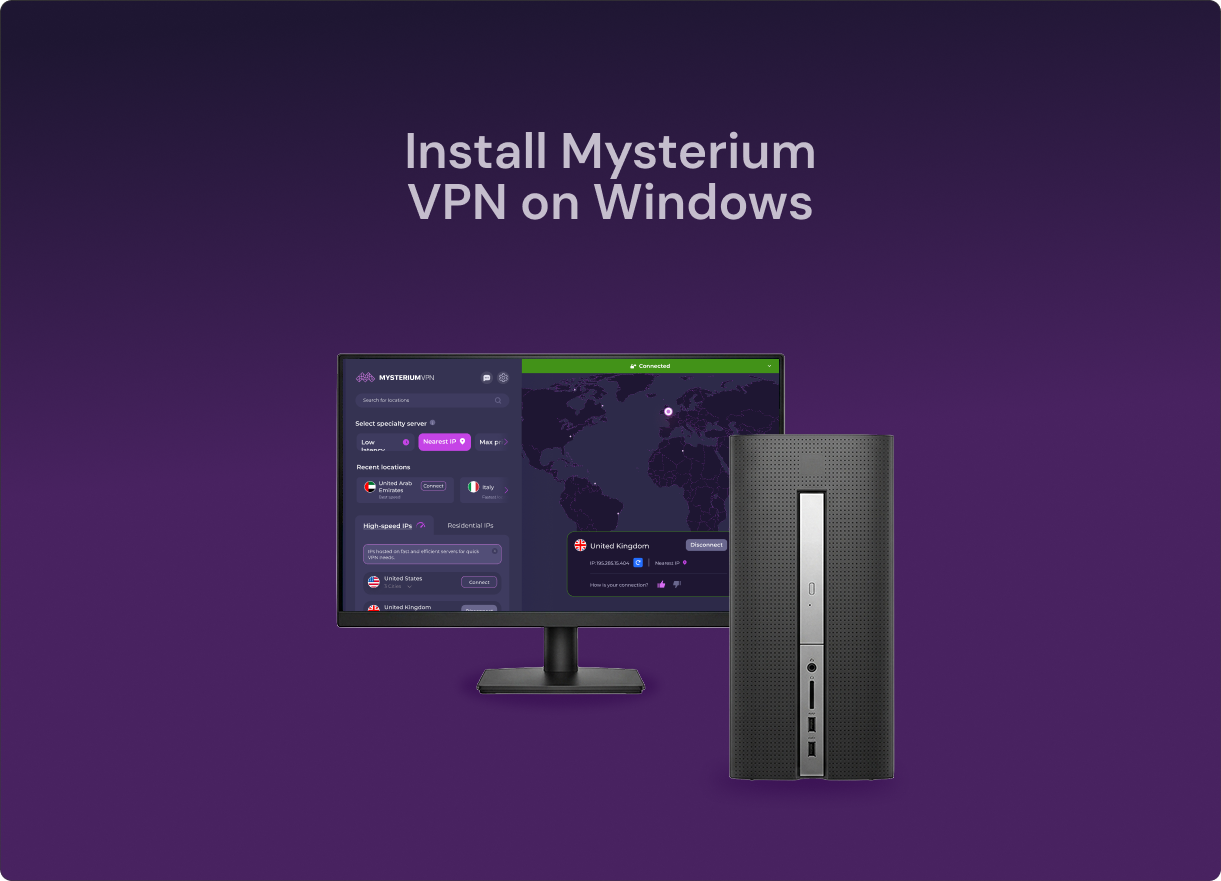
Mysterium's own image of the Windows app on a desktop PC: the location list with specialty servers and High-speed / Residential IP tabs on the left, a world map and a connection to the United Kingdom on the right.
Features
Residential IPs that look like a home connection
Mysterium VPN's Plus and Pro plans give you 7,500+ residential IP addresses, assigned by ISPs to real homes, in 100+ countries. You pick a country, then a city (and a state in the US), and the app shows how many IPs sit behind that location. Because the address belongs to a consumer ISP, sites that block known VPN ranges are less likely to flag you. Mysterium is careful to say results depend on the site and the specific IP, and that's fair: an IP that someone else has already burned on that site can still be flagged.
Favorite IPs for sites that remember you
Mysterium VPN lets Plus and Pro users save a residential IP that worked and reconnect to it from the Favorites tab later. That matters for banking, work tools and marketplaces, which get nervous when your address jumps around. Mysterium doesn't promise a saved IP will still be online next time, since the node behind it is a household connection.
Kill switch you can't forget to turn on
Mysterium VPN's kill switch is always on and can't be disabled: if the tunnel drops, traffic stops until it's back, so your real IP isn't exposed. DNS leak protection keeps lookups inside the tunnel, and IP leak protection covers the rest. WireGuard with ChaCha20 is the default protocol, and OpenVPN is available on Windows, Mac, iOS and Linux.
Malware and adult-site blocker on Pro
Mysterium VPN Pro adds a DNS filter that blocks known malicious, phishing and scam domains, plus an optional "family-friendly" NSFW filter. You toggle both in the app. It's a filter, not antivirus: it won't scan files.
Apps for nearly everything, one account
Mysterium VPN has a direct-download Windows app (no Microsoft Store), a Mac App Store app, iPhone and iPad and Android apps, a command-line client for Linux, extensions for Chrome, Brave, Opera and Opera GX, and router setups that cover smart TVs and consoles. One subscription covers all of them, up to the plan's device limit. You can also pause a subscription instead of cancelling it.

The Residential IPs tab in the iPhone app (App Store image): residential IPs are described as "provided by real households, nearly undetectable but less stable", with cities or states listed per country.
Benefits
- Fewer "unusual sign-in" alarms. Logging into your bank or a work tool from a residential IP in your home city looks normal; logging in from a datacenter in another country doesn't.
- A VPN you can still use where VPNs are blocked. Datacenter ranges get blocked wholesale; home connections usually don't.
- Normal VPN protection too. On café or hotel Wi-Fi, the high-speed servers give you the usual encrypted tunnel without the slowdown of a residential exit.
- Room for a household. Plus covers 10 devices and Pro 15, which is more than many VPNs allow.
Real-World Uses
- Banking while traveling: you're in Lisbon, your US bank flags every foreign login, so you connect to a residential IP in your home state and save it as a favorite for next time.
- Freelancers with overseas clients: a client's admin panel or ad account only accepts logins from one country; a residential IP there avoids constant verification prompts.
- Price and search checks: see what a flight, hotel or search result looks like to someone browsing from home in another country.
- Public Wi-Fi: switch to a high-speed server for plain encryption when speed matters more than looking local.
Who It's For, and Who Should Skip It
Good fit: travelers, remote workers and people outside the US or Europe who keep getting blocked or challenged when they use a normal VPN, and who care more about getting in than about raw speed.
Skip it if: you mainly want a fast VPN for streaming and downloads (a mainstream datacenter VPN such as NordVPN is faster and steadier), you want a VPN whose no-logs claim has been checked by an outside auditor (Mysterium hasn't published one), or you need split tunneling, which Mysterium doesn't offer yet. Also skip it if you'd rely on a 30-day refund: plan on 7 days.
Usage Guide
- Pick a plan first. Mysterium VPN needs an account with an active subscription before the app connects. Choose Plus or higher if residential IPs are the reason you're buying.
- Install on Windows. Download MysteriumVPN.msix from Mysterium's Windows page, double-click it, and click Install when Windows has inspected the package. One installer covers Windows 10 (64-bit) and Windows 11.
- Install on a Mac from the Mac App Store (macOS 12 or later) and click Allow when macOS asks to add the network extension.
- Sign in with the email you bought with (Mysterium uses an emailed magic link).
- Choose your exit. Use High-speed IPs for everyday protection, or switch to the Residential IPs tab, pick a country and city, and connect. Save an IP that works with the favorite button.
- Don't hop around too much. Mysterium's terms treat rapid, repeated server switching as possible abuse, and several users report accounts being suspended. Pick a location and stay on it.

The iPhone app connected to a residential IP in Paris (App Store image), showing the IP address, the "Residential" label and the size of that location's IP pool.
Where it falls short
- Account suspensions. The most common complaint in App Store and Trustpilot reviews from 2025 and 2026 is "error 7040": the service stops working and the account is disabled, often after switching IPs often, with slow help from support.
- Billing and cancelling. Several reviewers say they had trouble cancelling or kept getting charged. The terms let you cancel in the app where available or by email to help@mysteriumvpn.com; keep a copy of the email.
- Residential speed varies. Each residential exit is a household line; testers found residential mode noticeably slower than the high-speed servers.
- No independent audit. Mysterium has a no-logs policy, says its app code is public and is a member of the VPN Trust Initiative, but hasn't published a third-party no-logs audit.
- No split tunneling, and the Linux client is command-line only.
What Users Say
Ratings depend heavily on where you look: 4.7 out of 5 from 5,011 ratings on the US App Store, 3.9 out of 5 from about 9,460 reviews on Google Play (1 million+ installs), and 1.6 out of 5 from 35 reviews on Trustpilot, where the page covers the whole Mysterium Network, including node operators, not only the VPN app (all checked November 27, 2026).
App Store (iPhone and iPad)
"Most of the standard VPN services that you use tend to share the same commercial VPN servers, but with Mysterium, you have the option to use residential IPs that won't be detected or blocked by services that are adverse to VPNs. You might take a speed hit but better than being blocked and you still have the option to choose commercial vendors." (ThemePro, 5 stars, "A VPN that doesn't get blocked", October 22, 2026)
"I like this vpn very much especially the residential ips but what I notice about the vpn ips is that their is no T-Mobile isp there pls developer do something about it" (Csl tycoon, 2 stars, "Mysterium vpn is the best", November 6, 2026)
"I've seen this has been an issue for many people of a cycle of getting their service disabled and being left with error 7040. It's been the second time I've been left with error 7040 and the help center isn't responding." (MrRustyDuck, 1 star, "False flags, error 7040", September 15, 2026)
"I signed up for a subscription while in Europe in January 2026 and requested to cancel in February. I was still getting charged as of June and had to get my credit card company to reject the charge." (EAWMD, 1 star, "Would not buy", June 29, 2026)
"Good residential vpn but work on specific locations like specific states in particular countries ... Also, IPs provided are poor according to Scamalytics IP credibility checker. This can cause blocking and banning of accounts on some websites" (Koll, 4 stars, "Good, Room for improvement", July 22, 2025)
Trustpilot (Mysterium Network page)
"Mysterium VPN has crypto payments and that to me is the best feature." (Jumper, 5 stars, "Privacy Respecting VPN", October 25, 2023)
"The app barely works—whether it's the Chrome extension, desktop version, or any device" (Marco S., 1 star, "Mysterium VPN is a huge disappointment", March 18, 2025)
"network is good, ip quality is good, but soon you will run into 7040 error" (voxvici, 2 stars, May 2024)
"you cannot cancel your subscription on their website and must email them" (Gena Marcos, 1 star, March 26, 2025)
Reviewers
Freaking Nomads (Irene Wang, updated November 24, 2026) tested it on the road and called it "the most practical residential-IP VPN we've tested in 2026", adding that "Residential mode cleared banking warnings that showed up on datacenter IPs from the same city." Their downside: residential mode ran 35-45% slower on downloads, and "Netflix and BBC iPlayer were hit-or-miss compared with NordVPN."
It's FOSS (Sourav Rudra, November 19, 2026) tried the Linux client: "It is command line option only, though." Setup was fiddly ("The client kept telling me to run the auth command again"), but "Download speeds stayed between 175.5 and 180.9 Mbps across three tests" on the high-speed IPs.
vpnMentor scores it 4.7 out of 10, but its review describes the older free, crypto-paid Mysterium app (no iOS app, no kill switch), not the current subscription service, so its results don't tell you much about today's product.
The pattern is consistent. People who bought Mysterium VPN for its residential IPs mostly get what they wanted: fewer blocks and fewer security prompts. The complaints are about the company more than the tunnel: accounts disabled with error 7040, slow support, and trouble cancelling or getting refunds. (Trustpilot text was read through a summarizing tool; App Store quotes are from Apple's review feed.)
Comparisons
Mysterium VPN vs NordVPN
NordVPN is the faster, more polished all-rounder: 10 devices, split tunneling, Meshnet, repeated independent no-logs audits, and dependable streaming. Mysterium VPN wins only on one thing, but it's a big one if it's your problem: residential exits that look like home broadband. If VPN blocks are rare for you, NordVPN is the safer buy; if they're the reason you're shopping, Mysterium is one of the few consumer VPNs that addresses them directly.
Basic vs Plus vs Pro
Basic is a plain datacenter VPN in 57 countries for 6 devices. Plus is the plan to get: residential IPs, 108 countries, favorite IPs, city-level choices and 10 devices, and it was cheaper than Basic on both the 1-year and 2-year terms on November 27, 2026. Pro adds 5 more devices and the malware and NSFW blocker.
Editions and Pricing
Order-page prices in USD for a US buyer on November 27, 2026, before any VAT. "Standard price" is the undiscounted price the order page shows; Mysterium's checkout says plans renew at the standard price.
| Plan |
First payment |
Standard price |
Devices / IPs |
Buy |
| Plus, 1 year | $41.88 | $167.88 a year | 10 devices, residential IPs | Buy Plus 1-Year |
| Plus, 2 years | $54.96 | $335.76 every 2 years | 10 devices, residential IPs | Buy Plus 2-Year |
| Pro, 1 year | $71.88 | $239.88 a year | 15 devices, residential IPs, malware blocker | Buy Pro 1-Year |
| Pro, 2 years | $93.36 | $479.76 every 2 years | 15 devices, residential IPs, malware blocker | Buy Pro 2-Year |
| Basic, 2 years | $71.76 | $263.76 every 2 years | 6 devices, datacenter IPs only | Buy Basic 2-Year |
Monthly plans cost $10.99 (Basic), $13.99 (Plus) and $19.99 (Pro). Each Buy button opens Mysterium's checkout with that plan already selected. The 2-year plans currently include 3 bonus months, Mysterium's Black Friday extra. Mysterium's own pricing showed the same first-payment prices, within a few cents, in October 2026, so the discounts aren't a short sale; the standard prices, though, have moved (Plus was $179.88 a year in October).
FAQs
Is Mysterium VPN a decentralized VPN?
Mysterium VPN is a subscription service run by one company, with accounts and billing like any VPN. The decentralized part is its residential exits, which come from independent node operators. The older pay-per-use, crypto-wallet dVPN is a separate app, Mysterium Dark.
Does using Mysterium VPN turn my computer into an exit node?
No. Mysterium VPN says using the app never makes your device part of the network. Only people who choose to run a Mysterium node share their connection.
Can the person running a residential node see my traffic?
Mysterium VPN routes every connection through two nodes and encrypts it end to end, and says the pool operator can't view your information. As with any VPN, sites you visit over plain HTTP are readable at the exit, so stick to HTTPS.
Is there a data cap?
Mysterium VPN plans have unlimited data, with no pay-per-gigabyte charges. The fair-use rules forbid excessive bandwidth and automated traffic, and breaking them can lose you your account and your refund.
What is error 7040 in Mysterium VPN?
Error 7040 is what users see when Mysterium VPN has disabled or suspended their service, usually after its systems flag the account for something like rapid server switching. Contact help@mysteriumvpn.com; reviewers say getting it lifted can take a while.
Can I pay for Mysterium VPN with crypto?
Yes. Mysterium VPN takes cryptocurrencies as well as cards, PayPal, Apple Pay and Google Pay. Refunds of crypto payments are made in USD and can differ from what you paid because of exchange rates.
Does Mysterium VPN work on a Fire TV or a games console?
Mysterium VPN has no app for those, but you can set it up on a supported Wi-Fi router, and every device on that network, including smart TVs and consoles, goes through the VPN.
Does a subscription bought on iPhone work on Windows?
Yes. A Mysterium VPN subscription is tied to your email account, so one bought in the iPhone app also works on Windows, Mac and Android, up to your plan's device limit. Refunds for App Store or Google Play purchases go through Apple or Google.
System Requirements
- Windows 10 (64-bit) or Windows 11; installed from an MSIX package
- macOS 12 or later (Mac App Store)
- iOS and iPadOS 15 or later; Android
- Linux: Ubuntu or Debian (command-line client)
- A paid Mysterium VPN subscription
Conclusion
Mysterium VPN is worth its first-year price for one kind of buyer: someone whose real problem is being blocked or challenged for using a VPN at all. Its residential IPs, favorites and city-level choices address that more directly than mainstream VPNs, and the 1-year Plus plan at $41.88 is cheap enough to find out. Go in with your eyes open, though: plan on a 7-day refund window rather than the advertised 30, set a reminder before the renewal at the standard price, don't hop between IPs, and expect slower speeds on residential exits. If you just want a fast, well-audited VPN for streaming and public Wi-Fi, buy a mainstream one instead.
Buy Plus 1-YearBuy Plus 2-YearSee All PlansDownload for Windows