Depeche View Pro: Search Thousands of Text Files in One Window
Depeche View is a Windows text search tool from StahlWorks Technologies that loads every text file in a folder (source code, logs, XML, CSV, Office documents) into a single window and finds words as you type. The Base edition is free; Depeche View Pro costs $43.91 once at checkout (EUR 39.95) and adds multi-core search about 10 times faster, searching inside ZIP and TAR archives without extracting, and column search.
It's built for developers, support engineers and analysts who spend the day asking "where else does this appear?" across tens of thousands of files, and who find an IDE's search dialog or grep too slow to browse.
Quick facts
- Version: 1.7.7, released May 15, 2026
- Developer: StahlWorks Technologies (Germany), also the maker of the Swiss File Knife command-line tool
- Platform: 64-bit Windows 7 to 11
- Loads: plain text and source files of any kind, plus .docx, .xlsx, .pptx, .odt, .ods and other Office formats; Pro also .zip, .tar.gz and .tar.bz2 contents
- Price: EUR 39.95, $43.91 at checkout, one-time
- License: one user, up to five PCs plus three USB sticks; a year of free upgrades, then upgrades at half price
- Free version: Depeche View Base, with no file or size limits
- What we checked: the free Base program dview.exe (3.8 MB, dated May 17, 2026) and the order page on November 20, 2026: Depeche View Pro $43.91, one-time. We didn't benchmark search speed ourselves.
Download Free Base EditionBuy Now
Overview
Most editors show one file per tab. Depeche View shows all of them as one long text, with a ":file:" line and the path before each file's content. You point it at a folder, it loads everything, and from then on there's a find line at the bottom: type a word and the result list appears as soon as you stop typing, across every file. Click a result to jump there, or drag the mouse to fly through the text. A path line filters which files are included, so you can narrow a search to *.cpp or to one subfolder instantly.
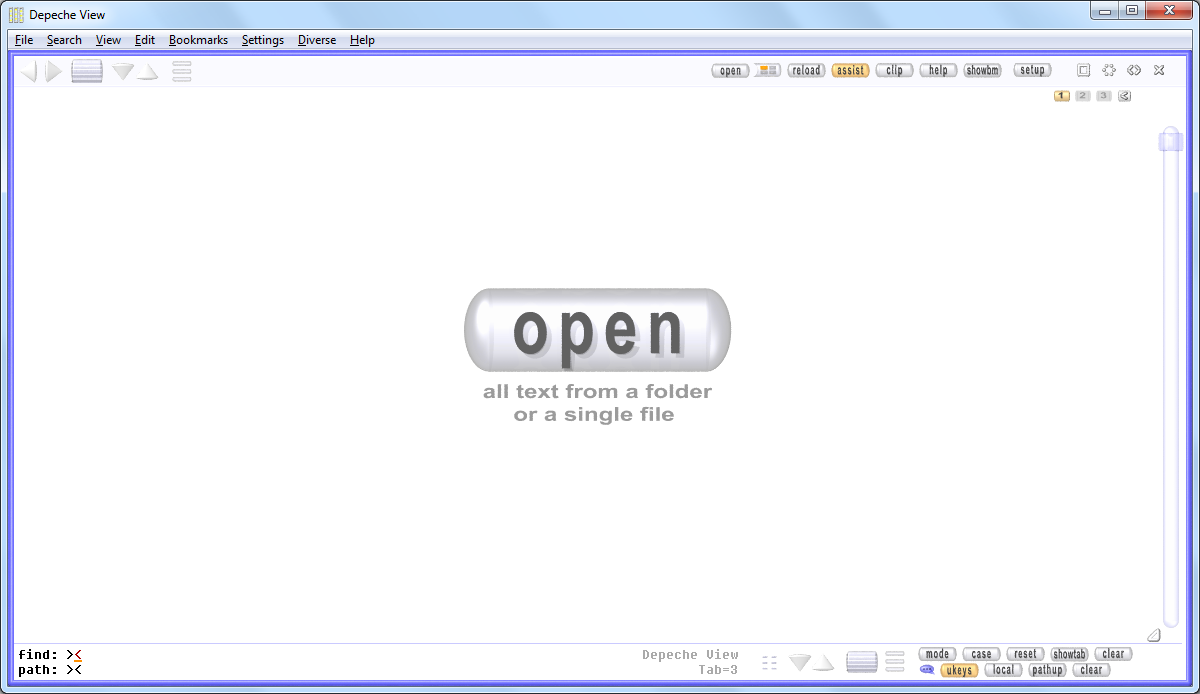
The start screen: one "open" button for all text from a folder or a single file, and the find and path lines at the bottom.
Features
Find as you type, find as you click
Depeche View searches without a dialog: type into the find mask and results appear when you pause. Shift+click on any word on screen searches that word across all files; a right-click sends the search to a second window. Matches are highlighted in color, and the filtered result view shows only the matching lines with their file names.
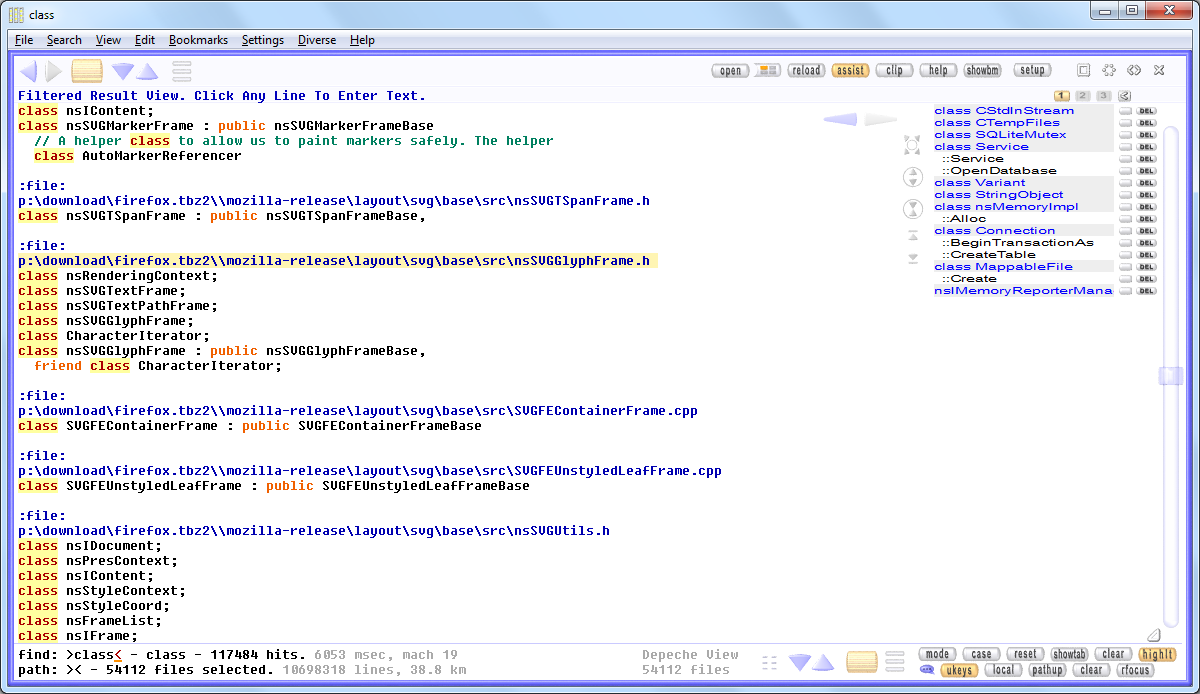
A filtered result view: 117,484 hits for "class" across 54,112 Firefox source files, with a bookmark list on the right.
Multi-core search (Pro)
Depeche View Pro spreads the search over all processor cores. StahlWorks' own benchmark: searching 400,000 source files (3 GB of text) for "class" on a 6-core Ryzen 5 5600X takes 12 seconds in Base and 1 second in Pro.
Search inside archives without extracting (Pro)
Depeche View Pro loads the contents of .zip, .tar.gz and .tar.bz2 files directly, such as a GitHub source download or a zipped log bundle from a customer, so you can search them without unpacking thousands of files to disk.
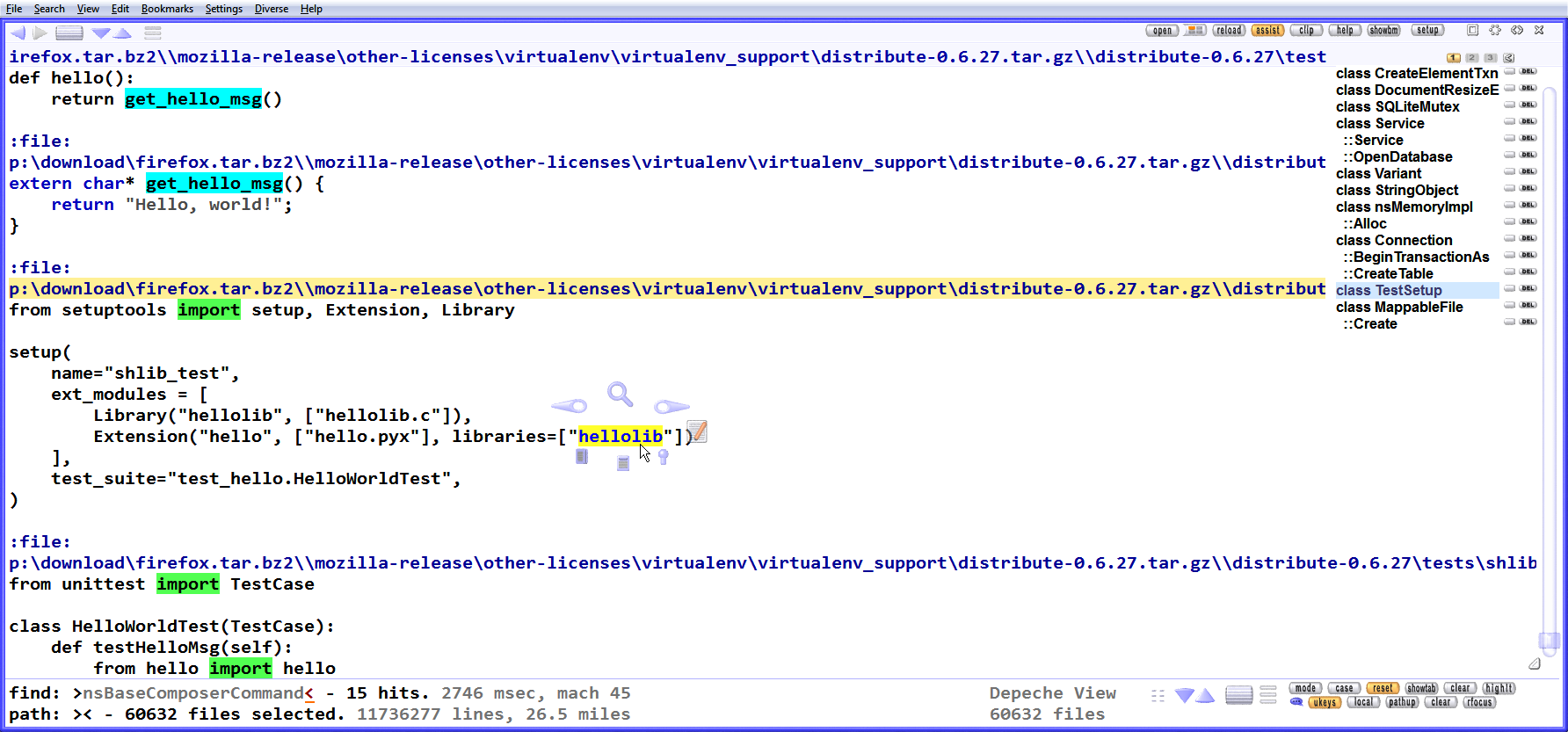
Files read straight out of firefox.tar.bz2: 60,632 files and 11.7 million lines loaded, with "import" and "hellolib" highlighted.
Side-by-side views and editing
Depeche View opens up to three views of the same loaded text side by side in a fixed layout, so you can read a function's definition next to its callers, in the same file or different ones. It edits plain text in place, copies blocks between views, keeps bookmarks, and opens Office files in their own application with one key.
Column search and tools integration
Depeche View Pro searches tab-separated database exports by column, with expressions such as COL1 foo AND COL2 bar. Both editions run external programs (compilers, batch files, your usual editor) from self-defined hotkeys or extra mouse buttons, and can load text from the clipboard.
Benefits
- Answers in seconds, not minutes. Browsing every occurrence of a symbol in an unfamiliar codebase becomes a matter of typing and scrolling.
- No install footprint. Base runs as a single 3.8 MB exe; Pro installs without admin rights or to a USB stick.
- Licensing without activation. No dongle, license server or online activation; the license ID is built into your installer.
- Still developed. Version 1.7.7 arrived in May 2026 with new editor defaults and clipboard options.
Real-World Uses
- Learning a new codebase: load the whole repository and Shift+click your way through class names and function calls.
- Support tickets: open a customer's zipped log bundle in Pro and search for an error code across every log at once.
- Document research: load a folder of Word and Excel files and find every mention of a contract term.
- Data exports: search a large tab-separated export by column without importing it into a database.
Who It's For, and Who Should Skip It
Depeche View Pro suits programmers, testers, support engineers and anyone who searches large trees of text on Windows every day, especially in archives or on machines where they can't install software as admin.
Skip it if the free Base edition already feels fast enough on your data: it has no file limits. It's Windows-only (the portable binary doesn't run under Linux/Wine), loads text into memory rather than indexing your whole disk, and isn't a desktop search engine for PDFs or email. If you want a modern IDE-style editor, it isn't that either: the interface is unconventional.
Usage Guide
- Download the free Base edition with the button on this page and run dview.exe; no installation is needed.
- Click open and choose a folder (or a single file). Depeche View loads all its text files.
- Type a word in the find line at the bottom; click a result line to jump to it.
- Use the path line to limit the search to certain files or folders, and Shift+click words to search them.
- After buying Pro, use the download details on the confirmation page or email to get your personal installer; it already contains your license ID, so there's no serial number to type.
Before you buy
- Test Base on your real data first: loading, Office files, editing and fonts are the same in both editions.
- Depeche View needs about twice as much RAM as the text you load; with 16 GB of memory, expect up to about 8 GB of text.
- Archives must fit completely into memory, and archive files over 2 GB may not load; some 64-bit ZIP variants aren't supported.
- Write down the download details shown right after purchase: StahlWorks notes that the confirmation email is sometimes caught by spam filters.
Where it falls short
- An unusual interface. Pill-shaped buttons, a fixed view layout and keyboard-first habits take time to learn; one download site's review called it "quirky".
- Memory-bound. Everything is loaded into RAM, so very large trees need a well-equipped PC.
- Few independent reviews. It's a niche tool from a small developer, so there's little outside opinion to go on beyond download-site ratings.
What Users Say
Download sites
MajorGeeks users rate Depeche View 1.7.7 5 out of 5 from 6 votes.
Downloadcrew (3 of 5 stars, for the old Lite edition): "Depeche View Lite is an interesting text search tool, with plenty of time-saving features." Its criticism: "The 100 file/ 30MB file size limit is annoying, though, and the quirky interface takes time to master." That file limit is gone: since version 1.7.7 the free Base edition has none.
The recurring themes
What's said about Depeche View is consistent: it's fast and saves time for anyone digging through lots of text, and its interface is unconventional. With so few published reviews, the free Base edition is the best review you can get: try it on your own folders.
Comparisons
Depeche View Pro vs Base
Both load unlimited files and text. Pro adds multi-core search (12 seconds vs 1 second in the vendor's 3 GB test), archive loading, column search, an installer with no-admin, silent and USB options, and removes the airplane logo from the start screen.
Depeche View vs grep or an IDE's Find in Files
grep and IDE searches return a list of lines. Depeche View keeps all the text loaded, so you search again instantly, read the surrounding code, and fly through results, which suits exploring rather than one-off lookups.
Editions and Pricing
| Edition | Price | License | What it includes |
|---|
| Base | Free | Freeware, portable exe | Unlimited files and text, find as you type, editing, Office files |
| Pro, single user | EUR 39.95 ($43.91 at checkout), one-time | Up to 5 PCs and 3 USB sticks | Multi-core search, archive loading, column search, installer options, 1 year of upgrades |
| Pro, block licenses | EUR 190 for 5 up to EUR 2,550 for 100 (vendor, via PayPal) | Per employee, up to 3 PCs and 2 USB sticks each | Same as Pro, one license ID for the team |
FAQs
Does Depeche View Pro need admin rights to install?
No. Depeche View Pro's installer suggests C:\app\dview, which needs no admin rights; installing to Program Files is an option for company admins.
Can I use one Depeche View Pro license at work and at home?
Yes. A Depeche View Pro single-user license allows permanent installation on up to five machines, such as work and home PCs and notebooks, plus up to three USB sticks.
Does Depeche View Pro phone home or need activation?
No. Depeche View Pro has no dongle, license server, network messages or live activation; your license ID is built into the installer you download.
What happens after the first year of a Depeche View Pro license?
Depeche View Pro keeps working. New versions released within a year of purchase are free; after that you can upgrade at half price.
Does Depeche View run on 32-bit Windows or Linux?
No. Depeche View Base and Pro are 64-bit Windows applications, and the portable binary can't be used under Linux with Wine. StahlWorks keeps an older build for Windows XP on its downloads page.
Can Depeche View be deployed silently across a company?
Yes. The Depeche View Pro installer has a -silent command-line option, and all users of a block license share the same license ID.
System Requirements
- 64-bit Windows 7, 8, 10 or 11
- RAM about twice the size of the text you load
- No admin rights needed
Conclusion
Depeche View Pro is worth about $44 if you search large codebases, logs or archives on Windows every day. The one reason to buy: multi-core search and archive loading turn minutes of waiting into seconds, under a generous five-PC license with no activation. The main reason not to: the free Base edition has no file limits, so if its speed is enough for your data, you don't need Pro. Start with Base; upgrade when the wait, or a pile of ZIP files, starts to annoy you.
Download Free Base EditionBuy Now