Stop exporting your spreadsheet just to run a regression
You have your data in Excel. The test you need is not in Excel. So you export a CSV, open a separate statistics package, learn its scripting language, and then copy the results back into your report. XLSTAT removes that round trip. It is a statistics add-in that puts its tools in a tab on the Excel ribbon, so your data, analysis and charts stay in one workbook.
Quick facts
- Type: statistical analysis add-in for Microsoft Excel
- Platforms: Windows and Mac versions of Excel
- Packages: Essentials, Standard and Advanced
- Trial: 14-day free trial with full access to the Advanced package
- Size of toolset: 300+ statistical tools in the top package
- Data privacy: data and results stay local, inside Excel on your machine
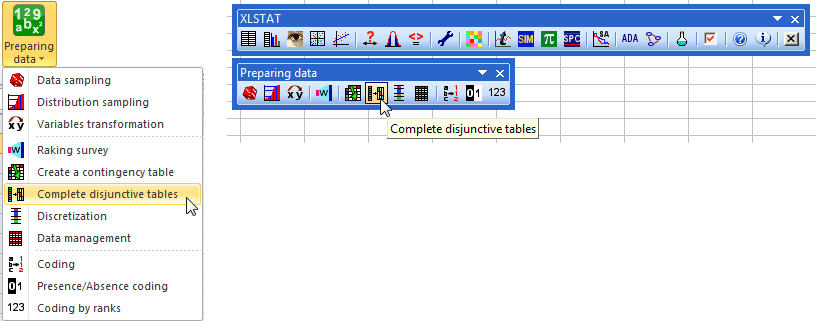
Key features
Point-and-click statistics without writing code
You pick a method from dialogs, select your cells, and get the output in Excel. The tools cover descriptive statistics, t-tests and z-tests, variance tests, paired-sample tests, equivalence testing and proportion tests. You don't need a scripting language to run them.
Modeling and machine learning on your worksheet data
You can apply regression and classification algorithms to forecast trends. The listing history also mentions ANOVA, ANCOVA, mixed models, discriminant analysis, clustering and decision trees. Those classic multivariate methods are what most researchers reach for first.
Sensory and consumer research tools
The Standard package targets sensory, consumer and market research. On top of the Essentials tools it adds sensory data analysis, text mining, Bayesian networks, a marketing tool and path modeling.
Quality control and time series forecasting
Quality control and six sigma methods help you monitor and improve process quality. Time series tools help you spot trends and forecast what comes next. Time series analysis is part of the Advanced package.
An AI assistant, R integration and workflow automation
The Advanced package adds an AI Assistant that summarizes data, recommends methods and helps interpret results. It also adds XLSTAT-R, which lets you combine R with the Excel interface, plus workflow automation and a dataviz tool.
Results you can share in Excel, Word or PowerPoint
You can build tailored visualizations and export them to Excel, Word or PowerPoint. Reports stay in the tools your colleagues already use.
Large datasets beyond Excel's own limits
An import wizard lets XLSTAT load and analyze data that exceeds Excel's native size limits. For large datasets, the 64-bit version of Microsoft Office is recommended.
Who it's for
XLSTAT suits people who already live in Excel and need real statistics. That includes students and teachers running statistics courses, researchers, analysts, and product developers working with sensory panels. It also fits quality engineers and life-science teams who want specialized tools without leaving a familiar interface. If your whole workflow is built around scripting in R or Python, the Excel-first design may feel limiting.
Pros and cons
Pros
- You work inside Excel, so there is nothing new to learn about the workbook itself.
- The range is broad, from basic tests to sensory analysis, quality control and time series.
- Three packages let you pay only for the tool depth you need.
- A 14-day trial with the Advanced package lets you test before you buy.
- Your data and results stay on your own machine.
Cons
- It needs Microsoft Excel, so it is not a standalone program.
- The AI Assistant, XLSTAT-R, time series and lab and pharma tools only come with the Advanced package.
- Very large datasets work best with 64-bit Office.
- Sensory and path modeling tools sit in the Standard package, so Essentials covers only the core 100+ tools.
FAQs
Does XLSTAT work on a Mac?
Yes. It works with both Windows and Mac versions of Microsoft Excel.
Can I try it before buying?
Yes. There is a 14-day free trial, and it gives full access to the Advanced package.
Which package should I choose?
Essentials covers core exploration, visualization, modeling, clustering and quality control. Standard adds machine learning, sensory data analysis, text mining, Bayesian networks, a marketing tool and path modeling. Advanced adds the AI Assistant, dataviz tool, workflow automation, XLSTAT-R, time series and lab and pharma tools.
Is there academic pricing?
Yes. Discounted rates exist for academic users and institutions.
Where is my data stored?
Your data and analysis results stay locally within Excel on your own machine.
System requirements
- Microsoft Excel on Windows or Mac
- 64-bit Microsoft Office recommended for large datasets