SysInfo DBX Recovery: Rescue Old Outlook Express Mail from Damaged DBX Files
SysInfo DBX Recovery is a Windows tool, from $49, that repairs corrupt Outlook Express .dbx mail folders and saves the recovered emails as PST (for Outlook), EML, MSG or RTF. It's for anyone holding an old Outlook Express archive that won't open, or that they need to move into a modern mail program.
Windows XP was the last Windows to include Outlook Express, but its DBX files live on in backup folders and old hard drives, often holding a decade of family or business mail. When a DBX file breaks (the classic causes are the 2 GB size limit and an interrupted compact), Outlook Express shows errors or empty folders. This tool reads the damaged file directly and pulls the messages out.
Quick facts
- Version: 2.0 (installer dated August 22, 2024)
- Developer: SysInfoTools Software (India)
- Platform: Windows 11, 10, 8.1, 8, 7, Vista and XP, plus Windows Server 2008 and 2012
- Input: Outlook Express .dbx files, one or many, including files over 2 GB
- Output: PST, EML, MSG, RTF or DBX; Outlook isn't needed to save
- Price: $49 Single Home User licence (up to 2 computers, 1 year of updates); Administrator $199, Technician $299, Enterprise $499; one-time payment
- Free licence offer: the vendor advertises the tool as free for life to users who post a review of it on a review site and email it a screenshot (details below)
- What we checked: the installer (6.88 MB, file dated August 22, 2024) downloaded from the vendor and the four licence prices on the order page ($49, $199, $299 and $499) on November 26, 2026. We didn't repair a damaged DBX file ourselves.
Before you buy
- Is the DBX file damaged, or just old? If the file is healthy and you only want the mail in another program, simpler conversion routes exist. SysInfo DBX Recovery earns its price when the file is corrupt, oversized or won't open.
- Test with the free download first. Load your DBX file and check the preview: if your emails appear there, the full version will save them.
- The free licence route. SysInfoTools' product page calls this tool "completely FREE": you install it, post your genuine experience on GoodFirms, Software Informer, Trustpilot or another supported review site, and email a screenshot. After checking the review, the vendor sends a free activation key, under the offer's conditions. The paid licence is the no-strings option, with the key emailed within about 15 to 20 minutes.
- Treat the 30-day guarantee as narrow. SysInfoTools' refund policy excludes software bought at a discounted price (all four licences are shown as sale prices), refuses refunds for activated products, and doesn't refund recovery software that recovers part of the data. The free preview is your real test.
Download Free DemoBuy Single Home User ($49)
Overview
SysInfo DBX Recovery looks like a mail client: a folder tree on the left, the list of recovered messages at the top right, and the selected email below. You open one or more DBX files, pick a recovery mode, let it scan, then check the messages you want and save them in the format you need. The original DBX file is only read, never changed.
A DBX file is a small database: a header and an index that point to the messages stored in it. Most corruption hits the header and index, while the messages themselves often survive. That's why the tool has a Raw mode that ignores the index and searches the file for the messages directly.
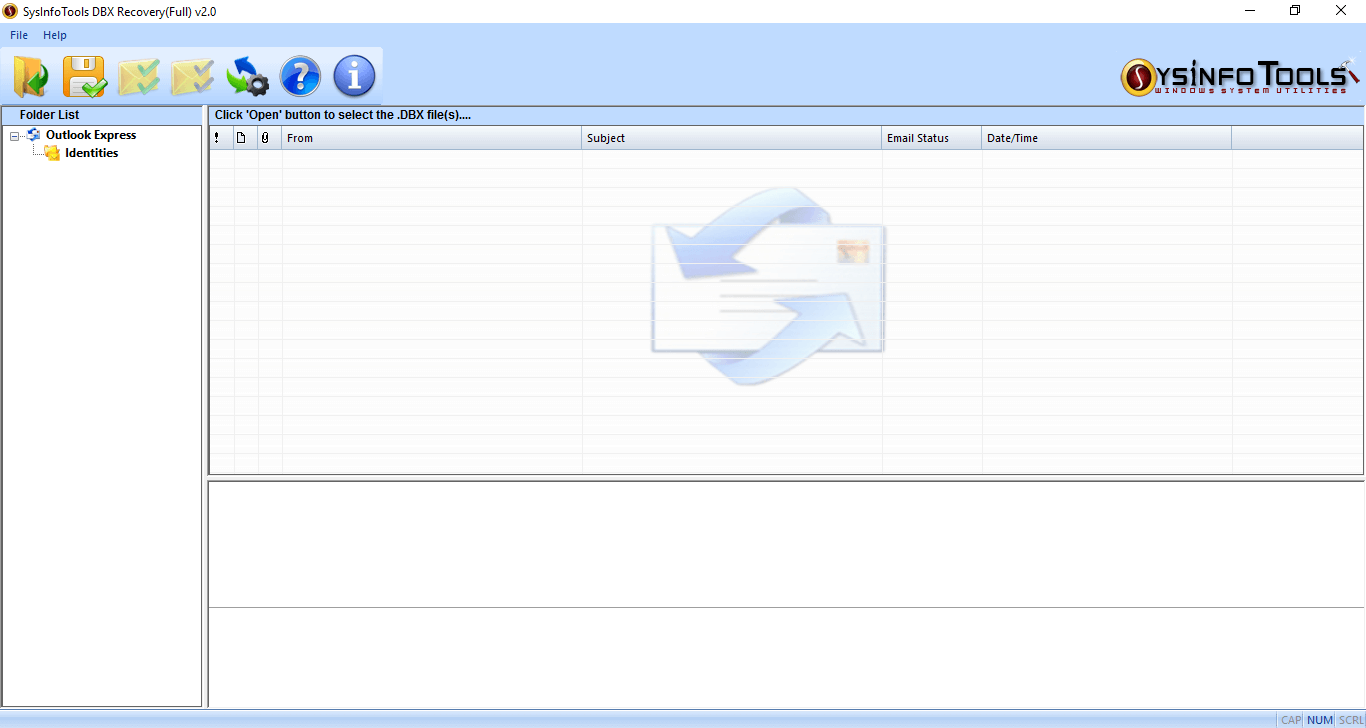
The empty main window of SysInfoTools DBX Recovery (Full) v2.0, waiting for you to open .dbx files.
Features
Three recovery modes
SysInfo DBX Recovery offers Standard mode for minor corruption, Advanced mode for major damage, and Raw mode for when the other two fail. Standard and Advanced rebuild the file's damaged index from the readable pieces; Raw skips the index and digs the messages out of the data itself. A checkbox applies the chosen mode to every DBX file you've loaded.
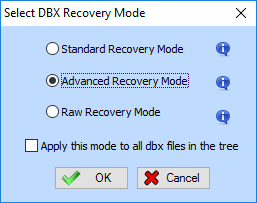
The recovery mode dialog, with the option to apply the mode to all DBX files in the tree.
Full message details, attachments included
SysInfo DBX Recovery recovers each email with its sender, recipients, date and time, formatting and attachments, plus non-English text through local code page and Unicode support. The preview shows the whole message, so you can confirm a particular email came back before saving anything.
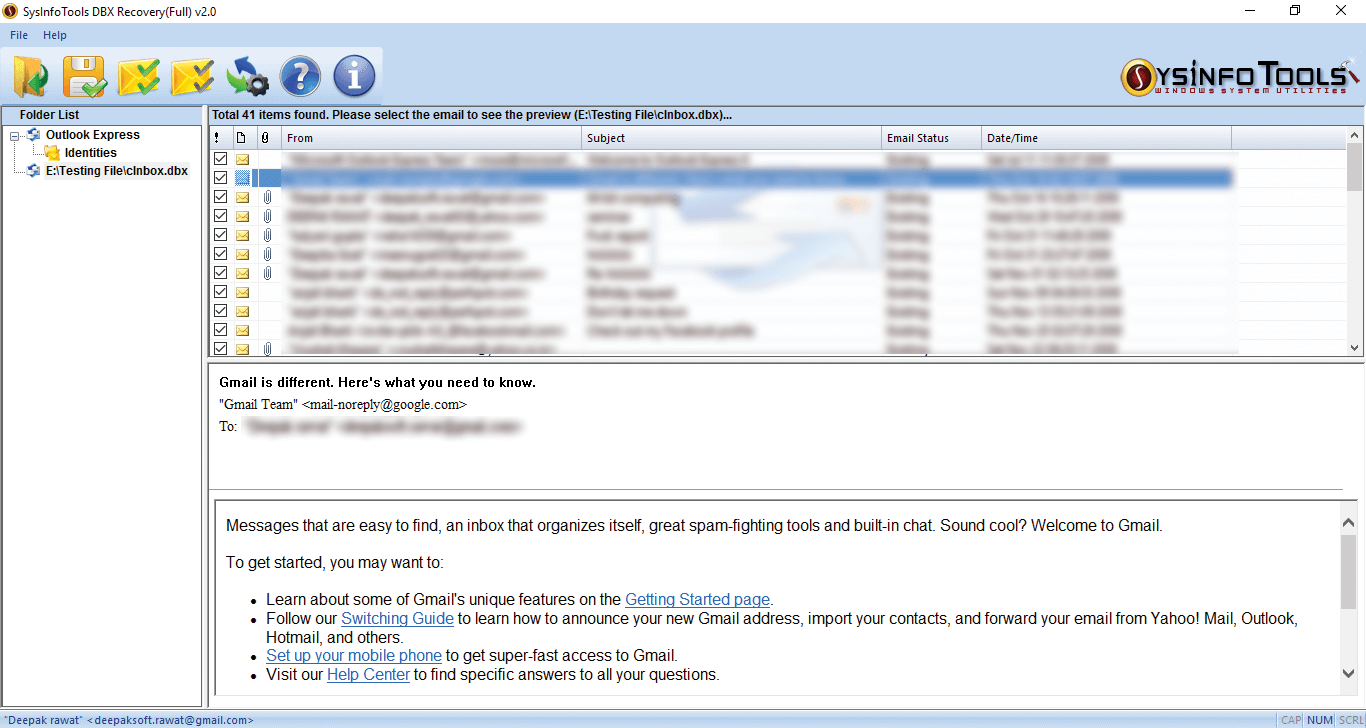
After a scan: 41 items found in an Inbox.dbx file, with From, Subject, status, date, attachment icons and a full preview of the selected email (addresses blurred by the vendor).
Five ways to save
SysInfo DBX Recovery saves the recovered mail as PST to open in any Outlook version (32 or 64-bit), as EML for Thunderbird and most other mail programs, as MSG or RTF for single messages, or as a fresh DBX. It creates one output file per DBX file, and you don't need Outlook installed to save as PST, MSG or EML.
Many files, large files
SysInfo DBX Recovery loads several DBX files in one session (Inbox, Sent Items and your own folders), and handles DBX files that grew past Outlook Express's 2 GB limit, a common reason those files broke in the first place. The licensed version has no file size limit.
Benefits
- Old mail in a program you still use. Saving to PST or EML gets years of Outlook Express mail into Outlook or Thunderbird in one pass.
- No Outlook Express needed. You don't have to dig out a Windows XP machine to read the files.
- A fallback when repair fails. Raw mode gives you a second chance on files the index-based modes can't fix.
- The original stays safe. The tool reads the DBX file without writing to it, so you can try every mode.
Real-World Uses
- A family archive. An old PC backup holds Inbox.dbx and Sent Items.dbx from the early 2000s, and Outlook Express on that machine only showed errors before it was retired.
- The 2 GB Inbox. An Inbox.dbx that hit the size limit shows as empty or crashes MSIMN.exe with Directdb.dll errors.
- Legal or business records. A company needs old correspondence from a former employee's Outlook Express folders, and saves them as PST for its current Outlook setup.
- Moving to Thunderbird. Save the recovered mail as EML and drag it into a Thunderbird folder.
Who It's For, and Who Should Skip It
It's for anyone with Outlook Express .dbx files that are damaged or that they want in a modern format, on a Windows PC, and for IT staff handling such archives for clients.
Skip it if your mail is in Outlook (.pst or .ost), Windows Live Mail or Thunderbird rather than Outlook Express: those need different tools. Skip it too if you only have a few healthy DBX files and Outlook installed, where free import routes may be enough, or if you're on a Mac, as there's no Mac version.
Usage Guide
- Download and install the tool, then launch it.
- Click Open on the toolbar and select the .dbx files. In Outlook Express, the store folder is shown under Tools, Options, Maintenance, Store Folder; on Windows XP it's usually inside Local Settings\Application Data\Identities.
- Click a loaded file, choose Standard, Advanced or Raw mode, and tick the box to use it for all files if you like.
- Wait for the scan, then click through the recovered messages to check them in the preview.
- Click Save, pick PST, EML, MSG, RTF or DBX, choose the destination folder and click OK.
- Open the result in Outlook, Thunderbird or your mail program of choice.
Where it falls short
- "Free" with conditions. The product page says "100% Free DBX Repair With No Purchase Involved", but full use still needs an activation key, either paid or earned with a published review that the vendor approves.
- Dated software. The interface and installer are old, and the product page lists Windows 98 and ME alongside Windows 10. It reflects a product that has been maintained rather than developed further.
- Overwritten data can't come back. Raw mode finds messages that are still physically in the file; mail that Outlook Express compacted away is gone.
- Reviews tied to free licences. Because the vendor trades free keys for reviews, its scores lean positive. Trustpilot reviewers have complained about this arrangement (quoted below).
- Business licences cost more than the job needs. Single Home User is for personal, non-commercial use, so a company recovering one archive has to pay $199 for the Administrator licence.
What Users Say
Independent reviews of this tool are scarce: SysInfoTools' G2 profile has no ratings, and the main source is Trustpilot, where most reviews cover the company rather than one product.
Trustpilot (sysinfotools.com): 4.6 out of 5 from 305 reviews
About 83% of the reviews are five stars and 8% are one star. One recent review is about this tool:
- "SysInfo DBX Recovery Tool is exactly what I needed to extract old Outlook Express email files. It found them immediately" (David Martell, five stars, September 10, 2026)
Other positive reviews mostly praise support:
- "I installed "SysinfoTools Software" and was able to restore my inbox 100%, thank you very much. I'm happy." (Beni)
- "The 24/7 helpdesk helped me solve all my issues. Very importan to have access to help anytime!" (Johny McTar)
The one-star reviews are about refunds, activation and results with other SysInfo tools:
- "Refused a refund 4 hours after purchasing the software despite proof it would not work." (Darren Casey)
- "It's harder to get a new activation code for their software if your pc has a crach than it is to completely rebuild" (Russell Darmody)
- "I´d really like to test the software. But it didn't even show the list of recoverable files in the trial version." (Max, four stars)
And two about the review-for-licence deal:
- "trying the free zip repair tool and have to write a review in order to get a free licence." (GBT)
- "Ran into an issue and support helped me out at first. Offered me their admin version in return for writing a good review" (Jim Brown)
On the vendor's page
SysInfoTools shows an average of 4.9 from 1,956 ratings on its own product page. It also quotes download sites, among them Soft32: "DBX Recovery Utility can effectively recover DBX files into different file formats. It is easy to use and has a 24x7 technical support."
The pattern: the one user who wrote about this tool says it found old Outlook Express mail at once, and SysInfo's support gets steady praise. The complaints across the vendor's range are about refunds and re-activation, so test with the free download and keep your order email.
Comparisons
Repair tool vs free import
Outlook and Thunderbird have, at various times, offered ways to import Outlook Express mail, but they expect a healthy store and usually Outlook Express itself on the PC. SysInfo DBX Recovery works from the bare files, copes with corruption and oversized files, and saves to several formats. For a handful of healthy files, try the free routes first.
Single Home User vs the business licences
All four licences run the same program with the same three modes and five output formats. They differ in how many computers you may use, whether business use is allowed, and how long updates last. A person recovering their own archive needs only Single Home User; a repair shop or IT team should look at Technician or Enterprise.
Editions and Pricing
| Licence |
Price |
Computers |
Updates |
Meant for |
| Single Home User | $49 | Up to 2 | 1 year | One person, personal non-commercial use |
| Administrator | $199 | Up to 5 | 1 year | Businesses, government and schools; registered to the organization |
| Technician | $299 | Up to 9 | 2 years | Technicians and service providers working on client PCs |
| Enterprise | $499 | Up to 20 | 3 years | Larger organizations, several departments |
Every licence is a one-time payment and includes 24/7 support and no file size limit. The buy page shows these as sale prices against list prices of $79, $279, $449 and $749. Each button below orders that licence.
Buy Single Home User ($49)Buy Administrator ($199)Buy Technician ($299)Buy Enterprise ($499)
FAQs
Can SysInfo DBX Recovery open Windows Live Mail or Outlook files?
No. SysInfo DBX Recovery reads Outlook Express .dbx files only. Windows Live Mail stores mail as EML files, and Outlook uses PST and OST, which need different tools.
Do I need Outlook Express or Outlook installed?
No. SysInfo DBX Recovery works from the DBX files themselves, and saving as PST, MSG or EML doesn't require Outlook. You'll need Outlook later only to open a PST.
What do Outlook Express DBX errors look like?
Typical signs of a corrupt DBX file include "MSIMN caused an invalid page fault in module Directdb.dll" or "in module Msoe.dll", exception 0xC0000006 in Directdb.dll, and "An unknown error has occurred". SysInfo DBX Recovery is aimed at exactly these files.
Will the recovered mail keep its attachments?
SysInfo DBX Recovery recovers the attachments that Outlook Express itself could access, along with sender, recipients, dates and formatting.
Does the licence expire?
No. A SysInfo DBX Recovery licence keeps working; the update period is 1 year for Single Home User and Administrator, 2 years for Technician and 3 years for Enterprise.
Is there a discount for schools or government?
Yes. SysInfoTools offers an extra discount to educational institutions and government bodies, and invites business buyers to ask for a discount through its sales chat.
System Requirements
- Windows 11, 10, 8.1, 8, 7, Vista or XP; Windows Server 2008 or 2012 (32 or 64-bit)
- About 7 MB for the installer, plus space for the recovered mail
- Outlook Express .dbx files (copied from the old PC or a backup)
- An internet connection to activate the full version
Conclusion
For a damaged or oversized Outlook Express archive, SysInfo DBX Recovery is worth $49: three recovery modes including Raw, a preview that proves the mail is there before you pay, and PST or EML output that gets old mail into Outlook or Thunderbird. The main reason not to buy is if your DBX files are healthy, when free import routes may do, or if you're a business, where the Administrator licence at $199 is steep for a one-off job. Run the free download on your files first.
Download Free DemoBuy Single Home User ($49)Buy Administrator ($199)